
Introduction
Welcome to the Anker 622 Magnetic Battery (MagGo) user manual. This guide provides essential information for the safe and efficient operation of your portable charger.
What's Included
- Anker 622 Magnetic Battery (MagGo)
- 23.6 inches (60 cm) USB-C to USB-C cable
- Welcome guide
- Worry-free 24-month warranty and friendly customer service
Product Overview
The Anker 622 Magnetic Battery (MagGo) is a compact, 5,000mAh portable charger designed for MagSafe-compatible iPhones. It features a foldable stand for hands-free viewing and supports both wireless and wired charging.

The Anker 622 Magnetic Battery (MagGo) in Buds Green, showcasing its sleek design and integrated foldable stand.

This image demonstrates the secure magnetic attachment of the Anker 622 Magnetic Battery to an iPhone, highlighting its 7.5W wireless charging capability and strong magnetic connection.
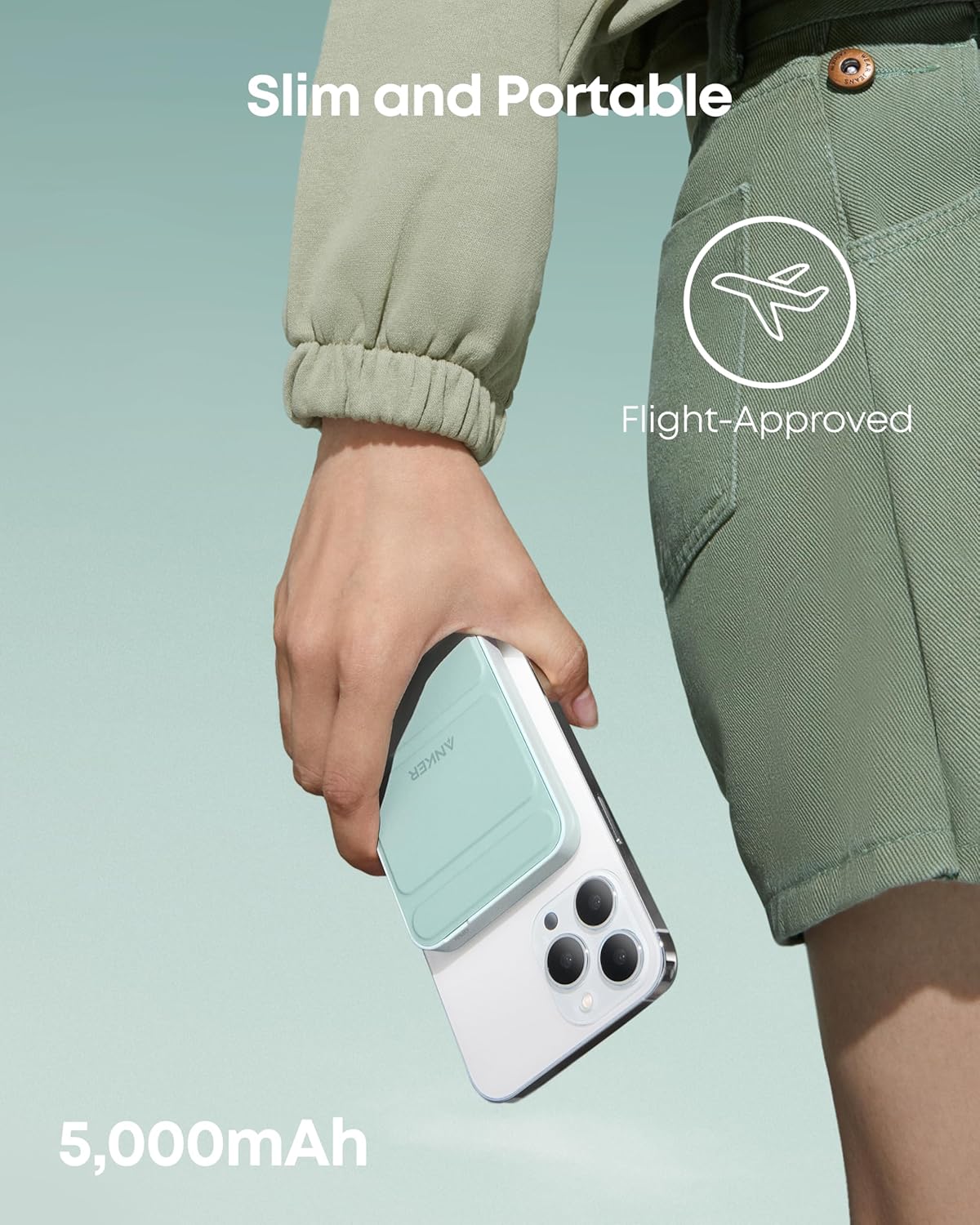
The slim and portable design of the Anker 622 Magnetic Battery is shown attached to an iPhone, indicating its compact size and 5,000mAh capacity.
Setup
Charging the Power Bank
Before initial use, fully charge your Anker 622 Magnetic Battery.
- Connect the provided USB-C to USB-C cable to the USB-C port on the side of the power bank.
- Connect the other end of the cable to a compatible USB-C power adapter (not included). For optimal recharging, use a power adapter with at least 12W output.
- The LED indicators on the side will illuminate to show the charging progress.
A detailed view of the power bank's USB-C input/output port and the four LED indicators that display the battery level and charging status.
Operating Instructions
Wireless Charging
- Ensure your iPhone is MagSafe-compatible (iPhone 13/14/15/16 Series).
- Align the Anker 622 Magnetic Battery with the back of your iPhone. The strong magnets will securely snap it into place.
- Wireless charging will begin automatically at 7.5W.
Wired Charging (Pass-Through)
The power bank supports pass-through charging, allowing you to charge your phone via a cable while the power bank itself is being recharged. The device connected to a cable will be given priority over the device being charged wirelessly.
Using the Foldable Stand
The integrated foldable stand allows for hands-free viewing of your iPhone in both portrait and landscape orientations. Simply unfold the stand from the back of the power bank and adjust to your desired angle.

Anker 622 Magnetic Battery attached to an iPhone, with the foldable stand extended to support the phone for hands-free viewing.
Charging Indicators
The LED indicators on the side of the power bank show the remaining battery level:
- 4 solid lights: 75%-100%
- 3 solid lights: 50%-75%
- 2 solid lights: 25%-50%
- 1 solid light: 0%-25%
When the battery is fully charged, the lights will turn off after 10 minutes.
Important Notes / Safety
Case Compatibility
For optimal magnetic attachment and charging efficiency, use a MagSafe-compatible phone case with a thickness of 2.5mm or less. Non-magnetic cases or cases with metal components may interfere with performance.

A visual guide demonstrating which types of phone cases are compatible with the magnetic battery, emphasizing the need for MagSafe-compatible cases.
Why Charging May Stop at 80%
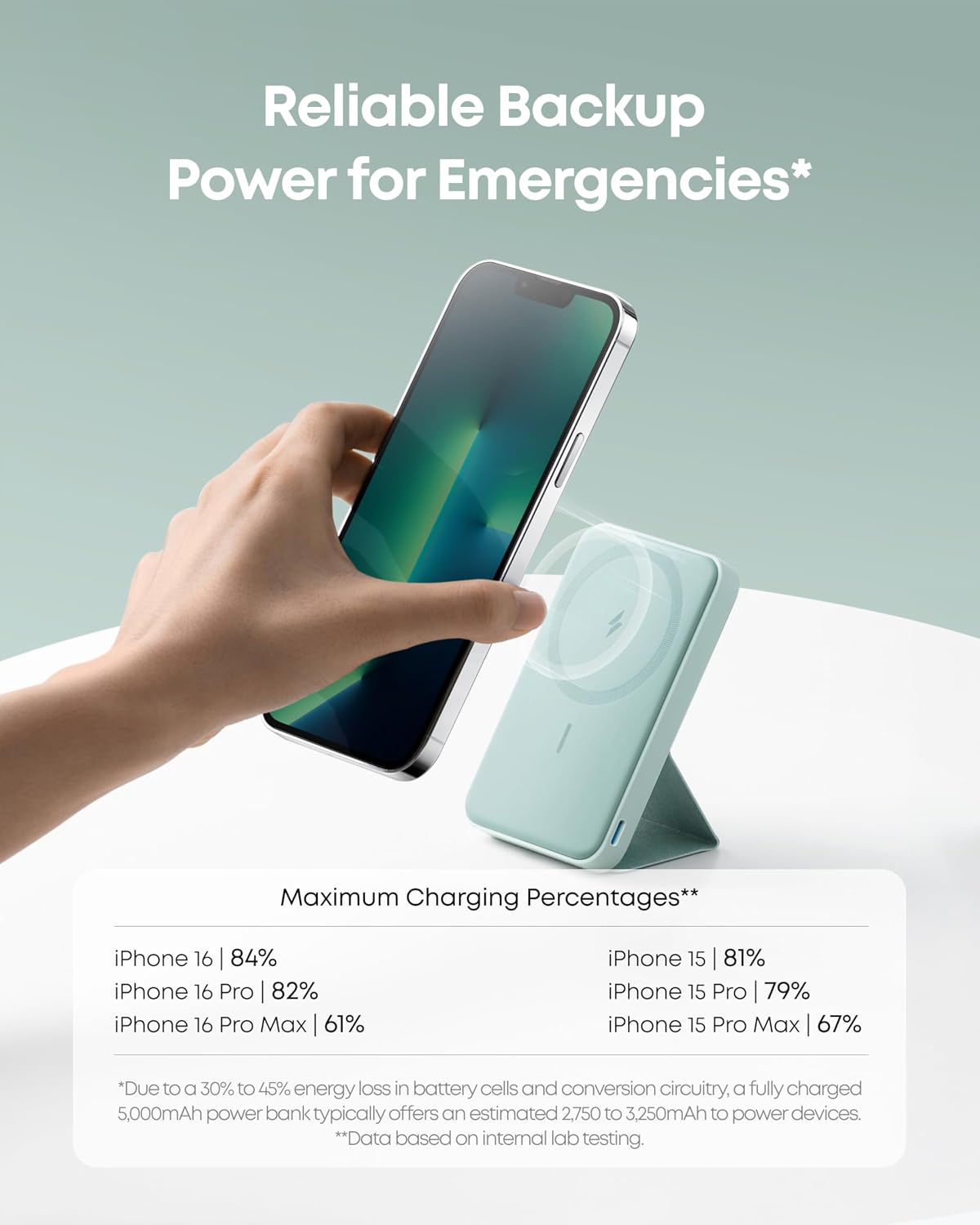
Your iPhone may stop charging at 80% to protect the battery. This can happen if it gets too warm during charging as part of iOS's thermal control strategy. Charging will resume once the device cools down. Moving your iPhone to a cooler area may help.
Safety Features
The Anker 622 Magnetic Battery includes built-in safety features to protect against overheating and overcurrent, ensuring safe charging for your devices.
Specifications
| Feature | Detail |
|---|---|
| Model Number | A1614 |
| Battery Capacity | 5000 Milliamp Hours |
| Product Dimensions | 4.13 x 2.62 x 0.5 inches |
| Item Weight | 0.05 ounces |
| Connector Type | USB Type C |
| Special Feature | Wireless Charging |
| Wireless Charging Output | 7.5W |
| Wired Charging Output | Up to 12W |
Troubleshooting
Device Not Charging
- Ensure the power bank is sufficiently charged. Check the LED indicators.
- Verify proper alignment of the magnetic battery with your iPhone.
- If using a case, ensure it is MagSafe-compatible and not thicker than 2.5mm.
- Try charging your device via the USB-C cable to rule out wireless charging issues.
Overheating During Charging
- If your device or the power bank feels excessively warm, disconnect it immediately.
- Charging may temporarily pause at 80% due to thermal protection. Allow the device to cool down.
- Ensure adequate ventilation around the device and power bank during charging.
Warranty and Customer Support
Anker provides a worry-free 24-month warranty for the Anker 622 Magnetic Battery (MagGo).
For technical support, warranty claims, or other inquiries, please contact Anker customer service. Refer to the included welcome guide for contact details.


