
ExBrite DHJSMC3630V3DKXXX
ExBrite LED Lighted Bathroom Medicine Cabinet User Manual
Model: DHJSMC3630V3DKXXX
Introduction
Thank you for choosing the ExBrite LED Lighted Bathroom Medicine Cabinet. This manual provides essential information for the safe and efficient installation, operation, and maintenance of your new medicine cabinet. Please read all instructions carefully before beginning installation or use.
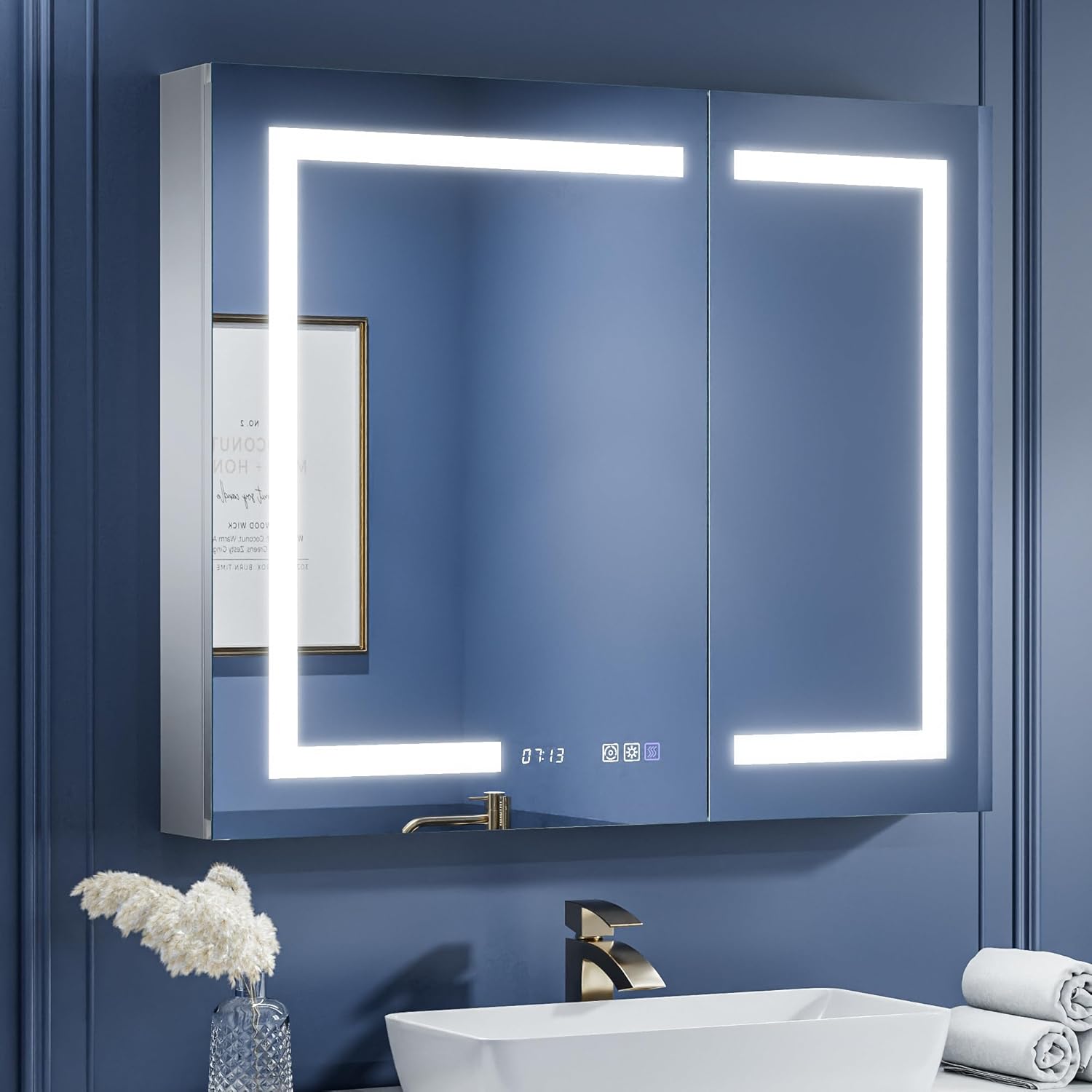
Image: ExBrite LED Lighted Bathroom Medicine Cabinet, showcasing its sleek design and integrated lighting.
Important Safety Information
WARNING: To reduce the risk of burns, fire, electric shock, or injury to persons, always follow these precautions:
- Always unplug the cabinet before installation or cleaning.
- Do not install near heat sources or open flames.
- Keep the cabinet dry and avoid exposing it to excessive moisture.
- Always use the correct tools and follow the assembly instructions carefully to prevent injury.
- Do not overload the shelves. Each shelf bears a maximum of 11 pounds.
- Keep the cabinet away from children and pets.
- Ensure all electrical connections are made by a qualified electrician and comply with local codes.
- This product is ETL Certified, ensuring compliance with safety standards.
Product Specifications
| Feature | Detail |
|---|---|
| Brand | ExBrite |
| Model Number | DHJSMC3630V3DKXXX |
| Product Dimensions | 5"D x 36"W x 30"H |
| Item Weight | 48 Pounds |
| Frame Material | Aluminum (Double-Layer Profile) |
| Mounting Type | Wall Mount (Recessed or Surface) |
| Shelves | 3 Mirrored Glass Shelves, 5mm thick, adjustable height |
| Shelf Weight Limit | 11 Pounds per shelf |
| Lighting | Stepless Dimming (10%-100%), 3-Color Temperature (3000K-6400K), Interior LED Lighting |
| Defogging | Rapid Defogging (surface close to 40°C), Auto-off after 60 minutes |
| Additional Features | Digital Clock, Room Temperature Display, Built-in 2 Amp Dual Outlet, 2 USB Ports |
| Certification | ETL Certified |

Image: Detailed dimensions for the cabinet and recommended cutout for recessed installation.

Image: Illustration of the durable and non-fragmenting tempered glass mirror, enhancing safety.
Installation
The ExBrite medicine cabinet supports both recessed and surface mounting options. Choose the method that best suits your bathroom design and wall structure.
Mounting Options:
- Recessed Installation: For a flush look, the cabinet can be embedded into the wall, leaving approximately a 1-inch protrusion for easy door operation. This requires creating a cutout in your wall according to the specified dimensions.
- Surface Mounting: The cabinet can also be mounted directly onto the wall surface.

Image: Visual representation of both recessed and surface mounting methods.
Electrical Connection:
The cabinet features a built-in 2 Amp dual outlet and 2 USB ports, suitable for charging electric toothbrushes, shavers, and other electronic devices. Ensure proper electrical wiring during installation. The power cord extends approximately 4 feet.

Image: Step-by-step guide for wall installation, including marking drill holes and securing the mounting bar.

Image: Close-up view of the interior features, including the power outlets and USB ports.
Shelves and Hinges:
The cabinet includes 2 adjustable mirrored glass shelves, 5mm thick, providing ample storage. The upgraded 120° soft-close hinges ensure smooth and quiet door operation, supporting the mirror's weight effectively.
Operating Instructions
Your ExBrite medicine cabinet features intuitive touch controls on the mirror surface for various functions.
Lighting Control:
- Power On/Off: Touch the power button icon to turn the lights on or off.
- Stepless Dimming: Long press the brightness adjustment button (sun icon) to adjust brightness from 10% to 100%. Release when desired brightness is reached.
- 3-Color Temperature Change: Touch the color temperature button (circular arrow icon) to cycle through 3000K (Warm White), 4500K (Natural), and 6400K (Cool White) color temperatures.
- Interior LED Lighting: The interior light automatically turns on when the cabinet door is opened, providing sufficient light to find items quickly.

Image: Demonstrates the stepless dimming and three-color temperature options for the LED lighting.
Defogging Function:
- Activate Defog: Touch the defogging button (steam icon) to activate the defogging function. The mirror surface will quickly heat to approximately 40°C for faster and safer defogging.
- Auto-Off: The defogging function automatically turns off after 60 minutes or when the main light is turned off.

Image: Illustrates the enhanced anti-fog area compared to standard mirrors, providing a clearer reflection.
Clock and Temperature Display:
- The digital clock and room temperature display are shown on the mirror surface.
- Setting Time/Temperature Units: When the brightness adjustment button shows blue light, long press it to change the time and temperature units.
- Calibrating Time: When the color temperature button shows blue light, long press it to calibrate the time.

Image: Details the functions of the touch buttons for controlling lighting, defogging, and setting the clock/temperature.
Maintenance
To ensure the longevity and optimal performance of your ExBrite medicine cabinet, follow these simple maintenance guidelines:
- Cleaning: The aluminum frame and mirror surfaces are easy to clean. Simply wipe with a soft, damp cloth. Avoid abrasive cleaners or harsh chemicals that could damage the finish or mirror coating.
- Electrical Components: Ensure the cabinet is unplugged before cleaning any electrical components or the interior. Keep the outlets and USB ports dry.
- Shelf Care: The glass shelves can be removed for cleaning. Handle with care to prevent breakage.
Troubleshooting
If you encounter any issues with your medicine cabinet, please refer to the following common solutions:
| Problem | Possible Cause / Solution |
|---|---|
| Lights not turning on. |
|
| Defogging function not working. |
|
| Clock or temperature display is incorrect/not showing. |
|
| Outlets/USB ports not providing power. |
|
For issues not covered here, please contact ExBrite customer support.
Warranty and Support
ExBrite is committed to providing high-quality products and excellent customer service.
- Warranty: Your ExBrite medicine cabinet comes with up to a 2-Year Warranty. Please retain your proof of purchase for warranty claims.
- Returns: Enjoy a 45-Day Free Return policy.
- Customer Service: For any inquiries, technical assistance, or warranty support, please contact us. We aim to reply by email within 24 hours.

Image: ExBrite customer service details, including warranty and return policies.
Related documentsDHJSMC3630V3DKXXX


Ask a question about this manual
Ask about setup, troubleshooting, compatibility, parts, safety, or missing instructions. Manuals+ will review the question and use this page’s manual context to help answer it.