1. Introduction
This manual provides detailed instructions for the installation, operation, and maintenance of your Blaupunkt Key Largo 980-9 inch Android Car Multimedia System. Please read this manual thoroughly before using the product to ensure proper operation and to prevent damage.
2. Safety Information
- Installation: Ensure professional installation to avoid damage to the vehicle's electrical system.
- Power Supply: Connect only to a 12V DC car battery with negative grounding.
- Operation: Do not operate the system in a way that distracts you from driving. Always prioritize road safety.
- Temperature: Avoid exposing the unit to extreme temperatures or direct sunlight for prolonged periods.
- Moisture: Keep the unit away from water and high humidity.
3. Package Contents
Verify that all items are present in the package:
- Blaupunkt Key Largo 980-9 inch Multimedia System
- 7 Units Connector cables
- 8 Units Screws
- 1 Unit Warranty card
- User Manual (this document)
4. Product Overview
The Blaupunkt Key Largo 980-9 inch is an Android-based car multimedia system designed to enhance your in-car entertainment and connectivity. It features a 9-inch display, Android 10.0 OS, 2GB RAM, 32GB ROM, and various connectivity options.

Figure 4.1: Front view of the Blaupunkt Key Largo 980-9 inch car multimedia system, showing the 9-inch display with various application icons.
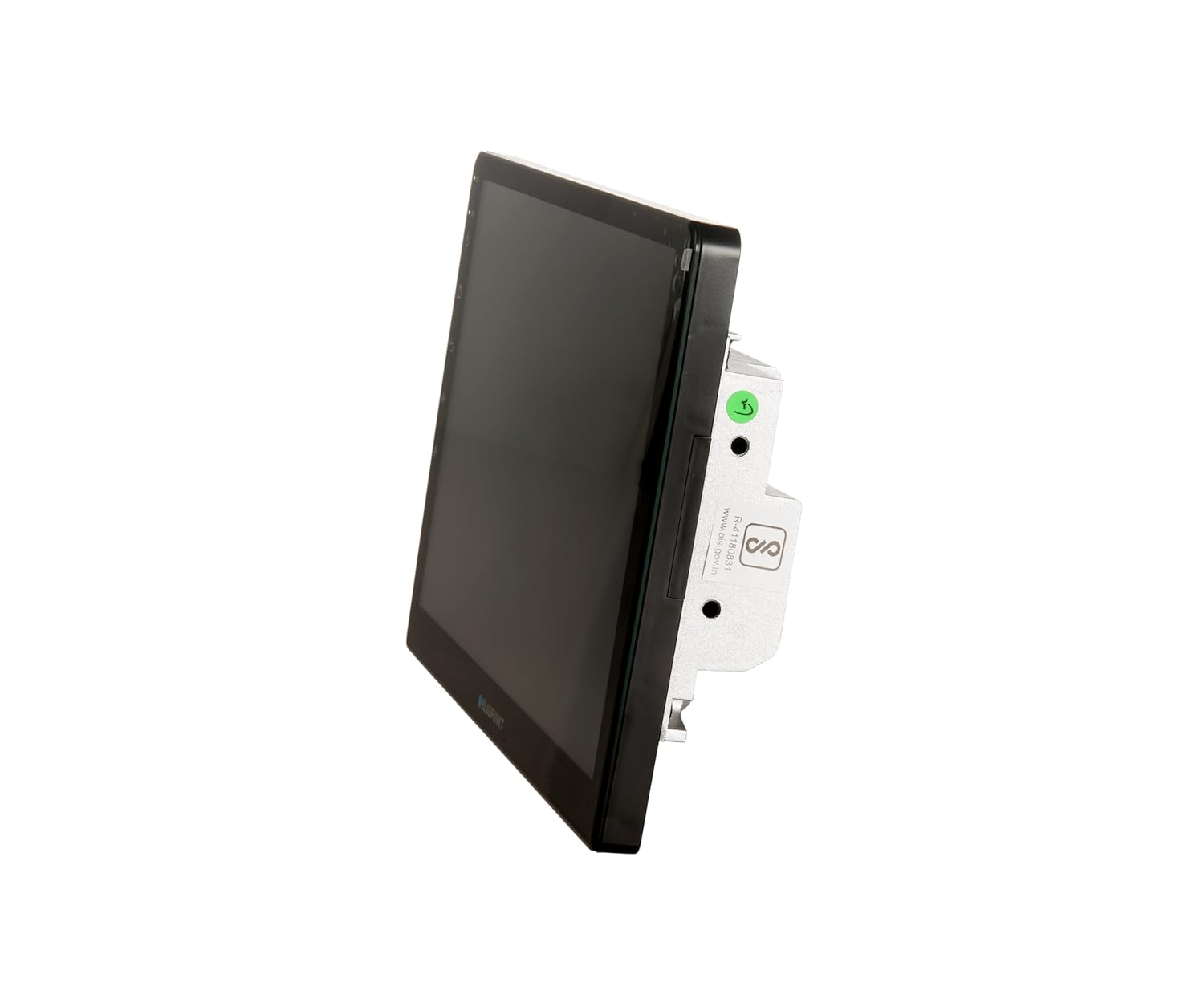
Figure 4.2: Side view of the multimedia system, highlighting its slim profile and mounting points.
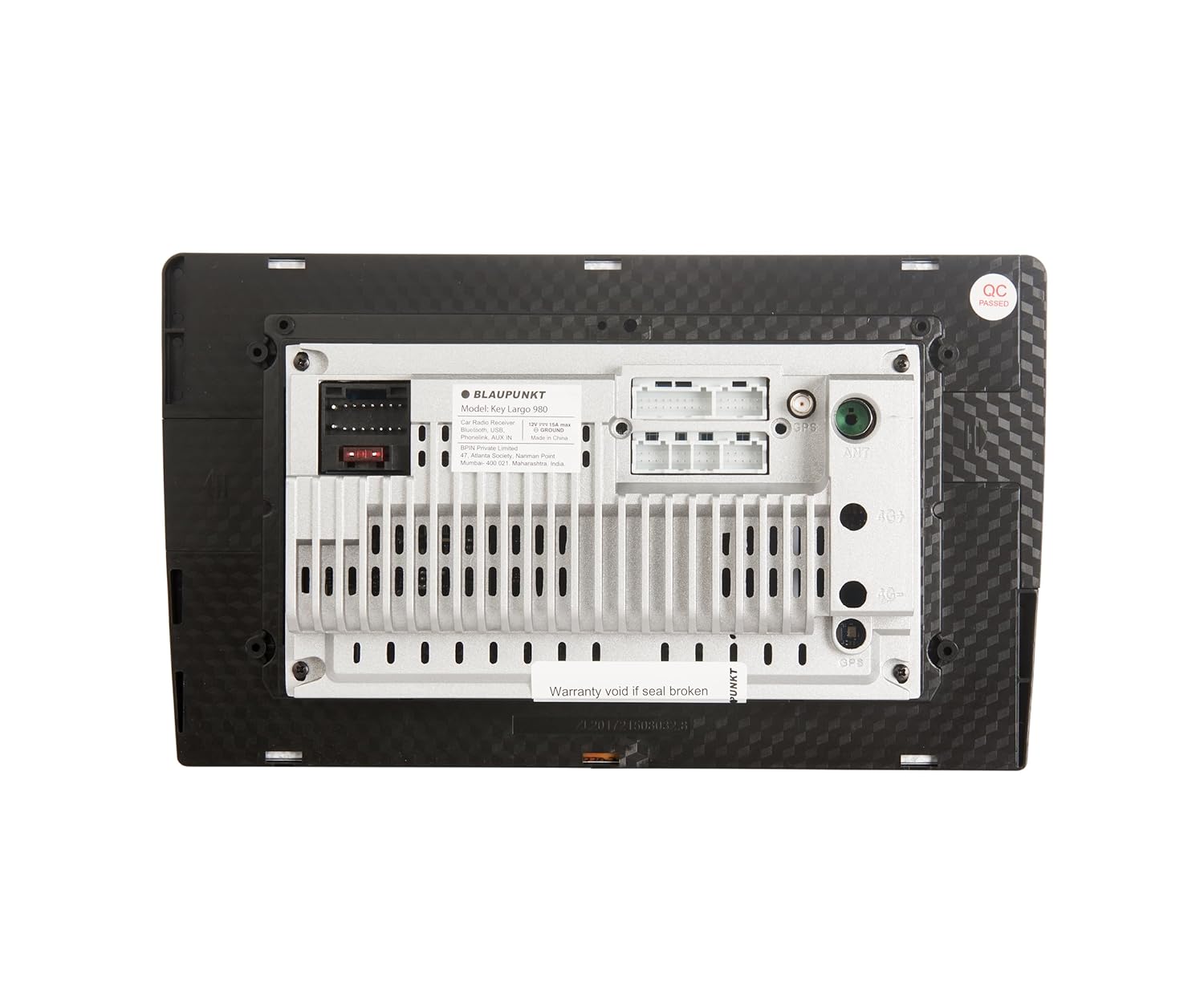
Figure 4.3: Rear view of the multimedia system, displaying various input/output ports for power, audio, video, and accessories. Note the "Warranty void if seal broken" sticker.
4.1 Key Features
- 9-inch Android Car Multimedia System
- Android 10.0 OS
- 2GB RAM + 32GB ROM
- 1.5GHz Quad Core processor
- PhoneLINK (Screen Mirroring)
- Bluetooth v5.0
- Dual Rear USB ports
- AUX-IN
- AHD Reverse Camera input support
- Video out for rear screen entertainment monitors
- FM (RDS) / AM Tuner
- 10-band Equalizer (EQ)
- Learning Steering Wheel Control capable
- Built-In Wi-Fi
5. Setup and Installation
Professional installation is highly recommended for this car multimedia system. Incorrect installation can lead to damage to the unit or your vehicle's electrical system.
5.1 Wiring Diagram
Refer to the wiring diagram provided with your unit for specific connections. Key connections include:
- Power: 12V ACC, 12V Battery, Ground.
- Speakers: Connect to your vehicle's speaker system.
- USB: Connect external USB devices.
- AUX-IN: For external audio sources.
- AHD Camera: Input for a compatible AHD reverse camera.
- Steering Wheel Control: Connect to vehicle's steering wheel control wires for learning function.
- Video Out: For connecting external monitors.
Note: Ensure all connections are secure and properly insulated to prevent short circuits.
5.2 Initial Power-On
- After installation, turn on your vehicle's ignition.
- The system should power on automatically and display the Blaupunkt logo.
- Follow any on-screen prompts for initial setup, such as language selection and time zone.
6. Operating Instructions
The Key Largo 980-9 inch operates on an Android platform, similar to a tablet. You can navigate using touch gestures on the screen.

Figure 6.1: Main menu screen showing various application icons like Navigation, Radio, Music, Phone, Settings, Video, File Explorer, BT Music, EQ, and AUX.
6.1 Basic Navigation
- Home Button: Returns to the main menu.
- Back Button: Returns to the previous screen.
- Volume Controls: Adjust audio output.
- Settings Icon: Access system settings for display, sound, network, etc.
6.2 Radio (FM/AM)
- Tap the "Radio" icon on the main screen.
- Select FM or AM band.
- Use the seek/scan buttons to find stations or manually tune.
- Save preferred stations to presets.
6.3 Bluetooth Connectivity
Connect your mobile phone via Bluetooth for hands-free calling and audio streaming.
- Tap the "Phone" or "BT Music" icon.
- Enable Bluetooth on your mobile phone and search for available devices.
- Select "Key Largo 980" (or similar) from the list on your phone.
- Confirm the pairing code on both devices.
- Once paired, you can make/receive calls and stream music.

Figure 6.2: Screen displaying the phone dialer interface, accessible after Bluetooth pairing for hands-free communication.
6.4 PhoneLINK (Screen Mirroring)
PhoneLINK allows you to mirror your smartphone's screen onto the multimedia system's display.
- Ensure your phone is connected via USB or Wi-Fi (depending on PhoneLINK app requirements).
- Open the PhoneLINK application on the multimedia system.
- Follow the on-screen instructions to connect your smartphone. This may involve installing a specific app on your phone.
6.5 USB Playback
Connect a USB drive to one of the rear USB ports to play audio or video files.
- Insert the USB drive into a USB port.
- Tap the "File Explorer" or "Music" / "Video" icon.
- Navigate to the USB drive and select the desired file to play.

Figure 6.3: Screen displaying the music playback interface, showing track information and playback controls.
6.6 AUX Input
Connect external audio devices using the AUX-IN port.
- Connect your audio device to the AUX-IN port using a 3.5mm audio cable.
- Tap the "AUX" icon on the main screen.
- Control playback from your connected audio device.
6.7 AHD Reverse Camera Support
When a compatible AHD reverse camera is connected and the vehicle is put into reverse gear, the system will automatically display the camera feed.
6.8 Audio Settings (Equalizer)
Customize your audio experience using the built-in 10-band equalizer.
- Tap the "EQ" icon on the main screen.
- Adjust frequency bands to your preference.
- Select from preset equalizer modes or create custom settings.
6.9 Steering Wheel Control
The system supports learning steering wheel controls. This allows you to map functions like volume, track change, and mode selection to your vehicle's steering wheel buttons.
- Go to "Settings" and locate the "Steering Wheel Control" option.
- Follow the on-screen instructions to program each button.
6.10 Wi-Fi Connectivity
Connect to a Wi-Fi network (e.g., mobile hotspot) to access online features, download apps, and use navigation with real-time traffic updates.
- Go to "Settings" and select "Network & Internet" or "Wi-Fi".
- Turn on Wi-Fi and select your desired network.
- Enter the password if prompted.
7. Maintenance
- Cleaning the Screen: Use a soft, lint-free cloth to gently wipe the screen. Do not use abrasive cleaners or solvents.
- Software Updates: Periodically check for software updates in the system settings to ensure optimal performance and access to new features.
- General Care: Avoid placing heavy objects on the unit or exposing it to excessive force.
8. Troubleshooting
| Problem | Possible Cause | Solution |
|---|---|---|
| No power | Incorrect wiring; Blown fuse; Vehicle battery issue. | Check power connections; Replace fuse; Check vehicle battery. Consult a professional if needed. |
| No sound | Volume too low; Mute activated; Speaker wiring issue. | Increase volume; Deactivate mute; Check speaker connections. |
| Bluetooth not connecting | Bluetooth off on phone/unit; Device not in pairing mode; Interference. | Ensure Bluetooth is on; Put device in pairing mode; Try pairing again; Move closer to the unit. |
| Touch screen unresponsive | System freeze; Software glitch. | Perform a soft reset (refer to device manual for reset button location, often a small pinhole); If issue persists, consult support. |
| Poor radio reception | Antenna not connected; Weak signal area. | Check antenna connection; Try tuning to a stronger station. |
9. Specifications
| Brand | Blaupunkt |
| Model | Key Largo 980 9 inches |
| Operating System | Android 10.0 |
| Processor | 1.5GHz Quad Core |
| RAM | 2GB |
| Internal Storage (ROM) | 32GB |
| Display Size | 9 inch (22.73cm) |
| Tuner Technology | AM, FM (RDS) |
| Bluetooth Version | v5.0 |
| Connectivity | Wi-Fi, USB (Dual Rear), AUX-IN, 3.5mm Jack |
| Special Features | Built-In Wi-Fi, FM Tuner, PhoneLINK, AHD Camera Support, 10-band EQ, Learning Steering Wheel Control |
| Audio Output Mode | Stereo |
| Speaker Surround Sound Channel Configuration | 3.1 |
| Audio Wattage | 200 Watts (4 x 50 Watt Max. power) |
| Product Dimensions | 30 x 45 x 15 cm |
| Item Weight | 780 g |
10. Warranty and Support
This product comes with a 2-year warranty. Please refer to the included warranty card for detailed terms and conditions. Keep your purchase receipt as proof of purchase.
For technical support or service inquiries, please contact Blaupunkt customer care:
- Customer Care No.: 18002096820
- E-Mail: info@blaupunktcar.in
- Importer Address: BPIN Pvt. Ltd. - 47, Atlanta Society, Jamnalal Bajaj Marg, Nariman Point, Mumbai - 400021, Maharashtra, India.
Note: Warranty may be void if the product seal is broken or if unauthorized repairs are attempted.


