
Technical Pro XSURROUND
Technical Pro XSURROUND 4.1 Bluetooth Soundbar System User Manual
Model: XSURROUND
Introduction
This manual provides comprehensive instructions for the setup, operation, and maintenance of your Technical Pro XSURROUND 4.1 Bluetooth Soundbar System. This system is designed to deliver an immersive audio experience for your home entertainment, featuring a soundbar, wireless subwoofer, and rechargeable satellite speakers. Please read this manual thoroughly before using the product to ensure proper function and longevity.
What's in the Box
Carefully unpack all components and ensure the following items are present:
- Bluetooth Soundbar
- Wireless Sub-Woofer
- Rechargeable Satellite Speakers (2 units)
- Power Adapter(s)
- Remote Control (if included)
- User Manual (this document)

Image: All components of the Technical Pro XSURROUND 4.1 Bluetooth Soundbar System, including the soundbar, wireless subwoofer, and two satellite speakers.
Setup
1. Soundbar Assembly
The soundbar may arrive in multiple sections. Align the sections and gently push them together until they securely click into place. When fully assembled, the soundbar measures 45 inches.
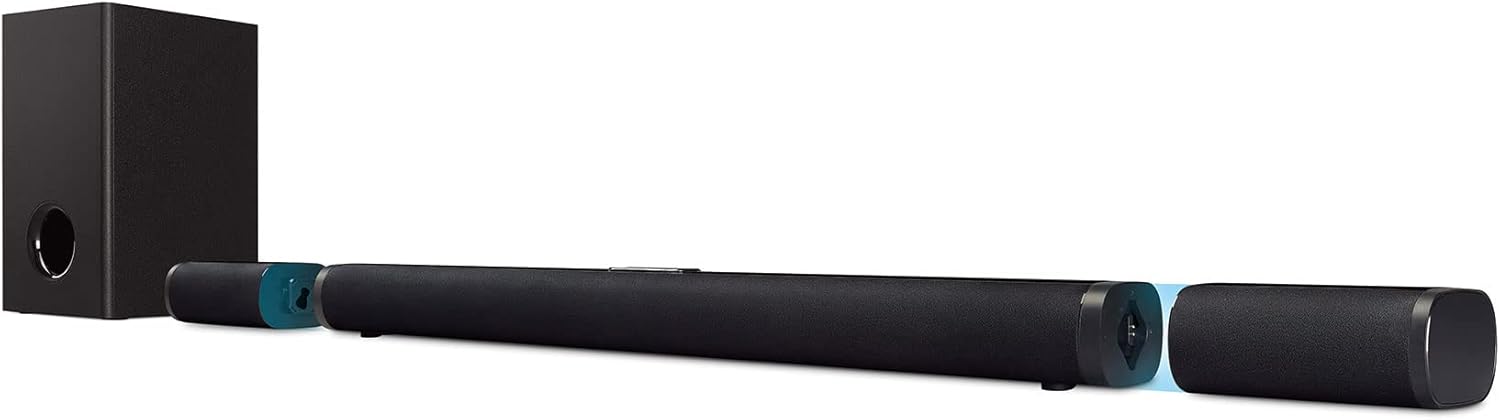
Image: The soundbar shown in its assembled state, with detachable end sections that house the satellite speakers.
2. Power Connection
- Connect the power adapter to the soundbar's power input.
- Plug the power adapter into a wall outlet.
- Connect the subwoofer's power cord to a wall outlet.
3. Subwoofer and Satellite Speaker Placement
Place the wireless subwoofer in a suitable location near the soundbar. The satellite speakers are detachable and rechargeable. They can be placed as rear satellites for surround sound or attached to the soundbar. Ensure they are charged for optimal wireless performance.
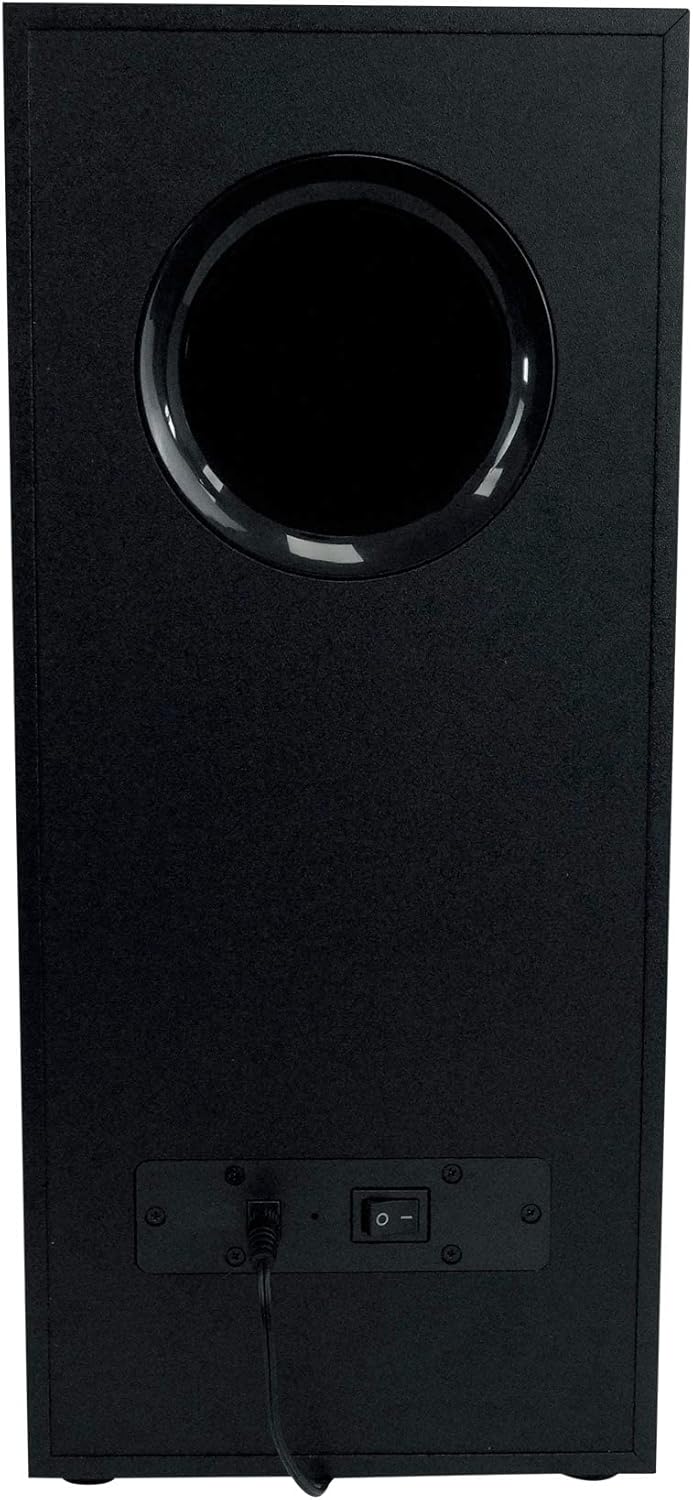
Image: Rear view of the wireless subwoofer, showing the power input and on/off switch.
4. Connecting to Audio Sources
The system supports multiple input options:
- HDMI (ARC): For optimal audio quality and control, connect an HDMI cable from your TV's HDMI ARC port to the soundbar's HDMI ARC input.
- Optical: Connect an optical cable from your TV's optical output to the soundbar's optical input.
- Auxiliary (Aux): Use a 3.5mm audio cable to connect devices with an auxiliary output to the soundbar's Aux input.
- USB: Insert a USB drive with audio files into the soundbar's USB port for direct playback.
- Bluetooth: Refer to the 'Operating' section for Bluetooth pairing instructions.
Operating
1. Power On/Off
Press the power button on the soundbar's control panel or the remote control to turn the system on or off. The subwoofer will power on automatically when the soundbar is active.
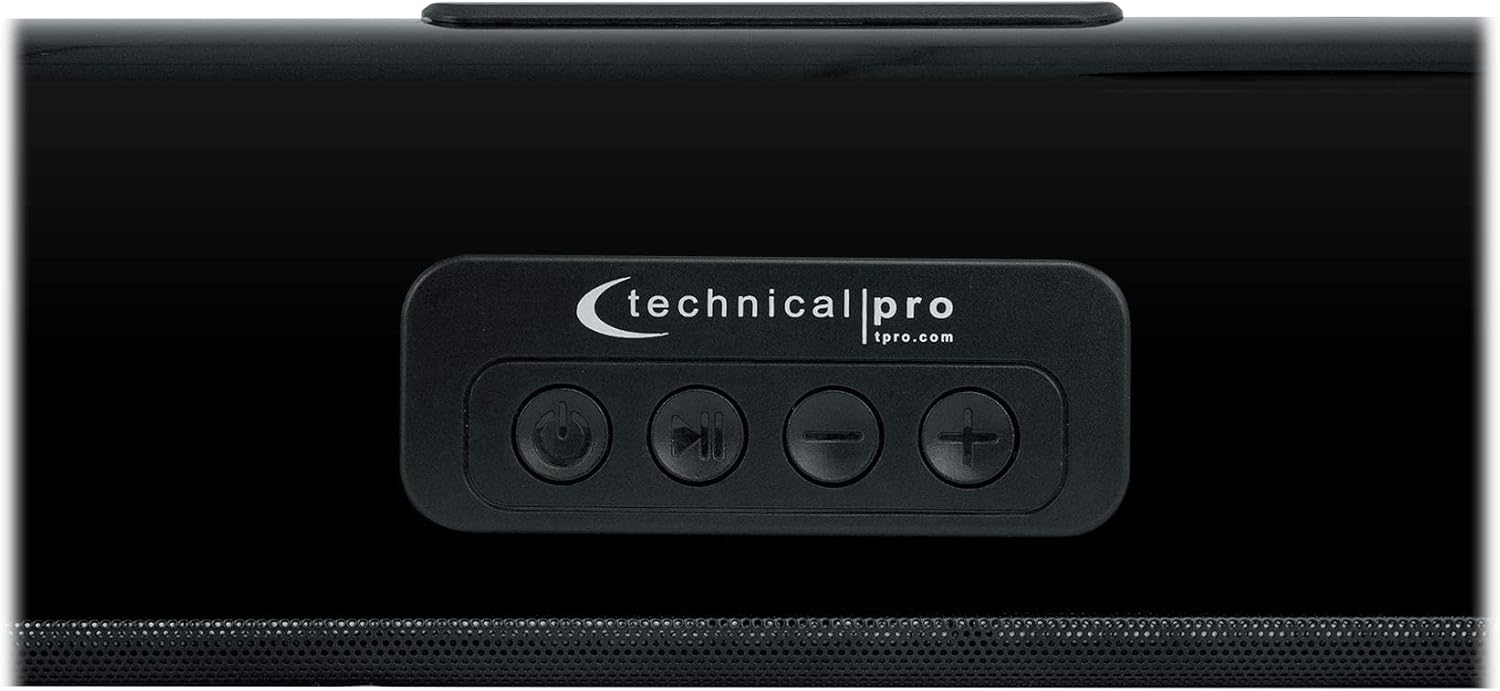
Image: Close-up of the soundbar's top-mounted control panel, showing power, play/pause, and volume buttons.
2. Input Selection
Press the 'Input' or 'Source' button on the soundbar's control panel or remote control to cycle through available audio inputs (HDMI ARC, Optical, Aux, Bluetooth, USB).
3. Volume Control
Adjust the volume using the '+' and '-' buttons on the soundbar or the remote control.
4. Bluetooth Pairing
- Select 'Bluetooth' as the input source on the soundbar. The soundbar will enter pairing mode, indicated by a flashing LED.
- On your Bluetooth-enabled device (smartphone, tablet, computer), go to the Bluetooth settings and search for available devices.
- Select 'XSURROUND' (or similar name) from the list of devices.
- Once paired, the LED indicator on the soundbar will become solid, and you can stream audio wirelessly. The Bluetooth range is approximately 60 feet.
5. Detachable Satellite Speakers
The satellite speakers are battery-powered and automatically connect wirelessly to the soundbar when detached. They will instantly play once reconnected to the soundbar or when powered on after detachment. Ensure they are charged regularly for continuous wireless use.
Maintenance
- Cleaning: Use a soft, dry cloth to clean the surfaces of the soundbar, subwoofer, and satellite speakers. Do not use liquid cleaners or abrasive materials.
- Ventilation: Ensure proper ventilation around all components to prevent overheating. Do not block any vents.
- Environment: Avoid exposing the system to extreme temperatures, humidity, direct sunlight, or dusty environments. The product is not waterproof.
- Speaker Grills: The metal speaker grills protect against accidental damage. Avoid pressing on them or attempting to remove them.
Troubleshooting
- No Power:
• Check if the power cords for the soundbar and subwoofer are securely plugged into both the device and a working wall outlet.
• Ensure the power switch on the subwoofer is in the 'ON' position. - No Sound:
• Verify that the correct input source is selected on the soundbar.
• Increase the volume on both the soundbar system and your connected audio source (TV, phone, etc.).
• Check all audio cables (HDMI, Optical, Aux) for secure connections.
• If using Bluetooth, ensure the device is properly paired and within range. - Subwoofer/Satellite Speakers Not Connecting:
• Ensure the subwoofer is powered on.
• For satellite speakers, ensure they are charged. They should automatically reconnect when detached from the soundbar.
• If issues persist, try restarting the soundbar and subwoofer. - Distorted Audio:
• Reduce the volume on both the soundbar and the audio source.
• Check for interference from other electronic devices.
• Ensure audio cables are not damaged.
Specifications
| Feature | Detail |
|---|---|
| Model Name | XSURROUND |
| Speaker Type | Soundbar with Wireless Subwoofer and Rechargeable Satellites |
| Surround Sound Channel Configuration | 4.1, 5.0 |
| Peak Power Output | 6000 Watts |
| Frequency Response | 50Hz ~ 16KHz |
| Connectivity Technology | Bluetooth, HDMI (ARC), Auxiliary, Optical, USB |
| Bluetooth Version | v5.0 with EDR |
| Bluetooth Range | 60 Feet |
| Subwoofer Connectivity | Wireless |
| Satellite Speakers | Detachable, Battery-Powered, Wireless |
| Soundbar Length (assembled) | 45 inches |
| Satellite Speaker Height | 6.7 inches |
| Product Dimensions (L x W x H) | 33.9"D x 8.1"W x 16.3"H (Box dimensions: 33.31" L x 16.34" W x 7.87" H) |
| Unit Weight | 14 lbs (Product: 17.4 pounds) |
| Power Source | Battery Powered (for satellites), AC Power (for soundbar/subwoofer) |
| Control Method | Remote Control, On-unit buttons |
| Color | Black |
Warranty Information
This Technical Pro XSURROUND 4.1 Bluetooth Soundbar System comes with a limited warranty. Please refer to the warranty card included in your product packaging for specific terms, conditions, and duration of coverage. Retain your proof of purchase for any warranty claims.
Support
For technical assistance, troubleshooting beyond this manual, or warranty inquiries, please contact Technical Pro customer support. Visit the official Technical Pro website for contact information and additional resources.
Technical Pro Website: www.tpro.com
Related documentsXSURROUND


Ask a question about this manual
Ask about setup, troubleshooting, compatibility, parts, safety, or missing instructions. Manuals+ will review the question and use this page’s manual context to help answer it.