
HOCO EW15
Hoco EW15 Clear Explore Edition TWS Wireless Headset User Manual
Model: EW15
Introduction
Thank you for choosing the Hoco EW15 Clear Explore Edition TWS Wireless Headset. This manual provides detailed instructions on how to set up, operate, and maintain your new headset. Please read this manual carefully before use to ensure optimal performance and longevity of your device.
The Hoco EW15 features Bluetooth v5.1 for stable connectivity, a 30mAh headset battery providing up to 4 hours of call and music time, and a 300mAh charging case for extended use. Its translucent design offers a unique aesthetic, showcasing the internal components.
Package Contents
- Hoco EW15 Clear Explore Edition True Wireless BT Headset (Left and Right Earbuds)
- Charging Case
- USB Charging Cable
- User Manual
Product Overview




Setup
Charging the Headset and Case
Before first use, fully charge the Hoco EW15 headset and its charging case.
- Place both earbuds into the charging case. Ensure they are properly seated.
- Connect the USB charging cable to the charging port on the case and to a compatible USB power source (e.g., computer USB port, wall adapter).
- The indicator light on the charging case will show charging status. It takes approximately 1.5 hours to fully charge the case and 1 hour for the headset.
- Once fully charged, disconnect the charging cable.
Pairing with a Device
The Hoco EW15 supports automatic pairing and master-slave switching.
- Open the charging case. The earbuds will automatically power on and enter pairing mode.
- On your device (smartphone, tablet, etc.), enable Bluetooth.
- Search for available Bluetooth devices and select "Hoco EW15" from the list.
- Once connected, you will hear a confirmation tone, and the indicator light on the earbuds will change.
- After the initial pairing, the earbuds will automatically connect to the last paired device when taken out of the case, provided Bluetooth is enabled on the device.
Operating Instructions
Touch Controls
The Hoco EW15 earbuds feature touch-sensitive controls for easy operation.
| Action | Function |
|---|---|
| Single Tap (Left/Right Earbud) | Play/Pause Music, Answer/End Call |
| Double Tap (Left Earbud) | Previous Track |
| Double Tap (Right Earbud) | Next Track |
| Triple Tap (Left/Right Earbud) | Activate Voice Assistant (Siri, Google Assistant) |
| Long Press (2 seconds) | Reject Call |
| Long Press (5 seconds) | Power On/Off (when not in case) |
Call Management
- Answering/Ending Calls: Single tap either earbud.
- Rejecting Calls: Long press either earbud for 2 seconds.
Voice Assistant
Triple tap either earbud to activate your device's voice assistant (e.g., Siri for iOS, Google Assistant for Android).
Maintenance
Proper maintenance ensures the longevity and performance of your Hoco EW15 headset.
- Cleaning: Use a soft, dry, lint-free cloth to clean the earbuds and charging case. Do not use abrasive cleaners or solvents.
- Storage: When not in use, store the earbuds in their charging case to protect them and keep them charged.
- Avoid Water: The earbuds are not waterproof. Avoid exposure to water, moisture, or extreme temperatures.
- Charging: Use the provided charging cable and a certified power adapter. Avoid overcharging.
Troubleshooting
If you encounter issues with your Hoco EW15 headset, refer to the following common solutions:
- Earbuds not pairing with each other or with device:
- Ensure both earbuds are charged.
- Place both earbuds back into the charging case, close the lid, wait a few seconds, then open the lid again. This often resets the connection.
- On your device, forget or delete "Hoco EW15" from the Bluetooth device list, then try pairing again.
- Ensure your device's Bluetooth is enabled and within 10 meters of the earbuds.
- No sound or low volume:
- Check the volume level on both your device and the earbuds.
- Ensure the earbuds are properly connected to your device.
- Clean any debris from the earbud speakers.
- Charging case not charging:
- Check the charging cable and power adapter. Try a different cable or adapter.
- Ensure the charging port on the case is clean and free of debris.
- Microphone quality is poor:
- Ensure the microphone opening on the earbuds is not obstructed.
- Try using the earbuds in a quieter environment.
Specifications

| Feature | Detail |
|---|---|
| Product Name | EW15 Clear Explore Edition true wireless BT headset |
| Bluetooth Version | Bluetooth 5.1 (Chip: JL AC6973) |
| Battery Capacity (Headset) | 30mAh (each earbud) |
| Battery Capacity (Charging Case) | 300mAh |
| Talk/Music Time | Up to 4 hours |
| Standby Time | 120 hours |
| Charging Time (Headset) | Approximately 1 hour |
| Charging Time (Case) | Approximately 1.5 hours |
| Transmission Range | Up to 10 meters (barrier-free) |
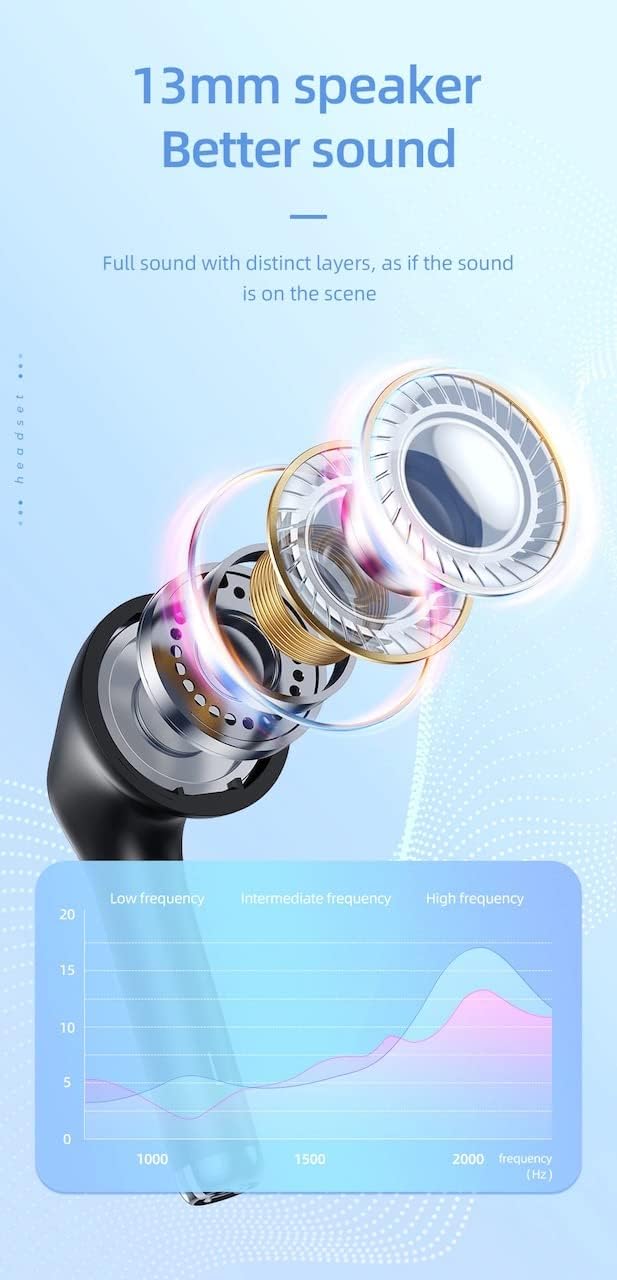
| Speaker Size | 13mm |
| Frequency Response | 20-20000Hz |
| Product Dimensions | 5.45 x 4.7 x 2.5 cm (Case) |
| Weight | Whole device 40g, single headset 3g |
| Material | Plastic |
Warranty and Support
For warranty information and technical support, please refer to the official HOCO website or contact your local distributor.
Official Website: www.hocotech.com
Please retain your proof of purchase for any warranty claims.
Related documentsEW15


Ask a question about this manual
Ask about setup, troubleshooting, compatibility, parts, safety, or missing instructions. Manuals+ will review the question and use this page’s manual context to help answer it.