
1. Introduction
Thank you for choosing the iWALK DBL5000PC Portable USB-C Power Bank. This compact and powerful device is designed to provide convenient and fast charging for your USB-C compatible smartphones and other devices, ensuring you stay connected wherever you go. Please read this manual carefully before use to ensure optimal performance and safety.
2. Safety Information
- Do not expose the power bank to extreme temperatures, direct sunlight, or fire.
- Avoid dropping, hitting, or disassembling the device.
- Keep out of reach of children.
- Do not use the power bank if it is damaged or appears to be swelling.
- Use only certified charging cables and adapters.
- Dispose of the power bank responsibly according to local regulations.
3. Product Overview
The iWALK DBL5000PC is a compact 4,800mAh power bank featuring an integrated USB-C connector for direct device charging and 18W PD fast charging capabilities. It includes a digital display to show the remaining battery percentage.

Image: The iWALK DBL5000PC portable USB-C power bank in pink, showcasing its compact design.
3.1 Key Features
- Built-in USB-C Connector: Directly plugs into your device for cable-free charging.
- 4,800mAh Capacity: Provides significant power for smartphones.
- 18W PD Fast Charging: Supports rapid charging for both the power bank and connected devices.
- Digital Display: Shows precise battery percentage.
- Compact & Lightweight: Designed for portability and ease of carrying.
3.2 Compatibility
This power bank is compatible with a wide range of USB-C devices, including:
- iPhone 15/16/17 Series (Pro/Max/Plus)
- Samsung Galaxy S25/S24/S23/S22/S21/S20/S10, Note 22/21/10/9, Z Flip/Fold series
- Google Pixel 8/7/6/5
- LG G7/V30/V40
- Motorola, OnePlus, and other USB-C phones
- iPad Pro/Air/Mini (USB-C models)

Image: A detailed compatibility chart illustrating various smartphone and tablet models that can be charged with the iWALK power bank.
4. Package Contents
Upon opening your iWALK DBL5000PC package, you should find the following items:
- iWALK 4,800mAh Power Bank (x1)
- USB-C to USB-C Cable (x1)
- Instruction Manual (x1)

Image: The iWALK power bank, a USB-C charging cable, and the welcome guide, as included in the product package.
5. Setup and Charging the Power Bank
Before using your iWALK power bank to charge other devices, it is recommended to fully charge the power bank itself.
- Connect the USB-C Cable: Use the provided USB-C to USB-C cable. Plug one end into the USB-C input port on the side of the power bank.
- Connect to Power Source: Plug the other end of the USB-C cable into a compatible USB wall adapter (not included) or a computer's USB-C port.
- Monitor Charging: The digital display on the power bank will show the charging progress, indicating the battery percentage.
- Full Charge Indication: The display will show 100% when the power bank is fully charged. A full recharge takes approximately 1.5 hours with 18W PD fast recharging.

Image: Illustration of the iWALK power bank being recharged, showing both a direct plug into a wall adapter and a wired connection via USB-C cable.
6. Operating Instructions (Charging Your Device)
The iWALK DBL5000PC offers convenient, cable-free charging for your USB-C devices.
- Remove Protective Cap: Gently remove the protective cap from the built-in USB-C connector.
- Connect to Device: Plug the built-in USB-C connector directly into your smartphone or other compatible device's USB-C port.
- Initiate Charging: The power bank should automatically begin charging your device. The digital display will show the power bank's remaining charge.
- Charging Status: Your device's screen will indicate that it is charging.
- Disconnect: Once your device is charged, or you wish to stop charging, simply unplug the power bank from your device and replace the protective cap.
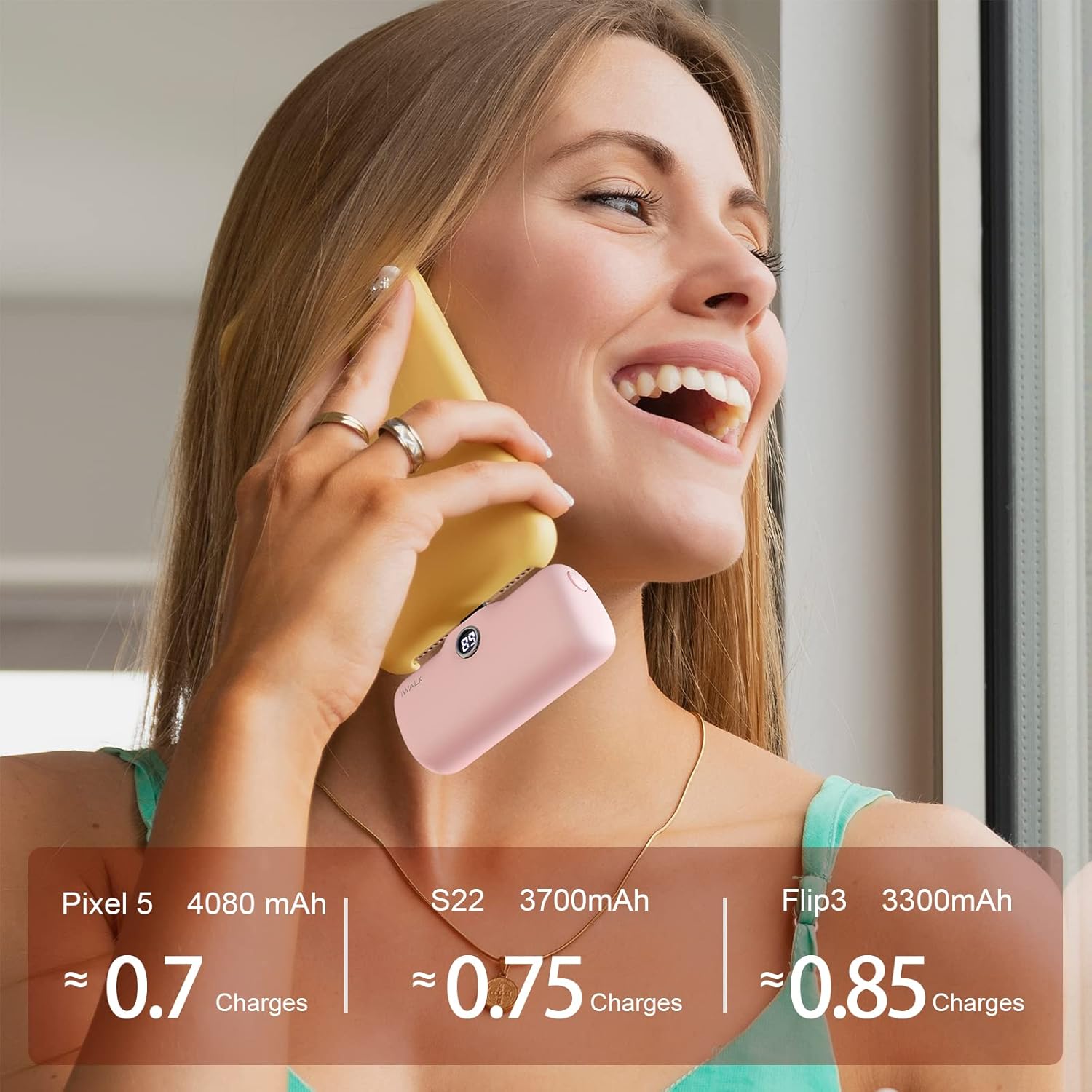
Image: A pink iWALK power bank directly plugged into the bottom of a smartphone, actively charging the device.

Image: A woman holding a smartphone with the iWALK power bank attached, demonstrating how the compact design allows for continued phone use during charging.
7. Digital Display
The iWALK DBL5000PC features a clear digital display that shows the remaining battery percentage of the power bank. This allows you to easily monitor its charge level and know when it needs to be recharged.

Image: A close-up view of the iWALK power bank, highlighting its digital display which shows the current battery percentage.
8. Maintenance and Care
- Clean the power bank with a soft, dry cloth. Do not use harsh chemicals or abrasive materials.
- Store the power bank in a cool, dry place away from direct sunlight and moisture.
- If not used for extended periods, charge the power bank at least once every three months to maintain battery health.
- Ensure the protective cap is always on the USB-C connector when not in use to prevent dust and damage.
9. Troubleshooting
| Problem | Possible Cause | Solution |
|---|---|---|
| Power bank not charging | Low battery; faulty cable/adapter; loose connection | Ensure cable is securely connected; try a different cable/adapter; allow sufficient time for charging. |
| Device not charging | Power bank low/empty; device incompatibility; loose connection | Recharge power bank; verify device compatibility; ensure power bank is firmly plugged into device. |
| Slow charging | Non-PD compatible adapter; device drawing high power | Use an 18W PD compatible wall adapter for faster charging; avoid using the device heavily while charging. |
| Digital display not working | Power bank completely discharged; internal fault | Charge the power bank for a few minutes; if issue persists, contact customer service. |
10. Specifications
| Feature | Detail |
|---|---|
| Model Number | DBL5000PC |
| Battery Capacity | 4800 Milliamp Hours |
| Connector Type | USB Type C (Built-in) |
| Charging Speed | 18W PD Fast Charging |
| Product Dimensions | 1.02 x 2.3 x 1.02 inches |
| Item Weight | 0.24 ounces |
| Special Features | Auto Shut-Off, Digital Display, Fast Charging, Pocket Size, Slim |
| Manufacturer | U2O GLOBAL CO., LTD. |
11. Warranty and Support
Your iWALK DBL5000PC Power Bank comes with a standard manufacturer's warranty. For specific warranty details, please refer to the documentation included in your product packaging or visit the official iWALK website.
For any questions, technical support, or customer service inquiries, please contact iWALK customer service. The product includes 7x24 customer service.
Contact Information:
- Refer to your product packaging for the most up-to-date contact details.
- Visit the official iWALK website for support resources and FAQs.


