
Introduction
This manual provides instructions for the safe and effective use of your VGR V900 Professional Grooming Kit. Please read all instructions carefully before first use and retain this manual for future reference.
Safety Information
For your safety, please observe the following precautions:
- Avoid contact with eyes and skin.
- Do not use on infants.
- Keep away from water sources.
- Follow recommended cleaning and maintenance procedures.
- Unplug the device and allow it to cool before storing.
- Always use with caution and, if applicable, under adult supervision.
Package Contents
Verify that all items listed below are included in your package:
- VGR V900 Hair Trimmer
- 6 Interchangeable Guide Combs (various lengths)
- Cleaning Brush
- Lubricating Oil
- USB Charging Cable
- Storage Base

Image: Included guide combs and cleaning brush.
Product Overview
Familiarize yourself with the components of your VGR V900 Professional Grooming Kit.
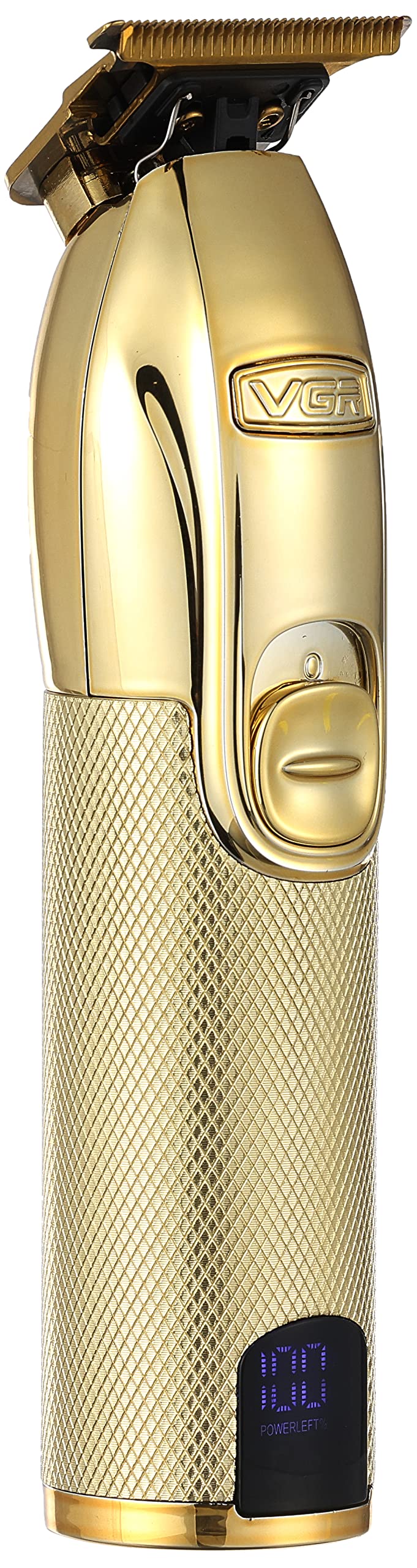
Image: Front view of the VGR V900 Trimmer.
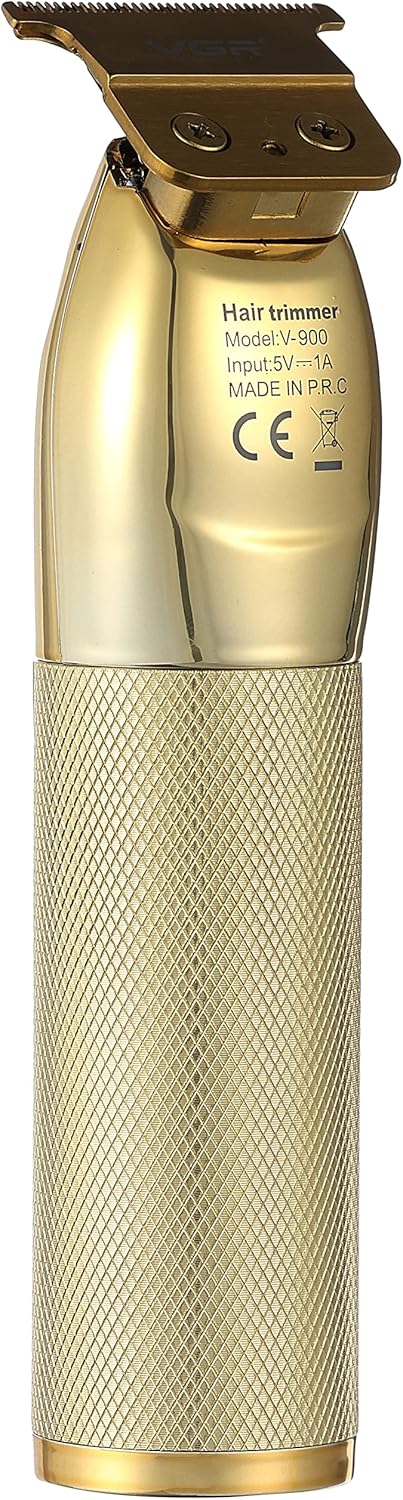
Image: Back view of the VGR V900 Trimmer with model details.
- Precision Stainless Steel Blade with Titanium Cover
- Power Switch / On/Off Button
- USB Charging Port
- Indicator Light (for charging/battery status)
- Textured ABS Shell for improved grip
Setup
Charging the Device
Before first use, fully charge the VGR V900 trimmer. A full charge takes approximately 1 hour and provides 61-90 minutes of runtime.
- Connect the USB charging cable to the trimmer's charging port.
- Plug the other end of the USB cable into a compatible USB power adapter (not included) or a computer USB port.
- The indicator light on the trimmer will illuminate to show it is charging.
- Once fully charged, the indicator light will typically change color or turn off.
- Disconnect the charging cable before use.
Attaching Guide Combs
Select the desired guide comb for your preferred hair length.
- Ensure the trimmer is turned off.
- Align the guide comb with the trimmer blade.
- Gently push the comb onto the blade until it clicks securely into place.
- To remove, gently pull the comb away from the blade.
Operating Instructions
General Use
- Ensure the trimmer is fully charged.
- Attach the desired guide comb, if needed.
- Press the power switch to turn on the trimmer.
- Hold the trimmer at a comfortable angle and move it against the direction of hair growth for best results.
- For detailing or precise lines, remove the guide comb and use the bare blade carefully.
- After use, press the power switch to turn off the trimmer.
Tips for Best Results
- For facial hair, ensure skin is clean and dry.
- Start with a longer guide comb and gradually reduce the length if unsure.
- Clean the blade regularly during use to prevent hair buildup.
Maintenance and Cleaning
Regular cleaning and maintenance will ensure optimal performance and extend the life of your trimmer.
Cleaning the Blades
- Turn off and unplug the trimmer.
- Remove any attached guide comb.
- Use the provided cleaning brush to remove loose hairs from the blade and trimmer body.
- The blade can be carefully detached for a more thorough clean by gently pushing it forward from the trimmer body. Reattach by aligning and pushing back until it clicks.
- Do not rinse the entire trimmer under water as it is not specified as waterproof.
Oiling the Blades
- After cleaning, apply a small drop of the provided lubricating oil to the blades.
- Turn on the trimmer for a few seconds to allow the oil to distribute evenly.
- Wipe off any excess oil with a soft cloth.
- Oil the blades regularly, especially after every few uses, to maintain cutting efficiency.
Storage
Store the trimmer in its storage base or a safe, dry place away from children and moisture. Ensure the device is unplugged and cooled before storage.
Troubleshooting
If you encounter issues with your VGR V900 trimmer, refer to the following common problems and solutions:
| Problem | Possible Cause | Solution |
|---|---|---|
| Trimmer does not turn on. | Battery is depleted. | Charge the trimmer fully. |
| Trimmer does not turn on. | Power switch is not fully engaged. | Ensure the power switch is firmly pressed to the "ON" position. |
| Poor cutting performance. | Blades are dull or dirty. | Clean the blades and apply lubricating oil. Consider professional sharpening or blade replacement if blades are worn. |
| Poor cutting performance. | Hair buildup in blades. | Turn off the trimmer and use the cleaning brush to remove trapped hairs. |
| Trimmer gets hot during use. | Extended continuous use. | Turn off the trimmer and allow it to cool down before resuming use. Ensure blades are clean and oiled. |
Specifications
- Model: V-900
- Rated Volts: AC220-240V 50-60Hz
- Power: 3W
- Blade Material: Precision Stainless Steel with Titanium Cover
- Shell Material: ABS (Acrylonitrile Butadiene Styrene)
- Battery Type: High-efficient charging battery (2000mAh Lithium)
- Charging Time: Approximately 1 hour
- Runtime: 61-90 minutes
- Power Source: USB, Battery, Electric
- Special Features: Cordless, Self Sharpening
- Item Weight: 500 Grams
- Package Dimensions: 20.1 x 13.9 x 7.7 cm
Warranty and Support
The VGR V900 Professional Grooming Kit comes with a standard manufacturer's warranty. For detailed warranty information, product support, or to inquire about replacement parts, please refer to the warranty card included in your product packaging or visit the official VGR website. Please have your model number (V-900) and purchase date available when contacting support.


