
Introduction
This manual provides detailed instructions for the installation, operation, and maintenance of your Runleader Digital Tach Hour Meter and Engine Temperature Gauge. This device is designed to monitor key engine parameters, including total run time, single working hours, engine RPM, and engine temperature, to assist with timely maintenance and optimal performance of your gas-powered equipment.
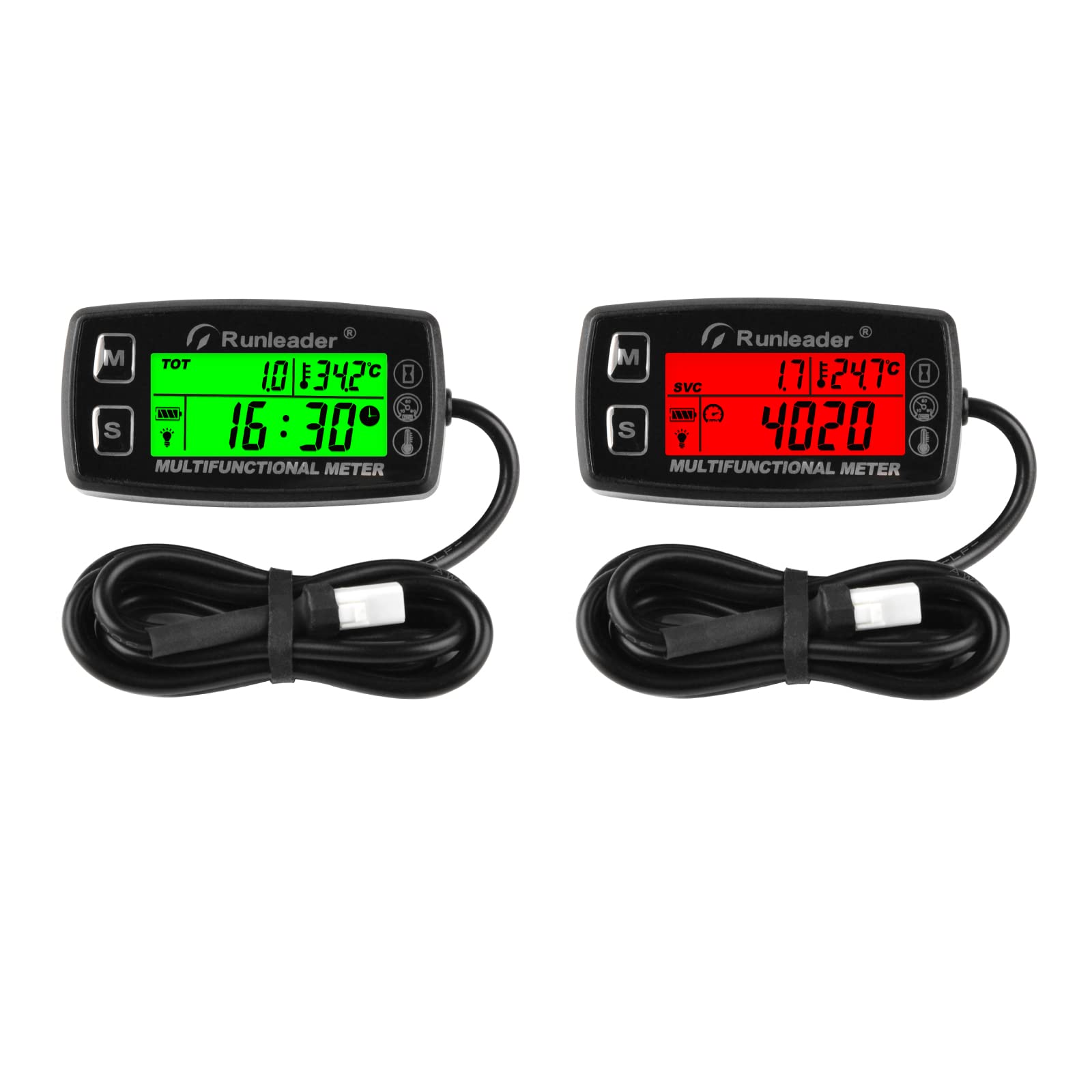
Image: Runleader Digital Tach Hour Meter and Engine Temperature Gauge, displaying hours and temperature.
The Runleader Digital Tach Hour Meter is suitable for a wide range of gas-powered equipment, including lawn mowers, generators, compressors, ATVs, motorcycles, and snowblowers.

Image: Examples of equipment where the Runleader meter can be used, such as lawn mowers, generators, and motorcycles.
Included Components
The package typically includes the following items:
- Runleader Multifunctional Meter
- User Manual
- Temperature Sensor (PT100)
- Signal Wire for RPM/Hours
- Cable Ties
- Mounting Bolts and Nuts
- Flat Washers
- 3M Adhesive Velcro (Cut-out label)
- Mini Screwdriver

Image: A visual representation of the meter and its accompanying accessories, including sensors and mounting hardware.
Product Features
- Hours Tracking: Monitors total run time (TOT) and single working hours (JOB). Allows programming of previous hours (INT) for replacement units. Features a service timer (SVC) for maintenance reminders.
- TOT & JOB hours range: 0-99,999 hours.
- SVC timer range: 5-1000 hours.
- RPM Monitoring: Displays real-time RPM. Adjustable engine firing patterns for accurate readings. Includes an alert channel for revolution exceedance and displays the highest RPM since engine start.
- RPM measurement range: 0-25000 RPM.
- RPM alert range: 100-25000 RPM.
- Temperature Measurement: Monitors current and maximum engine temperature via a probe sensor. Provides temperature exceedance reminders. Switchable between Celsius and Fahrenheit.
- Temperature measurement & alert range: -20°C to +300°C (-4°F to +572°F).
- Backlight Display: Features a green backlight for visibility in low-light conditions. Backlight modes include always-on, OFF, and automatic (OFF by default, button to wake up). A red backlight indicates RPM or temperature exceedance alerts.
- Durability & Convenience: Water and shock resistant (IP67 rated). Replaceable CR2032 battery. LCD shutdown feature extends battery life during idle periods.

Image: The Runleader meter with its attached wiring for signal detection and temperature sensing.
Installation
1. Signal Connection
The meter requires connection to the engine's spark plug wire for RPM and hour tracking, and a temperature sensor for temperature readings.
- Spark Plug Wire: Wrap the signal wire (approximately 68.8 inches long) around the spark plug wire of your engine. Ensure sufficient wraps (typically 5-7) for reliable signal detection. Secure the wraps with a cable tie.
- Temperature Sensor: Connect the temperature probe sensor. Ensure the probe is securely attached to a suitable location on the engine to accurately measure temperature. Avoid bending the induction probe to prevent damage.

Image: Close-up of the RPM signal wire wrapped around a spark plug wire for engine signal detection.

Image: Diagram illustrating engine signal connection points for the meter, including spark plug wire and temperature sensor attachment.
2. Product Mounting
The meter offers multiple mounting options:
- Stick-on: Use the provided adhesive backing to attach the meter to a clean, flat surface.
- Screw-on: Secure the meter using screws through the designated mounting holes.
- Bracket (Not Included): An optional bracket can be used for mounting on handlebars or other round surfaces.

Image: Visual guide demonstrating the stick-on, screw-on, and optional bracket mounting methods for the Runleader meter.
Operation
The meter features two buttons, 'M' (Mode) and 'S' (Set), for navigation and setting adjustments.
1. Hours Functions
- Total Run Time (TOT): Displays the cumulative operating hours of the engine. This value cannot be reset.
- Single Working Hours (JOB): Tracks the run time for a single operation. This can be reset for individual task monitoring.
- Initial Hours (INT): Allows you to input a previous total run time when replacing an old hour meter, ensuring continuous record-keeping.
- Service Timer (SVC): Set a countdown timer for scheduled maintenance. The meter will alert you when the service interval is due.
2. RPM Functions
- Real-time RPM: Displays the current engine revolutions per minute.
- Engine Firing Pattern Setting: Adjust the meter's settings to match your engine's firing pattern (e.g., 1P1R for 1 pulse per revolution) for accurate RPM readings. Refer to the detailed programming section in the full manual for specific instructions.
- RPM Alert: Set a maximum RPM threshold. If the engine exceeds this limit, the meter will trigger an alert, often indicated by a red backlight.
- Maximum RPM: View the highest RPM recorded since the engine was last started.
3. Temperature Functions
- Current Temperature: Displays the real-time engine temperature.
- Maximum Temperature: Shows the highest temperature recorded since the engine was last started.
- Temperature Alert: Configure a maximum temperature threshold. An alert will activate if this temperature is exceeded, often accompanied by a red backlight.
- Unit Switching: Easily switch between Celsius (°C) and Fahrenheit (°F) display units.
4. Backlight and Alerts
- Green Backlight: The default backlight for normal operation, aiding visibility in dim conditions.
- Backlight Modes:
- Always-on: Backlight remains continuously active.
- OFF: Backlight is off.
- Automatic: Backlight is off by default and can be temporarily activated by pressing a button.
- Red Backlight: Activates to indicate an RPM or temperature alert, providing a clear visual warning.

Image: The meter displaying normal operating parameters with a green backlight.

Image: The meter displaying an alert condition with a red backlight, indicating an RPM or temperature exceedance.
Maintenance
1. Battery Replacement
The meter is powered by a replaceable CR2032 lithium metal battery. When the battery indicator shows low power, replace the battery to ensure continuous operation.
- Carefully remove the meter from its mounting location.
- Locate the battery compartment on the back of the unit.
- Open the compartment and remove the old CR2032 battery.
- Insert a new CR2032 battery, ensuring correct polarity.
- Close the battery compartment securely and remount the meter.

Image: Exploded view of the meter showing the replaceable CR2032 battery, insulating sheet, and O-ring.
2. Cleaning
Clean the meter's display and casing with a soft, damp cloth. Avoid using abrasive cleaners or solvents that could damage the unit.
Troubleshooting
- Inaccurate RPM Readings:
- Ensure the signal wire is securely wrapped around the spark plug wire with sufficient turns (5-7 wraps recommended).
- Verify that the engine firing pattern setting in the meter matches your engine's specifications. Incorrect settings can lead to inaccurate readings.
- Display Issues (Missing Segments, Unreadable):
- Check the battery level. A low battery can cause display anomalies. Replace the CR2032 battery if necessary.
- Ensure the unit has not been subjected to excessive physical impact.
- Meter Not Turning Off Automatically:
- To manually shut down the unit and conserve battery, press and hold both the 'M' and 'S' buttons simultaneously for approximately 2 seconds.
- Adjust backlight settings to "OFF" or "Automatic" mode to prevent unnecessary battery drain.
- Temperature Sensor Issues:
- Ensure the temperature probe is correctly installed and making good contact with the engine part being measured.
- Avoid bending the temperature induction probe, as this can cause internal damage and lead to inaccurate readings or failure.
Specifications
| Brand | Runleader |
| Model Number | RL-HM035A |
| Item Weight | 4.2 ounces (120 Grams) |
| Material | Acrylonitrile Butadiene Styrene (ABS) |
| Battery Type | 1 Lithium Metal battery (CR2032, included) |
| Hours Range | 0-99,999 hours |
| RPM Range | 0-25,000 RPM |
| Temperature Range | -20°C to +300°C (-4°F to +572°F) |
| Water Resistance | IP67 |
Warranty and Support
Runleader provides reliable technical support and after-sales service for this product. The product typically includes a 2-year warranty period for manufacturing defects. Please refer to the product packaging or the official Runleader website for specific warranty details and contact information for support inquiries.


