
Introduction
This manual provides essential instructions for the safe and efficient use of your ACEFAST A25 PD20W Dual Port Fast Charger. Please read this manual thoroughly before using the product and retain it for future reference.
Product Overview
The ACEFAST A25 is a compact and powerful dual-port wall charger designed for fast charging a wide range of mobile devices. It features both a USB-C port (PD20W) and a USB-A port (18W), supporting multiple fast charging protocols.
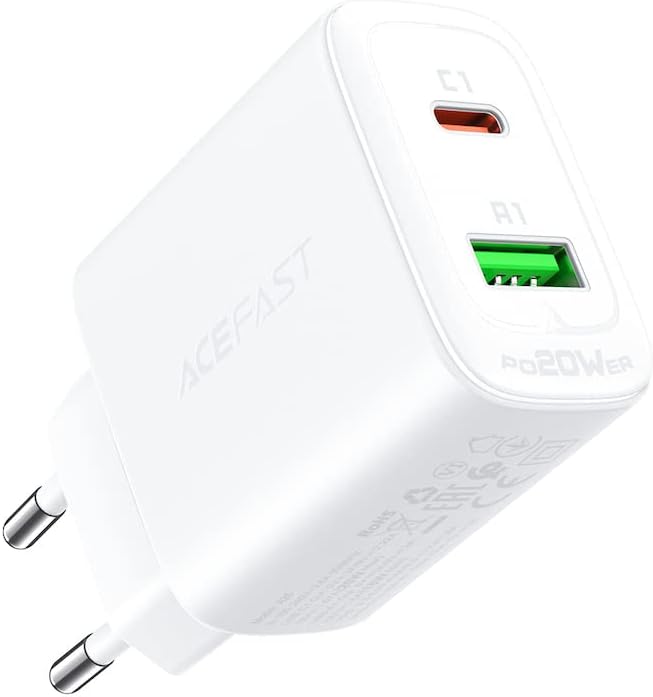
Figure 1: ACEFAST A25 Dual Port Fast Charger, front view showing USB-C and USB-A ports.
Specifications
| Feature | Detail |
|---|---|
| Model | A25 |
| Input | AC 100-240V, 0.6A, 50/60Hz |
| USB-C Output | 20W Max (PD3.0, PPS, QC4.0, QC3.0, QC2.0, AFC, FCP, SCP, DCP1.5A, BC1.2) |
| USB-A Output | 18W Max (QC3.0, QC2.0, AFC, FCP, SCP, DCP1.5A, BC1.2) |
| Total Output (USB-C + USB-A) | 5V / 3A (15W Max) |
| Material | Flame-retardant PC |
| Dimensions | 12 x 4 x 13 cm |
| Weight | 61 g |
| Special Features | Fast Charging, Short Circuit Protection |
Setup
Setting up your ACEFAST A25 charger is straightforward:
- Unpack the Charger: Carefully remove the ACEFAST A25 charger from its packaging.
- Locate a Power Outlet: Find a standard AC wall outlet (100-240V) that is easily accessible.
- Plug in the Charger: Insert the charger's prongs firmly into the wall outlet.
- Connect Your Device: Use a compatible charging cable (not included) to connect your device to either the USB-C or USB-A port on the charger.
Operating Instructions
The ACEFAST A25 charger operates automatically once connected to a power source and a device.
- Single Port Charging: When using only the USB-C port, it can deliver up to 20W. When using only the USB-A port, it can deliver up to 18W.
- Dual Port Charging: When both USB-C and USB-A ports are used simultaneously, the total output is shared, with a maximum combined output of 15W (5V/3A). The charger intelligently distributes power based on the connected devices' requirements.
- Fast Charging: For optimal fast charging, ensure your device and charging cable support the relevant fast charging protocols (e.g., PD, QC3.0).

Figure 2: ACEFAST A25 charger providing PD20W fast charge to an iPhone, illustrating quick charging capability.
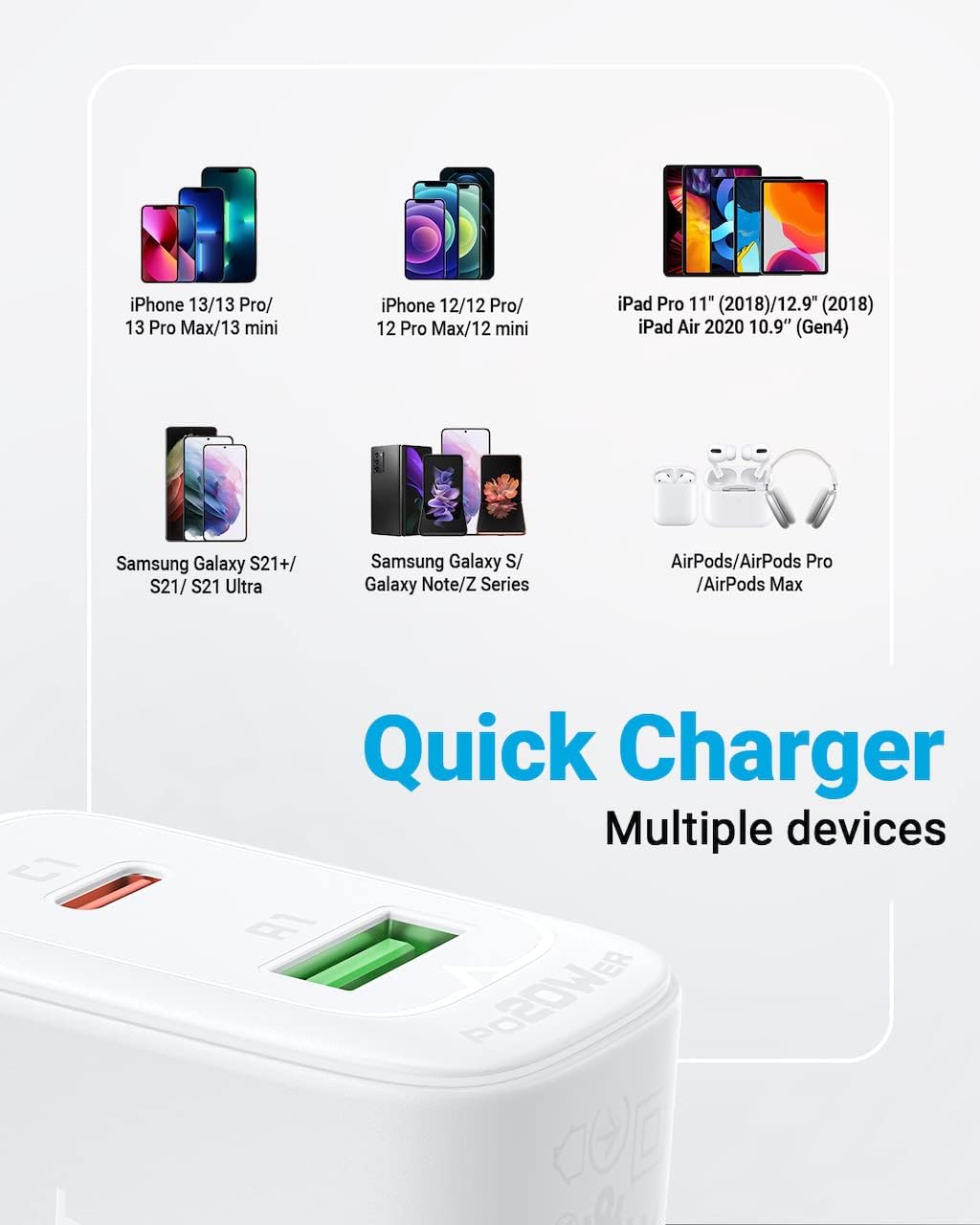
Figure 3: The ACEFAST A25 charger simultaneously charging an iPad and an iPhone, demonstrating its dual-port functionality and power distribution.
Compatibility
The ACEFAST A25 charger is compatible with a wide range of USB charging digital devices, including but not limited to:
- iPhone models (e.g., iPhone 13 series, iPhone 12 series)
- Samsung Galaxy smartphones (e.g., S21+, S21, S21 Ultra, S series, Note series)
- Xiaomi and Huawei smartphones
- iPad models (e.g., iPad Pro 11", iPad Air 2020 10.9")
- AirPods, AirPods Pro, AirPods Max
- Other devices supporting PD20W, PPS, QC3.0, AFC, FCP, QC2.0, SCP, DCP1.5A, BC1.2 charging protocols.
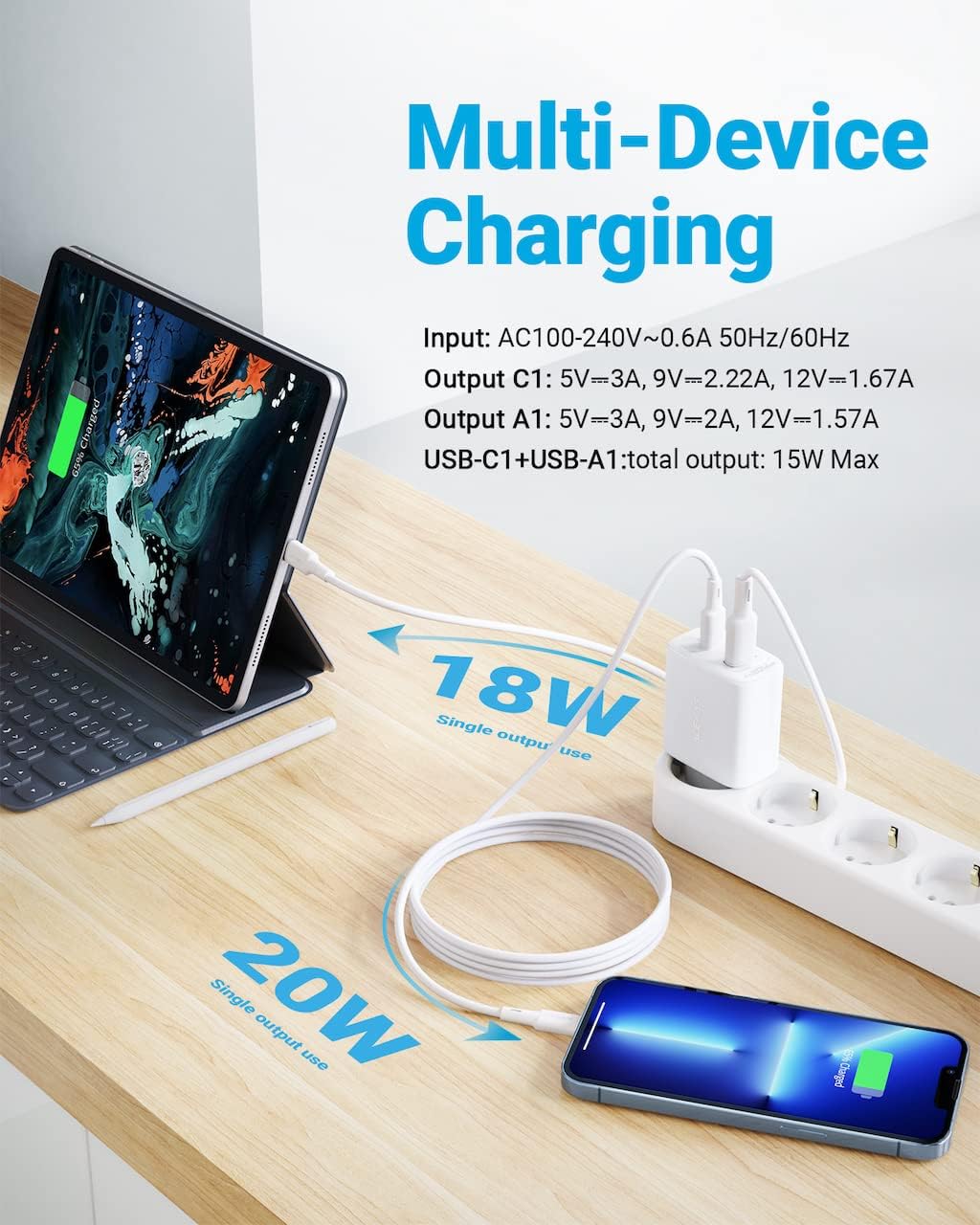
Figure 4: Visual guide displaying various compatible devices including iPhone, iPad, Samsung Galaxy, and AirPods, highlighting multi-device charging.
Safety Information
To ensure safe operation and prevent damage, please observe the following safety precautions:
- Do not expose the charger to water, moisture, or extreme temperatures.
- Avoid dropping, impacting, or disassembling the charger.
- Do not use the charger if it appears damaged.
- Keep out of reach of children.
- Ensure proper ventilation when in use; do not cover the charger.
- Use only with compatible devices and cables.
- Unplug the charger from the wall outlet when not in use or during electrical storms.
Maintenance
The ACEFAST A25 charger requires minimal maintenance.
- Cleaning: Disconnect the charger from the power outlet before cleaning. Use a soft, dry cloth to wipe the surface. Do not use liquid cleaners or aerosols.
- Storage: Store the charger in a cool, dry place away from direct sunlight and extreme temperatures.
Troubleshooting
If you encounter issues with your charger, refer to the following common problems and solutions:
- Device not charging:
- Ensure the charger is securely plugged into a working wall outlet.
- Check if the charging cable is properly connected to both the charger and your device.
- Try a different charging cable to rule out cable malfunction.
- Test the charger with a different device to confirm charger functionality.
- Slow charging:
- Verify that your device and cable support fast charging protocols.
- If charging two devices simultaneously, the total output is shared, which may result in slower charging for each device compared to single-port use.
- Ensure the cable is not excessively long or damaged, as this can affect charging speed.
- Charger feels warm:
- It is normal for the charger to become slightly warm during operation, especially during fast charging.
- If the charger becomes excessively hot, unplug it immediately and discontinue use. Ensure it is not covered and has adequate ventilation.
Package Contents
The ACEFAST A25 package typically includes the following items:
- 1 x ACEFAST A25 PD20W Dual Port Fast Charger
- 1 x Quick Start Guide / Product Manual
Note: Charging cables are typically not included and must be purchased separately.

Figure 5: Image showing the ACEFAST A25 charger, its packaging box, and the included quick start guide/product manual, detailing package contents.
Warranty and Support
ACEFAST products are designed for reliability and performance. For warranty information or technical support, please refer to the warranty card included in your product packaging or visit the official ACEFAST website. Please have your product model number (A25) and purchase details ready when contacting support.


