
1. Introduction
This manual provides essential instructions for the safe and effective use of your Soundcore by Anker Life P3i Hybrid Active Noise Cancelling Earbuds. Please read this guide thoroughly before use and retain it for future reference.
2. What's in the Box
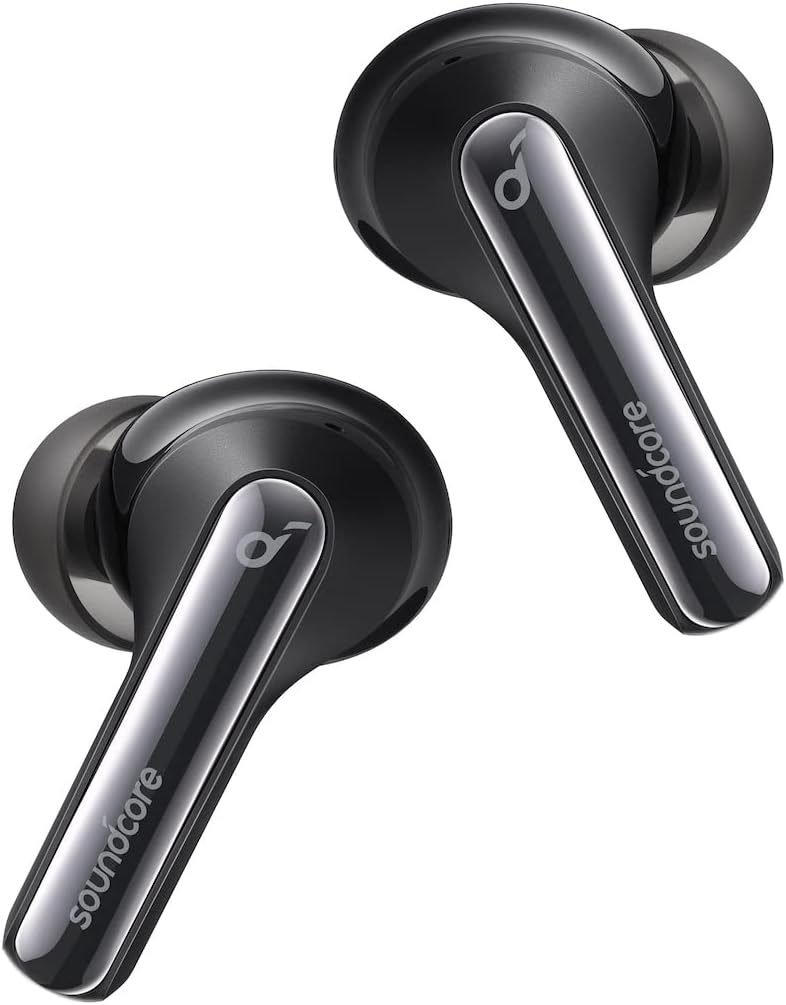
- Soundcore Life P3i Noise Cancelling Earbuds
- Eartips (Multiple Sizes)
- USB-C Cable
3. Setup
3.1 Charging the Earbuds and Case
Before first use, fully charge the earbuds and the charging case. Connect the provided USB-C cable to the charging port on the case and a power source. The LED indicators on the case will show the charging status.
3.2 Pairing with Your Device
- Open the charging case. The earbuds will automatically enter Bluetooth pairing mode.
- On your device (smartphone, tablet, etc.), enable Bluetooth.
- Search for "Soundcore Life P3i" in the list of available Bluetooth devices and select it to connect.

3.3 Wearing the Earbuds
Choose the eartips that provide the best seal and comfort for your ears. Insert the earbuds into your ear canals and twist gently to secure them in place.

4. Operating the Earbuds
4.1 Touch Controls
The earbuds feature touch-sensitive controls for various functions. Refer to the diagram below for default controls. These can often be customized via the Soundcore app.

4.2 Active Noise Cancellation (ANC)
The Life P3i earbuds feature hybrid active noise cancellation, reducing external noise by up to 90%. Activate or deactivate ANC using the touch controls or through the Soundcore app.


4.3 AI-Enhanced Calls
Equipped with 4 microphones and an AI algorithm, the earbuds enhance call clarity by precisely picking up your voice and reducing background noise.

4.4 Soundcore App and Custom EQ
Download the Soundcore app to unlock full customization options, including 22 different EQ settings to personalize your sound profile. The app also allows for control customization and firmware updates.

4.5 Battery Life and Fast Charging
The earbuds provide up to 9 hours of playtime on a single charge, with the charging case extending total playtime to 36 hours. The fast charging feature allows for quick power-ups.

5. Maintenance
5.1 Cleaning
Regular cleaning helps maintain optimal performance. Clean the metal charging contacts on the bottom of the earbuds and inside the charging case with a cotton swab lightly dampened with rubbing alcohol until no visible dirt remains.

5.2 Storage
When not in use, store the earbuds in their charging case to protect them and ensure they remain charged.
6. Troubleshooting
- Earbuds not charging: Ensure the charging contacts on both the earbuds and the case are clean and dry. Verify the USB-C cable is properly connected to a working power source.
- Unable to pair: Make sure the earbuds are in pairing mode (LEDs flashing). Turn off and on your device's Bluetooth. If issues persist, try resetting the earbuds (refer to the Soundcore app or online support for specific reset instructions).
- Sound quality issues: Check eartip fit for a proper seal. Adjust EQ settings in the Soundcore app. Ensure earbuds are clean.
- Noise Cancellation not effective: Ensure ANC is activated. Adjust eartip fit for a better seal.
7. Specifications
| Feature | Specification |
|---|---|
| Model Name | Life P3i |
| Connectivity Technology | Wireless (Bluetooth 5.2) |
| Audio Driver Size | 10 Millimeters |
| Noise Control | Active Noise Cancellation (Hybrid) |
| Microphones | 4 (AI-Enhanced Calls) |
| Battery Life (Earbuds) | Up to 9 Hours |
| Total Playtime (with Case) | Up to 36 Hours |
| Charging Time | 18 Hours (Case) |
| Control Method | App, Media Control |
| Water Resistance Level | Water Resistant |
| Item Weight | 1.76 ounces (total) |
| Product Dimensions | 2.48 x 1.93 x 1.14 inches |
8. Warranty and Support
Soundcore products are designed to meet high quality standards. For warranty information, technical support, or customer service inquiries, please visit the official Soundcore website or contact their customer support directly. Keep your proof of purchase for warranty claims.


