
Introduction
This user manual provides comprehensive instructions for the installation, operation, and maintenance of your Revolo Keyless Entry Door Lock. Please read this manual thoroughly before installation and use to ensure proper function and safety.

Image: Front and back view of the Revolo Keyless Entry Door Lock, showcasing its sleek design and keypad.
Product Features
- Keyless Entry: Highly responsive touchscreen for quick manual locking and unlocking. Supports up to 30 access codes.
- Automatic Lock: Configurable auto-lock feature after 30 seconds or one-touch motorized locking.
- Anti-Peeking Password: Enhances security by allowing random digits before or after the PIN code to prevent exposure.
- Certified Highest Security: All-metal construction with zinc alloy and stainless steel frame, certified ANSI/BHMA A156.40 Grade 2 for durability.
- Weatherproof: IP65 rating, capable of withstanding temperatures from -35°C/-31°F to 66°C/151°F.
- Ultra Long Lifespan: Designed for long-term use in private homes, apartments, or offices. Includes two mechanical keys for backup.
- Easy Installation: Quick and simple installation without drilling. Compatible with both right-handed and left-handed doors, fitting most standard door preparations.

Image: Overview of key features including user codes, auto-lock, waterproofing, and security icons.
Package Contents
The Revolo Keyless Entry Door Lock package includes the following components:
- Deadbolt & Interior Assembly
- 2 Backup Keys
- Latch & Strike Plate
- Mounting Hardware
- Installation & Programming Guide (this manual)
Setup and Installation
Installation of the Revolo Keyless Entry Door Lock is designed to be straightforward. No drilling is typically required for standard door preparations.
Door Compatibility and Dimensions
Ensure your door meets the following specifications for proper installation:
- Backset: 2.4" or 2.8" (60 mm or 70 mm)
- Cross Bore Diameter: 2.1" (54 mm)
- Edge Bore Diameter: 0.9" (22 mm)
- Door Thickness: 1.38" to 2.0" (35 mm to 50 mm)

Image: Detailed dimensions for door preparation and lock components, ensuring proper fit.
Installation Steps
For detailed step-by-step installation instructions, please refer to the dedicated Installation Manual (PDF) provided with your product or available for download from the Revolo website. The process generally involves:
- Preparing the door and frame.
- Installing the latch and strike plate.
- Assembling the exterior and interior lock components.
- Connecting the cable and securing the lock.
- Installing batteries.

Image: Illustration of the easy DIY installation process, showing a person securing the lock.
The lock is compatible with both right-handed and left-handed doors. Ensure correct orientation during installation.
Operating Instructions
Setting User Codes
The lock supports up to 30 unique user codes. Refer to the programming guide for steps on adding, deleting, and modifying user codes. Each family member can have their own customized password.
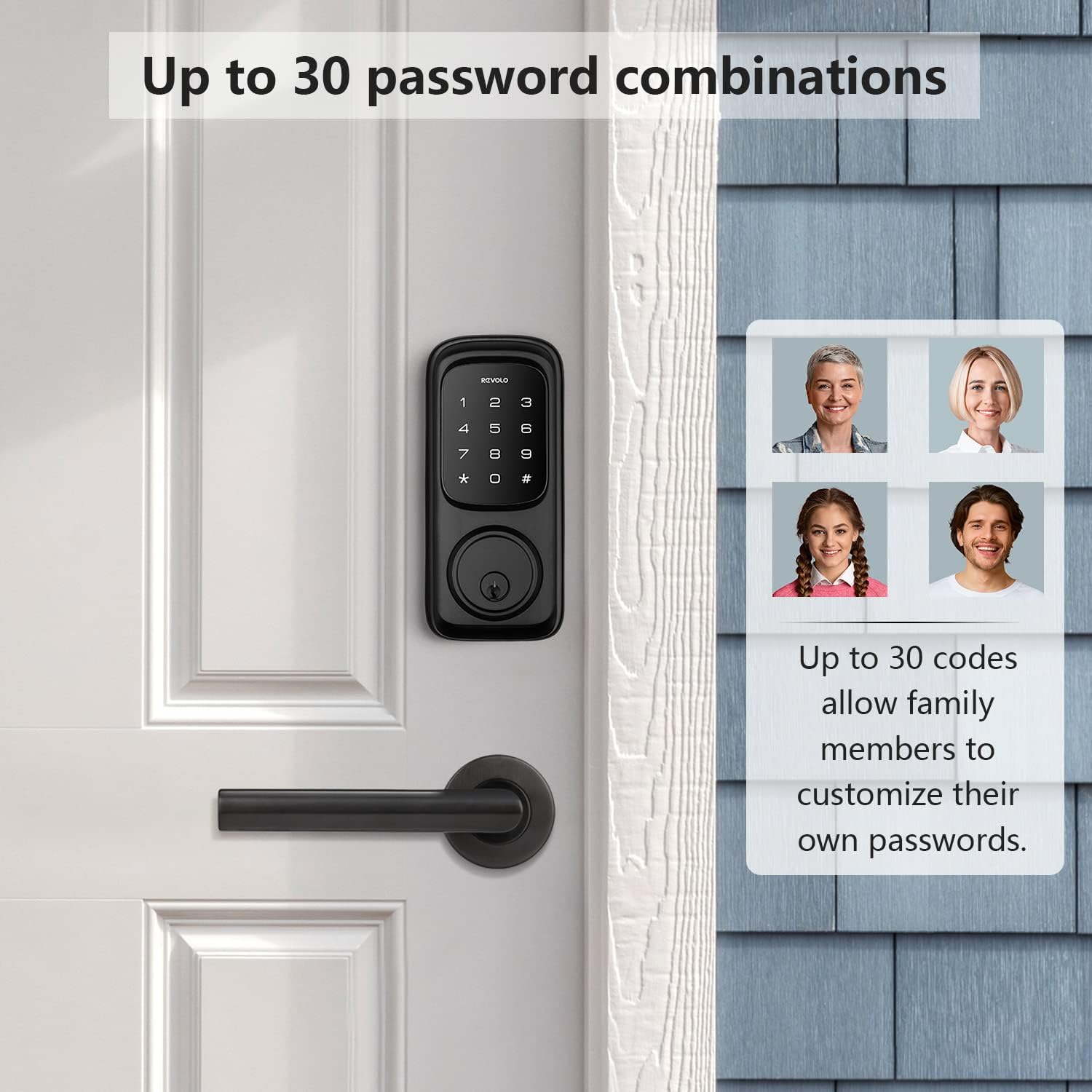
Image: Visual representation of setting up to 30 unique user codes for different individuals.
Manual Locking and Unlocking
To unlock, enter your valid user code on the touchscreen keypad. To lock, simply touch the keypad or use the one-touch motorized locking feature.
Automatic Locking Feature
The lock can be configured to automatically lock after a set period (e.g., 10 to 99 seconds) once the door is closed. This feature enhances security and convenience.

Image: Depiction of the automatic locking function, showing the deadbolt extending.
Anti-Peeking Password Protection
To prevent others from guessing your code, you can enter random digits before or after your actual PIN code. The lock will still recognize the correct sequence within the longer string of numbers.

Image: Example of using random digits with your password for enhanced security, illustrating how the lock recognizes the core code.
Maintenance
Battery Replacement
The Revolo Keyless Entry Door Lock requires batteries for operation. A battery indicator feature will alert you when the battery level is low. Replace batteries promptly to ensure continuous functionality. The lock uses standard batteries (not included).
Cleaning
Clean the touchscreen and lock body with a soft, damp cloth. Avoid abrasive cleaners or solvents that could damage the finish or electronic components.
Weather Resistance
The lock has an IP65 weatherproof rating, designed to withstand various weather conditions, including rain and shine. However, extreme prolonged exposure to water or direct high-pressure water jets should be avoided.
Troubleshooting
| Problem | Possible Cause | Solution |
|---|---|---|
| Lock is unresponsive. | Low or dead batteries. | Replace batteries with new ones. |
| Keypad does not light up. | Batteries are not installed correctly or are depleted. | Check battery orientation; replace batteries. |
| Cannot lock/unlock with code. | Incorrect code entered; code not programmed. | Verify the code; ensure the code is correctly programmed. Refer to programming guide. |
| Auto-lock not functioning. | Auto-lock feature is disabled or incorrectly configured. | Check settings in the programming guide to enable and configure auto-lock. |
| Lock makes unusual noises. | Mechanical obstruction or internal issue. | Check for any obstructions around the deadbolt. If issue persists, contact customer support. |
If you encounter issues not listed here or require further assistance, please contact Revolo customer support.
Specifications
- Model Name: RE002
- Item Model Number: RE002-1A
- Brand: Revolo
- Lock Type: Keypad Lock, Key Lock
- Material: Stainless Steel, Zinc
- Color: Matte Black
- Finish Type: Matte Black
- Special Features: Battery Indicator, Keyless
- Controller Type: Touchscreen
- Control Method: Touch
- Recommended Uses: Home Security
- Item Weight: 4.14 pounds
- Package Dimensions: 9.4 x 7.3 x 4.3 inches
- Batteries Required: Yes (not included)
- Certification: ANSI/BHMA A156.40 Grade 2
- Weatherproof Rating: IP65
- Operating Temperature Range: -35°C/-31°F to 66°C/151°F
Warranty and Support
Warranty Description: Revolo provides a 1-Year product warranty and free lifetime technical support from the date of purchase.
For technical assistance, warranty claims, or any questions regarding your Revolo Keyless Entry Door Lock, please contact Revolo customer support through their official website or the contact information provided in your product packaging.
You can also refer to the official User Manual (PDF) and Installation Manual (PDF) for additional information.
Important Safety Information
- Do not attempt to disassemble or modify the lock. This may void the warranty and compromise security.
- Use only recommended battery types.
- Keep mechanical backup keys in a secure location outside the property.
- Regularly check the lock's functionality and battery status.
- Protect your access codes and do not share them with unauthorized individuals.


