
ZEBRONICS ZEB-ASTRA 20
ZEBRONICS Zeb-Astra 20 Wireless Portable Speaker User Manual
Model: ZEB-ASTRA 20 | Brand: ZEBRONICS
1. Product Overview
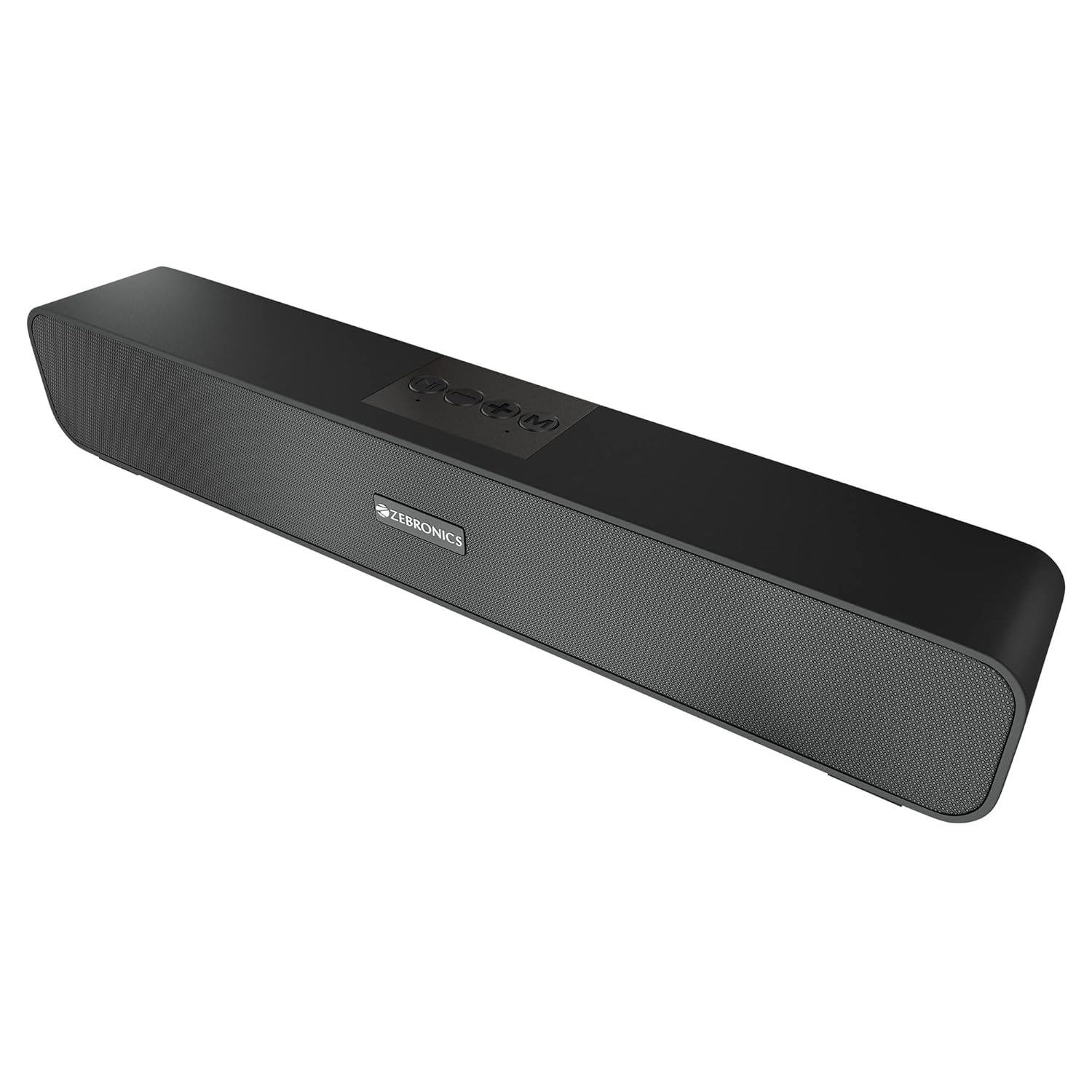
The ZEBRONICS Zeb-Astra 20 is a versatile and portable wireless Bluetooth speaker designed to deliver clear audio with enhanced bass. Its compact and lightweight design makes it ideal for on-the-go use, while multiple connectivity options ensure compatibility with a wide range of devices. This manual provides detailed instructions for setup, operation, and maintenance to help you get the most out of your speaker.
2. What's in the Box
Please check the package contents to ensure all items are present:
- 1 unit - ZEBRONICS Zeb-Astra 20 Speaker
- 1 unit - Charging Cable
- 1 unit - User Manual
- 1 unit - Input Cable (AUX)

3. Key Features
- TWS Connection: Connect two Zeb-Astra 20 speakers wirelessly for a stereo sound experience.
- Versatile Connectivity: Supports Bluetooth v5.0, AUX, mSD card, and USB input.
- Built-in FM Radio: Enjoy your favorite radio stations on the go.
- Call Function: Integrated microphone allows for hands-free calling when connected via Bluetooth.
- Long Battery Life: Built-in rechargeable battery provides up to 10 hours of playback (at 50% volume).
- Powerful Audio: 10W RMS (5+5) output with dual 52mm drivers and dual passive radiators for deep bass.
- Intuitive Controls: Media and volume control buttons located on the speaker for easy operation.
- Durable Design: Features a matte finish body with a front metallic grill.


Product Video Overview
This video provides a comprehensive overview of the ZEBRONICS Zeb-Astra 20 Wireless BT v5.0 Portable Speaker, highlighting its 10W RMS output, TWS capability, and 10-hour battery backup.
4. Setup Guide
4.1 Charging the Speaker
- Connect the provided charging cable to the DC5V port on the speaker.
- Connect the other end of the charging cable to a USB power adapter (not included) or a computer's USB port.
- The charging indicator light will illuminate. Once fully charged (approximately 10 hours), the light will change or turn off.
4.2 Powering On/Off
- To power on, slide the ON/OFF switch to the 'ON' position.
- To power off, slide the ON/OFF switch to the 'OFF' position.
4.3 Bluetooth Pairing
- Ensure the speaker is powered on and in Bluetooth mode (indicated by a flashing LED). If not, press the 'Mode' button to switch to Bluetooth mode.
- Enable Bluetooth on your smartphone, laptop, or other compatible device.
- Search for available Bluetooth devices and select "ZEB-ASTRA 20" from the list.
- Once paired, the speaker will indicate a successful connection, and the LED will stop flashing.

5. Operating Instructions
5.1 Button Functions
- Mode Button (M): Press to cycle through input modes: Bluetooth, AUX, mSD, USB, FM Radio.
- Play/Pause Button (►▮▮): Press to play or pause audio. In call mode, press to answer/end a call. Press and hold to reject a call.
- Volume Down / Previous Track (-): Short press for previous track. Long press to decrease volume.
- Volume Up / Next Track (+): Short press for next track. Long press to increase volume.
5.2 Using Different Modes
- AUX Mode: Connect an audio device using the 3.5mm AUX cable to the AUX port. The speaker will automatically switch to AUX mode.
- mSD Card Mode: Insert a micro SD card into the mSD slot. The speaker will automatically play audio files from the card.
- USB Mode: Insert a USB flash drive into the USB port. The speaker will automatically play audio files from the drive.
- FM Radio Mode: Press the 'Mode' button to switch to FM radio. Press the Play/Pause button to auto-scan and save available stations. Use the +/- buttons to switch between saved stations.
5.3 TWS (True Wireless Stereo) Function
To connect two Zeb-Astra 20 speakers for a stereo experience:
- Ensure both speakers are powered on and not connected to any Bluetooth device.
- On one speaker, long press the 'Mode' button until you hear a prompt indicating TWS pairing mode.
- The two speakers will automatically connect to each other. Once connected, you will hear a confirmation sound.
- Now, connect your device to one of the speakers via Bluetooth as described in section 4.3. Both speakers will play audio in stereo.
6. Maintenance
- Clean the speaker with a soft, dry cloth. Do not use abrasive cleaners or solvents.
- Avoid exposing the speaker to extreme temperatures, humidity, or direct sunlight.
- Do not disassemble the speaker. This will void the warranty and may cause damage.
- Charge the speaker regularly, even if not in use, to maintain battery health.
7. Troubleshooting
| Problem | Possible Cause | Solution |
|---|---|---|
| Speaker does not power on. | Low battery or not charged. | Charge the speaker fully. |
| No sound. | Volume too low, incorrect mode, or device not connected. | Increase volume, check mode, ensure proper connection. |
| Bluetooth pairing fails. | Speaker not in pairing mode, device too far, or interference. | Ensure speaker is in BT mode, move closer, restart both devices. |
| FM radio not working. | Weak signal or no stations scanned. | Move to an open area, perform auto-scan for stations. |
| TWS connection fails. | Speakers already paired to a device or not in TWS pairing mode. | Ensure both speakers are disconnected from other devices and initiate TWS pairing correctly. |
8. Specifications
| Feature | Detail |
|---|---|
| Model Name | ZEB-ASTRA 20 |
| Speaker Type | Wireless Speaker |
| Output Power | 10W RMS (5+5) |
| Driver Size | Dual 52mm Drivers |
| Connectivity | Bluetooth v5.0, AUX, mSD, USB, FM Radio |
| Battery Life | Up to 10 Hours (at 50% volume) |
| Charging Time | Approximately 10 Hours |
| Product Dimensions (D x W x H) | 5.7D x 35.4W x 6.5H Centimeters |
| Item Weight | 654 Grams |
| Material | Matte finish body with front metallic grill |
| Controller Type | Button |
| Impedance | 3 Ohm |
| Frequency Response | 20 KHz |

9. Warranty and Support
This ZEBRONICS Zeb-Astra 20 speaker comes with a standard brand warranty. For specific warranty terms, conditions, and to register your product, please refer to the warranty card included in your package or visit the official ZEBRONICS website.
For technical support, service, or any inquiries regarding your product, please contact ZEBRONICS customer service through their official channels. Keep your purchase receipt and product serial number handy for faster assistance.
Related documentsZEB-ASTRA 20


Ask a question about this manual
Ask about setup, troubleshooting, compatibility, parts, safety, or missing instructions. Manuals+ will review the question and use this page’s manual context to help answer it.