
Introduction
Thank you for choosing the VIOMI Cyber Cordless Wet/Dry Stick Vacuum Cleaner. This appliance is designed to provide efficient one-step cleaning for hard floors, including tile, hardwood, and bare floors, by simultaneously vacuuming and washing. Its self-cleaning and air-drying features ensure convenient and hygienic maintenance. Please read this manual thoroughly before operation to ensure safe and optimal use of your new vacuum cleaner.
Important Safety Instructions
WARNING: To reduce the risk of fire, electric shock, or injury, read all instructions before using this appliance.
- Always disconnect the appliance from the power supply before cleaning or performing maintenance.
- Do not immerse the appliance in water or other liquids.
- Use only VIOMI recommended attachments and replacement parts.
- Do not use the appliance to pick up flammable or combustible liquids, such as gasoline, or use in areas where they may be present.
- Do not pick up anything that is burning or smoking, such as cigarettes, matches, or hot ashes.
- Keep hair, loose clothing, fingers, and all parts of body away from openings and moving parts.
- Do not use without tanks and filters in place.
- Store the appliance indoors in a dry place.
- This appliance is for household use only.
Product Overview
The VIOMI Cyber Cordless Wet/Dry Stick Vacuum Cleaner combines powerful vacuuming with effective wet mopping, featuring a dual-tank system to keep clean and dirty water separate. Its intelligent design includes a digital display for easy operation and a self-drying brush roller for hygienic maintenance.

Figure 1: Main view of the VIOMI Cyber Cordless Wet/Dry Stick Vacuum Cleaner with charging base and brush.
Key Features:
- Dual-Tank Design: Separates clean water (0.8 Liters) from dirty water (0.5 Liters) for continuous cleaning with fresh solution.
- Self-Cleaning & Air Drying: Automatic brush roller cleaning and drying function for improved hygiene and convenience.
- One-Step Cleaning: Vacuums and washes hard floors simultaneously.
- Digital Display: Provides real-time information on power, status, and cleaning mode.
- Strong Motor Traction: Ensures effective and efficient cleaning.
- Edge Cleaning: Designed to clean close to edges, within 10mm.
- Cordless & Lightweight: Offers freedom of movement and easy maneuverability.

Figure 2: Illustration of the dual-tank design, highlighting the clean water tank and dirty water tank.

Figure 3: Close-up of the digital display, indicating power, status, and cleaning gear.
Setup
1. Assembly
- Carefully unpack all components from the box.
- Insert the handle into the main body of the vacuum cleaner until it clicks securely into place.
- Ensure the clean water tank and dirty water tank are properly seated.
2. Charging
Before first use, fully charge the vacuum cleaner. The charging time is approximately 4 hours.
- Place the vacuum cleaner on its charging base.
- Connect the power adapter to the charging base and plug it into a wall outlet.
- The digital display will indicate charging status.

Figure 4: The vacuum cleaner placed on its charging base for convenient charging and storage.
3. Filling the Clean Water Tank
- Remove the clean water tank from the appliance.
- Open the tank cap and fill with clean tap water. You may add a small amount of non-foaming, floor-cleaning solution suitable for wet vacuums if desired. Do not exceed the MAX fill line.
- Close the cap securely and reinsert the tank into the appliance.
Operating Instructions
1. Powering On/Off
- Press the Power button on the handle to turn the vacuum cleaner on.
- Press the Power button again to turn it off.
2. Cleaning Floors
- Tilt the main body of the vacuum cleaner back to engage the brush roller and begin cleaning.
- Move the vacuum cleaner slowly forward and backward over the floor surface. The appliance will simultaneously vacuum debris and wash the floor.
- For heavily soiled areas, you may pass over them multiple times.
- The digital display will show the current operating status.
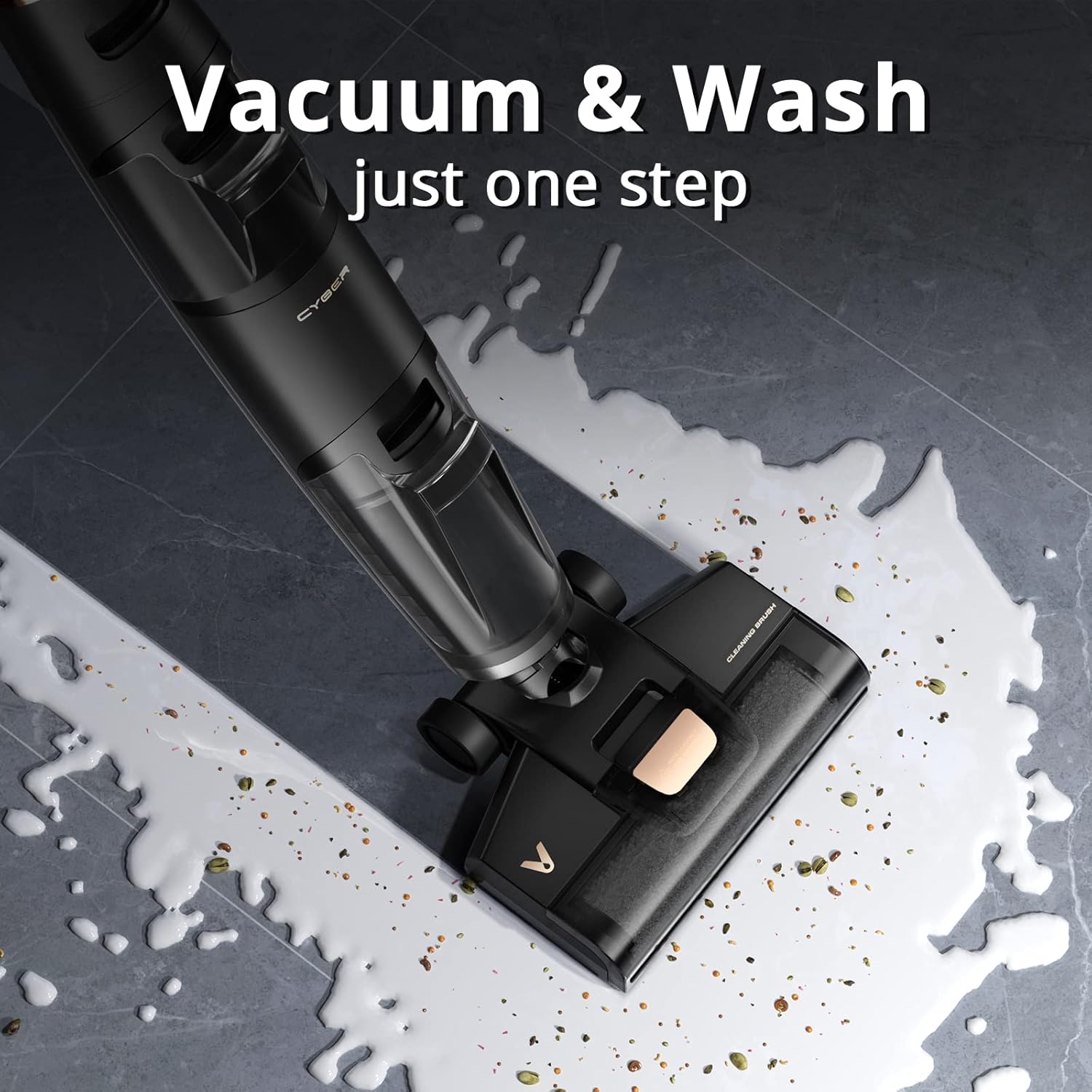
Figure 5: The vacuum cleaner in action, demonstrating its ability to vacuum and wash in one step.
3. Emptying the Dirty Water Tank
- When the dirty water tank is full, the appliance may indicate this on the digital display or suction performance may decrease.
- Turn off the appliance and remove the dirty water tank.
- Carefully open the tank and dispose of the dirty water and collected debris.
- Rinse the tank thoroughly with clean water and reinsert it into the appliance.
Maintenance
Regular maintenance ensures the longevity and optimal performance of your VIOMI Cyber vacuum cleaner.
1. Self-Cleaning Function
- After each use, place the vacuum cleaner on its charging base.
- Ensure there is sufficient clean water in the clean water tank.
- Press the self-clean button (refer to your appliance's specific button layout if not clearly marked). The appliance will automatically clean the brush roller and internal pathways.
- The self-cleaning cycle will be followed by an air-drying process for the brush roller.

Figure 6: The self-drying brush roller mechanism, ensuring hygiene after cleaning.
2. Cleaning the Dirty Water Tank and Filter
- After emptying, thoroughly rinse the dirty water tank and its components.
- Remove the HEPA filter from the dirty water tank assembly. Rinse the filter under running water.
- Allow the filter to air dry completely for at least 24 hours before reinserting. Do not use the appliance with a wet filter.
3. Brush Roller Maintenance
- Periodically inspect the brush roller for tangled hair or debris.
- To remove the brush roller, follow the instructions in your appliance's quick start guide. Clean any obstructions and reinsert.
Troubleshooting
If you encounter issues with your VIOMI Cyber vacuum cleaner, please refer to the following common problems and solutions:
| Problem | Possible Cause | Solution |
|---|---|---|
| Appliance does not turn on. | Battery is depleted; Power button not pressed correctly. | Ensure the appliance is fully charged. Press the Power button firmly. |
| Poor suction or cleaning performance. | Dirty water tank is full; Clean water tank is empty; Brush roller is tangled or dirty; Filter is clogged. | Empty the dirty water tank. Refill the clean water tank. Clean the brush roller. Clean and dry the HEPA filter. |
| Water leakage. | Water tanks not properly installed; Tank caps not securely closed; Damaged tank. | Ensure both clean and dirty water tanks are correctly seated and their caps are tightly closed. Inspect tanks for cracks or damage. |
| Unpleasant odor from appliance. | Dirty water tank or brush roller not cleaned thoroughly. | Perform a self-cleaning cycle. Thoroughly clean the dirty water tank, brush roller, and filter. Ensure all parts are dry before storage. |
Specifications
| Feature | Detail |
|---|---|
| Brand | VIOMI |
| Model Name | Cyber |
| Item Model Number | Cyber cordless wet dry vacuum |
| Special Feature | Bagless |
| Filter Type | HEPA Filter |
| Included Components | Brush |
| Is Cordless? | Yes |
| Clean Water Capacity | 0.8 Liters |
| Dirty Water Capacity | 0.5 Liters |
| Wattage | 2500 milliamp_hours (Battery Capacity) |
| Runtime | Up to 2 hours (approximate) |
| Charging Time | 4 H |
| Form Factor | Stick |
| Color | Black |
| Battery Description | Lithium-Ion |
| Noise Level | 80 dB |
| Controller Type | Push Button |
| Control Method | Touch |
| Portable | Yes |
| Number of Power Levels | 1 |
| Indoor/Outdoor Usage | Indoor |
| Product Dimensions | 10 x 11 x 42 inches |
| Item Weight | 2.2 pounds |
Warranty and Support
VIOMI products are manufactured to the highest quality standards. For warranty information, please refer to the warranty card included with your purchase or visit the official VIOMI website. If you require technical support or have questions regarding your product, please contact the retailer where you purchased the item or visit the official VIOMI support channels.
For more information about VIOMI, visit: VIOMI Amazon Store
