
Shark WV410BL
Shark WANDVAC Cordless Hand Vacuum User Manual
Model: WV410BL
Introduction
The Shark WANDVAC POWER PET Cordless Handheld Vacuum (Model WV410BL) is designed for quick and efficient cleaning in various environments, including homes and vehicles. This ultra-lightweight and portable device features a high-speed brushless motor for powerful suction, making it suitable for picking up both large and small debris. Its compact design and specialized accessories enhance its versatility for tackling pet hair and reaching tight spaces.
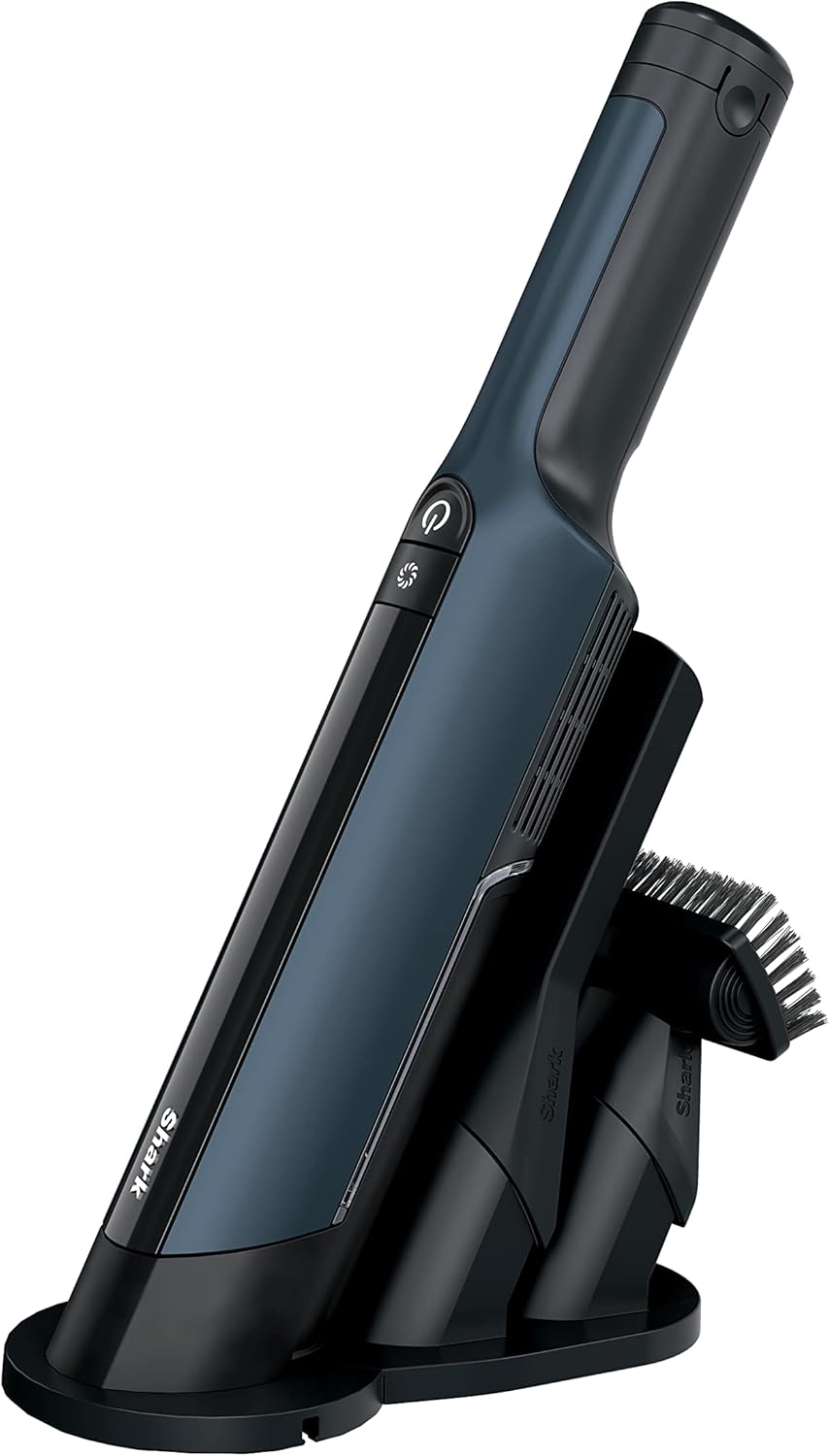
Figure 1: Shark WANDVAC Cordless Hand Vacuum with charging dock and accessories.
Included Components
The Shark WANDVAC POWER PET Handheld Vacuum comes with the following components:
- Shark Wandvac Power Pet Handheld Vacuum
- Duster Crevice Tool
- Pet Tool
- Ion Charging Dock
- Dual Onboard Accessory Storage
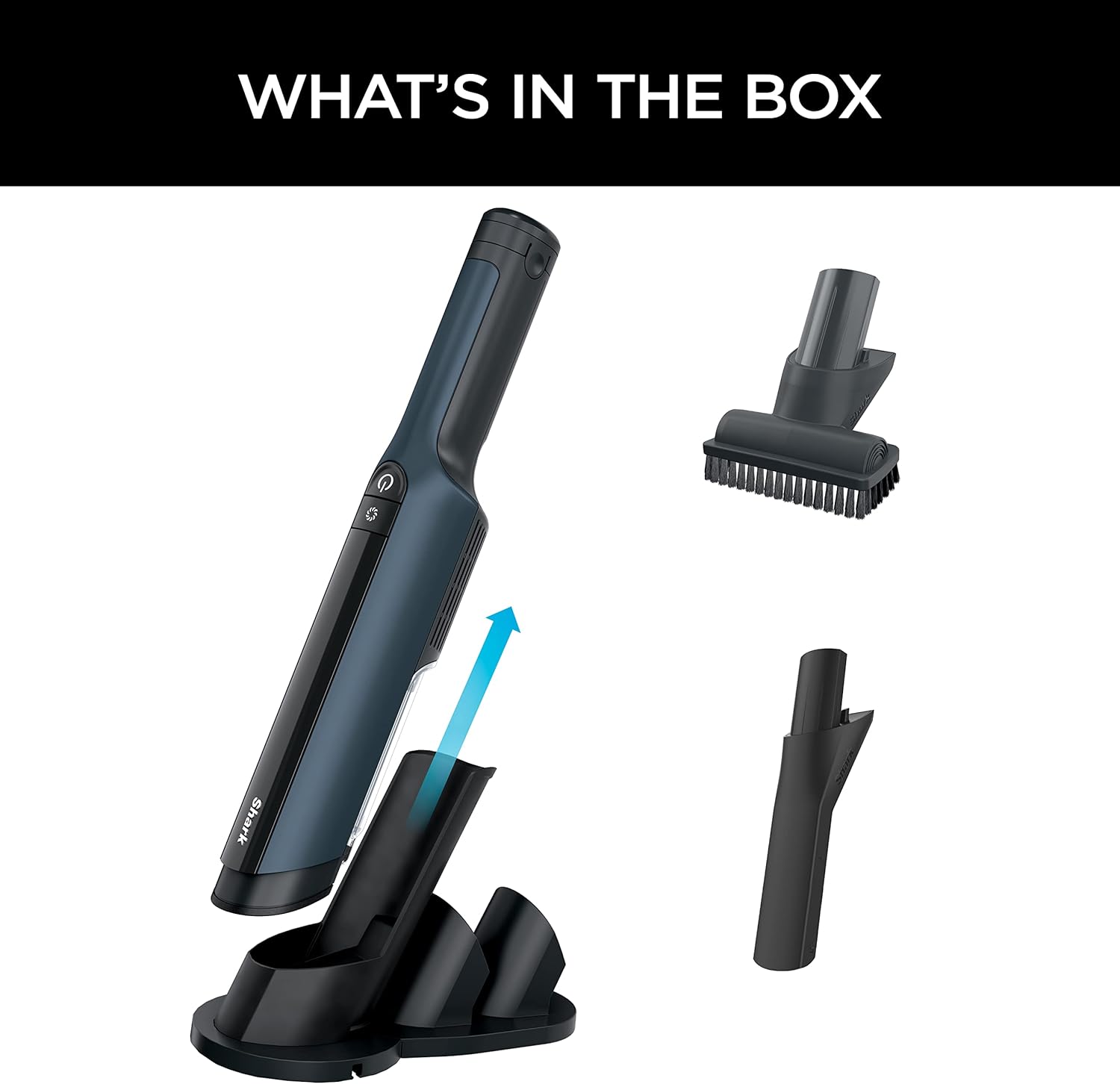
Figure 2: All components included in the product packaging.
Setup
Before initial use, ensure the vacuum is fully charged. The sleek charging dock provides convenient storage and fast recharging, ensuring the unit is always ready for use.
- Place the Ion Charging Dock on a flat, stable surface near a power outlet.
- Connect the charging cable to the dock and plug it into a standard electrical outlet.
- Place the Shark WANDVAC Handheld Vacuum onto the charging dock. The LED power light on the vacuum will indicate charging status.
- Store the Duster Crevice Tool and Pet Tool in the dual onboard accessory storage slots on the charging dock for easy access.

Figure 3: The vacuum unit securely placed on its charging dock, ready for use.
Operating Instructions
The Shark WANDVAC is designed for intuitive operation with powerful cleaning capabilities.
Powering On/Off and Suction Modes
- To power on the vacuum, press the power button located on the handle. The LED power light will illuminate.
- The vacuum operates in a standard deep-clean mode. For tougher messes and larger debris, press the Boost button for extra bursts of strong suction.
- To power off the vacuum, press the power button again.

Figure 4: Overview of the vacuum's controls and features.
Using Accessories
Attach the appropriate tool for specific cleaning tasks:
- Duster Crevice Tool: Ideal for cleaning tight spaces, corners, and crevices in cars or around the home.
- Pet Tool: Features a bristle brush designed to effectively remove stubborn pet hair and stuck-on debris from delicate fabrics and furniture.

Figure 5: Cleaning car interiors with the Duster Crevice Tool.

Figure 6: The Pet Tool effectively removes pet hair from upholstery.
The compact and ergonomic design of the vacuum allows for versatile and quick-clean convenience, making it easy to maneuver for various cleaning needs.

Figure 7: The lightweight design allows for easy maneuverability.
Maintenance
Regular maintenance ensures optimal performance of your Shark WANDVAC.
Emptying the Dust Cup
The vacuum features a one-touch dust cup empty mechanism for hygienic disposal of debris.
- Position the vacuum over a trash receptacle.
- Press the single button to release the dust cup contents. This allows for debris emptying without direct contact.

Figure 8: One-touch debris emptying for convenience.
Cleaning the Filter
The fabric filter is easily removable and hand-washable to maintain high cleaning efficiency.
- Remove the filter housing from the vacuum.
- Rinse the filter under running water until clean.
- Allow the filter to air dry completely before reinserting it into the vacuum. Ensure it is fully dry to prevent damage and maintain suction power.

Figure 9: The filter is washable for sustained performance.
Troubleshooting
If you encounter issues with your Shark WANDVAC, consider the following common solutions:
- No Power: Ensure the vacuum is fully charged. Verify the charging dock is properly connected to a power outlet.
- Reduced Suction: Check if the dust cup is full and empty it if necessary. Inspect the filter for clogs and clean it as per maintenance instructions. Ensure no blockages are present in the nozzle or attachments.
- Short Runtime: Confirm the unit is fully charged. Battery performance can vary with usage patterns and age.
- Unusual Noises: Check for any foreign objects lodged in the vacuum's nozzle or dust cup.
For persistent issues not resolved by these steps, please refer to the warranty and support section for further assistance.
Specifications
| Feature | Detail |
|---|---|
| Brand | Shark |
| Model Name | Shark WV410BL |
| Special Feature | Portable, Lightweight |
| Filter Type | Fabric Filter |
| Is Cordless? | Yes |
| Capacity | 0.1 Quarts |
| Wattage | 160 watts |
| Product Dimensions | 2.7"L x 2.4"W x 15.4"H |
| Item Weight | 1.48 pounds |
| Battery Type | 10.85 volts Lithium Ion (included) |
| Manufacturer | SharkNinja |
| Country of Origin | China |
Warranty & Support
The Shark WANDVAC POWER PET Handheld Vacuum comes with a 2-year limited warranty. This warranty covers defects in material and workmanship under normal household use.
For warranty claims, technical support, or to purchase replacement parts, please contact Shark customer service through their official website or the contact information provided in your product registration materials. Keep your proof of purchase for warranty validation.
Related documentsWV410BL


Ask a question about this manual
Ask about setup, troubleshooting, compatibility, parts, safety, or missing instructions. Manuals+ will review the question and use this page’s manual context to help answer it.