Product Overview
The Easysleep White Noise Machine (Model i-1) is designed to provide a calming environment with 25 non-looping soothing sounds and adjustable night lights. It features 32 levels of volume control, a 5-setting sleep timer, and a memory function.

Image: Easysleep White Noise Machine displaying its 25 soothing sound options.
This compact device is powered by either AC or USB, making it suitable for home, office, or travel use.

Image: Easysleep White Noise Machine on a nightstand, highlighting its sleep benefits.
Safety Information
Please adhere to standard safety precautions. Avoid exposing the device to extreme temperatures, humidity, or direct sunlight. Do not disassemble or attempt to repair the device yourself. Keep out of reach of children and pets. Ensure proper ventilation during use. If applicable, be mindful of noise exposure limits to prevent hearing damage.
Setup
Power Connection
Connect the device using the provided AC adapter or a USB cable. The device can be powered via AC or USB. Ensure the power source is stable and matches the device's requirements.
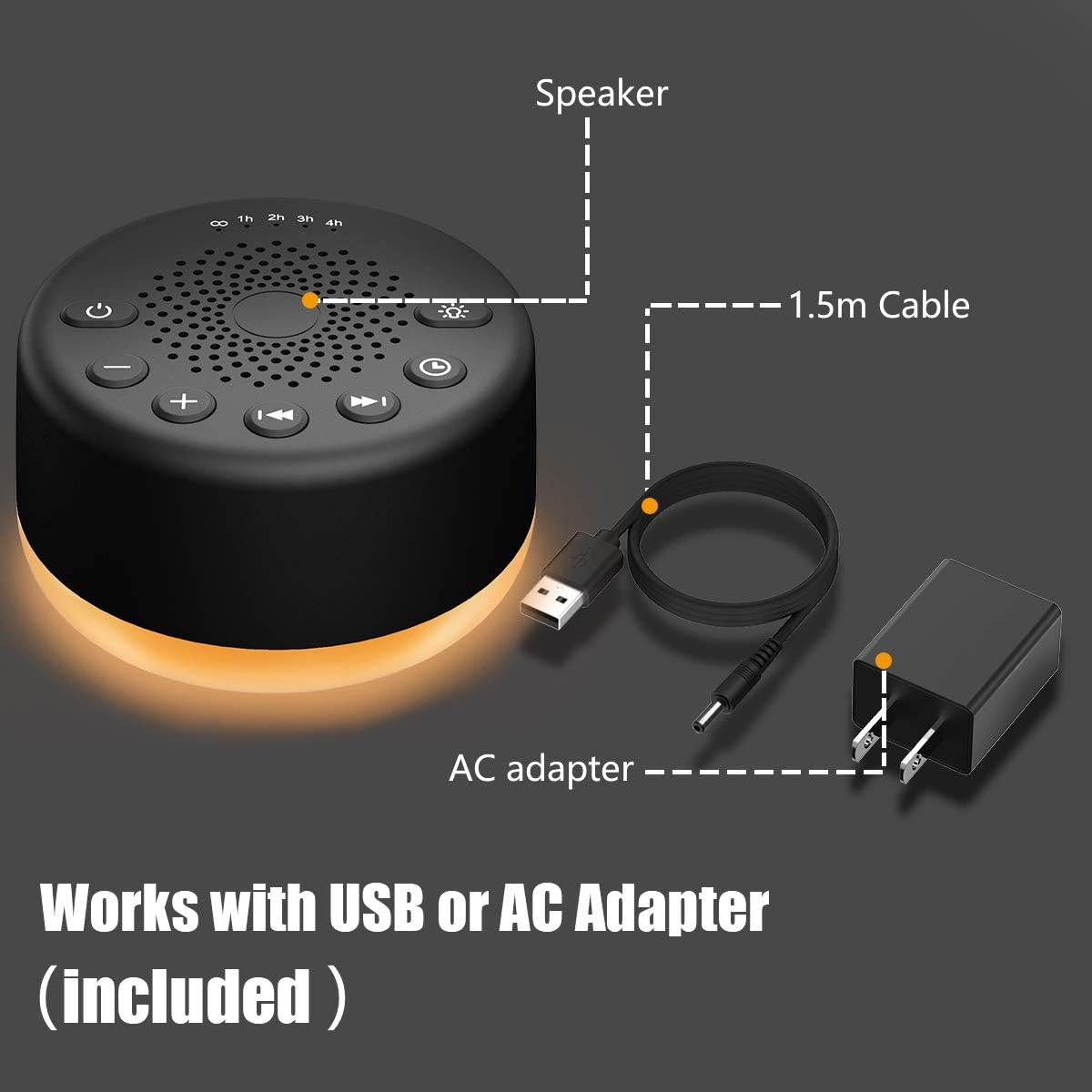
Image: Powering the device via USB or AC adapter.
Placement
Place the device on a stable, flat surface away from water, excessive heat, or direct sunlight. Its compact design makes it easy to fit in various locations.
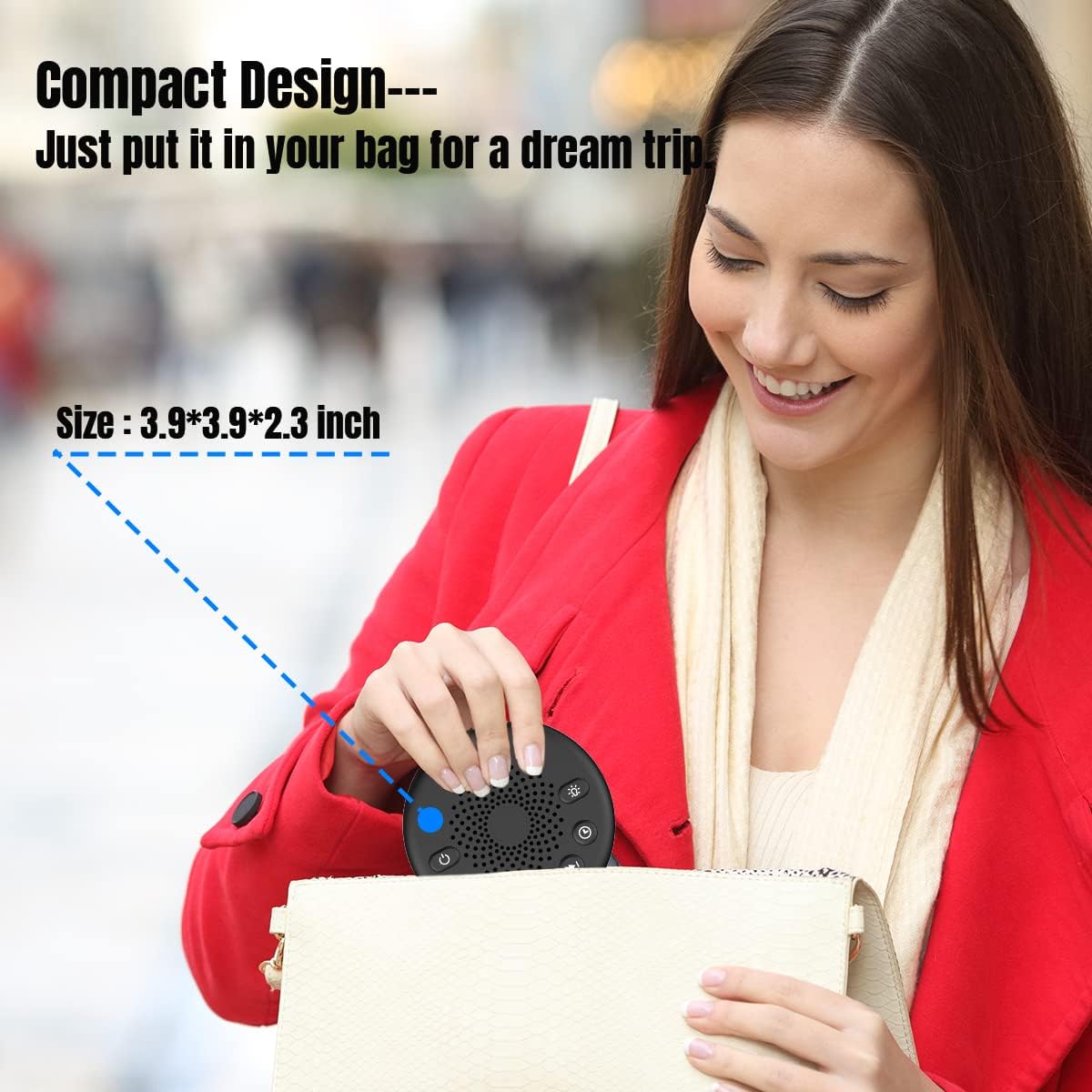
Image: The compact design of the white noise machine for easy portability.
Operating Instructions

Image: Control panel of the Easysleep White Noise Machine.
Power On/Off
Press the power button (marked with a circle and vertical line) to turn the device on or off.
Sound Selection
The machine offers 25 non-looping sounds including white noise, fans, brook, sea waves, birds, bonfire, train, piano, lullabies, and meditation. Use the forward (▶▶) and backward (◀◀) track buttons to cycle through the available sounds.

Image: Visual representation of the 25 soothing sounds.
Volume Adjustment
Adjust the volume using the '+' and '-' buttons. There are 32 levels of volume to suit your preference.
Sleep Timer
The device features a sleep timer with options for 60, 120, 180, or 240 minutes (1, 2, 3, or 4 hours). It can also be set for continuous play (indicated by an infinity symbol). Press the timer button to select your desired duration. The device will automatically turn off after the set time.

Image: Sleep timer function with multiple duration options.
Night Light
The integrated night light has four levels of warm light. Press the light button (marked with a lightbulb icon) to cycle through the brightness levels or turn the light off.

Image: Night light feature providing a soft glow.
Memory Function
The memory function automatically restores your previous volume, sound, and timer settings when the device is turned on again.
Maintenance
To clean the device, wipe it with a soft, dry cloth. Do not use liquid cleaners, aerosols, or abrasive materials, as these may damage the surface or internal components. Ensure the device is unplugged from the power source before cleaning.
Troubleshooting
No Sound/Power
- Check if the device is properly connected to a power source (AC adapter or USB).
- Ensure the power button is pressed to turn the device on.
- Verify the volume is not set to the lowest level.
Light Not Working
- Press the light button to cycle through brightness levels.
- Ensure the device is powered on.
Specifications
| Feature | Detail |
|---|---|
| Product Dimensions | 4.14 x 4.14 x 2.38 inches; 6.72 ounces |
| Model Number | i-1 |
| Manufacturer | Easysleep |
| Power Source | Corded Electric (AC or USB) |
| Sounds | 25 Non-Looping |
| Volume Levels | 32 |
| Timer Options | Continuous, 60, 120, 180, 240 minutes |
| Night Light | Four levels of warm light |
| Material | Acrylonitrile Butadiene Styrene (ABS), Metal, Polycarbonate, Polypropylene, Silicone |
Warranty and Support
The Easysleep White Noise Machine comes with an 18-month warranty from the date of purchase.
For any questions, technical assistance, or warranty claims, please contact Easysleep customer service. Refer to the product packaging or the official Easysleep website for contact details.
This machine is approved by ETL, FCC, CE, and RoHS standards, ensuring compliance with safety and quality regulations.


