
1. Introduction
Thank you for choosing the VGR V-937 Professional Hair Trimmer. This manual provides essential information for the safe and effective use, maintenance, and troubleshooting of your new grooming device. Please read it thoroughly before first use and keep it for future reference.

The VGR V-937 Professional Hair Trimmer, a versatile grooming tool.
2. Package Contents
Ensure all items are present in the package:
- 1x Hair Trimmer
- 3x Guide Combs (1.5mm, 3mm, 4.5mm)
- 1x Type-C USB Cable
- 1x Protection Cap
- 1x Cleaning Brush
- 1x Lubricating Oil Bottle
- 1x User Manual

All components included in the VGR V-937 Hair Trimmer package.
3. Safety Instructions
To ensure safe operation and prevent injury or damage, please observe the following:
- This trimmer is intended for use by individuals aged 8 and above, with proper training and supervision.
- Keep the device out of reach of children.
- Never use the trimmer if it is damaged.
- Do not immerse the trimmer in water or use it near water sources.
- Ensure the device is switched off before attaching or removing guide combs.
- Use only the provided Type-C USB cable for charging.
- Do not attempt to disassemble or repair the trimmer yourself. Contact customer support for assistance.
4. Product Features
The VGR V-937 Professional Hair Trimmer is designed for precision and convenience, offering a superior grooming experience.
- Powerful Motor: Ensures consistent, smooth trimming without stalling or pulling, suitable for all hair types.
- Precision Blades: Equipped with sharp stainless steel T-blades for snag-free trimming and precise lines.
- Long Battery Life: Features a powerful 2000mAh lithium battery, providing up to 500 minutes of cordless usage on a 4-hour charge.
- LED Display: Digital screen clearly shows battery level and an oiling indicator for efficient management.
- Travel-Friendly: Compact size, protective cap, and USB Type-C charging make it ideal for travel.
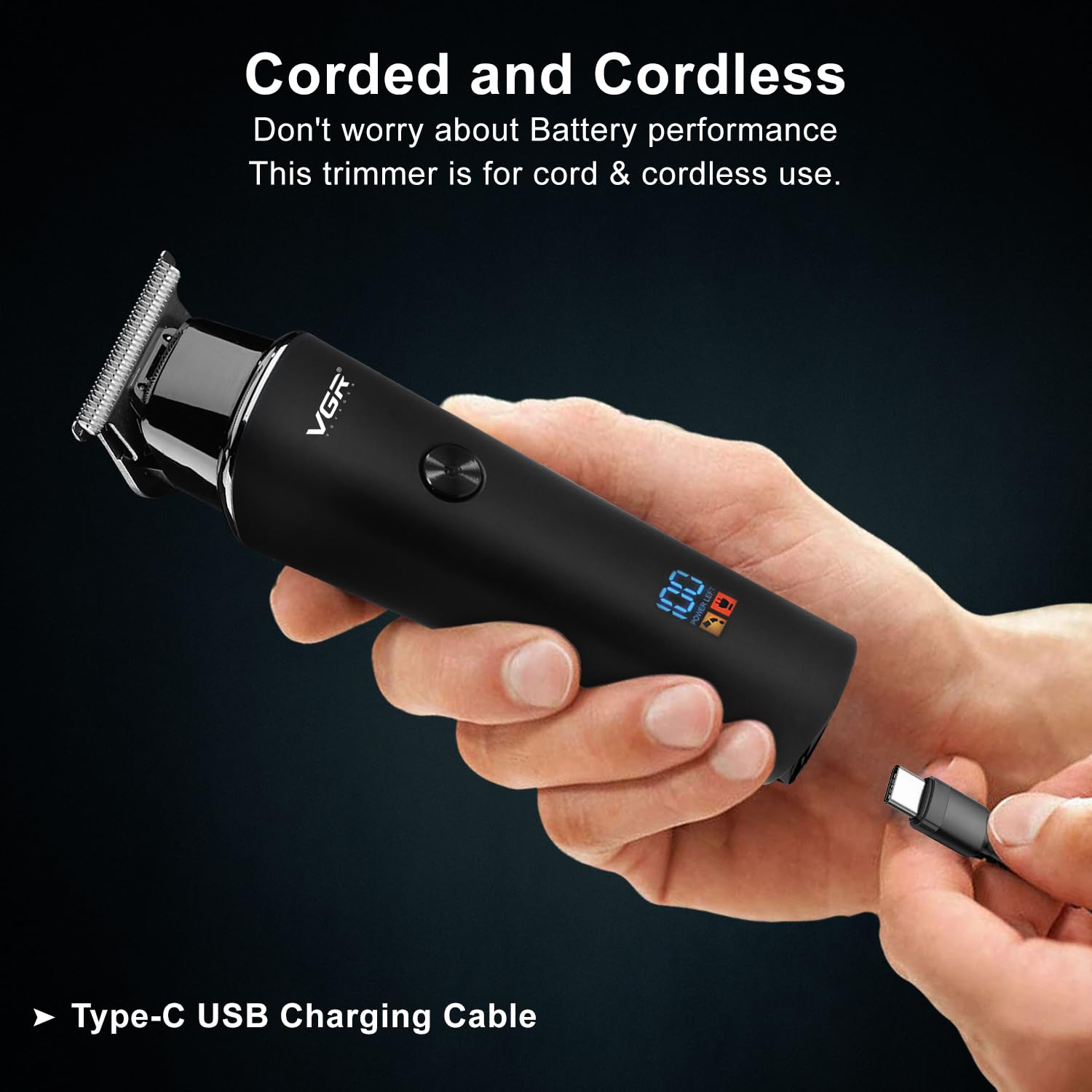
- Corded & Cordless Use: Offers flexibility for use with or without the charging cable.


Product Overview Video
This short video provides a quick overview of the VGR V-937 Hair Trimmer, showcasing its accessories, precision T-blades, LED display, USB charging, and the process of adding oil for maintenance.
5. Setup
Initial Charging
- Before first use, fully charge the trimmer. Connect the Type-C USB cable to the charging port at the bottom of the trimmer and plug the other end into a suitable USB power adapter (not included).
- The LED display will show the charging progress. A full charge typically takes about 4 hours.
- Once fully charged, the display will show 100%. Disconnect the charger.
Attaching Guide Combs
- Ensure the trimmer is switched off.
- Select the desired guide comb (1.5mm, 3mm, or 4.5mm) based on your preferred trim length.
- Align the comb with the trimmer blade and push it firmly until it clicks into place.
- To remove, gently pull the comb away from the blade.

6. Operating Instructions
General Trimming
- Press the ON/OFF button to power on the trimmer. The LED display will illuminate.
- For beard and mustache grooming, or hair clipping, attach the appropriate guide comb.
- Gently guide the trimmer through the hair, moving against the direction of hair growth for an even cut.
- Use slow, smooth motions for best results.
Precision Edging and Detailing
- For precise lines, such as jawline, neckline, or sideburns, remove the guide comb.
- Hold the trimmer with the blade flat against the skin and carefully create your desired lines.
- The T-blade design allows for sharp and clean edges.

7. Maintenance
Cleaning the Blades
- Ensure the trimmer is switched off and unplugged.
- Use the provided cleaning brush to remove any hair clippings from the blades.
- For a more thorough clean, the blades can be carefully detached and rinsed under running water. Ensure they are completely dry before reattaching.
Oiling the Blades
- After cleaning and drying the blades, apply a few drops of the lubricating oil (provided) to the teeth of the blades.
- Turn on the trimmer for a few seconds to allow the oil to distribute evenly.
- Wipe off any excess oil with a soft cloth. Regular oiling ensures optimal performance and extends blade life.
8. Troubleshooting
If you encounter any issues with your VGR V-937 trimmer, please refer to the following common problems and solutions:
| Problem | Possible Cause | Solution |
|---|---|---|
| Trimmer does not turn on | Low battery; Device not charged | Charge the trimmer fully using the Type-C USB cable. |
| Blades pull hair or cut unevenly | Blades are dull or clogged with hair; Insufficient lubrication | Clean the blades thoroughly and apply lubricating oil. If issues persist, blades may need replacement. |
| LED display not working | Device malfunction | Ensure the device is charged. If the problem persists, contact customer support. |
| Trimmer makes unusual noise | Blades are not properly aligned or lubricated; Internal issue | Clean and oil the blades. Check for any obstructions. If the noise continues, discontinue use and contact customer support. |
9. Specifications
| Feature | Detail |
|---|---|
| Model Number | V-937 |
| Power Source | Battery Powered (1 Lithium Ion battery included) |
| Battery Capacity | 2000mAh |
| Runtime | Up to 500 minutes on a full charge |
| Charging Time | Approx. 4 hours |
| Charging Type | Type-C USB |
| Blade Material | Stainless Steel |
| Item Weight | 100 g |
| Product Dimensions (LxWxH) | 16 x 4 x 3.5 Centimeters |
| Country of Origin | China |
10. Warranty and Support
The VGR V-937 Professional Hair Trimmer comes with a 1 Year Brand Warranty on products sold by authorized sellers. For warranty claims or any product-related queries, please contact VGR customer care.
- Email: customercare@vgrofficial.in
- Phone: 18002578939
- Website: www.vgrofficial.in
Customer care is available from 10:00 AM to 6:00 PM, Monday to Saturday.


