
Lighting EVER B09YTNK31X
Lighting EVER Bundle: LED Headlamp and Camping Lantern Instruction Manual
Brand: Lighting EVER | Model: B09YTNK31X
Introduction
This manual provides essential instructions for the safe and effective use of your Lighting EVER LED Headlamp and Camping Lantern bundle. Please read thoroughly before operation.
Product Overview

Image: The Lighting EVER bundle, featuring two LED headlamps and two LED camping lanterns.
LED Headlamp
The rechargeable LED headlamp is designed for hands-free illumination during various activities such as running, camping, and hiking. It features multiple light modes and is water-resistant.
LED Camping Lantern
The waterproof LED camping lantern provides broad area illumination for camping, power outages, and other outdoor or indoor needs. It offers adjustable brightness and versatile hanging options.
Setup
Headlamp Charging
- Locate the Micro USB charging port on the headlamp. This port is typically covered by a rubber flap for water resistance.
- Connect the provided Micro USB charging cable to the headlamp's port.
- Connect the other end of the USB cable to a 5V DC adapter (not included), a power bank, or a computer USB port.
- Allow approximately 4 hours for a full charge. The indicator light will change to show charging status.

Image: The LED headlamp connected to a USB charging cable, illustrating its rechargeable battery feature.
Lantern Battery Installation
- Twist the base of the lantern counter-clockwise to remove the battery compartment cover.
- Insert three D-cell batteries (not included) into the compartment, ensuring correct polarity (+/-).
- Replace the battery compartment cover by twisting it clockwise until secure.
Operating Instructions
LED Headlamp Operation
The headlamp features a single button for controlling all light modes.
- Power On/Off: Press the button once to turn on. Press and hold for 2 seconds to turn off.
- White Light Modes: With the headlamp on, short press the button to cycle through High Brightness, Low Brightness, and White Light Flash.
- Red Light Modes: From any white light mode, double-press the button to switch to Red Light (steady). Short press again for Red Light Flash. Double-press again to return to white light modes.
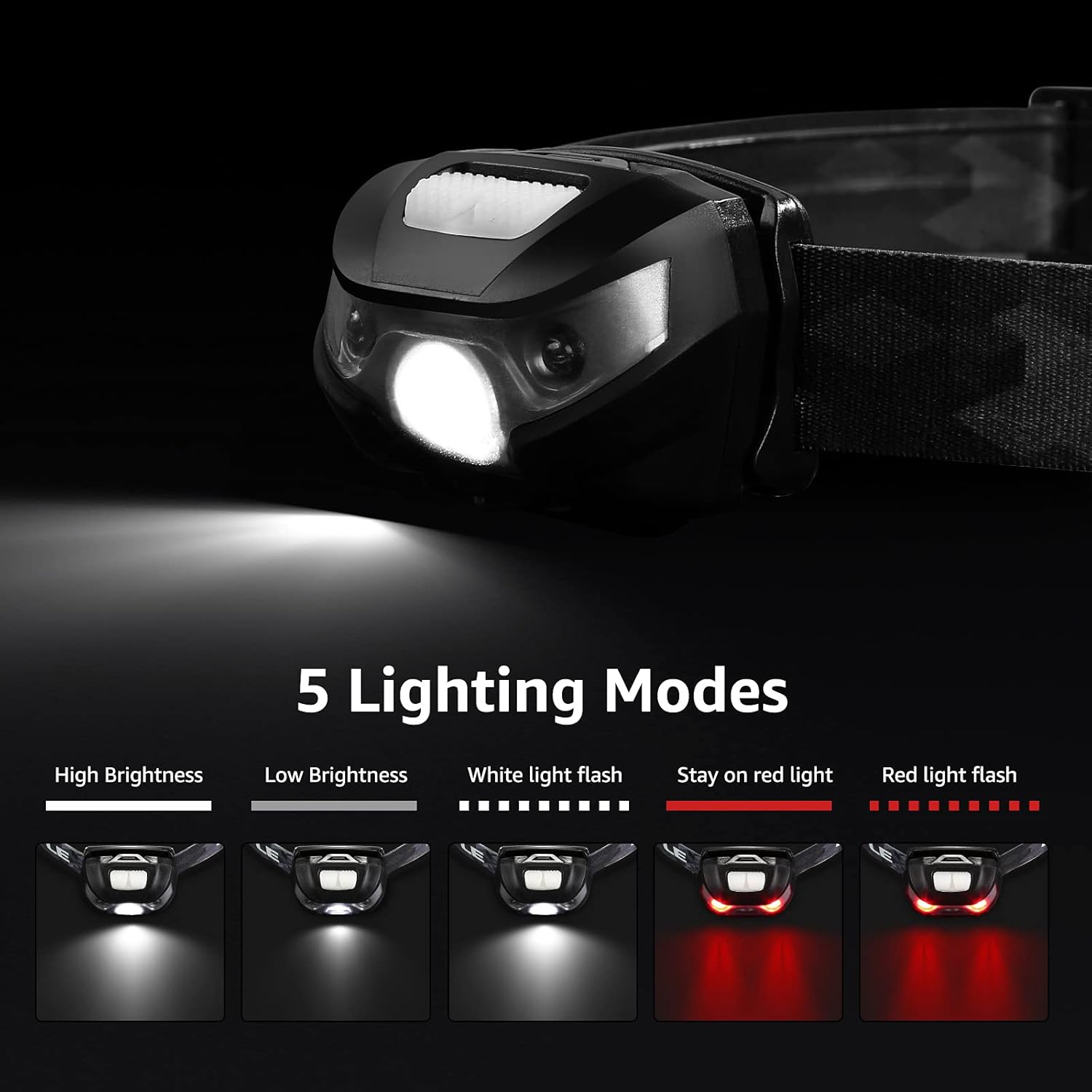
Image: The LED headlamp displaying its various lighting modes, including high, low, strobe white light, and steady/flashing red light.
LED Camping Lantern Operation
The lantern features a single button for controlling light modes and brightness.
- Power On/Off: Short press the button to turn on. Short press again to turn off.
- Light Modes: With the lantern on, short press the button to cycle through Daylight, Warm White, Combined, and Combined Flashing.
- Brightness Adjustment (Stepless Dimming): When the lantern is on in any steady light mode (Daylight, Warm White, Combined), press and hold the button to smoothly adjust the brightness from minimum to maximum. Release the button at your desired brightness level.

Image: The camping lantern demonstrating its four lighting modes (Daylight, Warm White, Combined, Combined Flashing) and stepless dimming function.

Image: The camping lantern being used with both its bottom hook (inside a tent) and top handle (hanging from a structure), illustrating its versatile hanging capabilities.
Maintenance
General Care
- Wipe the devices with a soft, damp cloth. Do not use abrasive cleaners or solvents.
- Store in a cool, dry place when not in use.
- Avoid dropping the devices or subjecting them to strong impacts.
Battery Replacement (Lantern)
Replace D-cell batteries in the lantern when the light output becomes dim or the device stops functioning. Follow the battery installation steps in the "Setup" section.
For the headlamp, recharge the internal battery when the light dims. Avoid fully depleting the battery frequently to prolong its lifespan.
Troubleshooting
Light Not Turning On
- Headlamp: Ensure the headlamp is fully charged. Connect to a power source and check the charging indicator.
- Lantern: Check if the D-cell batteries are inserted correctly with the right polarity. Replace old batteries with new ones if necessary.
- Verify that the power button is being pressed correctly (short press for lantern, single press for headlamp).
Dim Light Output
- Headlamp: Recharge the headlamp battery. Dim light often indicates a low battery level.
- Lantern: Replace the D-cell batteries.
- Ensure the device is not in a low-brightness mode. Adjust the brightness setting as per operating instructions.
Specifications
LED Headlamp
- Light Source: LED
- Brightness: Up to 150 lumens
- Light Modes: High, Low, Strobe (white light); Steady, Flash (red light)
- Power Source: USB Rechargeable (internal battery)
- Battery Life: Up to 30 hours (low brightness)
- Water Resistance: IPX4 (splash-proof)

Image: The LED headlamp with water droplets, demonstrating its IPX4 water resistance.
LED Camping Lantern
- Light Source: LED
- Brightness: Up to 1000 lumens (dimmable)
- Light Modes: Daylight, Warm White, Combined, Combined Flashing
- Power Source: 3 x D-cell batteries (not included)
- Battery Life: 200+ hours (low brightness)
- Water Resistance: IPX4 (splash-proof)
- Material: Metal and durable plastic
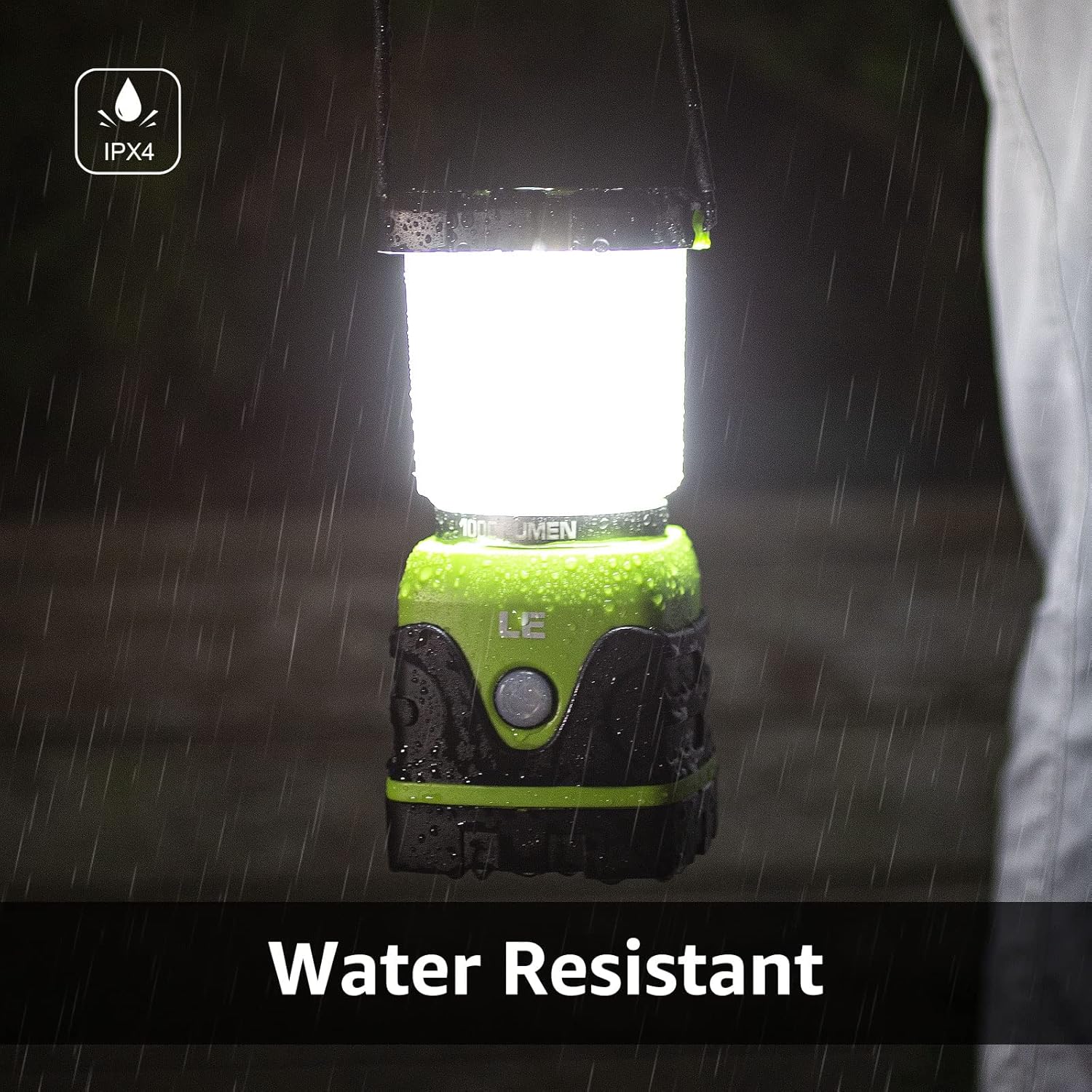
Image: The camping lantern being exposed to water droplets, demonstrating its IPX4 water resistance rating.
Safety Information
- Do not look directly into the LED light when it is on, as this may cause temporary vision impairment.
- Keep out of reach of children.
- Do not mix old and new batteries, or different types of batteries (for lantern).
- Dispose of batteries according to local regulations.
- Do not attempt to disassemble or modify the devices.
Related documentsB09YTNK31X


Ask a question about this manual
Ask about setup, troubleshooting, compatibility, parts, safety, or missing instructions. Manuals+ will review the question and use this page’s manual context to help answer it.