
1. Introduction
Thank you for choosing the OFANTOP 52 Inch Smart Ceiling Fan. This modern ceiling fan is designed for both indoor and outdoor use, featuring a quiet DC motor, integrated dimmable LED lighting, and smart control options. Please read this manual thoroughly before installation and operation to ensure safe and efficient use.
Key features include:
- Silent Reversible DC Motor with 6 speeds.
- Integrated 20W Dimmable LED Light with 3 color temperatures (3000K, 4500K, 6000K) and memory function.
- Convenient Remote Control and Wi-Fi/Bluetooth Functionality for app and voice control (Alexa, Google Assistant).
- Suitable for Indoor and Exterior Use (Porch, Bedroom, Living Room, Patio, Dining Room).
- ETL Certified for safety and quality.
2. Safety Information
Always follow basic safety precautions when installing and operating electrical appliances to reduce the risk of fire, electric shock, and personal injury.
- Read all instructions carefully before beginning installation.
- Ensure the power is turned off at the circuit breaker before installation or maintenance.
- All wiring must be in accordance with national and local electrical codes. If you are unsure about wiring, consult a qualified electrician.
- The mounting structure must be capable of supporting the weight of the fan (approximately 16.46 pounds).
- Do not operate the fan with damaged wiring or if it is not functioning correctly.
- Keep hands, hair, and clothing clear of the fan blades during operation.
- This fan is designed for 120 Volts AC/DC power sources.
3. Package Contents
Verify that all components are present before beginning installation:
- Ceiling Fan Motor Housing
- 3 Fan Blades (Plastic)
- Integrated LED Light Kit
- Remote Control
- Downrods (5" and 10" included)
- Mounting Bracket
- Hardware Pack (screws, wire nuts, etc.)
- User Manual (this document)
4. Specifications
| Feature | Specification |
|---|---|
| Brand | OFANTOP |
| Model Name | 52YFT-7068 |
| Color | 52'' Matte White |
| Product Dimensions | 52"D x 52"W x 16.6"H |
| Item Weight | 16.46 pounds |
| Power Source | AC/DC |
| Voltage | 120 Volts |
| Wattage | 35 watts |
| Number of Blades | 3 |
| Blade Material | Plastic |
| Air Flow Capacity | 6031 Cubic Feet Per Minute (CFM) |
| Light Type | Integrated LED (20W) |
| Light Features | Dimmable, 3 Color Temperatures (3000K, 4500K, 6000K), Memory Function |
| Control Method | Remote, App (Smart Life), Voice (Alexa, Google Assistant) |
| Speed Settings | 6 |
| Indoor/Outdoor Usage | Outdoor, Indoor (IP44 rated for outdoor use) |
| Certification | ETL Certified |

Figure 4.1: Fan Dimensions and Mounting Options. The fan is 52 inches in diameter. It supports downrod mount and angled mount (max 20 degrees). Ideal for rooms 144-400 sq ft.
5. Installation
This ceiling fan is designed for easy installation. Follow these steps carefully. It is recommended to have two people for installation.
5.1 Pre-Installation Checklist
- Ensure power is disconnected at the circuit breaker.
- Confirm all package contents are present and undamaged.
- Gather necessary tools: Phillips screwdriver, flathead screwdriver, wire strippers, electrical tape, ladder.
5.2 Mounting the Bracket
- Secure the mounting bracket to the ceiling junction box. Ensure the junction box is securely fastened to the building structure and can support the fan's weight.
- Use the provided screws and washers to attach the bracket firmly.
5.3 Assembling the Fan
- Attach the chosen downrod (5" or 10") to the fan motor housing. Feed the electrical wires from the fan through the downrod.
- Secure the downrod to the motor housing with the provided pin and screw.
- Carefully attach the fan blades to the motor housing using the blade screws. Ensure they are tightly secured.

Figure 5.1: Assembled OFANTOP 52 Inch Smart Ceiling Fan.
5.4 Wiring the Fan
- Hang the fan assembly onto the mounting bracket using the hanger ball.
- Connect the electrical wires from the fan to the corresponding wires from the ceiling using wire nuts. Typically, black to black (live), white to white (neutral), and green/bare copper to green/bare copper (ground).
- Ensure all connections are secure and insulated with electrical tape if necessary.
5.5 Final Assembly
- Slide the canopy up to the ceiling and secure it to the mounting bracket with the provided screws.
- Install the integrated LED light kit according to the specific instructions provided with the light module.
Once installation is complete, restore power at the circuit breaker and test the fan's functionality.
6. Operating Instructions
The OFANTOP Smart Ceiling Fan offers multiple control methods for your convenience.
6.1 Remote Control Operation
The included remote control allows full functionality of the fan and light.
- Fan ON/OFF: Press the power button to turn the fan on or off.
- Fan Speed: Select from 6 fan speeds (1-6) to adjust airflow.
- Light ON/OFF: Press the light button to turn the light on or off.
- Light Dimming: Use the dimming buttons to adjust light brightness (0% to 100%).
- Color Temperature: Cycle through 3 color temperatures (3000K Warm White, 4500K Natural White, 6000K Cool White). The light has a memory function, retaining the last setting.
- Fan Direction (Reversible): Press the reverse button to switch between summer mode (downward airflow for cooling) and winter mode (upward airflow for warm air circulation).
- Timer: Set the fan to turn off automatically after 1, 4, or 8 hours.

Figure 6.1: Reversible Dual-direction Motor for year-round comfort.
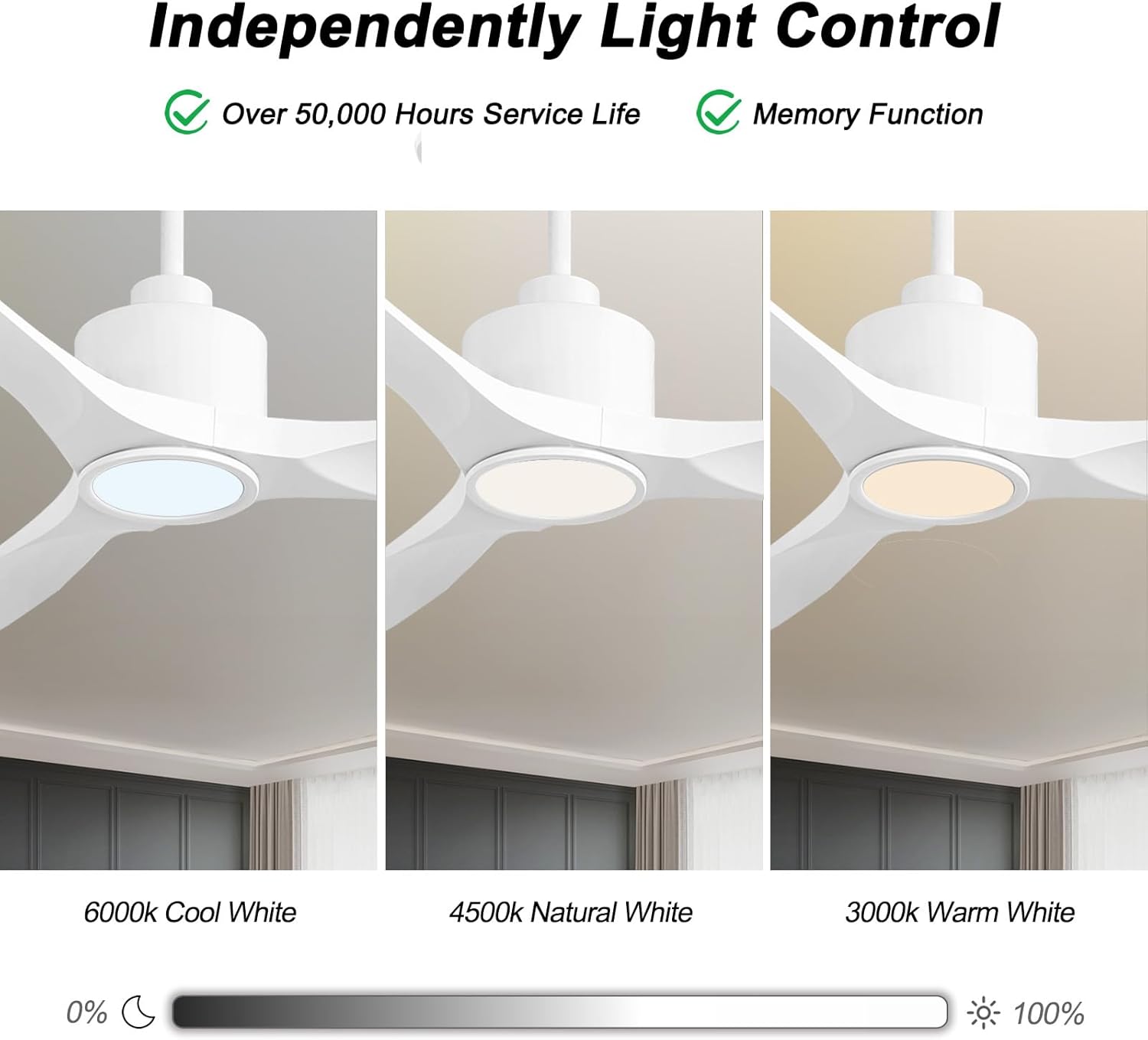
Figure 6.2: Independent Light Control with Dimmable and Color Temperature options.
6.2 Smart Control (Wi-Fi & Bluetooth)
The fan can be controlled via a smartphone app (Smart Life) and integrated with voice assistants like Amazon Alexa and Google Assistant.
- App Setup: Download the "Smart Life" app from your device's app store. Follow the in-app instructions to pair your ceiling fan. This typically involves putting the fan into pairing mode (refer to the app for specific steps) and connecting it to your home Wi-Fi network.
- Voice Control Setup: Once paired with the Smart Life app, enable the "Smart Life" skill in your Amazon Alexa or Google Home app. Link your Smart Life account to your voice assistant account. You can then use voice commands to control the fan and light.
Example voice commands:
- "Alexa, turn on the living room fan."
- "Hey Google, set the fan speed to 3."
- "Alexa, change the fan light to warm white."
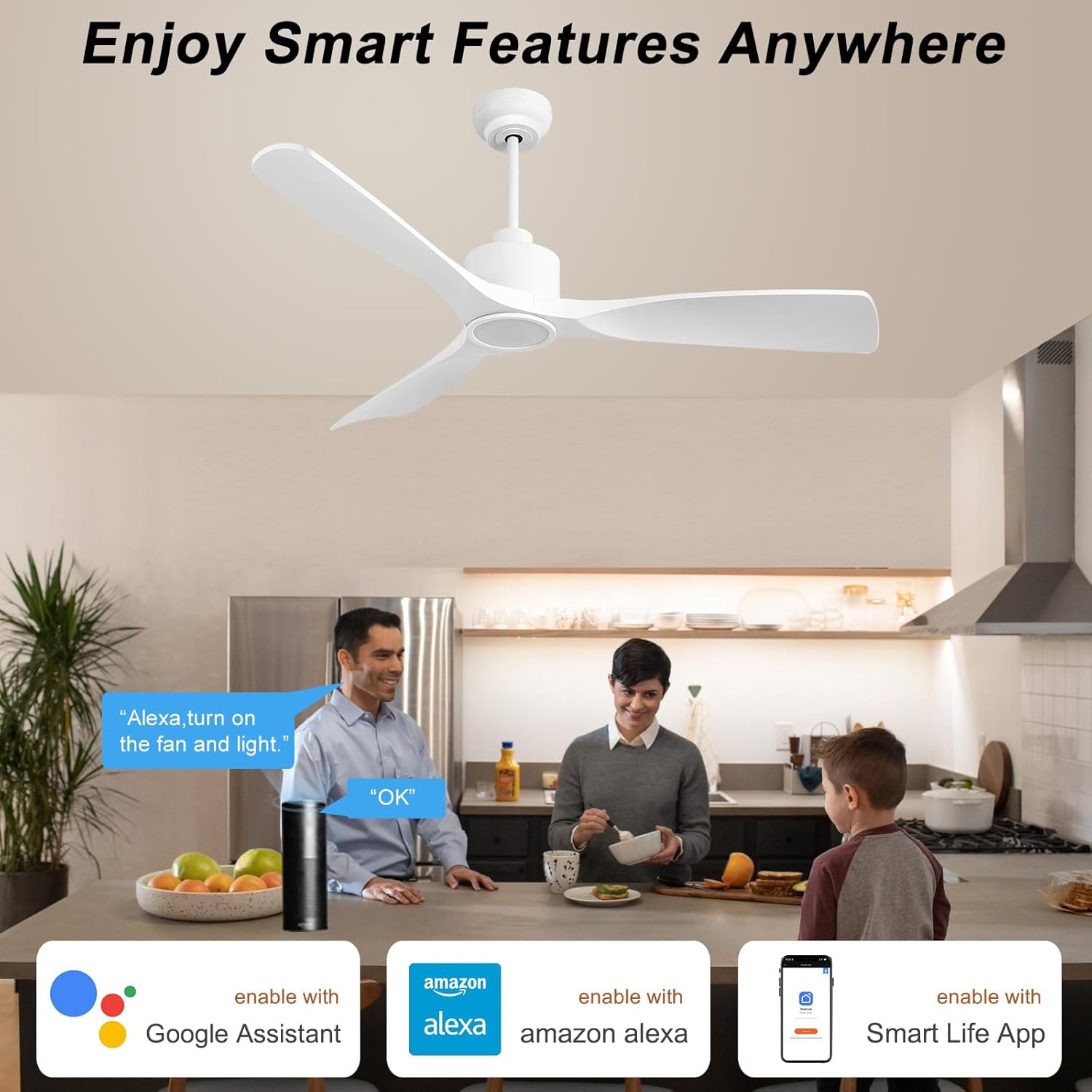
Figure 6.3: Enjoy Smart Features Anywhere with app and voice control.
7. Maintenance
Regular maintenance ensures the longevity and optimal performance of your ceiling fan.
- Cleaning: To avoid scratching the finish, clean the fan with a soft, damp cloth. Do not use abrasive cleaners or solvents. The fan blades may collect dust due to their shape, but they are easy to clean with a duster or swiffer.
- Blade Balance: Check the blade screws periodically to ensure they are tight. Loose screws can cause wobbling and noise.
- Light Source: The integrated LED light is designed for over 50,000 hours of service life and is not user-replaceable.
- Motor: The DC motor is designed for quiet and efficient operation and requires no lubrication.

Figure 7.1: ETL Certified DC Motor ensures quiet and energy-efficient performance.
8. Troubleshooting
If you experience issues with your fan, refer to the following common problems and solutions:
| Problem | Possible Cause | Solution |
|---|---|---|
| Fan does not start | No power to the fan; Loose wire connections; Remote control battery low. | Check circuit breaker. Ensure all wiring connections are secure. Replace remote control battery. |
| Fan wobbles | Loose blade screws; Unbalanced blades; Loose mounting bracket. | Tighten all blade screws. Check blade balance (balancing kit may be needed). Ensure mounting bracket is securely fastened. |
| Light does not work | Loose wire connection to light kit; Light kit failure. | Check light kit wiring. If integrated LED, contact customer support if it fails prematurely. |
| Remote control not working | Battery low/dead; Remote not paired with fan. | Replace battery. Refer to pairing instructions in the full user manual (PDF) or contact support. |
| Smart control (App/Voice) issues | Wi-Fi connectivity issues; Incorrect app pairing; Voice assistant skill not enabled. | Check Wi-Fi connection. Re-pair fan in Smart Life app. Ensure Smart Life skill is enabled and linked in your voice assistant app. |
For more detailed troubleshooting or issues not listed here, please refer to the full User Manual (PDF) or contact customer support.
9. Warranty and Support
OFANTOP stands behind the quality of its products. For warranty information, product support, or to inquire about replacement parts (e.g., remote control), please contact OFANTOP customer service directly.
- Manufacturer: OFANTOP
- Model Number: 52YFT-7068
- Customer Service: Refer to the contact information provided in your product packaging or on the official OFANTOP website.
- Online Resources: A detailed User Manual (PDF) is available for download at https://manuals.plus/m/8aec2114059cd6b69cff677e7d21870e99ddd14f8acdc846631f0b96ef88e8c4.
Please have your model number and purchase date ready when contacting support.
