
1. Introduction
This manual provides essential information for the safe and efficient use of your Princess 357250 Smart Air Cooler Fan. Please read these instructions carefully before operating the appliance and retain them for future reference.

Figure 1: Princess 357250 Smart Air Cooler Fan in operation, illustrating air circulation.
The Princess 357250 is a versatile 3-in-1 appliance functioning as a fan, air cooler, and air freshener. It features a 3.5-liter water reservoir, three operating modes, and can be controlled via the HomeWizard Climate app, voice commands, or the included remote control.
2. Important Safety Instructions
Always follow basic safety precautions when using electrical appliances to reduce the risk of fire, electric shock, and personal injury.
- Read all instructions before use.
- Ensure the voltage indicated on the appliance corresponds to your local mains voltage before connecting.
- Do not immerse the appliance, cord, or plug in water or other liquids.
- Close supervision is necessary when any appliance is used by or near children.
- Unplug from the outlet when not in use, before assembling or disassembling parts, and before cleaning.
- Do not operate any appliance with a damaged cord or plug, or after the appliance malfunctions or has been damaged in any manner.
- Do not use outdoors.
- Do not let the cord hang over the edge of a table or counter, or touch hot surfaces.
- Do not place on or near a hot gas or electric burner, or in a heated oven.
- Always place the appliance on a dry, stable, and level surface.
- Only use attachments recommended or sold by the manufacturer.
- Do not block any ventilation openings.
- Do not fill the water tank above the MAX level indicator.
- Always ensure the water tank is securely in place before operating.
3. Product Components
The Princess 357250 Smart Air Cooler Fan comes with the following components:
- Princess 357250 Smart Air Cooler Fan unit
- Remote control
- 2 x CR2032 batteries (for remote control)
- Instruction manual
- Ice packs (typically 2, for enhanced cooling)

Figure 2: Included remote control for convenient operation.
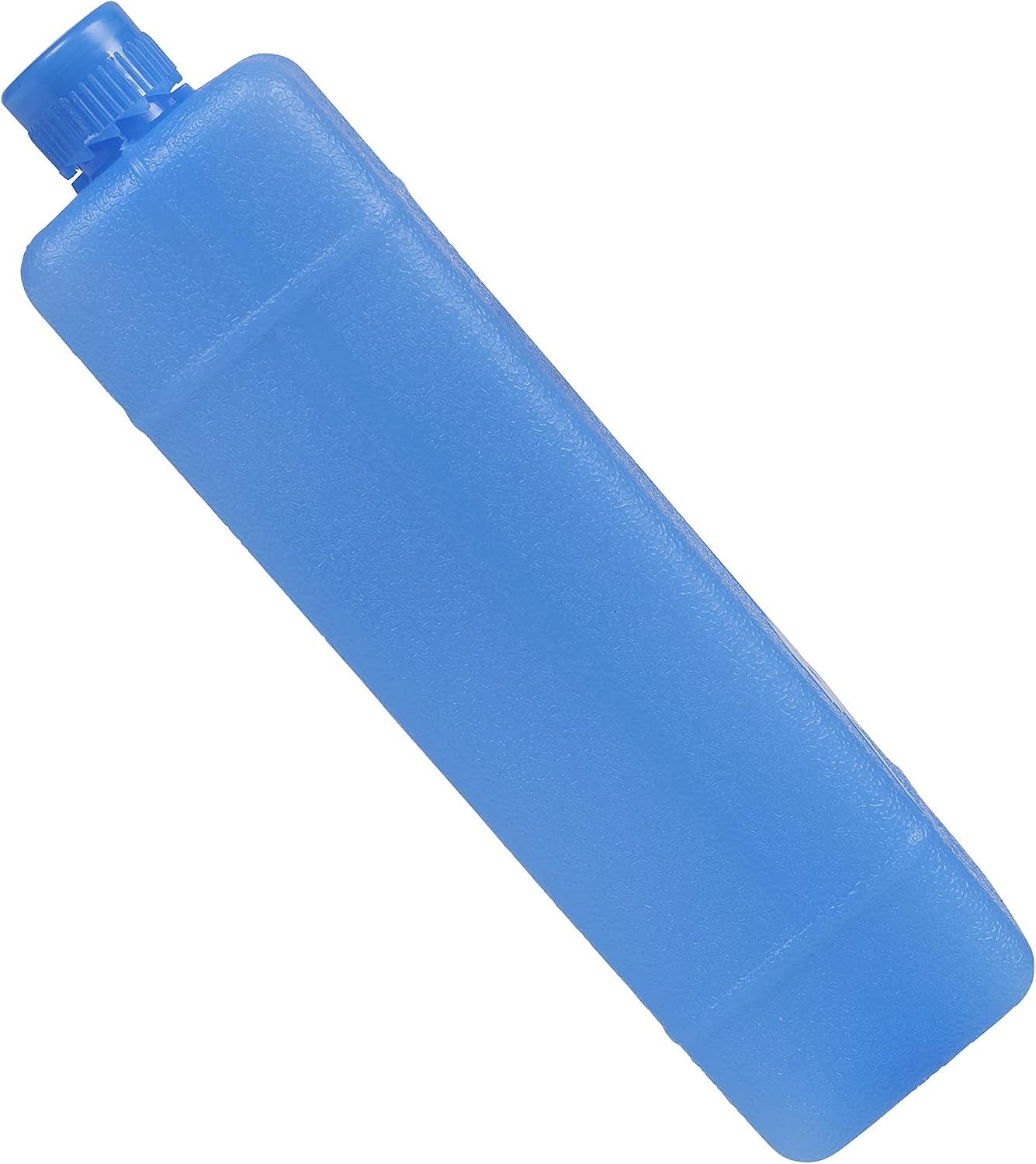
Figure 3: Example of an ice pack used to enhance cooling performance.
4. Setup and Initial Use
4.1 Unpacking
Carefully remove the air cooler from its packaging. Retain the packaging for future storage or transport. Check that all components listed in Section 3 are present and undamaged.
4.2 Placement
Place the air cooler on a firm, level surface. Ensure there is adequate space around the unit for proper air circulation. Do not place it directly against a wall or furniture that could obstruct the air intake or outlet.
4.3 Filling the Water Reservoir
- Pull out the water tank from the bottom rear of the unit.
- Fill the water tank with clean, cool water. Do not exceed the 'MAX' fill line.
- For enhanced cooling, place the included ice packs in a freezer until frozen. Once frozen, add them to the water tank.
- Carefully slide the water tank back into the unit until it clicks into place.
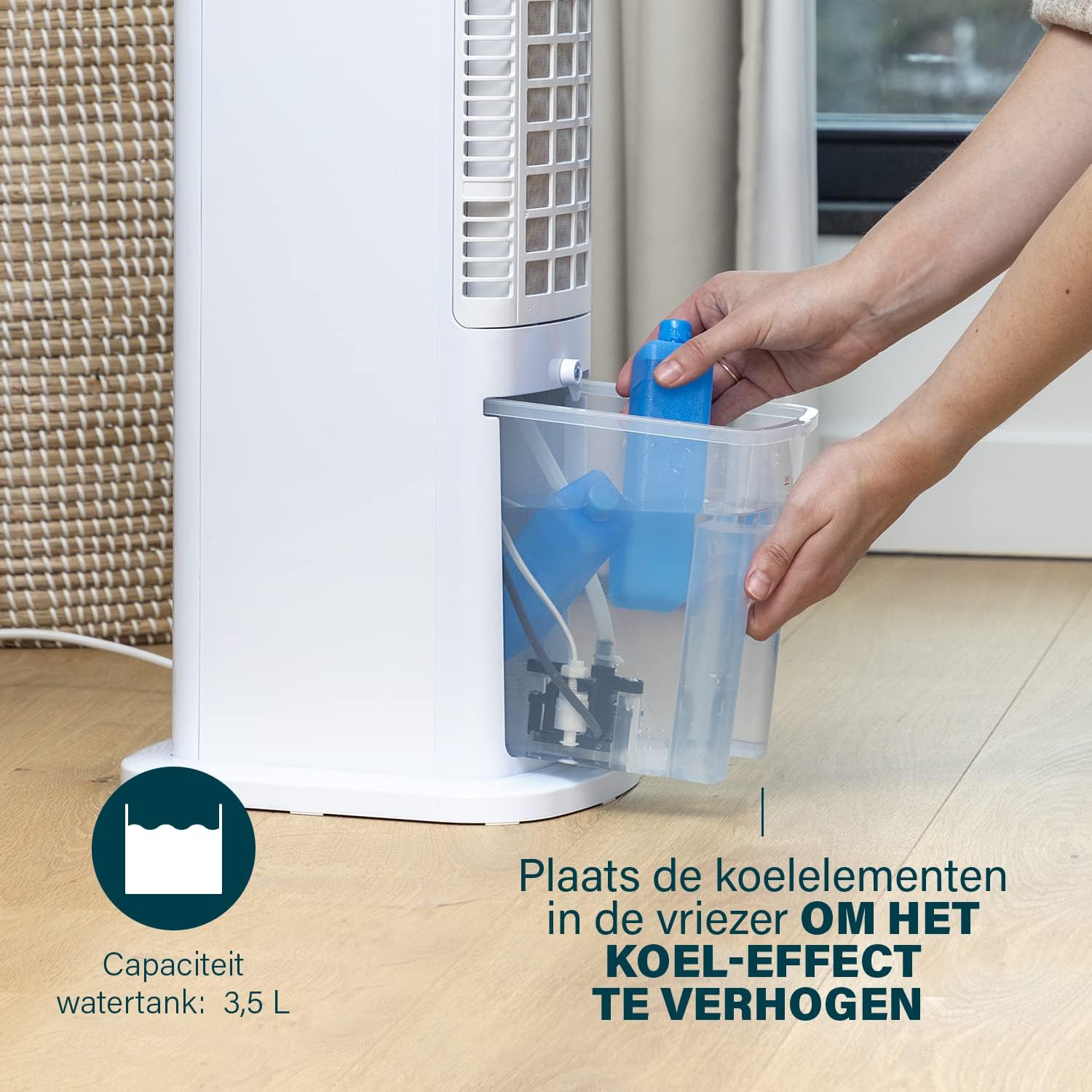
Figure 4: Adding ice packs to the water reservoir to increase cooling effect.
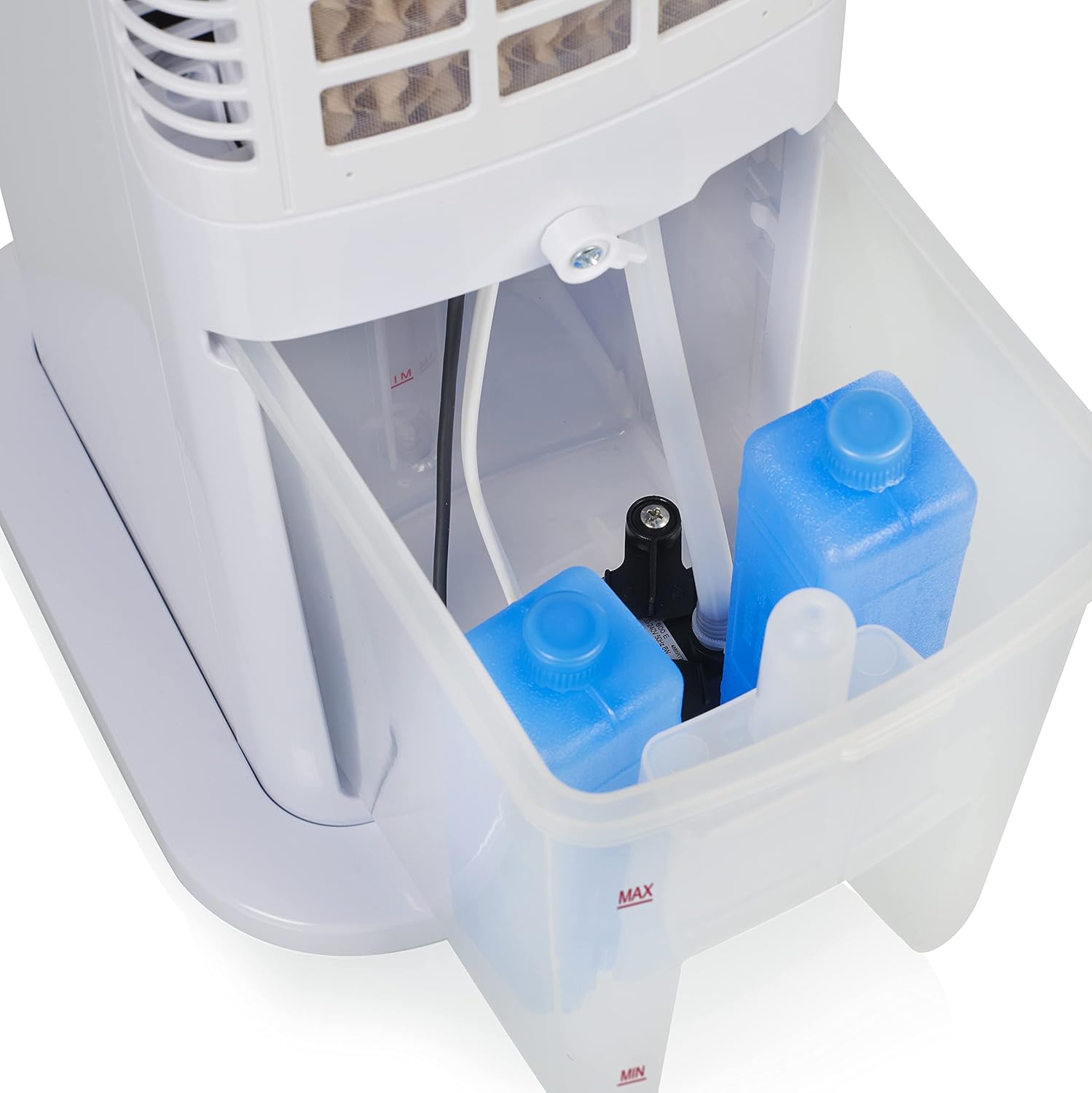
Figure 5: Water tank with ice packs, indicating fill levels.
4.4 Power Connection
Plug the power cord into a suitable electrical outlet (230V). The unit will enter standby mode.
5. Operating Instructions
The Princess 357250 can be operated via its control panel, remote control, or the HomeWizard Climate app.
5.1 Control Panel Overview
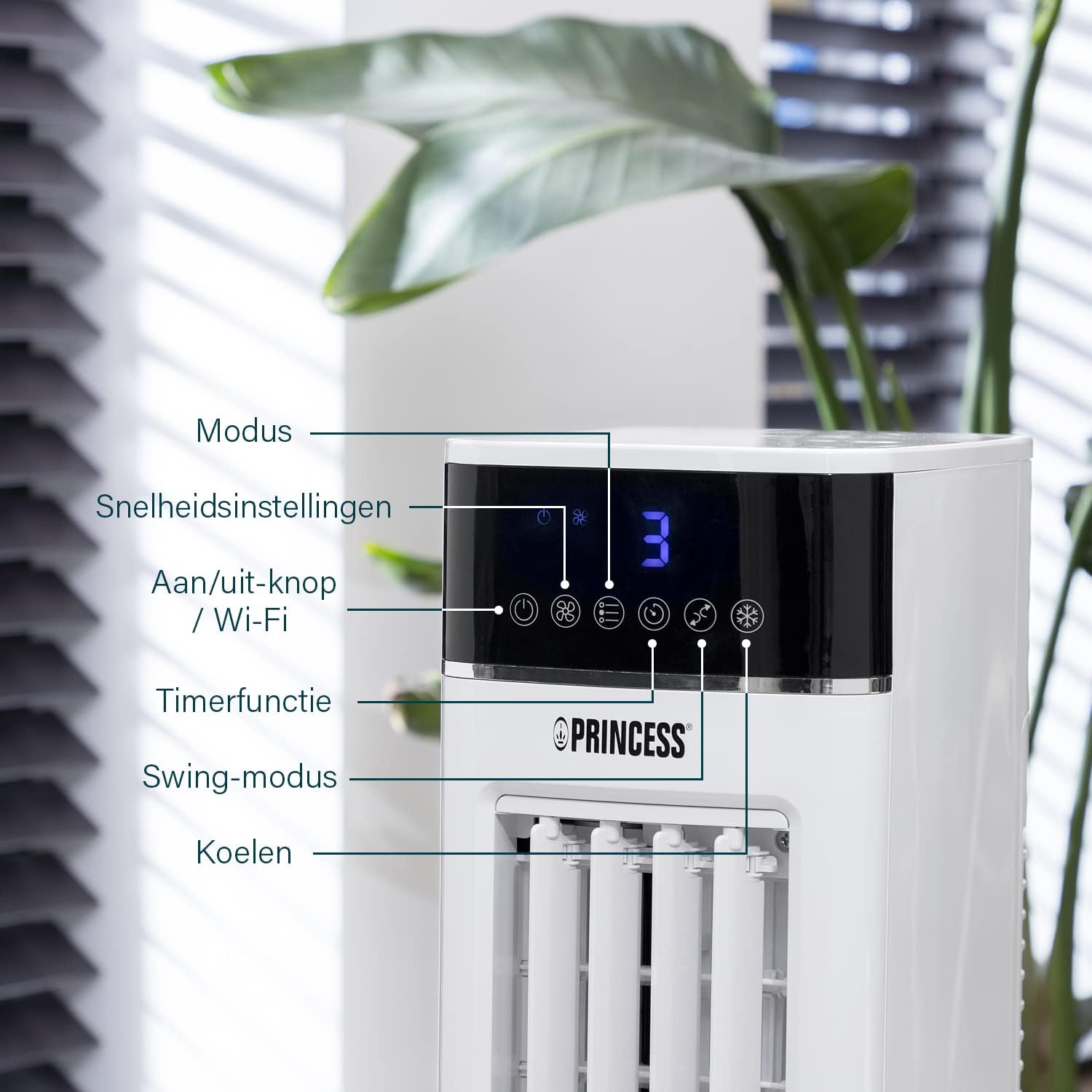
Figure 6: Control panel with various function buttons.
- Power Button (On/Off / Wi-Fi): Turns the unit on or off. Press and hold to activate Wi-Fi pairing mode.
- Mode Button: Cycles through operating modes (Normal, Natural, Sleep).
- Speed Button: Adjusts fan speed (Low, Medium, High).
- Timer Button: Sets the operating timer.
- Swing Button: Activates or deactivates the oscillation function.
- Cool Button: Activates or deactivates the evaporative cooling function (requires water in the tank).

Figure 7: Manual control via the top panel buttons.
5.2 Operating Modes
- Normal Mode: Provides a constant airflow at the selected speed.
- Natural Mode: Simulates natural breeze by varying fan speed intermittently.
- Sleep Mode: Operates at a lower, quieter speed, gradually decreasing fan speed over time for undisturbed sleep.
5.3 Oscillation Function
Press the 'Swing' button to activate the oscillation function. The unit will rotate horizontally to distribute air across a wider area (Oscillation range: 50°). Press again to stop oscillation.
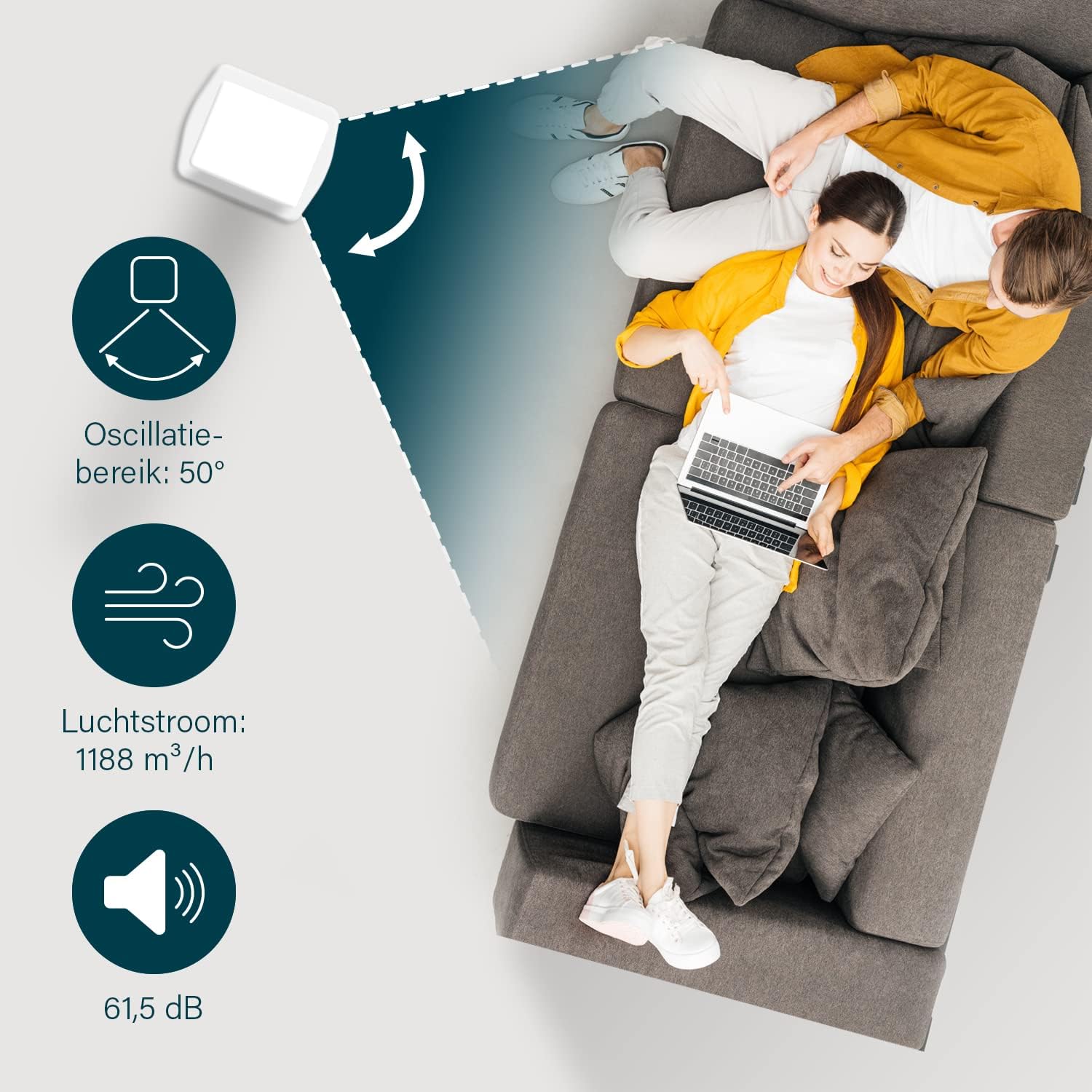
Figure 8: The oscillation function distributes cool air across a 50° range.
5.4 Evaporative Cooling Function
To activate the cooling function, ensure the water tank is filled. Press the 'Cool' button. The unit will use the water from the reservoir to cool the air through evaporation. This function works best in dry climates.

Figure 9: Innovative cooling technology utilizes a membrane system to cool air particles.
5.5 Smart Control (HomeWizard Climate App & Voice Control)
The Princess 357250 can be controlled remotely via the HomeWizard Climate app or voice commands (compatible with Siri and Google Assistant).
- Download the HomeWizard Climate app from your device's app store.
- Follow the in-app instructions to pair your air cooler with your Wi-Fi network. This typically involves pressing and holding the Power/Wi-Fi button on the unit until the Wi-Fi indicator blinks.
- Once paired, you can control all functions of the air cooler from your smartphone or tablet.
- For voice control, link your HomeWizard Climate account with your preferred voice assistant (Siri or Google Assistant) through their respective apps.

Figure 10: Control your air cooler using the HomeWizard Climate app and voice assistants.
6. Maintenance and Cleaning
Regular cleaning ensures optimal performance and extends the lifespan of your air cooler.
6.1 General Cleaning
- Always unplug the appliance before cleaning.
- Wipe the exterior surfaces with a soft, damp cloth. Do not use abrasive cleaners or solvents.
- Ensure no water enters the control panel or other electrical parts.
6.2 Water Tank Cleaning
The water tank should be cleaned regularly, especially if using the cooling function frequently, to prevent mold and bacteria growth.
- Unplug the air cooler.
- Remove the water tank from the unit.
- Empty any remaining water.
- Clean the inside of the tank with a mild detergent and warm water. Use a soft brush if necessary to remove any residue.
- Rinse thoroughly with clean water.
- Allow the tank to air dry completely before reinserting it into the unit.
6.3 Cooling Pad Cleaning/Replacement
The cooling pad (evaporative filter) may accumulate dust and mineral deposits over time. Refer to the diagram for its location.

Figure 11: The cooling pad, which should be cleaned periodically.
- Unplug the air cooler.
- Carefully remove the back panel to access the cooling pad.
- Gently remove the cooling pad.
- Rinse the cooling pad under running water to remove dust and deposits. For stubborn deposits, soak in a mild descaling solution (e.g., vinegar and water) for 30 minutes, then rinse thoroughly.
- Allow the cooling pad to dry completely before reinserting.
- Replace the cooling pad if it is damaged or heavily soiled and cannot be cleaned effectively.
7. Troubleshooting
If you encounter issues with your air cooler, refer to the following table for common problems and solutions.
| Problem | Possible Cause | Solution |
|---|---|---|
| Unit does not turn on. | No power supply. | Check if the power cord is securely plugged into a working outlet. |
| No cool air/weak cooling effect. | Water tank is empty or low. Cooling function not activated. Cooling pad is dirty. | Fill the water tank. Press the 'Cool' button. Clean or replace the cooling pad (see Section 6.3). |
| Unpleasant odor from unit. | Stagnant water or dirty water tank/cooling pad. | Clean the water tank and cooling pad thoroughly (see Section 6.2 & 6.3). Use fresh water. |
| Remote control not working. | Batteries are dead or incorrectly inserted. | Replace the CR2032 batteries. Ensure they are inserted with correct polarity. |
| App control not working. | Wi-Fi connection issue. App not paired correctly. | Check your Wi-Fi network. Re-pair the device with the HomeWizard Climate app (see Section 5.5). |
If the problem persists after trying these solutions, please contact customer support.
8. Technical Specifications
| Feature | Detail |
|---|---|
| Model Number | 01.357250.01.001 |
| Brand | Princess |
| Type | Smart Air Cooler Fan (3-in-1: fan, air freshener, air cooler) |
| Material | Acrylonitrile Butadiene Styrene (ABS) |
| Color | White |
| Mounting Type | Freestanding |
| Control Type | Remote control, Control Panel, HomeWizard Climate App, Voice Control (Siri, Google Assistant) |
| Water Reservoir Capacity | 3.5 Liters |
| Operating Modes | Normal, Natural, Sleep |
| Number of Speeds | 3 |
| Oscillation Range | 50 degrees |
| Wattage | 70 Watts |
| Voltage | 230 Volts |
| Noise Level | 61.5 Decibels |
| Item Weight | 4 Kilograms |
| Dimensions (D x W x H) | 28D x 22W x 76H Centimeters |
| Spare Parts Availability (EU) | 2 Years |

Figure 12: Dimensions and key specifications of the air cooler.
9. Warranty and Support
9.1 Warranty Information
This Princess 357250 Smart Air Cooler Fan comes with a 2-year manufacturer's warranty from the date of purchase. This warranty covers manufacturing defects and material faults under normal use conditions. It does not cover damage resulting from misuse, neglect, accident, alteration, or unauthorized repair.
Please retain your proof of purchase for warranty claims.
9.2 Customer Support
For technical assistance, warranty claims, or questions regarding your Princess 357250 Smart Air Cooler Fan, please contact your retailer or visit the official Princess website for support contact details.
You can also refer to the product page on Amazon.nl for additional information and resources.


