
1. Introduction
The GlocalMe U50 Numen Air is a portable 5G mobile Wi-Fi router designed to provide high-speed internet connectivity on the go. Featuring advanced CloudSIM technology, it offers global network coverage without the need for physical SIM cards, along with flexible data plans and a user-friendly touchscreen interface.
Key Features:
- High-Speed 5G, Low Latency: Speeds up to 2.5 Gbps, 15 times faster than 4G. Enjoy lag-free video streaming and gaming. Can also connect to your existing home router as a Wi-Fi router to ensure fast Wi-Fi.
- Global Frequency Bands: Supports 5G in over 50 commercial countries and over 100 operator networks. Also supports mainstream global 4G operator networks. Purchase our data plan or use your own 5G nano SIM card.
- No SIM Card Required: Numen Air can be used without a SIM card. Get national and international data instantly via online payment. No contract, no roaming fees. Patented CloudSIM technology intelligently selects the network with the best signal. Avoid the hassle of buying SIM cards in different countries when traveling abroad.
- Wi-Fi 5 Technology & Flexible Plans: Share your Wi-Fi connection with up to 16 devices simultaneously. Download the GlocalMe app to easily manage your hotspot and get cost-effective data plans. Flexible data plans allow you to purchase data by day, month, region, or GB.
- Portable and User-Friendly: 2.4-inch touchscreen, easy to operate. Reverse charging, long-lasting 5400 mAh battery for charging mobile devices.
2. Package Contents
Please check the box for the following items:
- GlocalMe U50 Numen Air 5G Mobile WiFi Router (DEVICE)
- USB-C Charging Cable
- Quick Start Guide
- SIM Ejector Tool

Image: The GlocalMe U50 Numen Air device, USB-C cable, and documentation are shown alongside the product box.
3. Product Overview
The GlocalMe U50 Numen Air is designed for portability and ease of use, featuring a compact form factor and a clear touchscreen display.
Physical Features:
- Dimensions: Approximately 151.5mm x 68mm x 14.3mm (as shown in images).
- Weight: 194g (as shown in images).
- Display: 2.4-inch touchscreen.
- Ports: USB-C for charging and data transfer.
- SIM Slot: Nano SIM card slot (optional).
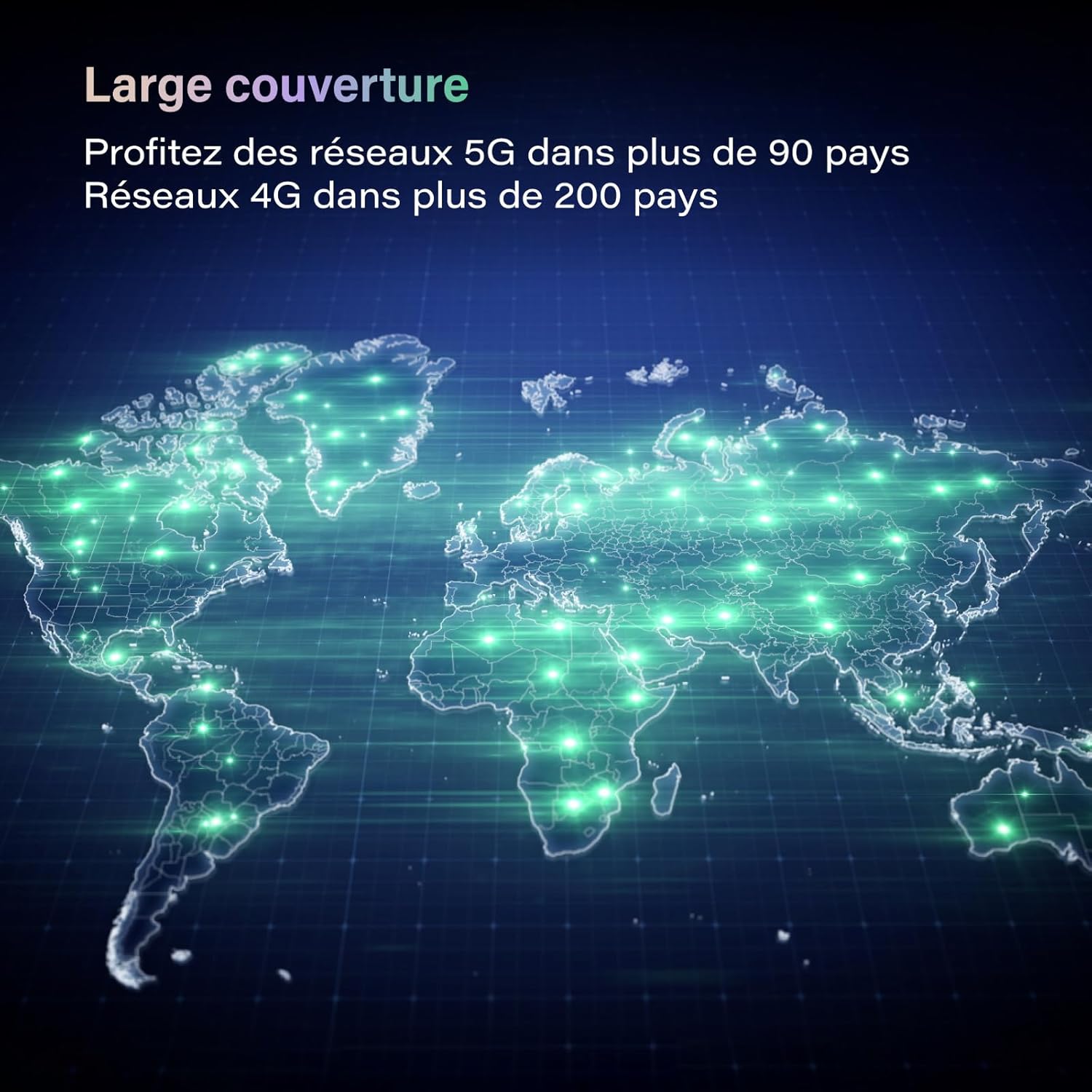
Image: The GlocalMe U50 Numen Air device held in a hand, highlighting its compact and portable design.

Image: A visual representation of the GlocalMe U50 Numen Air's ultra-thin and lightweight design, showing its dimensions (151.5mm x 68mm x 14.3mm) and weight (194g).
4. Setup
4.1 Powering On/Off
To power on the device, press and hold the power button located on the side until the screen lights up. To power off, navigate to the power off option on the touchscreen and confirm.
4.2 Inserting a Nano SIM Card (Optional)
If you choose to use your own nano SIM card instead of CloudSIM data, follow these steps:
- Locate the SIM card slot on the device.
- Use the provided SIM ejector tool to open the SIM tray.
- Place your nano SIM card into the tray with the gold contacts facing down.
- Carefully reinsert the SIM tray into the device.
5. Operating Instructions
5.1 Connecting Devices to Wi-Fi
The GlocalMe U50 Numen Air allows up to 16 devices to connect simultaneously.
- Ensure your Numen Air device is powered on.
- On your device (smartphone, tablet, laptop), go to Wi-Fi settings.
- Select the Wi-Fi network name (SSID) displayed on the Numen Air's screen.
- Enter the Wi-Fi password (Key) shown on the Numen Air's screen.
- Your device should now be connected to the internet.

Image: The GlocalMe U50 Numen Air providing Wi-Fi connectivity to multiple devices, including smartphones and a laptop, illustrating its multi-device support.
5.2 Using the Touchscreen
The 2.4-inch touchscreen provides real-time information and allows for easy device management. You can view data usage, battery level, Wi-Fi name, and password directly on the screen.

Image: The GlocalMe U50 Numen Air's touchscreen displaying various settings and information, including network status, connected devices, and network optimization options.
5.3 Reverse Charging Function
The Numen Air's 5400 mAh battery can also be used to charge other mobile devices, acting as a power bank.

Image: The GlocalMe U50 Numen Air connected via USB-C cable to a smartphone, demonstrating its reverse charging capability with its 5400 mAh battery.
6. Data Plans and Coverage
Leverage GlocalMe's CloudSIM technology for seamless global connectivity.
6.1 Global Coverage
The Numen Air supports 5G networks in over 50 commercial countries and 4G networks in over 100 countries, ensuring you stay connected almost anywhere in the world.

Image: A world map illustrating the extensive global coverage provided by the GlocalMe Numen Air, supporting 5G and 4G networks across numerous countries.
6.2 Flexible Data Plans
Purchase data plans directly through the GlocalMe app. Plans are available by day, month, region, or GB, offering flexibility for various travel and usage needs.

Image: Examples of flexible and affordable data plans offered by GlocalMe, including daily and monthly passes for different regions and data volumes.
7. Maintenance
7.1 Charging the Device
Use the provided USB-C cable to charge your GlocalMe U50 Numen Air. Connect the cable to the device's USB-C port and a compatible power adapter or computer USB port. The battery indicator on the screen will show charging status.
7.2 Software Updates
Keep your device's software updated for optimal performance and security. Check for updates via the GlocalMe app or the device's settings menu.
8. Troubleshooting
8.1 No Network Connection
- Ensure you have an active data plan or a properly inserted and activated nano SIM card.
- Check the signal strength indicator on the device's screen.
- Restart the device.
- If using CloudSIM, ensure you are in a supported coverage area.
8.2 Device Not Charging
- Verify that the USB-C cable is securely connected to both the device and the power source.
- Try a different USB-C cable or power adapter.
- Ensure the power source is functional.
8.3 Forgotten Wi-Fi Password
The Wi-Fi network name (SSID) and password (Key) are displayed on the device's touchscreen. You can also manage these settings via the GlocalMe app.
9. Specifications
| Feature | Specification |
|---|---|
| Brand | GlocalMe |
| Model Name | Numen Air |
| Item Model Number | U50-1GB EU Data |
| Color | Black |
| Operating System | Linux |
| Connectivity Technology | 5G, Wi-Fi |
| Wireless Communication Standard | 802.11a, 802.11ac, 802.11b, 802.11g, 802.11n |
| Frequency Band Class | Dual-band |
| Special Features | Internet Security |
| Compatible Devices | Game Console, Personal Computer, Smartphone, Tablet, Smart TV |
| Battery Type | Lithium-ion |
| Rechargeable Battery | Yes |
| Recommended Uses | Commercial, Home, Travel |
| Included Components | DEVICE |
10. Warranty and Support
For warranty information and technical support, please refer to the official GlocalMe website or contact GlocalMe customer service. Keep your purchase receipt for warranty claims.


