
1. Introduction
This manual provides detailed instructions for the installation, operation, and maintenance of your MEIKEE RGB Wall Washer Lights. These 42W RGBCW Smart APP Waterproof LED Light Bars are designed for versatile lighting applications, offering a wide range of colors and smart control features. Please read this manual thoroughly before use to ensure proper function and safety.
2. Safety Information
- Ensure the power supply voltage matches the product's requirements (120V AC).
- Do not attempt to disassemble or modify the product. This may lead to electric shock or product damage.
- Keep the product away from flammable materials.
- The product is IP66 waterproof, suitable for outdoor use in rain, sleet, and snow. However, do not submerge the light in water.
- Always disconnect power before installation, cleaning, or maintenance.
- Installation should be performed by a qualified professional if you are unsure about electrical wiring.
3. Package Contents
Verify that all components are present in the package:
- Smart Bluetooth Wall Wash Lights (2 units)
- User Manual
- Install Components (Expansion Nails x12, Screws x12, Screws x4, M5 Hex Screw Key x1, Bracket x4)
4. Product Features
- Bluetooth Connect & APP Control: Control the light bar via the "Hao Deng" APP on your smartphone (Android/iOS) within 50m/164ft (without wall obstacles). No gateway required.
- 16 Million Colors & 20 Modes: Offers a full spectrum of colors (RGBCW - RGB, Cool White, Warm White) and 20 dynamic modes. White light adjustable from 2700K to 6500K. Dimmable colors and adjustable speed/brightness.
- Timing Function & Group Control: Schedule turn ON/OFF times and specific modes. Control multiple lights simultaneously or individually using Bluetooth Mesh group-control technology.
- Music & Microphone Rhythm Pattern: Lights change colors according to music melody. Two modes: playing music within the APP or listening to surrounding music via the APP's microphone.
- IP66 Waterproof & Wide Application: Designed for outdoor and indoor use, resistant to rain, sleet, and snow. Ideal for parties, weddings, landscapes, stages, and architectural lighting.
5. Setup and Installation
The MEIKEE RGB Wall Washer Lights can be installed as wall-mounted or ground-inserted fixtures.
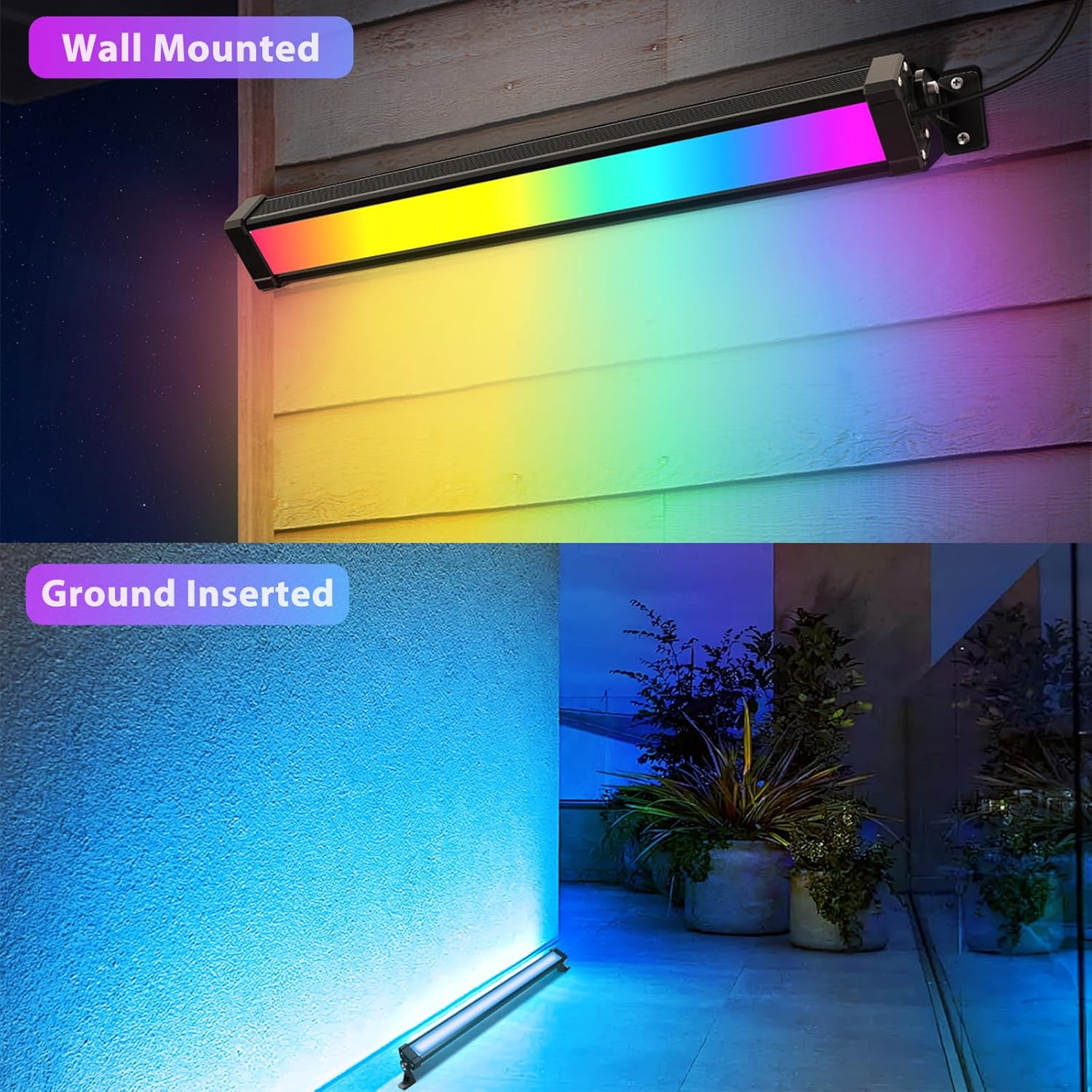
Figure 5.1: Product Dimensions and Installation Components. This image illustrates the physical dimensions of the light bar (44cm/17.3in length, 4.7cm/1.85in height, 3.3cm/1.3in depth) and lists the included installation hardware: expansion nails, screws, M5 hex screw key, and brackets.
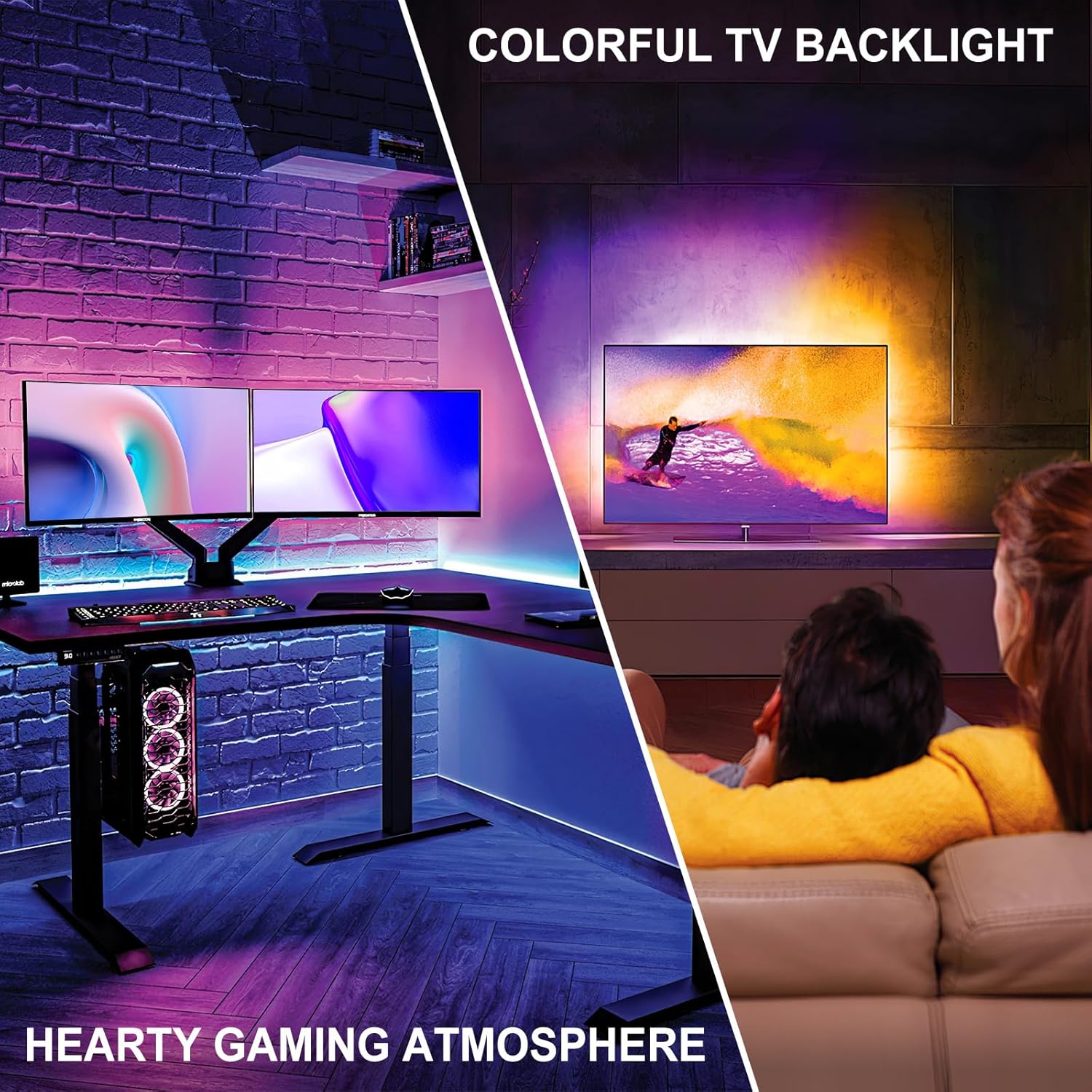
Figure 5.2: Installation Examples. The top portion shows the light bar mounted on a wall, casting colorful light downwards. The bottom portion shows the light bar inserted into the ground, illuminating a wall from below.
Installation Steps:
- Attach Brackets: Use the provided long screws to fix the brackets securely to both sides of the wall washer light.
- Mark and Drill Holes: Choose a suitable installation location. Based on the size and position of the brackets, mark and drill 4 small holes in the desired surface (wall or ground).
- Mount the Light: Secure the light bar to the drilled holes using the appropriate screws and expansion nails.
- Adjust Angle: Adjust the angle of the light bar up to 180 degrees according to your environment and desired lighting effect. Tighten the screws to secure the angle.
- Connect Power: Connect the power plug to a standard 120V AC electrical socket.
6. Operating Instructions
6.1 APP Control (Hao Deng)
The primary method of control for your MEIKEE RGB Wall Washer Lights is through the "Hao Deng" smartphone application.
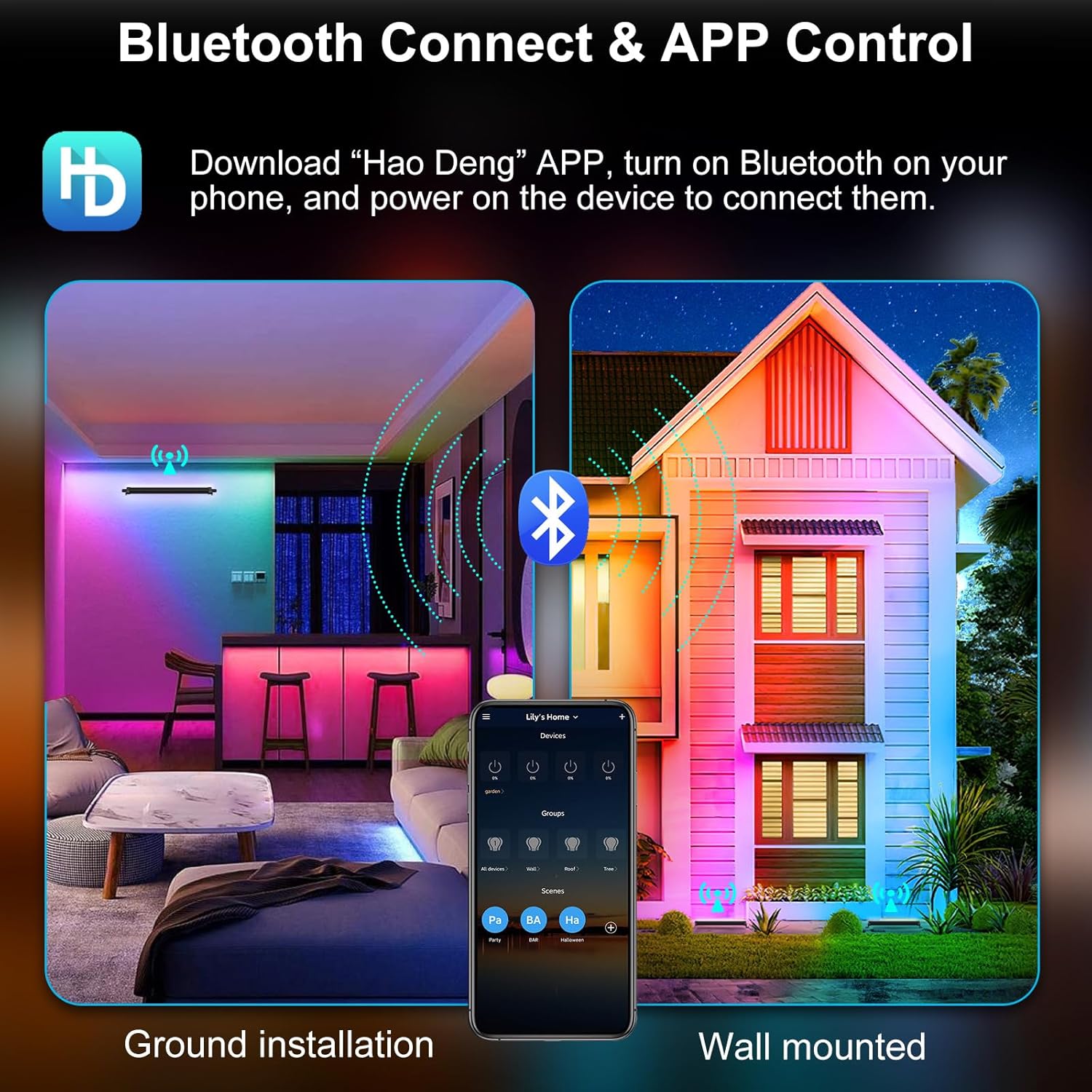
Figure 6.1: Bluetooth Connect & APP Control. This image displays the "Hao Deng" app icon and shows a smartphone screen with the app open, demonstrating how to connect via Bluetooth and control lights in both ground and wall-mounted setups.
- Download APP: Search for "Hao Deng" in Google Play Store (Android) or Apple App Store (iOS) and download the application.
- Enable Bluetooth: Ensure Bluetooth is enabled on your smartphone.
- Power On Lights: Connect your MEIKEE Wall Washer Lights to a power source.
- Connect in APP: Open the "Hao Deng" APP. The app should automatically detect and allow you to connect to your lights. Follow the on-screen prompts to pair.
6.2 Color and Mode Selection
The app provides extensive options for customizing your lighting experience.
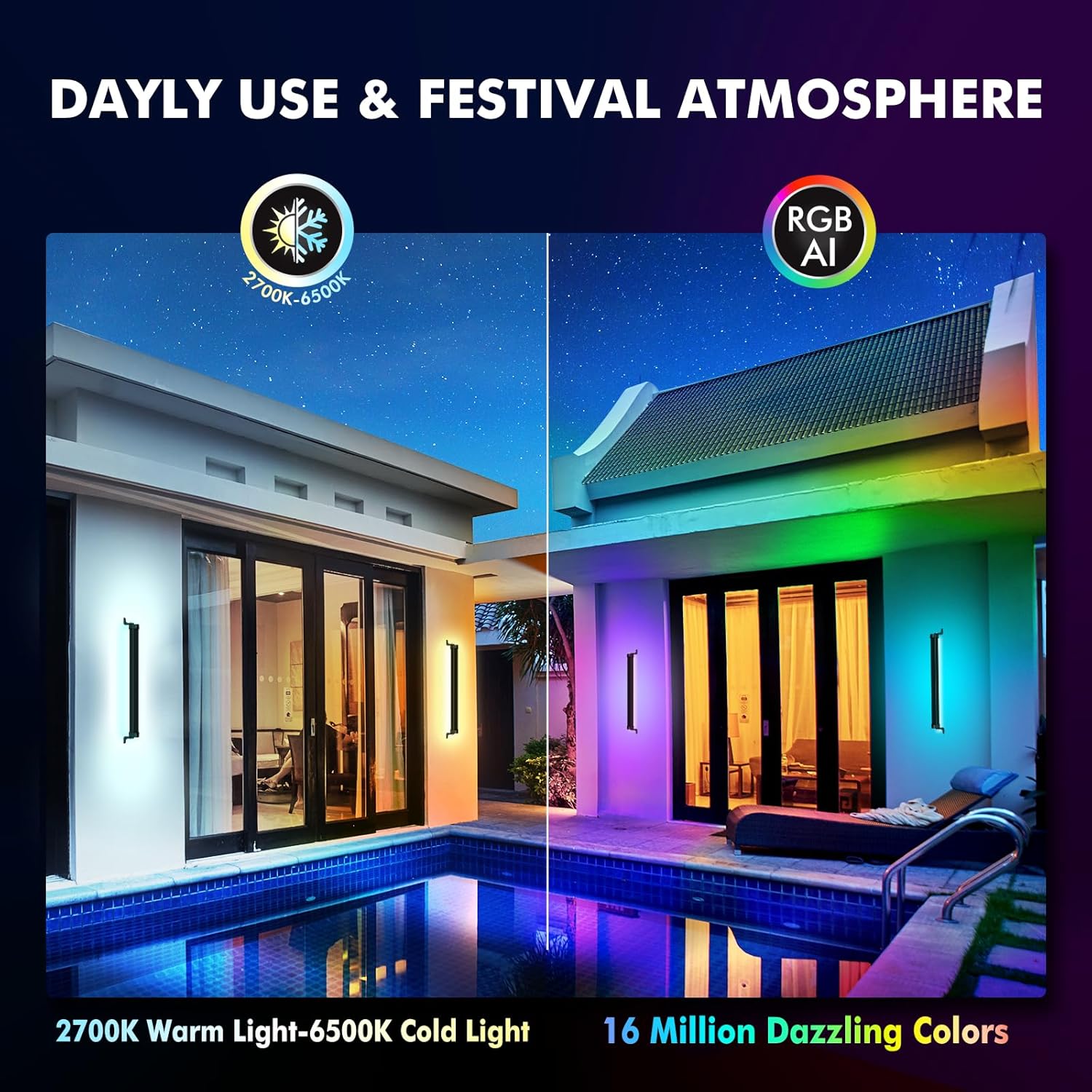
Figure 6.2: Color and Mode Variety. This image showcases the light bars illuminating an outdoor area with a pool, demonstrating the range from 2700K warm light to 6500K cold light, and the availability of 16 million dazzling colors.
- Color Palette: Select your desired color from the 16 million color palette within the app.
- Color Capture: Use your phone's camera through the app to capture a color from your surroundings and apply it to the lights.
- White Light Adjustment: Adjust the white light temperature between 2700K (warm white) and 6500K (cool white).
- Dynamic Modes: Choose from 20 pre-programmed dynamic modes. Adjust the speed and brightness of these modes as desired.
6.3 Timing Function and Group Control
Automate your lighting and manage multiple units efficiently.
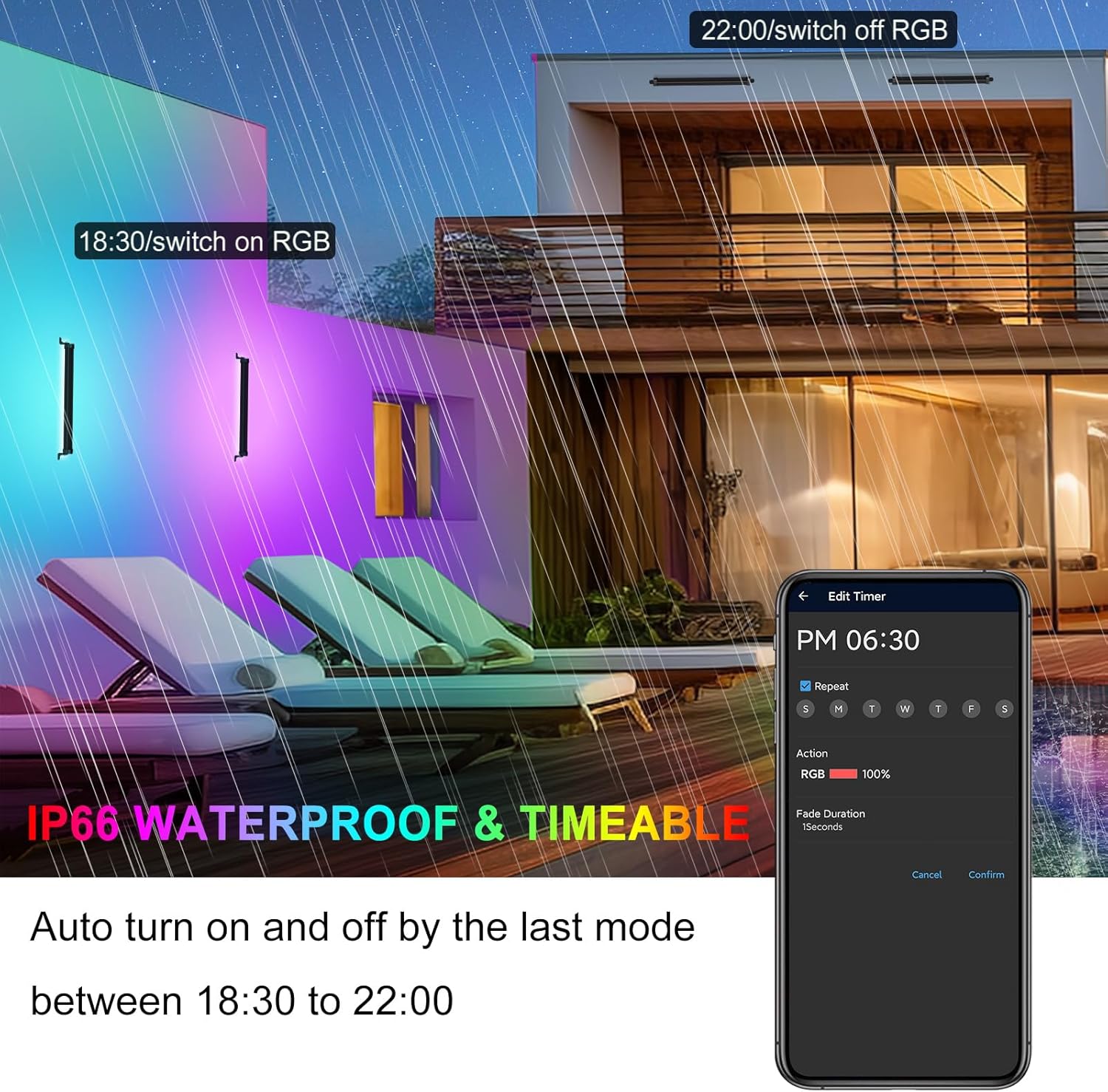
Figure 6.3: Timing Function. This image shows an outdoor patio illuminated by the lights, with a smartphone displaying the app's timer settings, allowing users to schedule automatic turn-on and turn-off times.
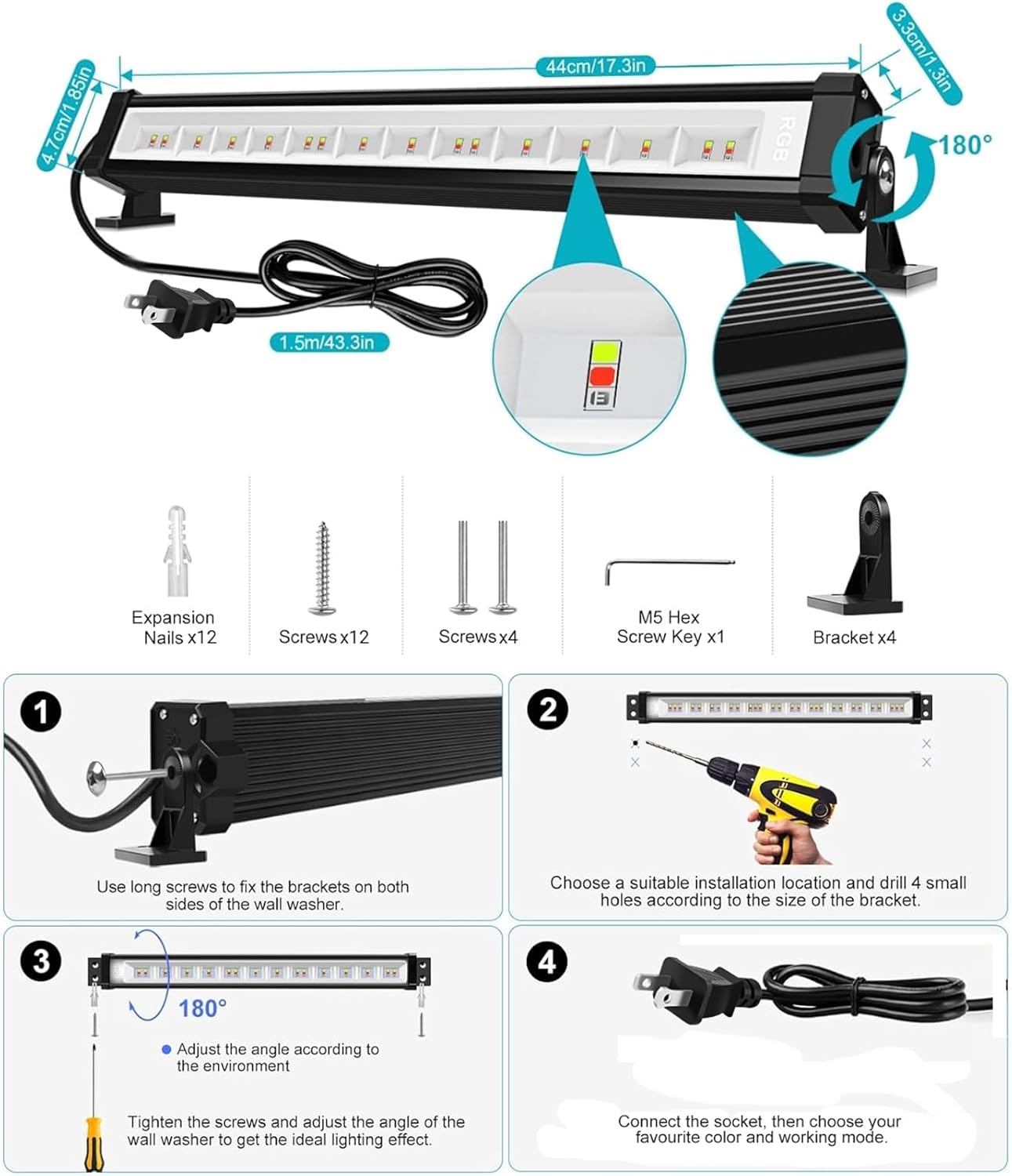
Figure 6.4: Separate and Group Control. This diagram shows the app interface for controlling individual lights (separate control) and managing multiple lights as a single group (whole group control).
- Set Timers: Access the timing function in the app to set specific times for the lights to turn on or off, or to activate a particular mode automatically.
- Group Lights: Use the Bluetooth Mesh group-control technology to group multiple MEIKEE light bars. This allows you to control all grouped lights simultaneously with a single command.
- Individual Control: Even when grouped, individual lights can still be controlled separately within the app.
6.4 Music and Microphone Rhythm Pattern
Synchronize your lighting with audio for dynamic effects.
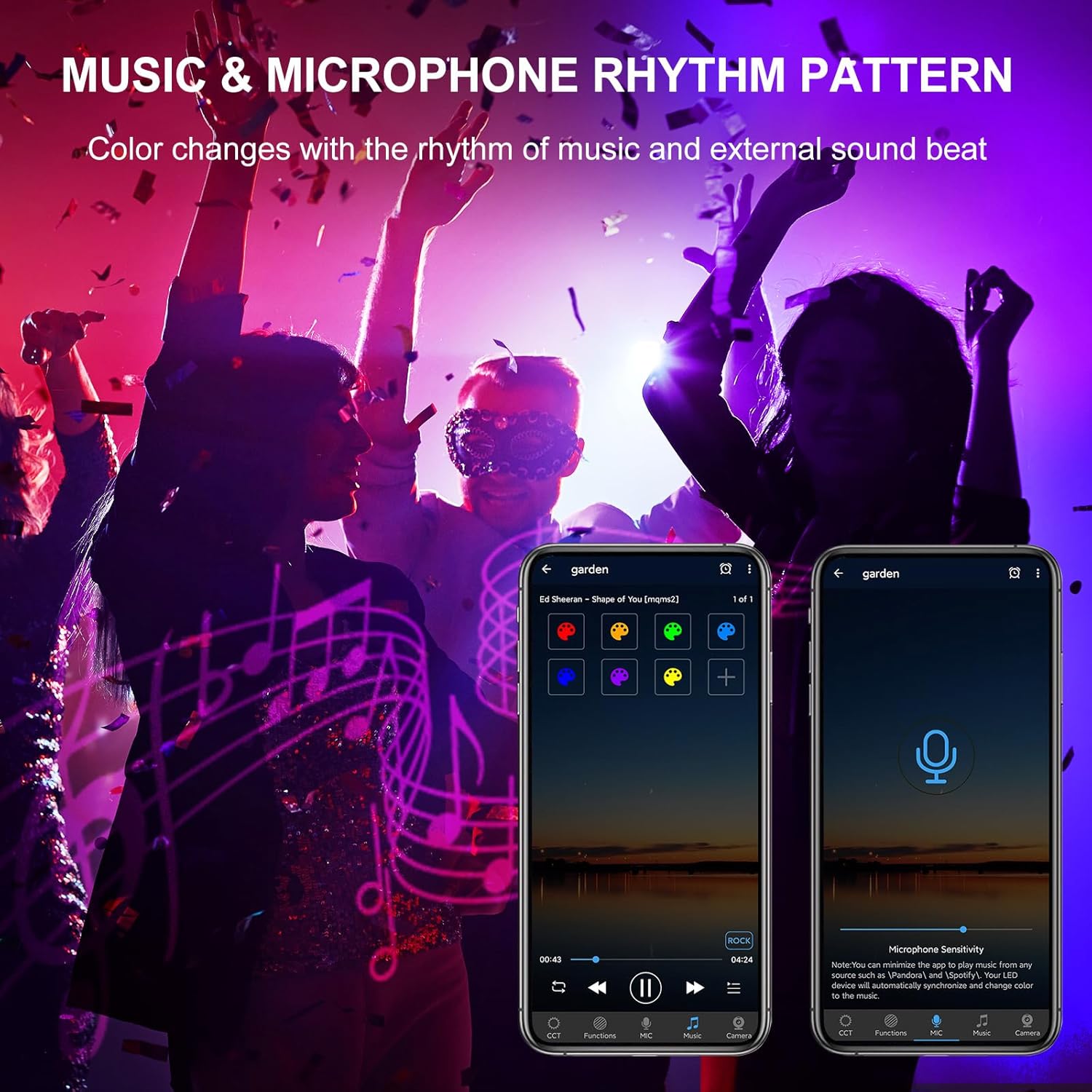
Figure 6.5: Music & Microphone Rhythm Pattern. This image depicts a party atmosphere with lights changing color, and a smartphone displaying the app's music and microphone sensitivity settings, allowing the lights to react to sound.
- APP Music Mode: Play music files directly through the "Hao Deng" app. The lights will change colors in rhythm with the music.
- Microphone Mode: Enable the microphone function in the app. The lights will react to ambient sounds and music detected by your phone's microphone.
7. Maintenance
- Cleaning: Periodically clean the surface of the light bar with a soft, damp cloth. Do not use abrasive cleaners or solvents.
- Inspection: Regularly check the power cord and connections for any signs of damage. If damage is found, discontinue use and contact support.
- Waterproof Rating: While IP66 rated, ensure the power connection point is secure and protected from direct, prolonged water exposure if possible, to maximize longevity.
8. Troubleshooting
- Light Not Turning On:
- Check if the power cord is securely plugged into a working outlet.
- Verify that the power source is active.
- Ensure the light is not set to an 'off' schedule via the timing function in the app.
- Cannot Connect to APP (Bluetooth):
- Ensure Bluetooth is enabled on your smartphone.
- Make sure the light bar is powered on and within the 50m/164ft Bluetooth range without significant obstacles.
- Close and reopen the "Hao Deng" app.
- Restart your smartphone and the light bar.
- If issues persist, try reinstalling the "Hao Deng" app.
- Lights Out of Sync in Group Control:
- Ensure all lights in the group are within effective Bluetooth range of your controlling device.
- Try refreshing the group in the app or temporarily ungrouping and regrouping the lights.
- Flickering at Low Brightness:
- Some LED lights may exhibit minor flickering at very low dimming levels. If noticeable, try increasing the brightness slightly.
9. Specifications
| Feature | Specification |
|---|---|
| Model Number | RFLB042 |
| Color | RGBCW (RGB, Cool White, Warm White) |
| Shape | Rectangular Prism |
| Material | Acrylonitrile Butadiene Styrene (ABS) |
| Finish Type | Powder Coated |
| Light Source Type | Light Emitting Diode (LED) |
| Shade Material | Glass, Plastic |
| Power Source | Corded Electric |
| Voltage | 120 Volts (AC) |
| Wattage | 42 Watts |
| Maximum Compatible Light Source Wattage | 42 Watts |
| Mounting Type | Wall Mount, Ground Inserted |
| Bulb Features | Dimmable, Adjustable Color Temperature, Color Changing, Energy Efficient, Memory Function |
| Color Temperature | 2700K - 6500K |
| Number of Light Sources | 4 |
| Amperage | 0.35 Amps |
| Product Dimensions | 0.2"L x 0.3"W x 0.1"H (approx. 44cm L x 4.7cm H x 3.3cm D) |
| Item Weight | 2.23 pounds |
| Item Package Quantity | 2 |
| Batteries Required | No (for light bar operation) |
| Waterproof Rating | IP66 |
10. Warranty and Support
MEIKEE provides a 2-year warranty for this product from the date of purchase. If you encounter any issues or require assistance, please contact MEIKEE customer support.
- Contact Method: Send an email via Amazon or use the email address provided in the product packaging/instruction leaflet.
- Response Time: MEIKEE aims to provide a timely response within 24 hours.
