
1. Introduction
Thank you for choosing the AWEI TWS T12 Dual Dynamic Driver Earbuds. This manual provides detailed instructions on how to set up, operate, maintain, and troubleshoot your new earbuds. Please read this manual carefully before use to ensure optimal performance and longevity of your device.
The AWEI TWS T12 earbuds feature advanced Bluetooth 5.1 technology for stable and fast connections, dual dynamic drivers for superior audio fidelity, and a portable charging case for extended listening. Enjoy up to 9 hours of talk time and 8 hours of music playback on a single charge, with a transmission distance of up to 10 meters.
2. Safety Information
To prevent damage to your device or injury to yourself and others, please observe the following safety precautions:
- Do not expose the earbuds or charging case to extreme temperatures, direct sunlight, or high humidity.
- Avoid dropping, impacting, or disassembling the device. This may void the warranty.
- Keep the device away from water and other liquids. If it gets wet, dry it thoroughly before use.
- Do not use harsh chemicals or detergents to clean the earbuds. Use a soft, dry cloth.
- Listen at moderate volume levels to prevent hearing damage. Prolonged exposure to loud sounds can cause permanent hearing loss.
- Keep out of reach of children and pets. Small parts may pose a choking hazard.
- Use only the provided or certified charging cable and adapter.
3. Package Contents
Please check the package for the following items:
- AWEI TWS T12 Earbuds (Left and Right)
- Charging Case
- USB Type-C Charging Cable
- User Manual
- Eartips (various sizes)
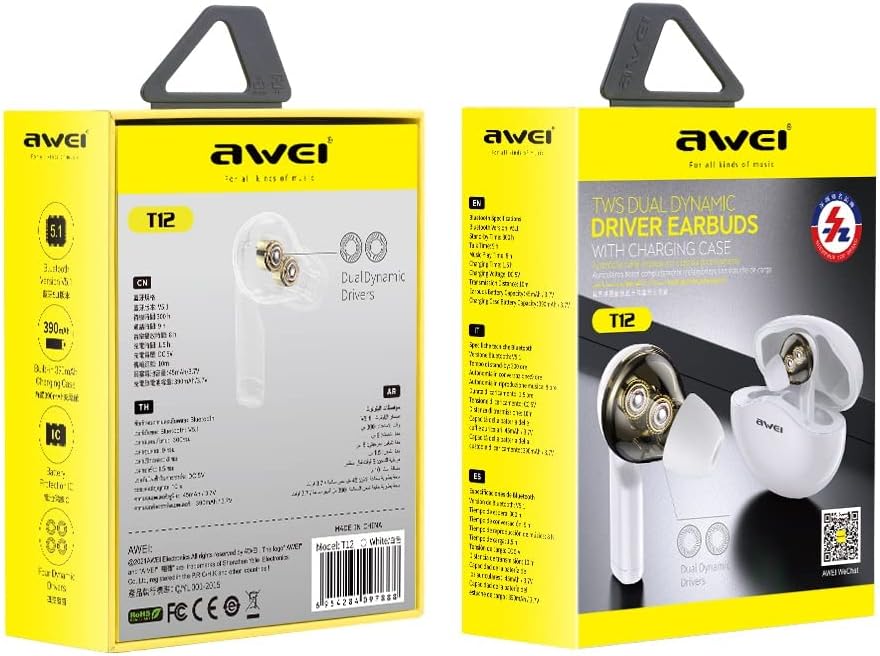
Image: AWEI TWS T12 Earbuds product packaging. The packaging displays the earbuds and charging case, along with some key features and branding.
4. Product Overview
The AWEI TWS T12 earbuds are designed for comfort and high-quality audio. Each earbud features dual dynamic drivers for rich, clear sound. The compact charging case provides protection and recharges the earbuds on the go.
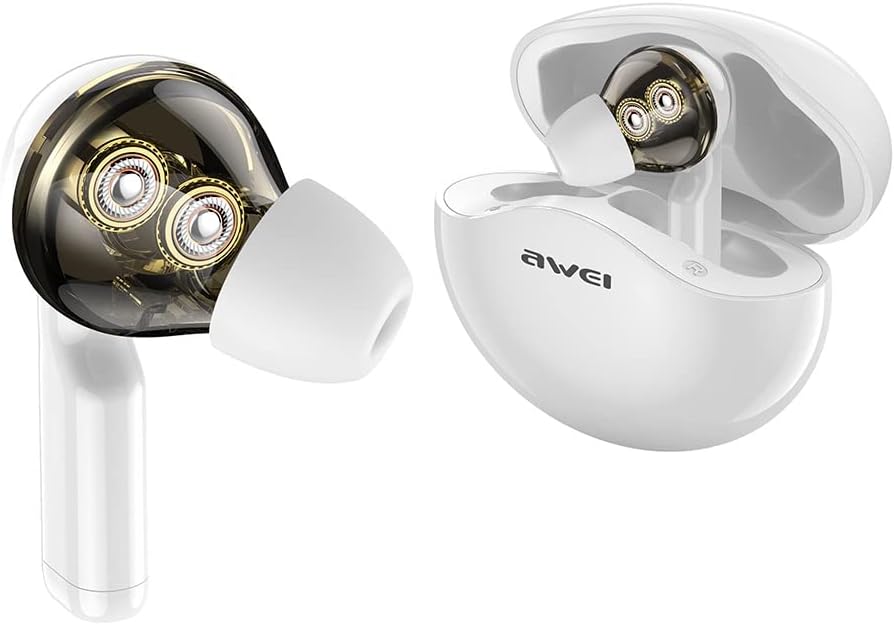
Image: AWEI TWS T12 Earbuds shown outside of their open charging case. The transparent design of the earbud highlights the dual dynamic drivers inside.

Image: A detailed diagram showcasing the internal structure of an AWEI TWS T12 earbud, specifically highlighting the two distinct dynamic drivers responsible for audio output.
5. Setup
5.1 Charging the Earbuds and Case
Before first use, fully charge the earbuds and the charging case.
- Connect the USB Type-C charging cable to the charging port on the case.
- Connect the other end of the cable to a USB power adapter (not included) or a computer's USB port.
- The indicator lights on the case will show the charging status. Once fully charged, the lights will indicate completion or turn off.
- Place the earbuds into the charging case. They will automatically begin charging. The earbuds also have fast charging capability.
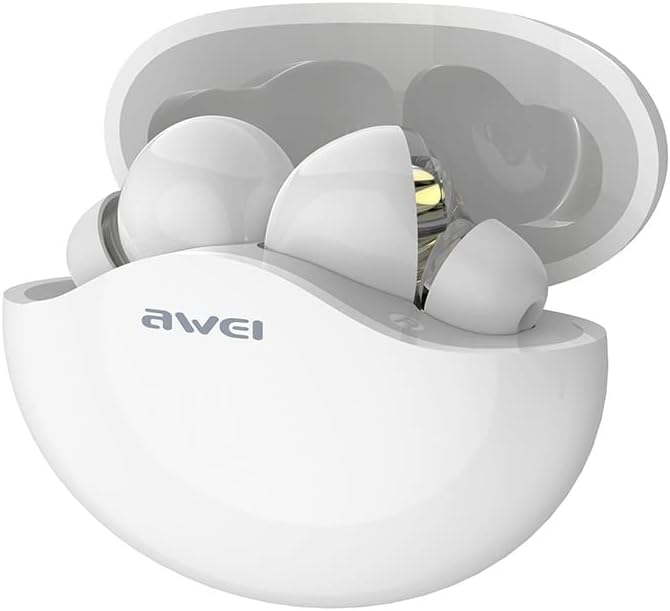
Image: The AWEI TWS T12 Earbuds securely placed within their open charging case, ready for charging or storage.
5.2 Pairing with a Device
The AWEI TWS T12 earbuds use Bluetooth 5.1 for a stable and efficient wireless connection.
- Ensure the earbuds are charged.
- Open the charging case. The earbuds will automatically power on and enter pairing mode. The indicator lights on the earbuds will flash, indicating they are ready to pair.
- On your device (smartphone, tablet, computer), enable Bluetooth.
- Search for available Bluetooth devices and select "AWEI T12" from the list.
- Once connected, the earbud indicator lights will stop flashing, and you will hear a confirmation tone.
- The earbuds will automatically reconnect to the last paired device when taken out of the case, if Bluetooth is enabled on the device.

Image: A close-up diagram illustrating the Bluetooth 5.1 chip, emphasizing its features for fast transmission, stable connection, and low power consumption.
6. Operating Instructions
6.1 Power On/Off
- Power On: Open the charging case, and the earbuds will automatically power on. Alternatively, press and hold the touch control area on both earbuds for 3 seconds.
- Power Off: Place the earbuds back into the charging case and close the lid. They will automatically power off. Alternatively, press and hold the touch control area on both earbuds for 5 seconds.
6.2 Wearing the Earbuds
Gently insert the earbuds into your ears and rotate them slightly to find a comfortable and secure fit. Choose the appropriate eartip size for optimal sound quality and noise isolation.
6.3 Touch Controls
The AWEI TWS T12 earbuds feature intuitive touch controls. The specific functions may vary slightly depending on your device and application.
- Play/Pause: Single tap on either earbud.
- Next Track: Double tap on the right earbud.
- Previous Track: Double tap on the left earbud.
- Volume Up: Triple tap on the right earbud.
- Volume Down: Triple tap on the left earbud.
- Answer/End Call: Single tap on either earbud during an incoming call or active call.
- Reject Call: Press and hold on either earbud for 2 seconds during an incoming call.
- Activate Voice Assistant: Press and hold on either earbud for 2 seconds (when not on a call).
7. Maintenance
7.1 Cleaning
- Regularly clean the earbuds and charging case with a soft, dry, lint-free cloth.
- Do not use abrasive cleaners, alcohol, or chemical solvents.
- Gently remove any earwax or debris from the eartips and speaker mesh using a small, soft brush or cotton swab.
7.2 Storage
- When not in use, store the earbuds in their charging case to protect them from dust and damage.
- Store the device in a cool, dry place, away from extreme temperatures.
7.3 Battery Care
- To prolong battery life, avoid fully discharging the earbuds and charging case frequently.
- Charge the device regularly, even if not in frequent use, to maintain battery health.
8. Troubleshooting
If you encounter any issues with your AWEI TWS T12 earbuds, please refer to the following common solutions:
| Problem | Possible Solution |
|---|---|
| Earbuds not pairing |
|
| No sound from one or both earbuds |
|
| Charging case not charging |
|
| Earbuds not charging in case |
|
9. Specifications
| Feature | Specification |
|---|---|
| Brand | AWEI |
| Model Name | T12 |
| Item Model Number | KM0657 |
| Connectivity Technology | Wireless (Bluetooth 5.1) |
| Wireless Communication Technology | Bluetooth |
| Ear Placement | In-Ear |
| Form Factor | In-Ear |
| Control Method | Touch |
| Special Features | Fast Charge |
| Charging Port | USB Type-C |
| Noise Cancellation | Active Noise Suppression |
| Talk Time | Up to 9 hours |
| Music Playback Time | Up to 8 hours |
| Transmission Distance | 10 meters |
| Frequency Range | 20 Hz - 20,000 Hz |
| Material | Plastic |
| Color | White |
| Compatible Devices | Cell Phone, Tablet, Computer |
| Specific Product Uses | Gaming, Music |
| Age Range (Description) | Adult |
10. Warranty and Support
AWEI products are designed with quality and performance in mind. For specific warranty information, please refer to the warranty card included with your purchase or visit the official AWEI website. The return policy mentioned in the product details refers to the retailer's return period, not the manufacturer's warranty.
If you experience any issues that cannot be resolved using the troubleshooting guide, please contact AWEI customer support or your retailer for assistance. Please have your model number (T12 / KM0657) and proof of purchase ready.


