
Introduction
Thank you for choosing the Redkey R2 Robot Vacuum Cleaner. This manual provides important information on the safe use, operation, and maintenance of your new robot vacuum. Please read this manual thoroughly before using the product and retain it for future reference.
Important Safety Information
To reduce the risk of injury or damage, read these safety instructions carefully and keep them handy when setting up, using, and maintaining your robot.
- Always operate the robot according to the instructions in this manual.
- Do not allow children to play with the robot.
- Ensure the power adapter voltage is compatible with your local power supply.
- Do not use the robot in wet environments or near water.
- Keep the robot away from heat sources and open flames.
- Do not use the robot to pick up large debris, liquids, or burning objects.
- Regularly clean the brushes and filters to maintain optimal performance.
- Unplug the robot from the charging station before cleaning or maintenance.
- Only use manufacturer-specified attachments and accessories.
Package Contents
Please check the contents of your package against the list below. If any items are missing or damaged, please contact customer support.

An illustration showing all components included in the Redkey R2 package. Each component is numbered for easy identification.
- Redkey R2 Robot Vacuum Cleaner
- Charging Station
- Mop Cloths
- Mop Holder
- Water Tank
- Power Adapter
- Cleaning Brush
- Side Brushes
- Remote Control Battery (Lithium-ion)
- Remote Control
- User Manual
Product Overview
Robot Vacuum

A top-down view of the Redkey R2 Robot Vacuum Cleaner, showcasing its sleek black design and compact form factor. A smartphone screen displaying the control app is shown in the foreground.
- Main Body: Contains the motor, dustbin, water tank, and navigation sensors.
- Top Cover: Provides access to the dustbin.
- Power Button: For manual operation.
- Charging Contacts: For docking with the charging station.
- Side Brushes: Sweep debris into the suction path.
- Main Brush: Collects dust and debris.
- Wheels: Allow movement across various surfaces.
- Sensors: Anti-drop, anti-collision, and carpet detection sensors.
Charging Station

The Redkey R2 Robot Vacuum Cleaner automatically returning to its charging station, illustrating the charging process.
- Charging Contacts: Connect with the robot's charging contacts.
- Power Indicator: Shows charging status.
- Power Port: Connects to the power adapter.
Setup Guide
1. Unpacking and Placement
- Remove all packaging materials from the robot and charging station.
- Place the charging station against a wall in an open, uncluttered area. Ensure there is at least 0.5 meters (1.6 feet) of clear space on either side and 1.5 meters (4.9 feet) in front of the charging station.
- Connect the power adapter to the charging station and plug it into a wall outlet.
2. Initial Charging
Before first use, fully charge the robot. You can place the robot manually onto the charging station, ensuring the charging contacts align.
The Redkey R2 Robot Vacuum Cleaner automatically returning to its charging station, illustrating the charging process.
The indicator light on the robot will show charging status. A full charge typically takes approximately 2 hours, providing up to 110 minutes of cleaning time.

An image illustrating the Redkey R2 Robot Vacuum Cleaner's battery life, indicating up to 110 minutes of operation on a full charge.
Operating Instructions
1. Cleaning Modes
The Redkey R2 offers multiple cleaning modes to suit different needs:
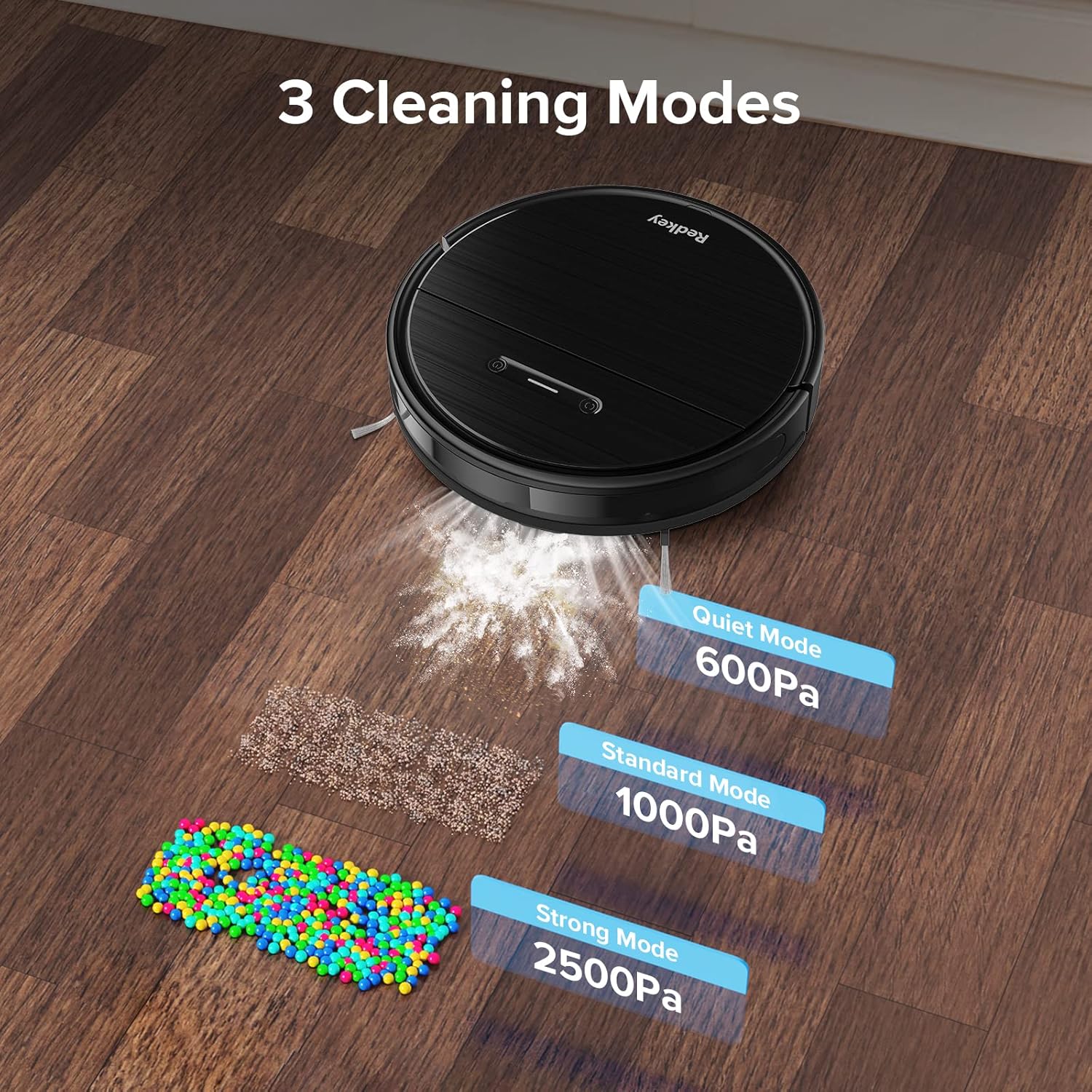
An image depicting the three cleaning modes of the Redkey R2: Quiet Mode (600Pa), Standard Mode (1000Pa), and Strong Mode (2500Pa), with visual representations of debris being vacuumed.
- Quiet Mode (600Pa): For light cleaning and minimal noise.
- Standard Mode (1000Pa): Default mode for everyday cleaning.
- Strong Mode (2500Pa): For deep cleaning and stubborn dirt.
2. Starting a Cleaning Cycle
You can start a cleaning cycle using the robot's button, the remote control, or the mobile app.
Using the Robot Button:
Press the power button on the robot to start or pause cleaning.
Using the Remote Control:

A hand holding the Redkey R2 remote control, with the robot vacuum blurred in the background, demonstrating remote operation.
Use the directional buttons to steer the robot, and the mode selection buttons to choose a cleaning mode or start/stop cleaning.
Using the Mobile App:
The Redkey R2 is compatible with a dedicated mobile application (2.4 GHz WiFi required). Download the app from your smartphone's app store.
A smartphone screen displaying the Redkey R2 control app interface, showing options like Dock & Charge, Manual, Edge, Spot, Scheduled Cleanup, and Cleaning History.
The app allows for advanced control, including:
- Dock & Charge: Send the robot back to its charging station.
- Manual Control: Manually steer the robot.
- Edge Cleaning: Clean along walls and edges.
- Spot Cleaning: Focus on a specific dirty area.
- Scheduled Cleanup: Set cleaning schedules for specific times and days.
- Cleaning History: View past cleaning records.

A close-up of the Redkey R2 mobile app interface, specifically showing the 'Scheduled cleanup' settings, allowing users to set start times and repeat days.
3. Mopping Function
To use the mopping function, fill the water tank and attach the mop cloth holder with a clean mop cloth.

The Redkey R2 Robot Vacuum Cleaner on a hard floor, with an illustration of water level settings (Low, Medium, High) for its mopping function.
The app allows you to adjust the water level for mopping (Low, Medium, High) based on your floor type and cleaning needs.
4. Carpet Detection and Supercharging
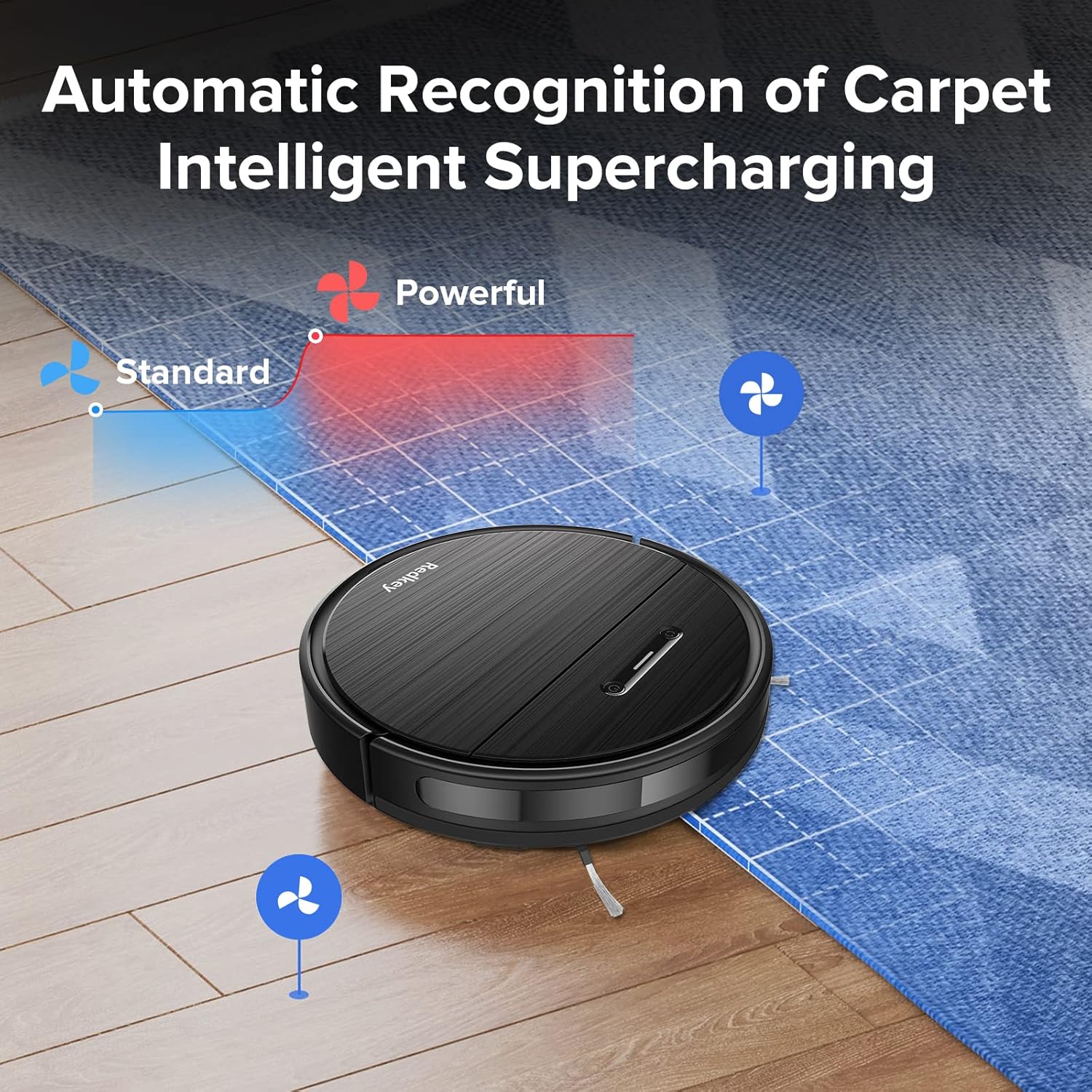
The Redkey R2 features intelligent carpet detection. When the robot detects a carpet, it automatically increases its suction power for a deeper clean.

The Redkey R2 Robot Vacuum Cleaner transitioning from a hard floor to a carpet, with an overlay illustrating how suction power automatically increases from 'Standard' to 'Powerful' upon carpet detection.
Maintenance and Care
Regular maintenance ensures optimal performance and extends the lifespan of your Redkey R2 robot vacuum.
1. Dustbin and Filter Cleaning
Empty the dustbin after each cleaning cycle. Clean the filter regularly by tapping off debris or rinsing with water (ensure it's completely dry before re-inserting).
2. Main Brush Cleaning
Remove the main brush cover and lift out the main brush. Use the cleaning tool (included) to remove hair and debris tangled around the brush.
3. Side Brush Cleaning
Check the side brushes for tangled hair or debris. If damaged, replace them.
4. Sensor Cleaning
Wipe the anti-drop sensors, anti-collision sensors, and charging contacts with a clean, dry cloth to ensure proper function.
5. Water Tank and Mop Cloth Maintenance
After mopping, empty any remaining water from the tank and clean the mop cloth. Mop cloths can be hand-washed or machine-washed.
Troubleshooting
If you encounter issues with your Redkey R2, please refer to the following common problems and solutions:
| Problem | Possible Cause | Solution |
|---|---|---|
| Robot does not turn on. | Low battery; Power switch off. | Charge the robot; Ensure power switch is ON. |
| Robot cannot find charging station. | Charging station obstructed; Too far from station. | Clear obstacles around station; Manually place robot closer. |
| Suction power is weak. | Dustbin full; Filter clogged; Main brush tangled. | Empty dustbin; Clean/replace filter; Clean main brush. |
| Robot gets stuck frequently. | Too many obstacles; Sensors dirty. | Clear floor of cables/small objects; Clean sensors. |
| App connection issues. | Incorrect WiFi (not 2.4GHz); Router too far. | Ensure 2.4GHz WiFi; Move robot closer to router; Restart app/robot. |
Specifications
| Feature | Detail |
|---|---|
| Model Number | R2 (MWEU-10031790001-R2) |
| Brand | Redkey |
| Color | Elegant Black |
| Suction Power | Up to 2600 Pa |
| Noise Level | ≤70 dB |
| Battery Life | Up to 110 minutes |
| Charging Time | Approx. 2 hours |
| Voltage | 12 Volts |
| Battery Composition | Lithium-ion |
| Control Type | Remote Control, App Control, Manual Control |
| Connectivity | 2.4 GHz WiFi (for app) |
| Material | ABS Plastic |
| Item Weight | 5.36 Kilograms |
| Package Dimensions | 48.2 x 42.6 x 14.6 cm |
| Surface Recommendation | Hardwood, Tile, Carpet |
Warranty and Support
Redkey products come with a standard manufacturer's warranty. Please refer to the warranty card included in your package for specific terms and conditions.
For technical support, troubleshooting assistance, or to inquire about replacement parts, please contact Redkey customer service. Contact information can typically be found on the official Redkey website or on the warranty card.
Note: Spare parts availability information is not provided in the product details.


