
Introduction
Thank you for choosing the COSTWAY 40-Inch Tower Fan. This fan is designed to provide a wide and comfortable airflow, enhancing air circulation in your home or office. Its slim, bladeless design ensures safety for families with children and offers space-saving convenience. This manual provides essential information for the safe and efficient operation, maintenance, and troubleshooting of your new tower fan.
Key features include:
- 75° Wide Oscillation: Provides extensive air distribution for enhanced comfort.
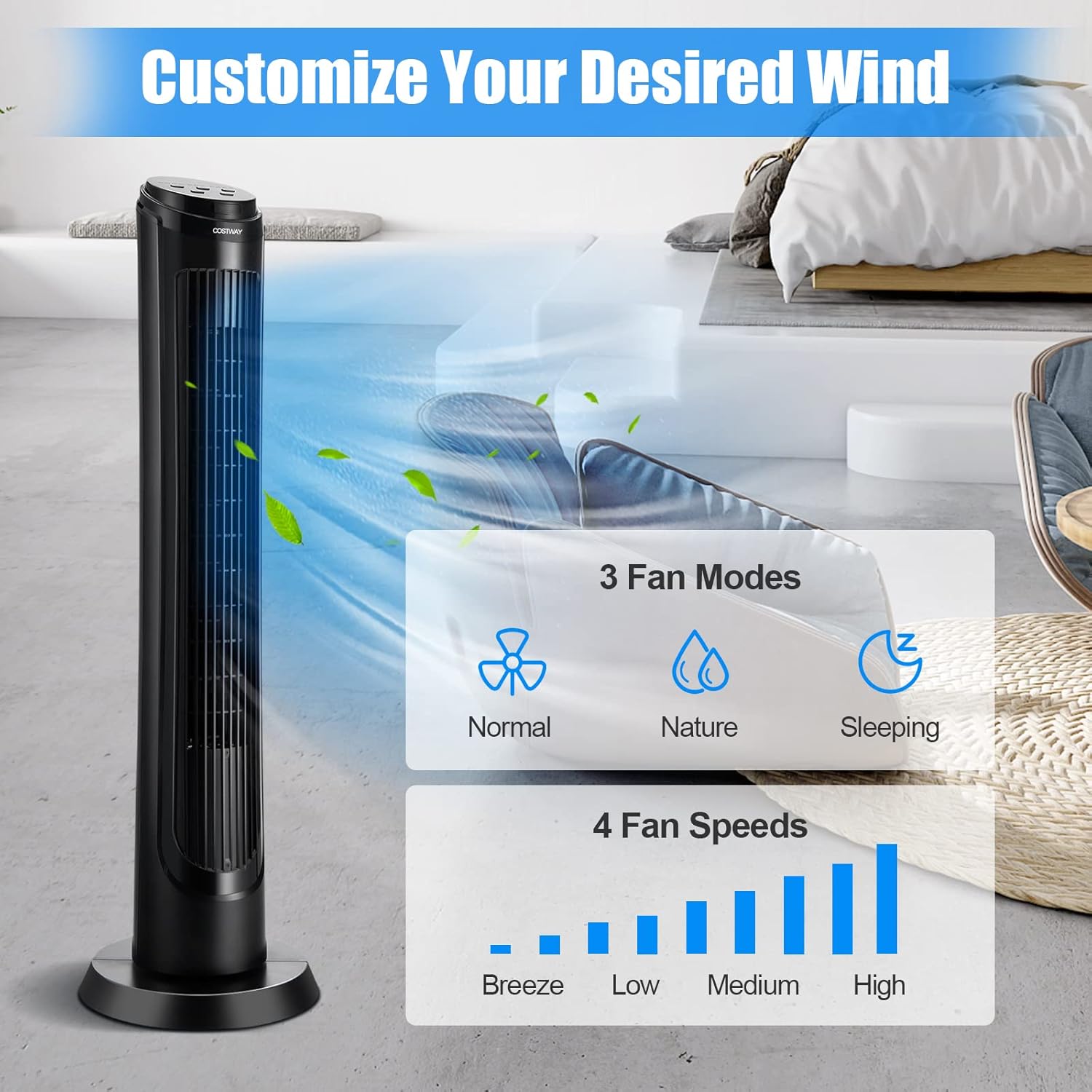
- Multiple Modes & Speeds: Features 3 fan modes (Normal, Nature, Sleeping) and 4 fan speeds (Breeze, Low, Medium, High) to customize your cooling experience.
- Dual Control Options: Easily operate the fan using either the intuitive control panel or the convenient remote control.
- Quiet Operation & Timer: Designed for ultra-quiet operation, especially in Sleep Mode, and includes a 15-hour timer for automatic shut-off.
- Safe & Portable Design: Bladeless design and stable round base ensure safety, while a recessed handle allows for effortless portability.
Setup
Follow these steps to set up your COSTWAY Tower Fan:
- Unpacking: Carefully remove all components from the packaging. Ensure all parts are present: the main fan body, the round base, and the remote control.
- Base Assembly: Attach the two halves of the round base together, aligning the slots. Secure the base to the bottom of the fan body using the provided screws. Ensure the power cord passes through the designated opening in the base.
- Placement: Place the fan on a firm, level surface. Ensure there is adequate space around the fan for optimal airflow and oscillation. Keep the fan away from curtains or other objects that could obstruct its operation.
- Power Connection: Plug the power cord into a standard 120V AC, 60Hz electrical outlet.

Operating Instructions
Your tower fan can be operated using the control panel on top of the unit or the included remote control.
Control Panel & Remote Control

The control panel features touch-sensitive buttons and indicator lights for easy understanding. The remote control provides the same functionality from a distance of up to 20 feet.
Functions:
- Power On/Off: Press the On/Off button to turn the fan on or off.
- Fan Speed: Press the Fan Speed button to cycle through 4 speed settings: Breeze, Low, Medium, and High.
- Fan Mode: Press the Fan Mode button to select from 3 modes: Normal, Nature, and Sleeping.
- Oscillation: Press the Oscillation button to activate or deactivate the 75° wide oscillation feature.
- Timer: Press the Timer button to set the automatic shut-off timer from 1 to 15 hours. Each press increases the timer by one hour.
Understanding Fan Modes:
- Normal Mode: Provides a constant airflow at the selected speed.
- Nature Mode: Simulates natural breezes by varying the fan speed intermittently.
- Sleeping Mode: Operates at a lower, quieter speed and gradually decreases the fan speed over time to promote restful sleep. The display lights dim in this mode.

Maintenance
Regular cleaning and proper storage will ensure the longevity and optimal performance of your tower fan.
Cleaning:
- Disconnect Power: Always unplug the fan from the power outlet before cleaning.
- Exterior Cleaning: Use a soft, damp cloth to wipe the exterior surfaces of the fan. Do not use abrasive cleaners or solvents.
- Air Inlet/Outlet Grilles: Use a vacuum cleaner with a brush attachment or compressed air to remove dust and debris from the air inlet and outlet grilles. For hard-to-reach areas, a soft brush or cotton swab can be used.
- Internal Cleaning: The fan is not designed for easy disassembly for deep internal cleaning. Avoid immersing the fan in water or allowing water to drip into the interior.
Storage:
When not in use for extended periods, store the fan in a cool, dry place. It is recommended to cover the fan to protect it from dust.
Troubleshooting
If you encounter any issues with your fan, please refer to the following common problems and solutions:
| Problem | Possible Cause | Solution |
|---|---|---|
| Fan does not turn on | No power supply; Power cord not properly plugged in; Power outlet is faulty. | Ensure the fan is plugged into a working outlet. Check the circuit breaker. |
| Weak or no airflow | Air inlet/outlet grilles are blocked; Fan speed is set too low. | Clean the grilles to remove any obstructions. Increase the fan speed setting. |
| Unusual noise during operation | Fan is not on a level surface; Internal components are loose or obstructed. | Place the fan on a flat, stable surface. Check for any foreign objects inside the grilles (with power disconnected). |
| Remote control not working | Batteries are dead or incorrectly inserted; Obstruction between remote and fan. | Replace remote control batteries. Ensure there is a clear line of sight to the fan's receiver. |
If the problem persists after trying these solutions, please contact COSTWAY customer service for assistance.
Specifications
| Feature | Detail |
|---|---|
| Model | B09XBK4QDS |
| Color | Black |
| Material | ABS |
| Overall Dimension | 11.5" x 11.5" x 40" (L x W x H) |
| Voltage | 120V AC |
| Frequency | 60Hz |
| Rated Power | 50W |
| Cord Length | 6 ft |
| Noise Level | 45-52 dB |
| Oscillation | 75° |
| Maximum Control Distance | 20 ft (Remote) |
| Wind Speed Settings | Breeze/Low/Medium/High (4 Speeds) |
| Fan Modes | Normal/Nature/Sleeping (3 Modes) |
| Air Flow | 200 CFM |
| Net Weight | 7.5 lbs |
| Included Components | 1 x Tower Fan, 1 x Remote Control, 1 x Manual |

Warranty and Support
For warranty information or technical support, please refer to the documentation included in your product packaging or contact COSTWAY customer service directly. Please have your model number (B09XBK4QDS) and purchase date available when contacting support.


