Introduction
Welcome to the user manual for your boAt Airdopes 191G True Wireless Earbuds. This guide provides detailed instructions on how to set up, operate, maintain, and troubleshoot your device to ensure an optimal audio experience. The Airdopes 191G features 2x 6mm dual drivers for immersive sound, ENx Tech-enabled quad mics for clear calls, BEAST Mode for low-latency gaming, Bluetooth v5.2 connectivity, and IWP technology for instant pairing. It also boasts an IPX5 water-resistant build and intuitive touch controls.
Package Contents
Upon unboxing your boAt Airdopes 191G, please ensure all the following items are present:
- 1 x Pair of TWS Earbuds (boAt Airdopes 191G)
- 1 x Charging Case
- 1 x USB Type-C Charging Cable
- 2 x Additional Pairs of Earbuds (different sizes)
- 1 x User Manual (this document)
- 1 x Warranty Card
Video Description: This video demonstrates the unboxing process of the boAt Airdopes 191G, showcasing all the items included in the package.
Product Overview
The boAt Airdopes 191G earbuds are designed for an immersive audio experience with features tailored for gaming and everyday use. Below are key visual aspects and features of the product.
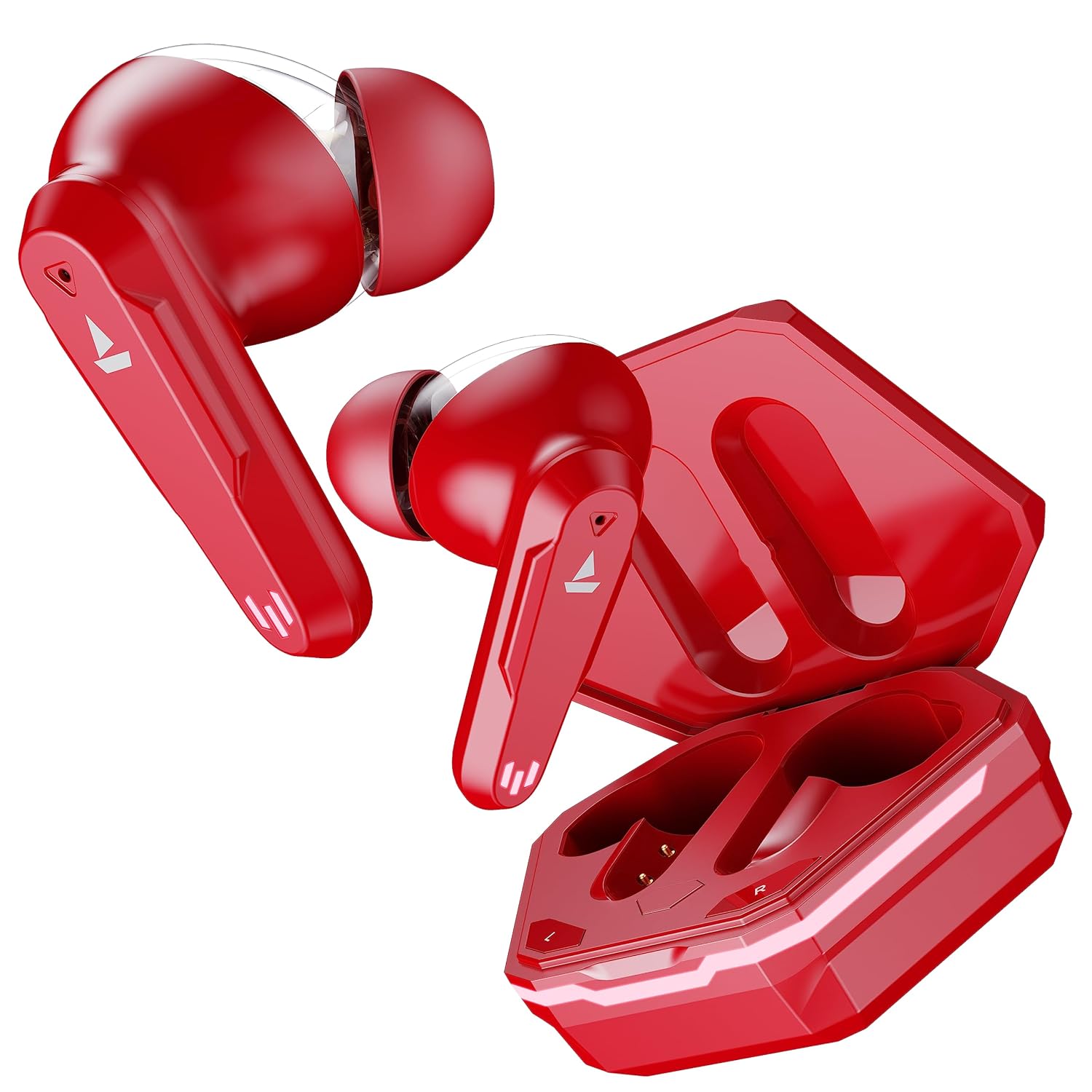
Image Description: A pair of boAt Airdopes 191G True Wireless Earbuds in Raging Red, shown alongside their open charging case, highlighting the sleek design.

Image Description: An illustration highlighting the impressive battery life of the Airdopes 191G, featuring up to 30 hours of total playback and 6 hours per earbud charge.

Image Description: A visual representation of the ENx Technology with Quad Mics feature in the Airdopes 191G, emphasizing clear voice calls.

Image Description: An image illustrating the BEAST Mode with 65ms low latency, ideal for gaming, along with appealing case LEDs.
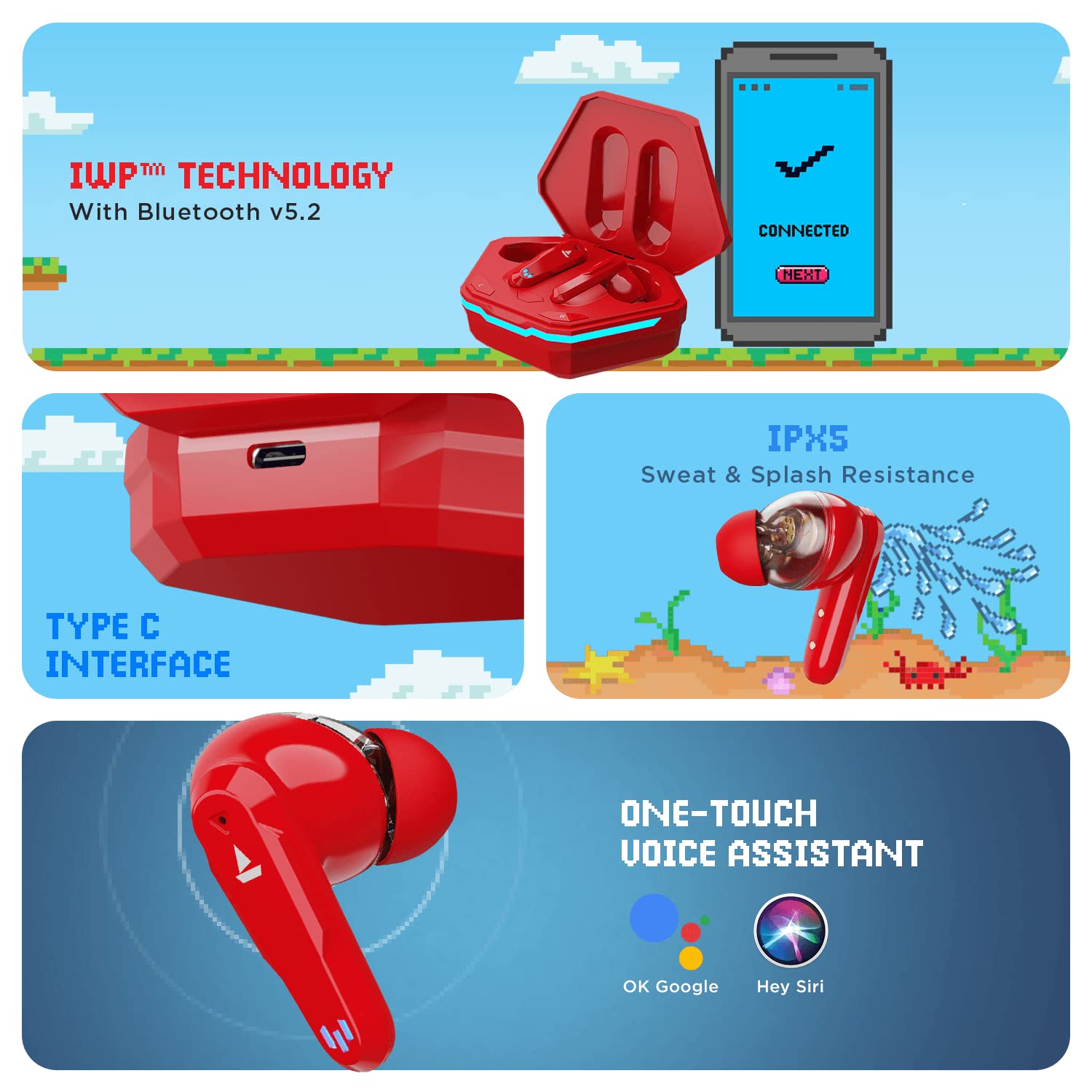
Image Description: A composite image showcasing multiple features: IWP Technology for instant pairing, IPX5 sweat and splash resistance, a Type C charging interface, and one-touch voice assistant activation.
Video Description: This video highlights the key features and design of the boAt Airdopes 191G, including its dual drivers, playback time, and gaming mode.
Setup
Power On
- Simply open the lid of the charging case.
- The earbuds will automatically power on due to IWP (Insta Wake N' Pair) technology.
- They will automatically pair with each other and enter connection mode.
Pairing
- Ensure your phone or media device has Bluetooth turned on.
- Open the Bluetooth settings on your device and scan for available devices.
- Search for 'Airdopes 191G' in the list of available devices.
- Select 'Airdopes 191G' to pair. A confirmation message will appear upon successful connection.
Single Earbud (Mono/Solo) Use
Both earbuds can be used independently in mono mode:
- Simply take out either the left or right earbud from the charging case.
- The earbud will automatically power on and enter mono mode.
- Connect it to your device via Bluetooth as described in the pairing steps.
Video Description: This walkthrough guide demonstrates how to power on, pair, and use the boAt Airdopes 191G in both stereo and mono modes.
Operating Instructions
Basic Functions (Music Playback)
- Play/Pause: Single tap the CTC (Capacitive Touch Control) on either earbud.
- Next Track: Double-tap the right earbud's CTC.
- Previous Track: Double-tap the left earbud's CTC.
- Activate BEAST Mode (Low Latency Gaming): Long touch the right earbud's CTC for 3 seconds.
- Deactivate BEAST Mode: Long touch the right earbud's CTC for 3 seconds again to return to standard music mode.
Call Functions
- Answer Incoming Call: Single tap the CTC on either earbud.
- End/Reject Call: Double-tap the CTC on either earbud.
Voice Assistant
- Activate Voice Assistant: Long touch the left earbud's CTC for 3 seconds. This will activate your device's voice assistant (e.g., Google Assistant, Siri).
Maintenance
To ensure the longevity and optimal performance of your Airdopes 191G, regular cleaning is recommended, especially if touch controls become unresponsive due to residual stains or perspiration.
Cleaning Your Airdopes
- Use a soft, dry cloth or a cotton swab to gently clean the earbuds and the charging case.
- For hard-to-reach areas or charging contacts, a Pogo Pin or a thin, non-abrasive tool can be used with extreme care.
- Avoid using harsh chemicals, solvents, or abrasive materials, as these can damage the device.
- Ensure the earbuds and charging case are completely dry before placing them back in the case or using them.
Troubleshooting
Factory Reset
If you encounter persistent issues with your Airdopes 191G, performing a factory reset may resolve the problem. Follow these steps carefully:
- Forget Device: Before performing the reset, go to your device's Bluetooth settings and clear 'Airdopes 191G' from your pairing history by selecting 'Forget Device' or 'Unpair'.
- Remove Earbuds: Take both earbuds out of the charging case.
- Initiate Reset: Simultaneously long touch the CTC on both earbuds for 5 seconds until the LED flashes quickly 5 times.
- Place Back: Place both earbuds back into the charging case in their correct orientation.
- Close Lid: Close the lid of the charging case and wait for 5 seconds.
- Fresh Connection: Open the lid again and perform a fresh connection attempt as described in the 'Pairing' section.
Specifications
| Feature | Specification |
|---|---|
| Model Name | Airdopes 191G |
| Connectivity Technology | Wireless (Bluetooth v5.2) |
| Audio Driver Type | Dynamic Driver (2x 6mm Dual Drivers) |
| Playback Time | Up to 30 Hours (including charging case), up to 6 Hours per earbud |
| Microphone | Built-In (ENx Tech Equipped Quad Mics) |
| Low Latency Mode | BEAST Mode (65ms) |
| Water Resistance | IPX5 (Sweat and Splash Resistant) |
| Control Type | Touch Control, Voice Control |
| Charging Interface | Type-C |
| Item Weight | 40 Grams |
| Product Dimensions | 6.5 x 7.5 x 1 cm |
Warranty and Support
Your boAt Airdopes 191G comes with a standard brand warranty to cover manufacturing defects. For specific details regarding the warranty period and terms, please refer to the warranty card included in your package or visit the official boAt website.
For any support needs, including technical assistance, warranty claims, or product inquiries, please contact boAt customer service through their official channels. Keep your purchase receipt and warranty card handy for faster service.
Warranty Period: 1 Year


