
1. Introduction
This manual provides detailed instructions for the installation, operation, and maintenance of your Moen Attune Handheld Shower Head, Model 218H0. Please read this manual thoroughly before installation and use to ensure proper function and longevity of the product. The Moen Attune shower head offers a versatile and customizable showering experience with its multiple spray settings and detachable design.
2. Safety Information
- Ensure all water supply lines are turned off before beginning installation.
- Wear appropriate personal protective equipment, such as safety glasses, during installation.
- Do not overtighten connections, as this may damage the product or plumbing.
- If you are unsure about any part of the installation process, consult a qualified plumber.
- Keep small parts away from children.
3. Package Contents
Verify that all components are present before beginning installation:
- Handshower
- 60-inch double interlock spiral hose (metal)
- Bracket
- Washers (3, pre-installed)

Figure 1: Included Components and Spray Settings Overview
4. Installation Instructions
The Moen Attune handheld shower head is designed for easy wall-mounted installation. Follow these steps:
- Prepare the Shower Area: Turn off the main water supply to your shower. Remove your existing shower head and clean any debris from the shower arm threads.
- Install the Bracket: Apply plumber's tape to the threads of your shower arm. Screw the new shower bracket onto the shower arm. Hand-tighten, then use a wrench to tighten an additional 1/4 to 1/2 turn. Do not overtighten.
- Connect the Hose: Connect one end of the 60-inch metal hose to the outlet on the shower bracket. Ensure the washer is properly seated. Hand-tighten.
- Attach the Handshower: Connect the other end of the hose to the handheld shower head. Ensure the washer is properly seated. Hand-tighten.
- Place Handshower in Bracket: Insert the handheld shower head into the bracket.
- Test for Leaks: Turn the main water supply back on and check all connections for leaks. If leaks occur, gently tighten the connections further.
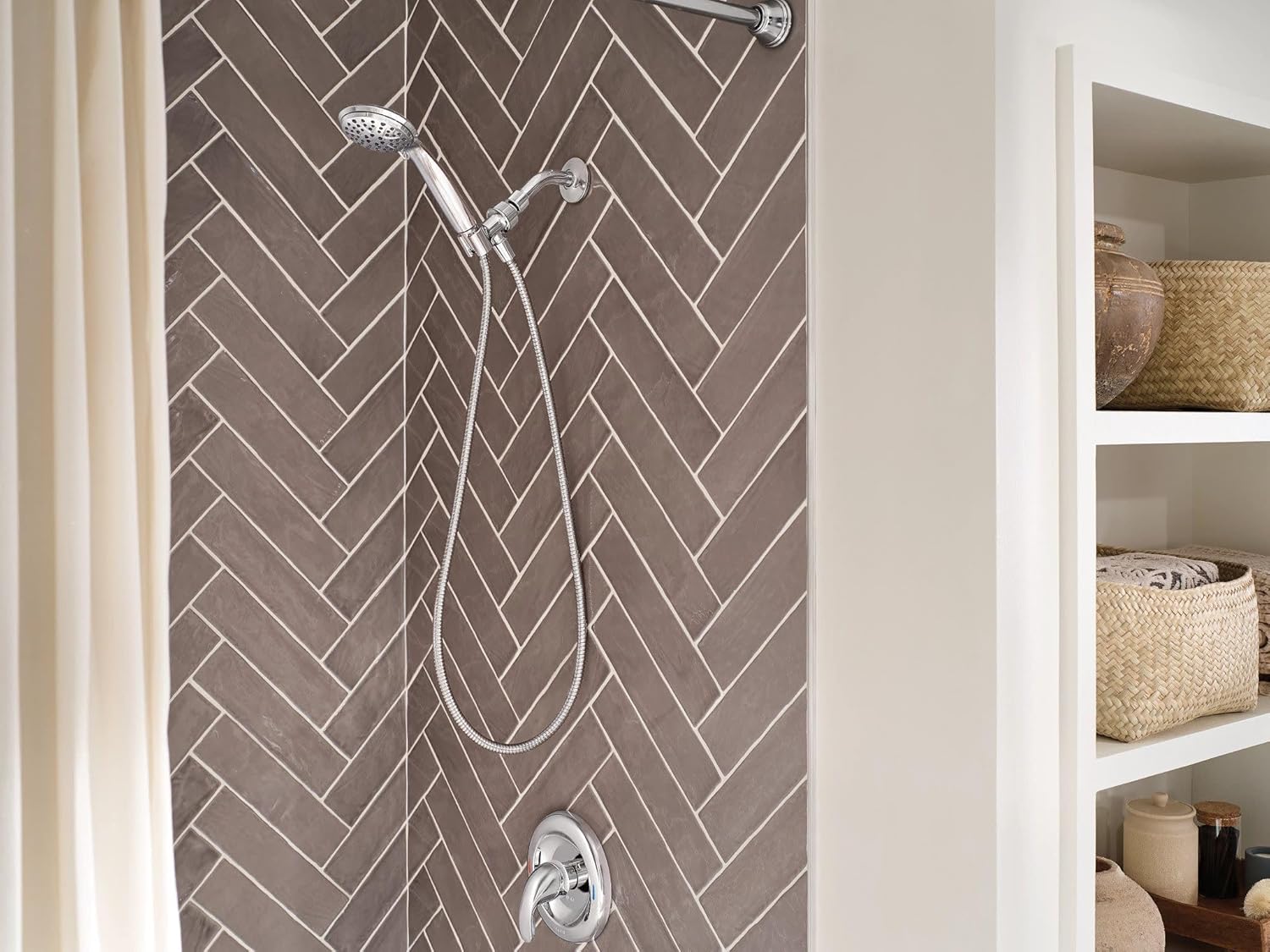
Figure 2: Installed Moen Attune Handheld Shower Head
5. Operating Instructions
Your Moen Attune handheld shower head features 6 distinct spray patterns for a customized experience. To change the spray setting, rotate the dial on the face of the shower head.
- Full Spray: A consistent, broad spray for everyday showering.
- Downpour: A powerful, drenching spray for quick rinsing.
- Relaxing Massage: A gentle, pulsating spray for soothing muscles.
- Massage: A more invigorating, targeted pulsating spray.
- Rinse: A concentrated stream ideal for rinsing hair or cleaning the shower.
- Full Coverage Light: A lighter, full coverage spray.

Figure 3: Moen Attune Shower Head in Operation
6. Maintenance
To maintain the appearance and performance of your Moen Attune shower head, follow these guidelines:
- Cleaning: Clean the chrome finish with a soft, damp cloth. Avoid abrasive cleaners, harsh chemicals, or scouring pads, as these can damage the finish.
- Nozzle Cleaning: The silicone nozzles are designed for easy cleaning. Simply rub the nozzles with your fingers to dislodge any mineral buildup or hard water deposits.
- Hose Care: Periodically wipe down the metal hose to prevent water spots and maintain its shine.
7. Troubleshooting
If you encounter issues with your shower head, refer to the following common solutions:
- Low Water Pressure:
- Ensure the main water supply is fully open.
- Check for kinks in the hose.
- Clean the shower head nozzles and filter screen for mineral buildup.
- Leaks at Connections:
- Ensure all connections are hand-tightened, then gently tightened with a wrench if necessary.
- Verify that washers are correctly seated at each connection point.
- Reapply plumber's tape to the shower arm threads if needed.
- Difficulty Changing Spray Settings:
- Ensure there is no debris obstructing the spray selector dial.
- Clean the shower head face to remove any mineral deposits that might hinder movement.
8. Specifications
| Feature | Detail |
|---|---|
| Brand | Moen |
| Model Number | 218H0 |
| Style | Handheld |
| Finish Type | Polished Chrome |
| Material | Metal, Plastic |
| Number of Spray Settings | 6 |
| Hose Length | 60 Inches |
| Flow Rate | 1.75 GPM (6.65 L/Min) Max |
| Installation Type | Wall Mounted |
| Special Features | Detachable, Easy to Install, Water-efficient |
9. Warranty and Support
This Moen product is backed by a Limited Lifetime Warranty. For specific details regarding warranty coverage, please refer to the official Moen warranty documentation or visit the Moen website.
For technical assistance, replacement parts, or any other inquiries, please contact Moen Customer Support:
- Website: www.moen.com
- Phone: Refer to the Moen website for regional contact numbers.


