
TMEZON MZ-AHD-V716T+MZ-VDP-KE202
TMEZON Video Door Intercom System User Manual
Model: MZ-AHD-V716T+MZ-VDP-KE202
1. Introduction
Thank you for choosing the TMEZON Video Door Intercom System. This manual provides detailed instructions for the installation, operation, and maintenance of your new intercom system. Please read this manual thoroughly before installation and use to ensure proper function and safety.

Image: The TMEZON 7-inch indoor monitor and the outdoor doorbell unit, showcasing the complete video intercom system.
2. Safety Information
- Ensure all power is disconnected before installation or maintenance.
- Do not expose the indoor monitor to high humidity or direct water. The outdoor unit is IP65 waterproof, but avoid submerging it.
- Use only the provided power adapter and cables.
- Keep the system away from strong electromagnetic interference.
- Do not attempt to disassemble or repair the unit yourself. Contact qualified personnel for service.
3. Package Contents
Please check the package for the following items:
- 1 x Indoor Monitor (7-inch TFT Display)
- 1 x Outdoor Call Panel (Doorbell Unit)
- 1 x Monitor Mounting Plate
- 1 x Outdoor Call Panel Bracket
- 1 x Power Adapter
- 1 x Screw Bag (for mounting)
- 1 x Connector Cable Set
- 1 x User Manual (this document)

Image: A visual representation of all components included in the TMEZON video intercom system package, such as the indoor monitor, outdoor call panel, mounting plates, power adapter, screw bag, and connector cables.
4. Product Overview
4.1 Indoor Monitor
The 7-inch indoor monitor features touch buttons for easy operation. It allows you to view visitors, communicate with them, unlock doors, and manage recordings.
- Display: 7-inch TFT LCD
- Controls: Touch buttons for navigation, call, unlock, monitoring, and hang up.
- Functions: Video intercom, door unlocking, monitoring, automatic snapshot/recording, multi-language support.
4.2 Outdoor Call Panel
The outdoor call panel is designed for outdoor use with an IP65 waterproof rating. It includes a camera, microphone, speaker, and call button.
- Camera: High-resolution camera with wide viewing angle.
- Night Vision: IR LEDs for clear vision in low light conditions.
- Durability: IP65 waterproof and suitable for temperatures from -20°C to 60°C.

Image: Detailed dimensions of both the indoor monitor and the outdoor call panel, indicating their physical size for installation planning.
5. Setup and Installation
5.1 Wiring Diagram
The system uses 4-wire technology for connection between the indoor monitor and the outdoor call panel. Ensure correct polarity when connecting the wires.

Image: A comprehensive wiring diagram illustrating how to connect the indoor monitor, outdoor call panel, and optional external devices like electric locks and exit buttons.
5.2 Mounting the Outdoor Call Panel
- Choose a suitable location near your entrance, typically at eye level.
- Use the outdoor call panel bracket as a template to mark drilling holes on the wall.
- Drill the holes and insert wall plugs.
- Secure the bracket to the wall using the provided screws.
- Connect the wiring from the outdoor unit to the main cable.
- Attach the outdoor call panel to the mounted bracket.
5.3 Mounting the Indoor Monitor
- Select a convenient indoor location, such as a hallway or living room wall.
- Use the monitor mounting plate as a template to mark drilling holes.
- Drill the holes and insert wall plugs.
- Secure the mounting plate to the wall.
- Connect the wiring from the outdoor unit and power adapter to the monitor.
- Carefully slide the monitor onto the mounting plate until it clicks into place.

Image: The indoor monitor is shown connected to a standard wall power outlet, illustrating the power connection method.
6. Operating Instructions
6.1 Answering a Call
When a visitor presses the call button on the outdoor unit, the indoor monitor will ring and display the visitor's image.
- Touch the Call icon on the monitor to answer the call and begin two-way communication.
- To end the conversation, touch the Hang Up icon.
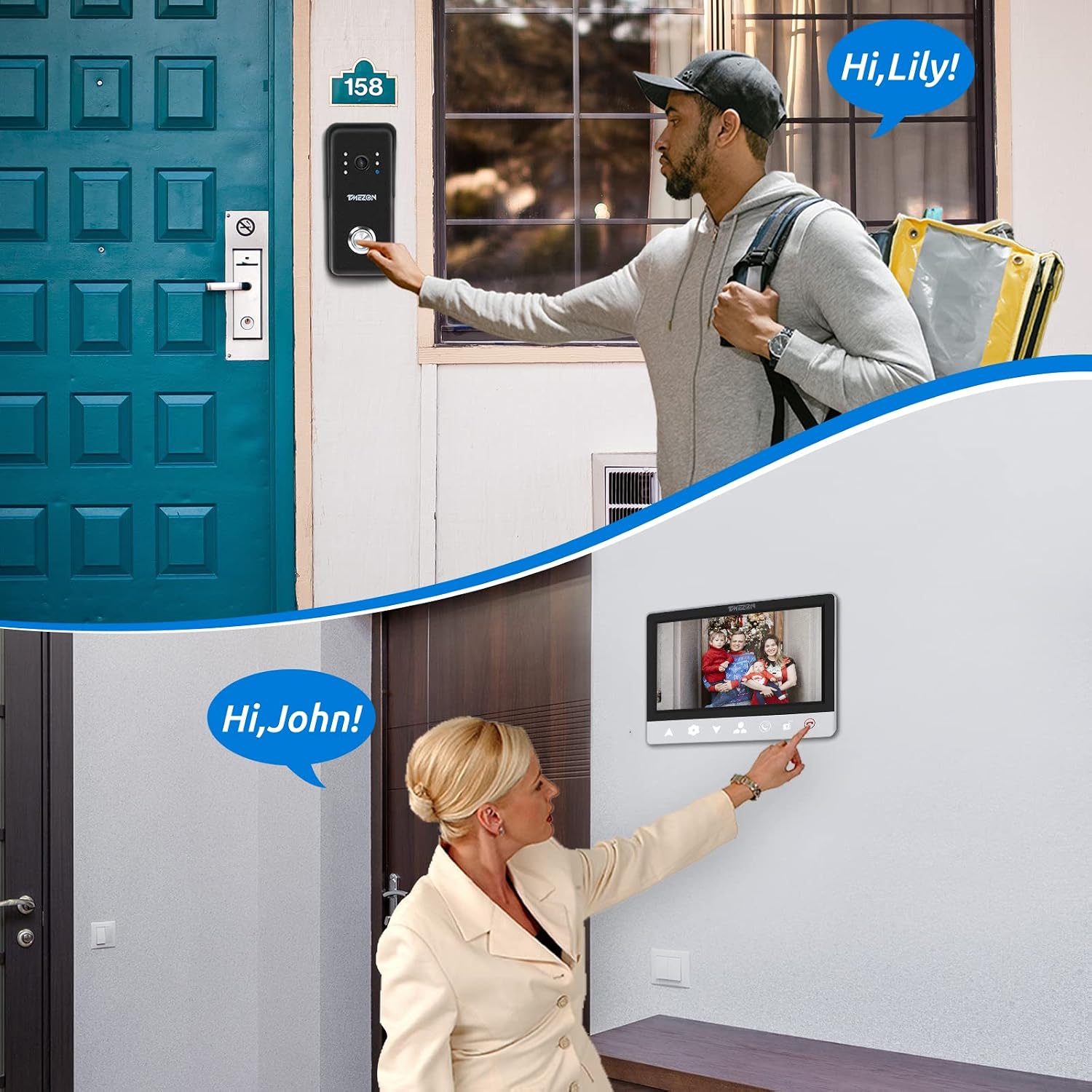
Image: A person is shown pressing the doorbell button on the outdoor unit, while simultaneously, another person is interacting with the indoor monitor to answer the call, demonstrating the communication flow.
6.2 Unlocking the Door
If connected to an electric lock (not included), you can unlock the door directly from the indoor monitor.
- During a call or while monitoring, touch the Unlock icon on the monitor.
- The door will unlock for a preset duration.

Image: A hand is shown touching the unlock icon on the TMEZON indoor monitor, indicating the function to remotely open a connected door lock.
6.3 Monitoring
You can manually view the outdoor camera feed at any time.
- Touch the Monitoring icon on the monitor to view the live feed from the outdoor unit.
- Touch the Hang Up icon to exit monitoring mode.
6.4 Automatic Snapshot/Recording
The system can automatically capture snapshots or record video when a visitor presses the call button or when motion is detected (if enabled).
- Ensure a Micro SD card (up to 32GB, not included) is inserted into the monitor for storage.
- Captured images and videos are stored on the SD card and can be reviewed via the monitor's menu.

Image: The TMEZON outdoor unit is depicted capturing an image or video of a person, highlighting its security and recording capabilities.

Image: The TMEZON monitor displays icons representing image capture, video recording, and Micro SD card functionality, indicating its multimedia capabilities.
6.5 Language Settings
The monitor supports multiple languages for its interface.
- Access the system settings menu on the monitor.
- Navigate to the 'Language' option and select your preferred language (e.g., English, French, German, Spanish, Italian).

Image: The TMEZON monitor screen showing the language selection menu, with options for English, French, German, Spanish, and Italian.
7. Maintenance
- Clean the monitor screen and outdoor unit lens with a soft, dry cloth. Avoid abrasive cleaners.
- Regularly check all cable connections to ensure they are secure.
- For the outdoor unit, periodically clear any debris or dirt from the camera lens and microphone/speaker areas.
- Ensure the outdoor unit's protective cover (if applicable) is properly seated to maintain its IP65 rating.

Image: The TMEZON outdoor unit is shown installed on a wall during rainfall, emphasizing its IP65 waterproof rating and ability to withstand various weather conditions.
8. Troubleshooting
| Problem | Possible Cause | Solution |
|---|---|---|
| No image on monitor | Power disconnected; Loose wiring; Faulty camera. | Check power supply; Reconnect wires securely; Contact support if camera is faulty. |
| No sound during intercom | Loose audio wiring; Microphone/speaker issue. | Check audio connections; Ensure volume is not muted; Contact support. |
| Door unlock not working | Incorrect wiring to electric lock; Lock malfunction. | Verify wiring according to diagram; Test the electric lock independently. |
| Monitor not responding to touch | Temporary software glitch; Screen damage. | Restart the monitor by disconnecting and reconnecting power; If issue persists, contact support. |
9. Specifications
- Model Number: MZ-AHD-V716T+MZ-VDP-KE202
- Monitor Size: 7-inch TFT Display
- Connectivity: 4-Wire Wired System
- Outdoor Unit Protection: IP65 Waterproof
- Operating Temperature (Outdoor): -20°C to 60°C
- Storage: Supports Micro SD Card (up to 32GB) for snapshots/recording
- Power Supply: AC100V-240V (via included power adapter)
- Package Dimensions: 24.1 x 18 x 9.3 cm
- Package Weight: 850 g
10. Warranty and Support
For warranty information and technical support, please refer to the warranty card included with your product or visit the official TMEZON website. Keep your purchase receipt as proof of purchase for warranty claims.
Related documentsMZ-AHD-V716T+MZ-VDP-KE202


Ask a question about this manual
Ask about setup, troubleshooting, compatibility, parts, safety, or missing instructions. Manuals+ will review the question and use this page’s manual context to help answer it.