Introduction
The BRASQ Key Cabinet KC300 provides a central and secure storage solution for your keys. This key safe is designed to accommodate up to 20 keys and features a robust combination lock, ensuring organized and protected key management. It is an indispensable tool in environments where multiple keys are frequently used.
Constructed from durable metal, this key cabinet offers reliable security. It comes in a light grey finish and is equipped with a combination lock, which allows multiple authorized individuals to access necessary keys without the need for physical key distribution.
Setup and Installation
The BRASQ Key Cabinet is designed for convenient wall mounting. It features pre-drilled holes for easy and secure attachment to a suitable surface. All necessary mounting materials are included with your purchase.
Installation Steps:
- Choose a Location: Select a sturdy wall surface that can support the weight of the key cabinet and its contents. Ensure the location is discreet and easily accessible to authorized users.
- Mark Drilling Points: Hold the key cabinet against the wall at the desired height and use a pencil to mark the positions of the mounting holes on the wall.
- Drill Holes: Using an appropriate drill bit for your wall type (e.g., masonry for concrete, wood for studs), drill holes at the marked points.
- Insert Wall Plugs: If drilling into masonry or drywall, insert the provided wall plugs into the drilled holes.
- Mount the Cabinet: Align the key cabinet's mounting holes with the drilled holes (or wall plugs) and secure it firmly using the provided screws. Ensure the cabinet is level and tightly fastened to prevent movement.

Image: Rear view of the BRASQ Key Cabinet, highlighting the pre-drilled mounting holes and the included screws and wall plugs for installation.

Image: Side view illustrating the dimensions of the key cabinet: 20 cm height, 16 cm width, and 7.5 cm depth.
Safety Warning:
Always mount the cabinet securely to prevent it from falling. Improper installation can lead to injury or damage.
Operating the Combination Lock
The BRASQ Key Cabinet is secured by a combination lock. It is crucial to keep your combination confidential to prevent unauthorized access.
Initial Combination and Changing the Code:
Typically, new combination locks come with a factory-set default code (e.g., 0-0-0). Please check the packaging or any small leaflet included with your key cabinet for the specific default code and detailed instructions on how to set or change your personal combination. If no specific instructions are provided, the general steps for changing a 3-digit combination lock are as follows:
- Open the Lock: Dial the current (or default) combination to open the lock.
- Locate the Reset Mechanism: Inside the lock mechanism, usually on the back or side, there is a small lever or button. This is often marked with an arrow or a 'SET' indicator.
- Set New Combination: While the lock is open, move the lever to the 'SET' position (or press and hold the button). Then, dial your desired new combination.
- Confirm New Combination: Return the lever to its original position (or release the button). Your new combination is now set.
- Test the New Code: Scramble the dials and then try to open the lock using your new combination to ensure it works correctly before closing the cabinet.
Remember your new combination. There is no master key or override for forgotten combinations on most mechanical combination locks.
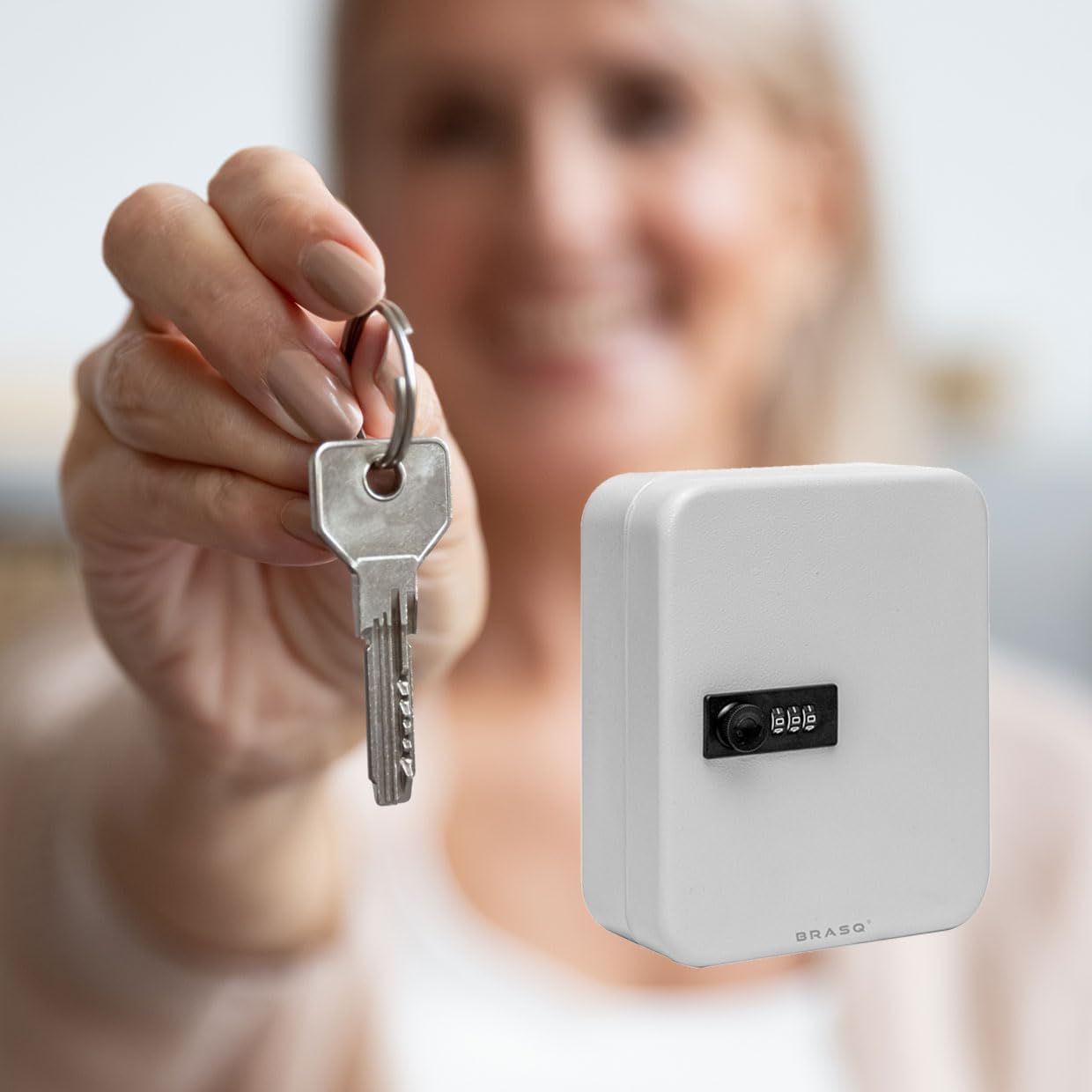
Image: Front view of the BRASQ Key Cabinet, clearly showing the integrated combination lock.
Key Organization:
The interior of the cabinet is equipped with hooks to hang your keys. Key tags are often used to label and organize keys efficiently.

Image: Interior view of the BRASQ Key Cabinet, displaying the multiple hooks designed for key organization.
Maintenance
To ensure the longevity and proper functioning of your BRASQ Key Cabinet, follow these simple maintenance guidelines:
- Cleaning: Wipe the exterior and interior surfaces with a soft, damp cloth. Avoid using abrasive cleaners or solvents, as these can damage the finish.
- Lock Mechanism: The combination lock is generally maintenance-free. If the dials become stiff, a small amount of graphite powder (not oil) can be applied to the mechanism.
- Mounting Check: Periodically check the mounting screws to ensure they remain tight and secure. Re-tighten if necessary to maintain stability.
- Key Hooks: Ensure key hooks are not bent or damaged. Replace if necessary to prevent keys from falling.
Troubleshooting
Here are some common issues and their potential solutions:
- Cabinet will not open:
- Ensure you are dialing the correct combination. Double-check each digit.
- Make sure the dials are precisely aligned with the indicator mark.
- If the combination was recently changed, ensure you are using the new code.
- Dials are stiff or hard to turn:
- Clean any dust or debris from around the dials.
- Apply a small amount of graphite powder to the dial mechanism. Do not use oil-based lubricants.
- Cabinet feels loose on the wall:
- Check and tighten all mounting screws.
- If the wall plugs are loose, consider relocating the cabinet or using larger/more secure wall anchors.
If you encounter persistent issues that cannot be resolved with these steps, please contact customer support for further assistance.
Product Specifications
| Feature | Detail |
|---|---|
| Brand | BRASQ |
| Model Name | KC300 |
| Model Numbers | 8602603, 100 |
| Capacity | 20 keys |
| Material | Metal |
| Lock Type | Combination Lock (Keyless Lock System) |
| Color | Grey |
| Dimensions (L x W x H) | 16 x 20 x 7.5 cm |
| Mounting | Wall Mount (mounting material included) |
| Weight | 800 g |

Image: Front view of the BRASQ Key Cabinet, accompanied by icons indicating its grey color, combination lock feature, and 1-year warranty.
Warranty Information
The BRASQ Key Cabinet KC300 comes with a 1-year warranty from the date of purchase. This warranty covers manufacturing defects under normal use. Please retain your proof of purchase for any warranty claims.
The warranty does not cover damage resulting from improper installation, misuse, unauthorized modifications, or normal wear and tear.
Customer Support
For further assistance, technical support, or warranty claims, please contact the retailer or manufacturer directly. Refer to your purchase documentation for specific contact details.
When contacting support, please have the following information ready:
- Product Model: BRASQ Key Cabinet KC300
- Model Numbers: 8602603, 100
- Date of Purchase
- Description of the issue


