
Introduction
This user manual provides detailed instructions for the safe and effective operation, maintenance, and care of your VGR V-172 Professional Multi-Grooming Kit. Please read this manual thoroughly before first use and retain it for future reference. Proper use and maintenance will ensure optimal performance and extend the lifespan of your device.
Important Safety Information
WARNING:
- Avoid use near water.
- Do not use on wet skin.
- Unplug the device when not in use.
- Keep out of reach of children.
- Do not disassemble or attempt to repair the device yourself.
- Use only the charger provided with the device.
Failure to follow these safety guidelines may result in electric shock, injury, or damage to the product.
Product Overview
The VGR V-172 Professional Multi-Grooming Kit is designed for versatile grooming of face, hair, and body. It features high-carbon self-sharpening ceramic titanium blades for precision and durability.

Image: The VGR V-172 main grooming unit, showcasing its ergonomic design and power indicator light.
Kit Components and Attachments:

Image: An overview of all included components: the main trimmer unit, various trimmer heads, guide combs, charging cable, cleaning brush, and oil bottle.
- Main Trimmer Unit: The core device with power button and charging indicator.
- Hair Clipper Head: For general hair cutting and trimming.
- Beard Trimmer Head: Specifically designed for beard and mustache styling.
- Detail Trimmer Head: For precise lines, edges, and intricate styling.
- Micro Shaver Head: For a close, smooth finish on smaller areas.
- Ear & Nose Trimmer Head: For safe and comfortable removal of unwanted ear and nose hair.
- Guide Combs:
- 4 Hair Trimming Combs (3mm, 6mm, 9mm, 12mm)
- 1 Adjustable Beard Guide Comb (3-8mm)
- Charging Cable: USB cable for recharging the device.
- Cleaning Brush: For removing hair debris from blades.
- Lubricating Oil: For maintaining blade performance.
- Storage Base: For organizing the trimmer and its attachments.

Image: The main trimmer unit shown with different interchangeable heads, including the full-size trimmer, precision trimmer, design trimmer, nose trimmer, and shaver head.
Setup
1. Initial Charging
Before first use, fully charge the grooming kit. Connect the charging cable to the trimmer and plug it into a suitable power source. The charging indicator light will illuminate. A full charge typically takes several hours. Unplug the device once fully charged.
2. Attaching/Detaching Trimmer Heads
- To attach a head: Align the desired trimmer head with the main unit and press it down until it clicks securely into place.
- To detach a head: Hold the main unit firmly and gently push the trimmer head upwards or press the release button (if present) to remove it.
3. Attaching Guide Combs
- Select the appropriate guide comb for your desired hair length.
- Slide the comb onto the trimmer head until it locks into position. Ensure it is firmly attached before use.
- To remove, gently pull the comb away from the trimmer head.
Operating Instructions
Always ensure your skin is clean and dry before grooming. For best results, trim against the direction of hair growth.
General Operation:
- Review the attachments and select the appropriate one for the desired grooming task.
- Place the attachment on the trimmer, ensuring it is securely locked in place.
- Power on the trimmer by pressing the power button.
- Proceed to trim the desired facial or body hair.
- Power off the trimmer after use.
Specific Attachment Usage:
1. Hair Clipper / Beard Trimmer Head:
- Attach the desired guide comb (3mm, 6mm, 9mm, 12mm for hair; adjustable 3-8mm for beard).
- Hold the trimmer with the blades flat against the skin or at a slight angle, moving against the direction of hair growth.
- Use slow, controlled movements for an even trim.

Image: A close-up view of the trimmer's ceramic titanium blade, highlighting its precision cutting edge.
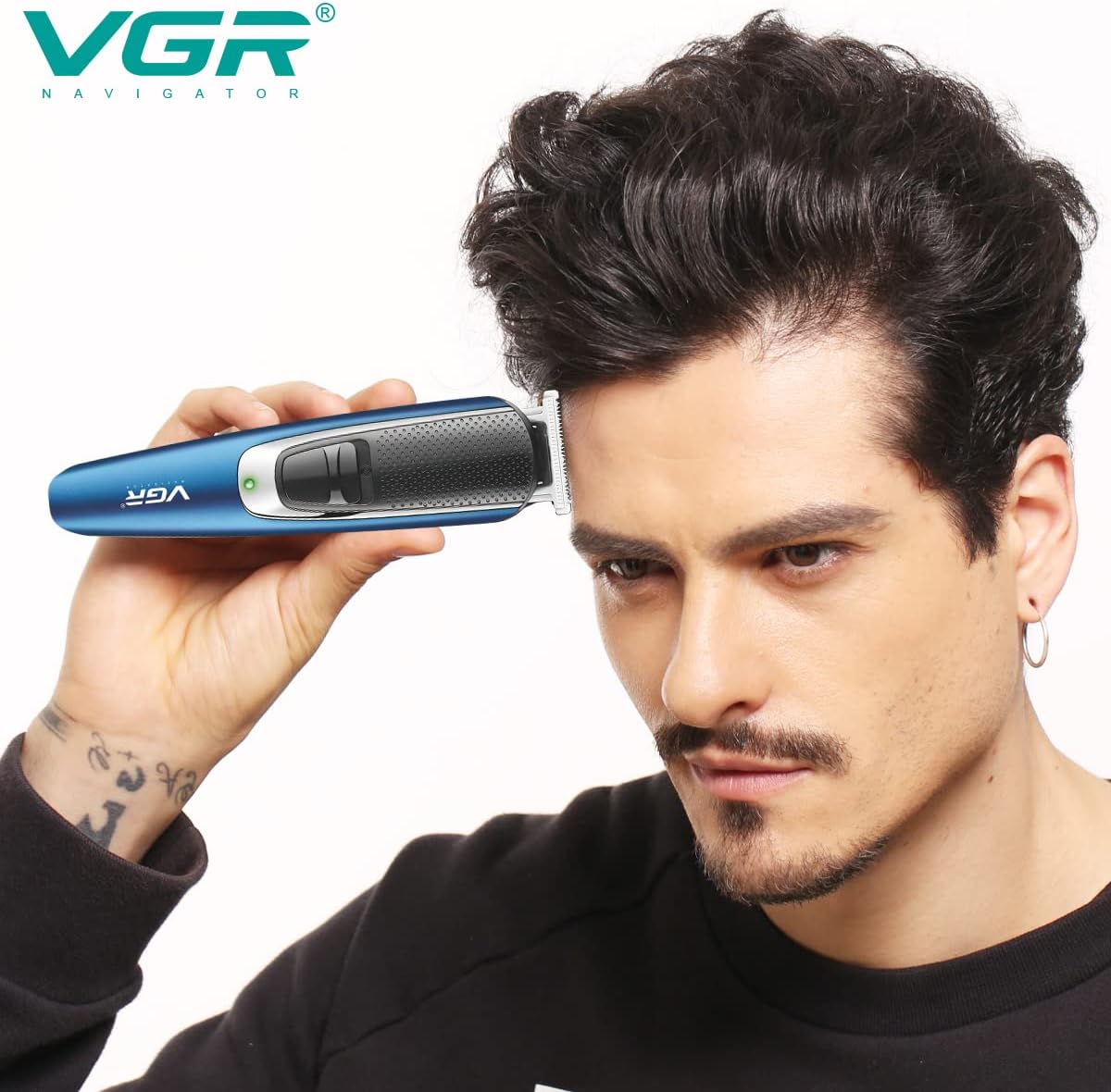
Image: A user demonstrating the VGR V-172 trimmer being used to trim hair, illustrating proper handling and application.
2. Detail Trimmer Head:
- Use without a guide comb for precise edging, shaping sideburns, goatees, or creating sharp lines.
- Hold the trimmer perpendicular to the skin for crisp lines.
3. Micro Shaver Head:
- For a smooth finish after trimming.
- Stretch the skin taut and move the shaver in small, circular motions or straight strokes.
4. Ear & Nose Trimmer Head:
- Gently insert the trimmer tip into the nostril or ear canal.
- Move it slowly to trim unwanted hair. Do not insert too deeply.
Maintenance and Cleaning
Regular cleaning and maintenance are essential for optimal performance and hygiene.
1. After Each Use:
- Turn off and unplug the trimmer.
- Remove the trimmer head and guide comb.
- Use the provided cleaning brush to remove any loose hairs from the blades and the trimmer body.
- Rinse the attachment heads and guide combs under warm running water. Ensure they are completely dry before reattaching or storing. Do not rinse the main trimmer body under water.
2. Oiling the Blades:
After every few uses, or if the blades feel sluggish, apply a small drop of the provided lubricating oil to the blades. Turn on the trimmer for a few seconds to distribute the oil evenly. This helps maintain blade sharpness and smooth operation.
3. Storage:
Store the grooming kit and all its attachments in a dry place, away from direct sunlight and moisture. Use the provided storage base to keep components organized and protected.
Troubleshooting
If you encounter issues with your VGR V-172 grooming kit, please refer to the following common problems and solutions:
| Problem | Possible Cause | Solution |
|---|---|---|
| Trimmer does not turn on. | Battery is depleted. | Charge the trimmer fully. |
| Trimmer runs slowly or pulls hair. | Blades are clogged with hair or not lubricated. | Clean the blades thoroughly and apply lubricating oil. |
| Attachment head falls off during use. | Attachment not securely fastened. | Ensure the attachment head clicks firmly into place. |
| Reduced cutting performance. | Blades may be dull or damaged. | Ensure blades are clean and oiled. If problem persists, contact customer support. |
If the problem persists after attempting these solutions, please contact VGR customer support for further assistance.
Specifications
| Model Number | V-172 |
| Power Source | Battery Powered (1 Lithium Ion battery required) |
| Blade Material | Ceramic, Titanium |
| Product Dimensions | 23 x 17 x 8 cm |
| Item Weight | 2 Kilograms |
| Special Features | Corded, Portable, Rechargeable |
| Recommended Uses | Multi Grooming kit (Face, Hair, Body) |
Warranty and Support
VGR products are manufactured to high-quality standards. For information regarding warranty coverage, please refer to the warranty card included with your product or visit the official VGR website. If you require technical support, have questions about your product, or need to report a defect, please contact VGR customer service through their official channels.
Please retain your proof of purchase for warranty claims.
