
LIGE MLG8953A
LIGE Men's Analog Quartz Chronograph Watch - User Manual
Model: MLG8953A
1. Introduction
Thank you for choosing the LIGE Men's Analog Quartz Chronograph Watch. This manual provides detailed instructions for the proper use, setup, and maintenance of your new timepiece. Please read this manual thoroughly to ensure optimal performance and longevity of your watch.

Front view of the LIGE Men's Analog Quartz Chronograph Watch.
2. Product Features
- Analog Quartz Movement: Provides accurate timekeeping.
- Chronograph Function: Features three working sub-dials for precise time measurement.
- Date Display: Convenient calendar function.
- 24-Hour Display / Moon Phase Indicator: A sub-dial indicating 24-hour time or a decorative moon/sun display.
- Luminous Hands: Hour and minute hands glow in the dark after absorbing sufficient light.
- 3ATM Water Resistance: Suitable for daily use like hand washing and rain exposure.
- Durable Construction: Stainless steel case and ore crystal glass for scratch resistance.
- Comfortable Strap: Premium brown leather strap.
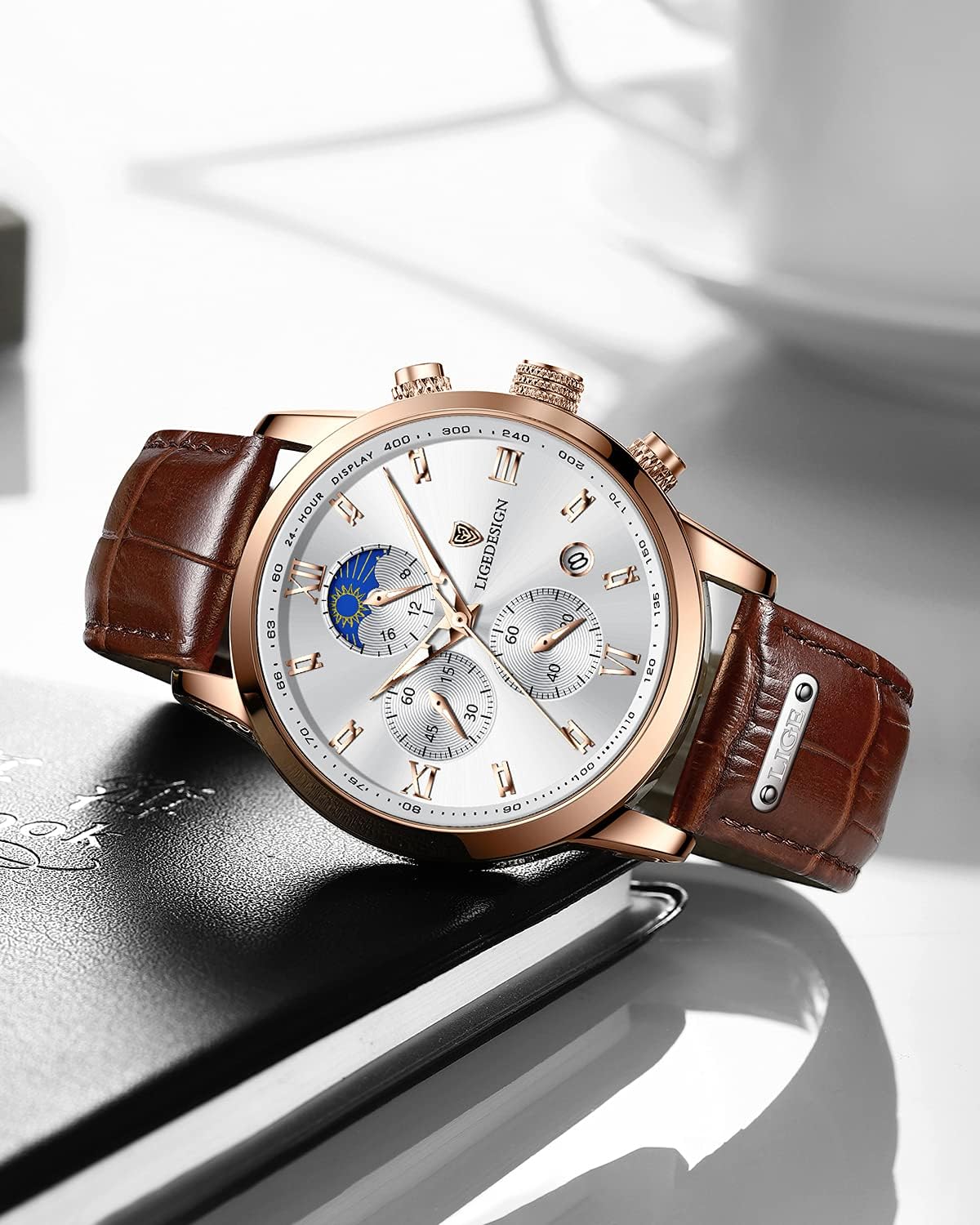
The LIGE watch with its brown leather strap and rose gold accents.
3. Components and Controls
Familiarize yourself with the different parts and controls of your LIGE watch:

Detailed diagram of watch functions and controls.
- Crown (A): Used for setting time and date.
- Button 1 (B): Start/Pause for the chronograph.
- Button 2 (C): Reset for the chronograph.
- 24-Hour Display / Moon Phase Sub-dial (1): Shows 24-hour time or a decorative moon/sun.
- Minute Chronograph Sub-dial (2): Measures elapsed minutes for the chronograph.
- Seconds Chronograph Sub-dial (3): Measures elapsed seconds for the chronograph.
- Date Window (4): Displays the current date.
4. Setup and Initial Use
4.1 Setting the Time
- Pull the crown (A) out to position 2. The watch hands will stop.
- Rotate the crown (A) to move the hour and minute hands clockwise until the desired time is set. Pay attention to the 24-hour sub-dial to distinguish AM/PM if applicable.
- Push the crown (A) back to position 0 to start the watch.
4.2 Setting the Date
- Pull the crown (A) out to position 1.
- Rotate the crown (A) clockwise or counter-clockwise (depending on the model) to adjust the date in the date window (4).
- Once the correct date is set, push the crown (A) back to position 0.
- Note: Avoid setting the date between 9:00 PM and 3:00 AM, as this may interfere with the automatic date change mechanism. If you need to set the date during this period, first set the time outside this range, then adjust the date, and finally reset the time.
5. Operating the Chronograph
The chronograph function allows you to measure elapsed time.
- Starting the Chronograph: Press Button 1 (B) to start the chronograph. The seconds chronograph sub-dial (3) will begin to move.
- Pausing the Chronograph: Press Button 1 (B) again to pause the chronograph. The sub-dials will stop, showing the elapsed time.
- Resuming the Chronograph: Press Button 1 (B) again to resume timing from where it was paused.
- Resetting the Chronograph: While the chronograph is stopped (either paused or after a measurement), press Button 2 (C) to reset all chronograph hands to their zero positions.
6. Water Resistance Guidelines
Your LIGE watch is rated for 3ATM (30 meters) water resistance. This means it is suitable for daily use and can withstand splashes, rain, and hand washing. However, it is not designed for activities involving submersion in water.
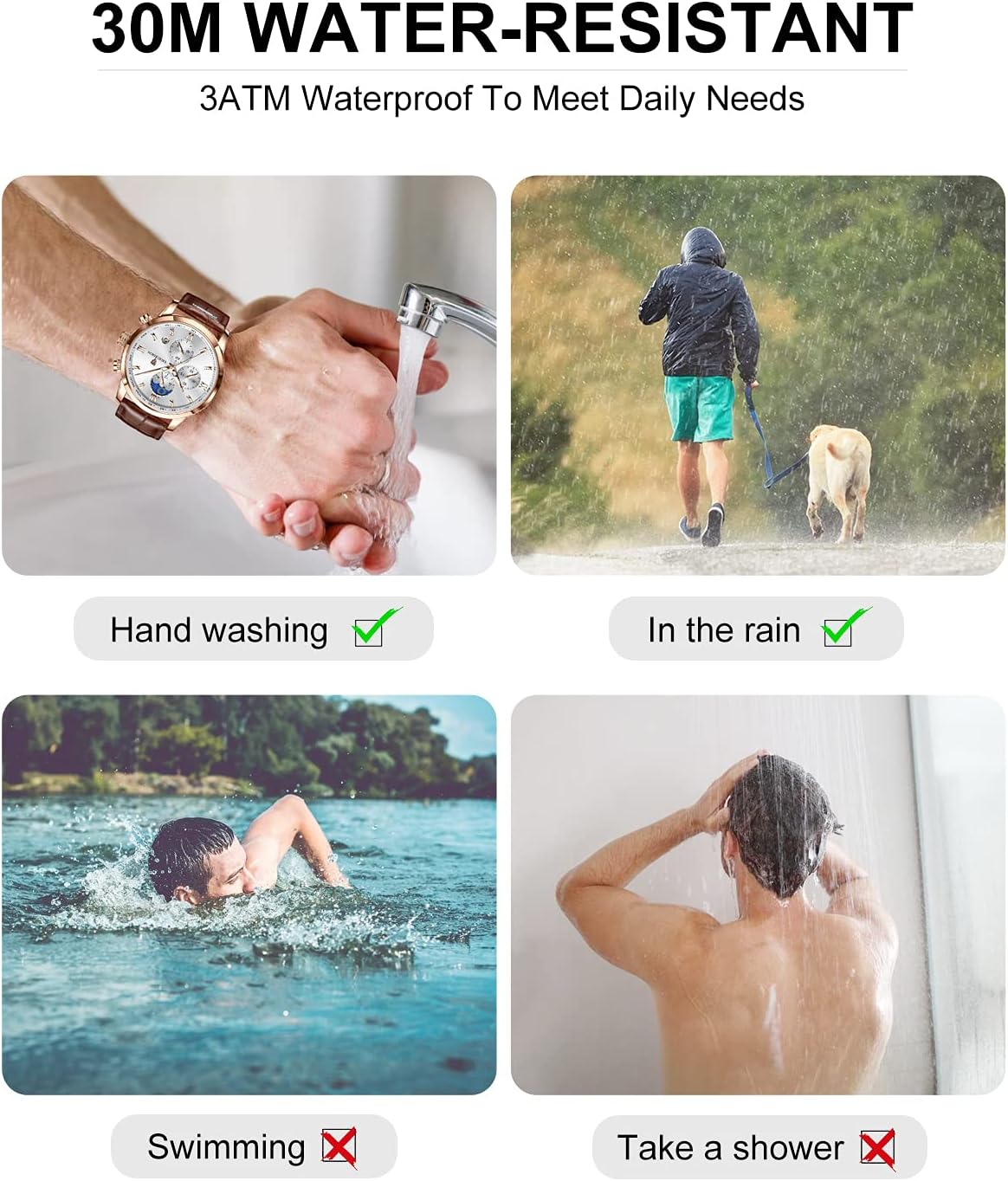
Visual guide for 30M water resistance.
Do's and Don'ts:
- DO: Wear during hand washing.
- DO: Wear in light rain.
- DO NOT: Wear while swimming or diving.
- DO NOT: Wear in the shower or bath.
- DO NOT: Operate the crown or buttons while the watch is wet or submerged.
- DO NOT: Expose to hot water or steam, as this can compromise the seals.
7. Maintenance and Care
- Cleaning: Wipe the watch case and strap regularly with a soft, dry cloth to remove dust and dirt. For the leather strap, avoid excessive moisture.
- Avoid Chemicals: Do not expose the watch to solvents, detergents, perfumes, or cosmetic sprays, as these can damage the case, strap, or seals.
- Temperature Extremes: Avoid exposing the watch to extreme temperatures (hot or cold) or sudden temperature changes, which can affect accuracy and water resistance.
- Magnetic Fields: Keep the watch away from strong magnetic fields (e.g., speakers, refrigerators, mobile phones) as they can affect the quartz movement's accuracy.
- Battery Replacement: The watch is powered by an LR44 battery. When the watch stops or runs erratically, it may be time for a battery replacement. It is recommended to have this done by a professional watch repair service to ensure proper sealing and water resistance.
- Strap Care: The brown leather strap is durable but can be affected by sweat, moisture, and direct sunlight. Allow it to air dry if it gets wet, and avoid prolonged exposure to direct sunlight to prevent fading or cracking.

Rear view of the watch, highlighting the stainless steel case back.
8. Troubleshooting
| Problem | Possible Cause | Solution |
|---|---|---|
| Watch stops or runs erratically. | Low battery. | Replace the battery (LR44). Recommended to be done by a professional. |
| Hands do not move after setting time. | Crown not pushed back to position 0. | Ensure the crown is fully pushed in. |
| Date does not change automatically. | Time set incorrectly (e.g., AM/PM confusion). | Adjust the time past 12 AM to ensure the date changes. If not, reset the time and date. |
| Chronograph hands do not reset to zero. | Minor misalignment or internal issue. | Try pressing Button 2 (C) firmly. If issue persists, professional service may be required. |
| Condensation inside the watch. | Exposure to extreme temperature changes or compromised water resistance. | Seek professional service immediately to prevent damage to the movement. Avoid further water exposure. |
9. Specifications
| Model Number | MLG8953A |
| Brand | LIGE |
| Movement Type | Quartz |
| Water Resistance | 3ATM (30 meters) |
| Case Material | Stainless Steel |
| Dial Window Material | Ore Crystal Glass |
| Strap Material | Brown Leather |
| Battery Type | 1 LR44 battery (included) |
| Package Dimensions | 16.89 x 7.59 x 2.39 cm |
| Item Weight | 56.5 g |
10. Warranty and Support
LIGE provides comprehensive support for your watch:
- Money Back Guarantee: Unconditional money back within 60 days of receipt of goods.
- Product Quality Maintenance: 12 months product quality maintenance.
- Customer Service: If you have any issues or questions about the product, please contact us. We aim to respond within 24 hours.
For further assistance, please refer to the contact information provided with your purchase or visit the official LIGE website.
Related documentsMLG8953A


Ask a question about this manual
Ask about setup, troubleshooting, compatibility, parts, safety, or missing instructions. Manuals+ will review the question and use this page’s manual context to help answer it.