
SV3C HX01
SV3C PTZ WiFi Outdoor Security Camera (Model HX01) - User Manual
1. Introduction
This manual provides comprehensive instructions for the installation, operation, and maintenance of your SV3C PTZ WiFi Outdoor Security Camera (Model HX01). Please read this manual thoroughly before using the product to ensure proper functionality and safety.

Figure 1: SV3C PTZ WiFi Outdoor Security Camera (Model HX01)
2. Package Contents
Verify that all items listed below are included in your package:
- SV3C PTZ WiFi Camera (Model HX01)
- Power Adapter
- Mounting Hardware (screws, anchors)
- Antenna
- Instruction Manual
- Waterproof Kit for network cable
3. Setup
3.1 Physical Installation
The camera features an all-aluminum casing and IP67 weatherproof rating, making it suitable for outdoor installation. Use the provided mounting hardware to securely attach the camera to a wall or suitable surface. Ensure the camera is positioned to cover the desired monitoring area.
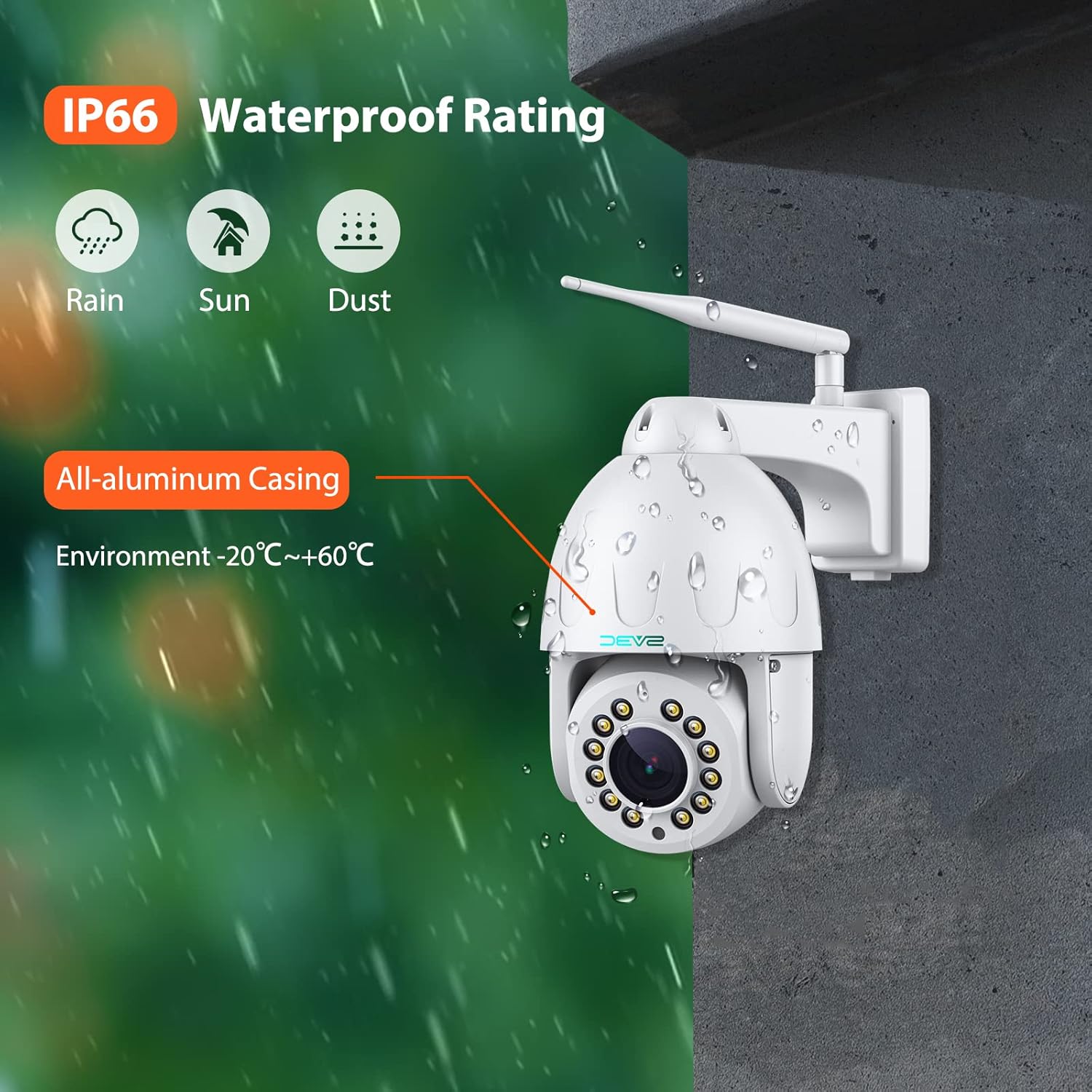
Figure 2: Camera mounted on an exterior wall, showing its weatherproof design.
3.2 Power and Network Connection
Connect the camera to the power adapter. For network connectivity, you can use either Wi-Fi or an Ethernet cable. If using an Ethernet cable, ensure the waterproof kit is properly installed to protect the connection.
The camera supports both wired (Ethernet) and wireless (Wi-Fi) connections. For initial setup, a wired connection might be more stable. The camera also includes a reset button for factory reset if needed.
3.3 Micro SD Card Installation
The camera supports up to a 128GB Micro SD card for local storage. To install, locate the Micro SD card slot, typically found under a removable plate on the camera body. Insert the card gently until it clicks into place.

Figure 3: Illustration showing the location of the Micro SD card slot.
3.4 App Connection (CamHiPro)
Download the "CamHiPro" app from your device's app store. Follow the in-app instructions to add your camera. This typically involves scanning a QR code on the camera and connecting to your Wi-Fi network. Ensure your phone is connected to a 2.4GHz Wi-Fi network during setup for optimal compatibility.
4. Operating Instructions
4.1 Pan, Tilt, and Optical Zoom
The camera offers 355° pan and 90° tilt capabilities, providing a 360° viewing angle. It features a 15X optical zoom auto-focus lens for clear details even when zoomed in. Control these movements and zoom levels directly through the CamHiPro app.

Figure 4: Visual representation of the camera's pan, tilt, and optical zoom capabilities.
4.2 Humanoid Tracking & Motion Detection
The camera includes smart human detection to reduce false alarms. Upgraded humanoid tracking allows the camera to automatically zoom and follow detected human figures. Motion notifications can be configured via the CamHiPro app or email.
To activate auto-tracking, call preset "67" in the app. To end auto-tracking, call preset "68".
Figure 5: Interface showing humanoid detection and auto-tracking features in action.
4.3 Night Vision Modes
The 5MP WiFi Floodlight Camera offers three night vision modes: infrared, full color, and smart mode. With 12 lamp beads, the night vision distance can reach up to 210ft. Select your preferred mode through the app settings.
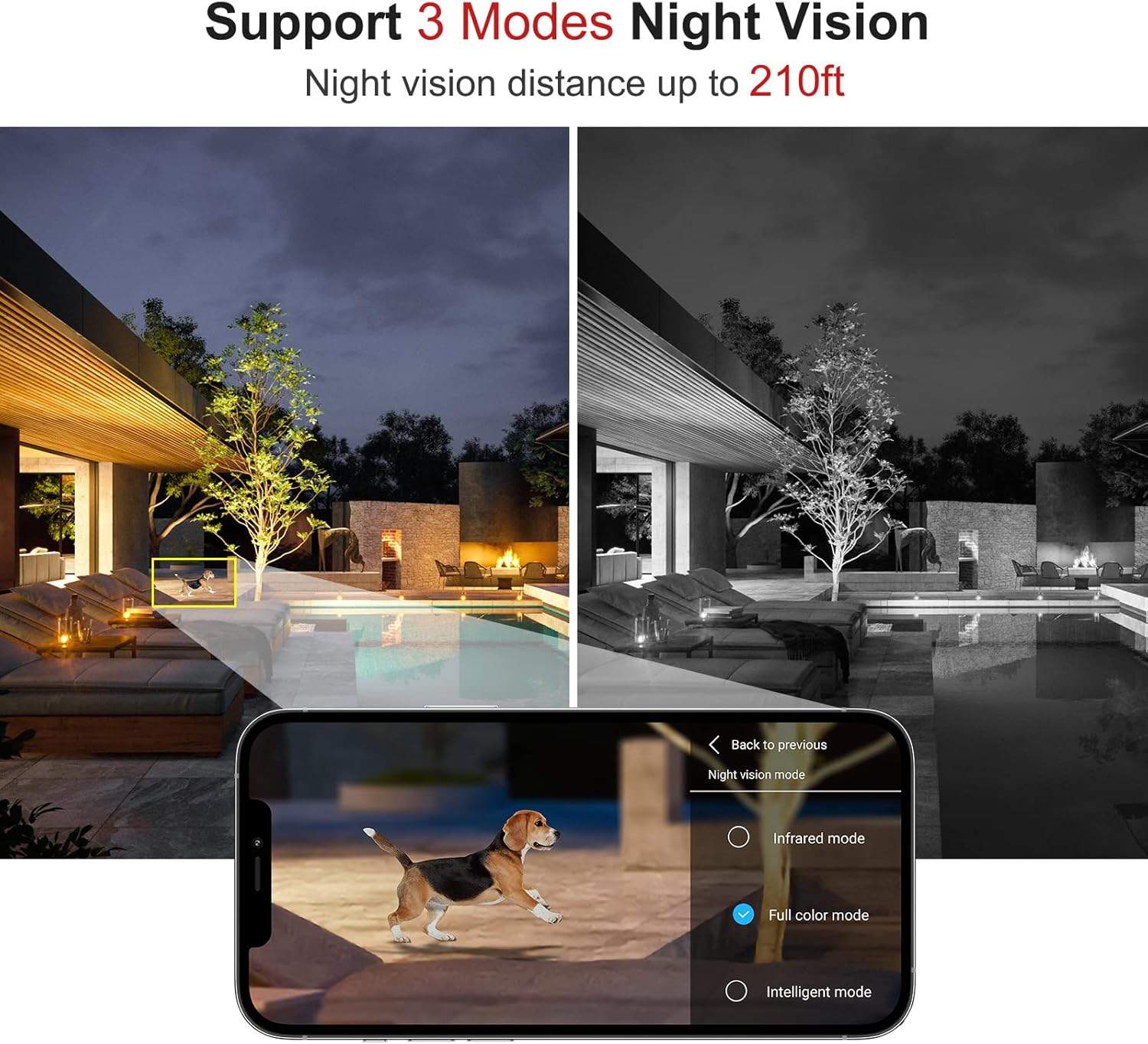
Figure 6: Comparison of different night vision modes (infrared, full color, smart mode).
4.4 Two-Way Audio & Presets
The built-in microphone and speaker enable two-way audio communication. You can speak to individuals near the camera or use the sound feature as an alert. The camera supports 64 customizable preset positions, allowing quick switching between different viewing angles.

Figure 7: Depiction of the two-way audio function, showing communication through the camera.
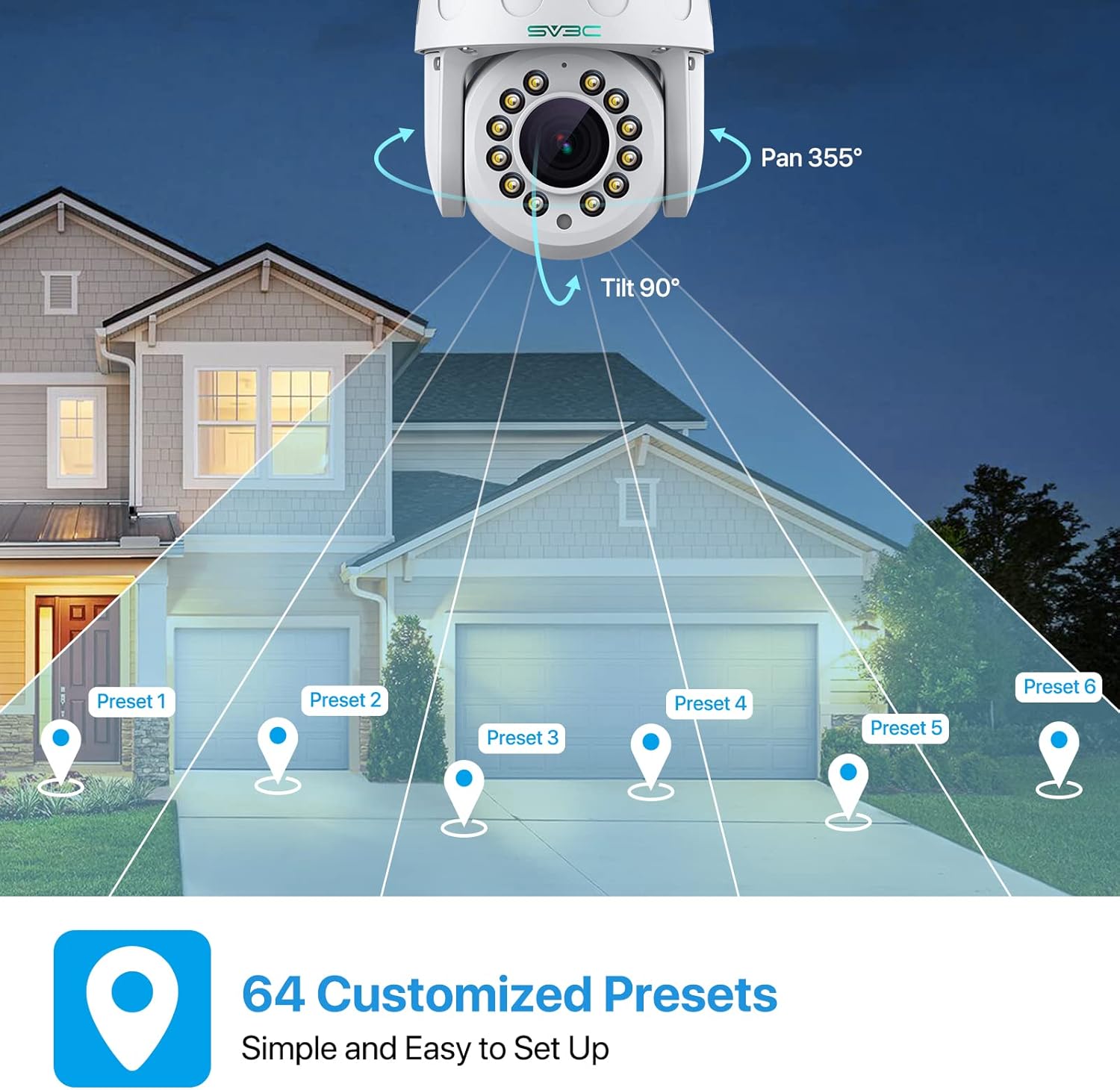
Figure 8: Illustration of customizable preset positions for monitoring different areas.
4.5 Recording and Playback
The camera supports 24/7 all-day recording and alarm recording to a Micro SD card (up to 128GB). Video playback and download are available through the CamHiPro app.
4.6 Onvif Conformant & RTSP Support
The camera is Onvif Conformant, ensuring compatibility with most third-party Onvif Conformant software. It also supports RTSP, allowing access to the IP camera through RTSP URLs on third-party software (e.g., rtsp://ip address:554/11 for main stream, rtsp://ip address:554/12 for vice stream).
5. Maintenance
Regularly check the camera's physical condition, especially the lens and casing, for any dirt or damage. Clean the lens with a soft, dry cloth. Ensure all cable connections are secure and protected from moisture. Periodically check for firmware updates through the CamHiPro app to ensure optimal performance and security.
6. Troubleshooting
- No Power: Ensure the power adapter is securely connected to the camera and a working power outlet.
- No Network Connection: Verify Wi-Fi credentials in the app. If using Ethernet, check cable connections. Try restarting your router and the camera.
- Poor Image Quality: Ensure the lens is clean. Check network signal strength; a weak signal can affect video quality.
- Motion Detection Issues: Adjust sensitivity settings in the app. Ensure the detection zone is correctly configured.
- SD Card Not Recording: Check if the SD card is properly inserted and formatted. Ensure it is not full.
7. Specifications
| Feature | Detail |
|---|---|
| Model Number | HX01 |
| Video Capture Resolution | 5 MP |
| Optical Zoom | 15X |
| Pan/Tilt Range | Pan 355°, Tilt 90° |
| Connectivity | Wireless (Wi-Fi), Wired (Ethernet) |
| Night Vision Range | Up to 210 Feet (with 12 lamp beads) |
| Night Vision Modes | Infrared, Full Color, Smart Mode |
| Audio | 2-Way Audio (Built-in Microphone & Speaker) |
| Storage | Micro SD Card (up to 128GB) |
| Weatherproof Rating | IP67 |
| Material | Aluminum Casing |
| Compatible Devices | Smartphone, Desktop, Laptop, Tablet |
| Supported Protocols | Onvif Conformant, RTSP |
8. Warranty and Support
For warranty information and technical support, please refer to the official SV3C website or contact their customer service. Online support and FAQs are available to assist with any product-related inquiries.
Visit: SV3C Official Store
Related documentsHX01


Ask a question about this manual
Ask about setup, troubleshooting, compatibility, parts, safety, or missing instructions. Manuals+ will review the question and use this page’s manual context to help answer it.