
Tentacle Sync TE1-MK2
Tentacle Sync E MKII User Manual
Model: TE1-MK2
1. Introduction
The Tentacle Sync E Timecode Generator with Bluetooth is a compact, lightweight, and powerful device designed to enhance audio and video synchronization. This next-generation device builds upon the original Tentacle, offering innovative features within a newly-designed body. It is user-friendly and represents a natural evolution of its predecessor, the Octopode. A key feature is its Bluetooth connectivity, allowing for wireless operation and setup. The Sync E utilizes Bluetooth Low Energy for easy monitoring and setup, boasting an impressive battery life of up to 35 hours. Connectivity is seamless; simply bring your phone near the device to link it with the dedicated app. The Sync E lacks a built-in display, leveraging your smartphone as the primary user interface for monitoring and setting up with frame-accurate timecode display.
2. Package Contents

Figure 2.1: Overview of the Tentacle Sync E MKII package contents, including the device, cables, and accessories.
The Tentacle Sync E MKII (Single Set) package typically includes the following items:
- One Tentacle Sync E MKII Timecode Generator
- One USB-C cable for charging and data transfer
- One 3.5mm mini-jack cable for timecode I/O
- One hook-and-loop fastener set for mounting
- Color-coded rubber bands for identification
- Quick Start Guide
- Protective pouch
3. Key Features
- Unmatched Accuracy: Less than 1 frame drift in 24 hours due to a high-precision TCXO, ensuring reliable timecode synchronization even in temperatures ranging from 30 to 85 degrees Celsius.
- Versatile Compatibility: Supports SMPTE timecode frame rates including 23.98, 24, 25, 29.97, 29.97DF, and 30, allowing seamless integration with various professional audio and video equipment.
- Extended Operating Time: Up to 35 hours of operation with the built-in lithium polymer battery, rechargeable via USB-C in approximately 1.5 hours, minimizing downtime.
- Easy Integration: Features an integrated hook surface on the back for quick attachment and connects via a mini jack socket for streamlined timecode input/output.
- Smartphone Connectivity: Dedicated iOS and Android apps enable remote control and monitoring, enhancing workflow efficiency and providing real-time status updates on your mobile device.
4. Setup Guide
4.1 Charging the Device

Figure 4.1: The Tentacle Sync E MKII connected to a USB-C charging cable. A small LED indicator shows charging status.
Before first use, fully charge your Tentacle Sync E MKII. Connect the provided USB-C cable to the device's USB-C port and plug the other end into a standard USB power adapter or computer USB port. The LED indicator will show charging status (e.g., solid red for charging, green for fully charged). A full charge takes approximately 1.5 hours.
4.2 Initial Pairing with Smartphone App
The Tentacle Sync E MKII is designed to be controlled and monitored via its dedicated smartphone app (available for iOS and Android).
- Download the "Tentacle Sync" app from your device's app store.
- Ensure Bluetooth is enabled on your smartphone.
- Turn on the Tentacle Sync E MKII device.
- Open the Tentacle Sync app. The app will automatically detect nearby Tentacle devices.
- Select your device from the list to pair. Follow any on-screen prompts within the app.

Figure 4.2: Front view of the Tentacle Sync E MKII, showing the main body and the Tentacle Sync logo.
Note: The device does not have a built-in display; all settings and monitoring are done through the smartphone app.
4.3 Mounting the Device
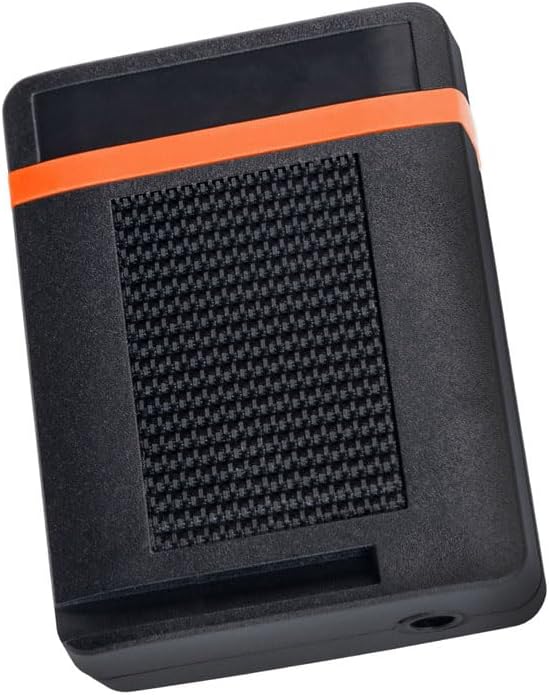
Figure 4.3: Rear view of the Tentacle Sync E MKII, highlighting the integrated hook surface for mounting.
The Tentacle Sync E MKII features an integrated hook surface on its back, allowing for quick and secure attachment to various surfaces using the provided loop fasteners. This design facilitates easy integration with camera rigs or other equipment.

Figure 4.4: The Tentacle Sync E MKII mounted on a professional camera rig, demonstrating its compact size and integration.
5. Operating Instructions
5.1 Powering On/Off

Figure 5.1: Side view of the Tentacle Sync E MKII, indicating the location of the power switch and the 3.5mm mini-jack port.
Locate the power switch on the side of the device. Slide the switch to the 'ON' position to power on the unit. The status LED will illuminate. To power off, slide the switch to the 'OFF' position.
5.2 Timecode Synchronization
The Tentacle Sync E MKII generates and receives SMPTE timecode.
- Connect the Tentacle Sync E MKII to your camera or audio recorder's timecode input/output using the provided 3.5mm mini-jack cable.
- Use the Tentacle Sync app on your smartphone to set the desired frame rate (e.g., 23.98, 24, 25, 29.97, 29.97DF, 30).
- Initiate synchronization through the app. The device will automatically sync with other Tentacle devices or an external timecode source.
- Monitor the synchronization status and timecode display directly within the app.
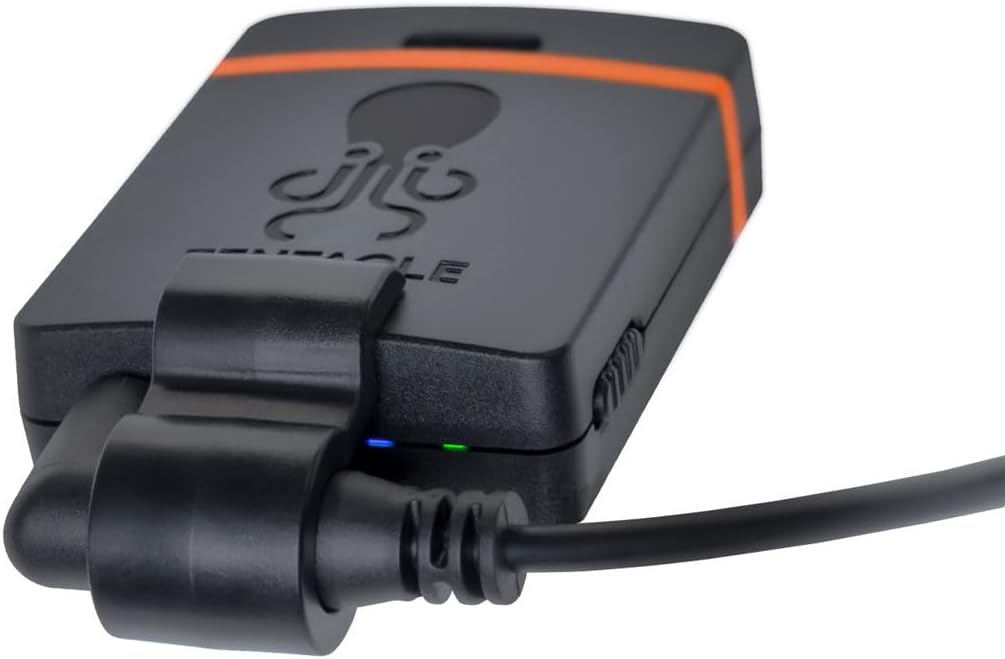
Figure 5.2: The Tentacle Sync E MKII with a 3.5mm mini-jack cable connected, ready for timecode input/output.
Tip: For optimal performance, ensure all Tentacle devices are within Bluetooth range of your smartphone during setup and monitoring.
6. Maintenance
- Cleaning: Use a soft, dry cloth to clean the device. Avoid using abrasive cleaners or solvents.
- Storage: Store the device in a cool, dry place away from direct sunlight and extreme temperatures. When storing for extended periods, ensure the battery is partially charged (around 50%) to prolong its lifespan.
- Battery Care: Recharge the battery regularly, even if not in use, to maintain battery health. Avoid fully discharging the battery frequently.
7. Troubleshooting
| Problem | Possible Cause | Solution |
|---|---|---|
| Device not powering on. | Battery is depleted. | Charge the device using the provided USB-C cable. |
| Cannot connect to smartphone app. | Bluetooth is off; device is off; app issue. | Ensure Bluetooth is enabled on your phone. Power on the Tentacle Sync E MKII. Restart the app or your phone. |
| Timecode not syncing. | Incorrect cable connection; wrong frame rate; external device issue. | Verify the 3.5mm cable is securely connected. Check frame rate settings in the app. Ensure the external device is configured correctly for timecode. |
| Short battery life. | Battery degradation; extreme temperatures. | Ensure full charge cycles. Avoid operating in extreme temperatures. If issues persist, contact support. |
8. Specifications
| Product Dimensions | 6.7 x 4.5 x 2.5 inches |
| Item Weight | 6.4 ounces (0.4 Pounds) |
| Model Number | TE1-MK2 |
| Batteries | 1 Lithium Polymer battery (included) |
| Battery Life | Up to 35 Hours |
| Hardware Interface | Bluetooth 5 |
| Headphones Jack | 3.5 millimeters |
| Compatible Devices | Devices with 3.5mm Audio Input Jack, Timecode-compatible Devices |
| Supported Frame Rates | 23.98, 24, 25, 29.97, 29.97DF, 30 SMPTE timecode |
9. Warranty and Support
For detailed warranty information, please refer to the warranty card included with your product or visit the official Tentacle Sync website. For technical support, troubleshooting assistance beyond this manual, or service inquiries, please contact Tentacle Sync customer support through their official channels.
Official Website: www.tentaclesync.com
10. Important Safety Information
- Do not expose the device to water or excessive moisture.
- Avoid dropping or subjecting the device to severe impacts.
- Do not attempt to disassemble or repair the device yourself. Refer to qualified service personnel.
- Use only approved charging cables and power adapters.
- Keep out of reach of children.
Related documentsTE1-MK2

Ask a question about this manual
Ask about setup, troubleshooting, compatibility, parts, safety, or missing instructions. Manuals+ will review the question and use this page’s manual context to help answer it.