
Edillas Kids Digital Watch Model Edi8207B Instruction Manual
Brand: Edillas | Model: Edi8207B
1. Product Overview
The Edillas Kids Digital Watch Model Edi8207B is designed for children aged 4-12, offering a range of features including time display, date, alarm, stopwatch, and colorful LED backlighting. It is built with durable materials and features 30M water resistance for daily use.

Image: Front view of the Edillas Kids Digital Watch, displaying 10:30 with water splashes, highlighting its water resistance.
Watch Components and Buttons
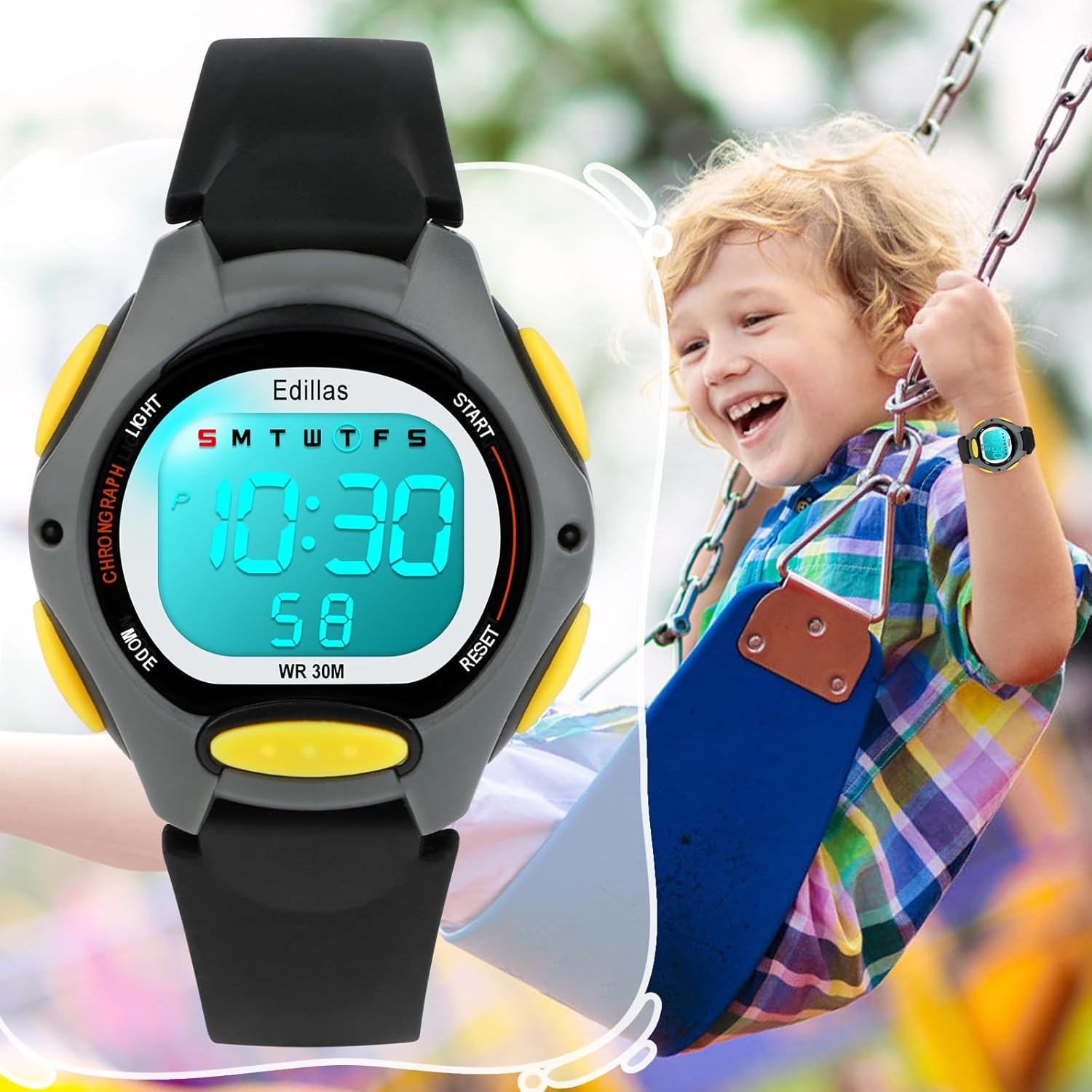
Image: Diagram illustrating the watch's buttons and display segments. The buttons are labeled: Light (top left), Mode (bottom left), Start (top right), and Reset (bottom right). The display shows Week, Hour, Minute, and Second indicators.
- Light Button (L): Activates the LED backlight.
- Mode Button (M): Cycles through display modes (Time, Alarm, Stopwatch).
- Start Button (S): Used to adjust settings or start/stop functions.
- Reset Button (R): Used to reset values or confirm settings.
2. Initial Setup
Battery Information
The watch comes with a pre-installed Japan-imported Lithium Ion battery. No initial battery installation is required. For battery replacement, please refer to the Maintenance section.
Setting Time and Date
- From the normal time display mode, press the Mode (M) button three times to enter time setting mode. The seconds will flash.
- Press the Reset (R) button to reset the seconds to zero.
- Press the Start (S) button to move to the next setting (Hour, Minute, Month, Date, Day of Week).
- Use the Reset (R) button to adjust the flashing value.
- Once all settings are complete, press the Mode (M) button to return to normal time display.
12H/24H Format Switch
In the normal time display mode, press the Start (S) button to toggle between 12-hour and 24-hour time formats.
3. Operating Instructions
Using the Colorful LED Backlight
Press the Light (L) button to illuminate the watch face. The watch supports 7 different colors (blue, green, red, light blue, yellow, purple, white) and a colorful flashing mode. Press the Light (L) button repeatedly to cycle through the colors and flashing mode.

Image: A child wearing the watch, with various watch faces demonstrating the seven available LED backlight colors.

Image: Illustration of the Light button's function and the range of colorful LED backlights.
Setting and Using the Alarm
- From the normal time display mode, press the Mode (M) button once to enter Alarm mode. The hour digits will flash.
- Press the Reset (R) button to adjust the hour.
- Press the Start (S) button to move to the minute setting.
- Press the Reset (R) button to adjust the minute.
- Press the Mode (M) button to exit Alarm setting mode.
To Switch the Alarm On/Off:
Begin with the time display mode. Press Reset (R) and Start (S) buttons simultaneously. The bell symbol will appear below the clock when the alarm is on; the symbol is not displayed when the alarm is off.
Turning On/Off the Hourly Chime
From the time display mode, press the Reset (R) and Mode (M) buttons simultaneously. If the day of the week letters (SMTWTFS) appear in a small box on the dial, the hourly chime is on. If the small box disappears, the hourly chime is off.

Image: Visual guide for activating/deactivating the alarm and hourly chime using button combinations.
Using the Stopwatch Function
- From the normal time display mode, press the Mode (M) button twice to enter Stopwatch mode. The display will show 00:00:00.
- Press the Start (S) button to begin timing.
- Press the Start (S) button again to pause timing.
- Press the Reset (R) button to reset the stopwatch to zero while paused.
- Press the Mode (M) button to exit Stopwatch mode and return to normal time display.
Water Resistance Guidelines
The Edillas Kids Digital Watch is rated 30M/3ATM water resistant. This means it is suitable for daily use, such as splashes, rain, washing hands, and cold baths. It is not recommended for swimming, diving, or prolonged submersion in water. Avoid pressing any buttons while the watch is wet or submerged in water, as this can compromise the water resistance seal.

Image: A child enjoying water activities while wearing the watch, demonstrating its suitability for splashes and light water exposure.
4. Maintenance
Cleaning Your Watch
To clean the watch, wipe it gently with a soft, damp cloth. For stubborn dirt, a mild soap solution can be used, followed by rinsing with cold water (ensure buttons are not pressed during rinsing). Dry thoroughly with a soft cloth.
Battery Replacement
The watch uses a Lithium Ion battery. If the watch display becomes dim or stops functioning, the battery may need replacement. For optimal performance and to maintain water resistance, it is recommended to contact customer support for professional battery replacement services. Attempting to replace the battery yourself may void the warranty or damage the watch.
5. Troubleshooting
- Watch not displaying time or functions: Check if the battery is depleted. If the issue persists after a professional battery check, contact customer support.
- Alarm not sounding: Ensure the alarm function is activated (bell symbol visible). Verify the alarm time is set correctly.
- Hourly chime not working: Ensure the hourly chime function is activated (day of the week letters visible in the small box).
- Water damage: If the watch shows signs of water ingress (e.g., condensation under the crystal) despite following water resistance guidelines, discontinue use and contact customer support.
- Buttons unresponsive: Ensure no dirt or debris is lodged around the buttons. If buttons remain unresponsive, contact customer support.
6. Specifications
| Model Number | Edi8207B |
| Product Dimensions | 8.66 x 0.55 x 0.39 inches |
| Product Weight | 0.8 ounces (23 grams) |
| Water Resistance | 30M / 3ATM (Suitable for splashes, rain, hand washing, cold bath. Not for swimming or diving.) |
| Movement | Japan Imported Digital Movement |
| Battery Type | 1 Lithium Ion battery (included) |
| Display Type | Digital with Colorful LED Backlight |
| Clasp Type | Buckle |
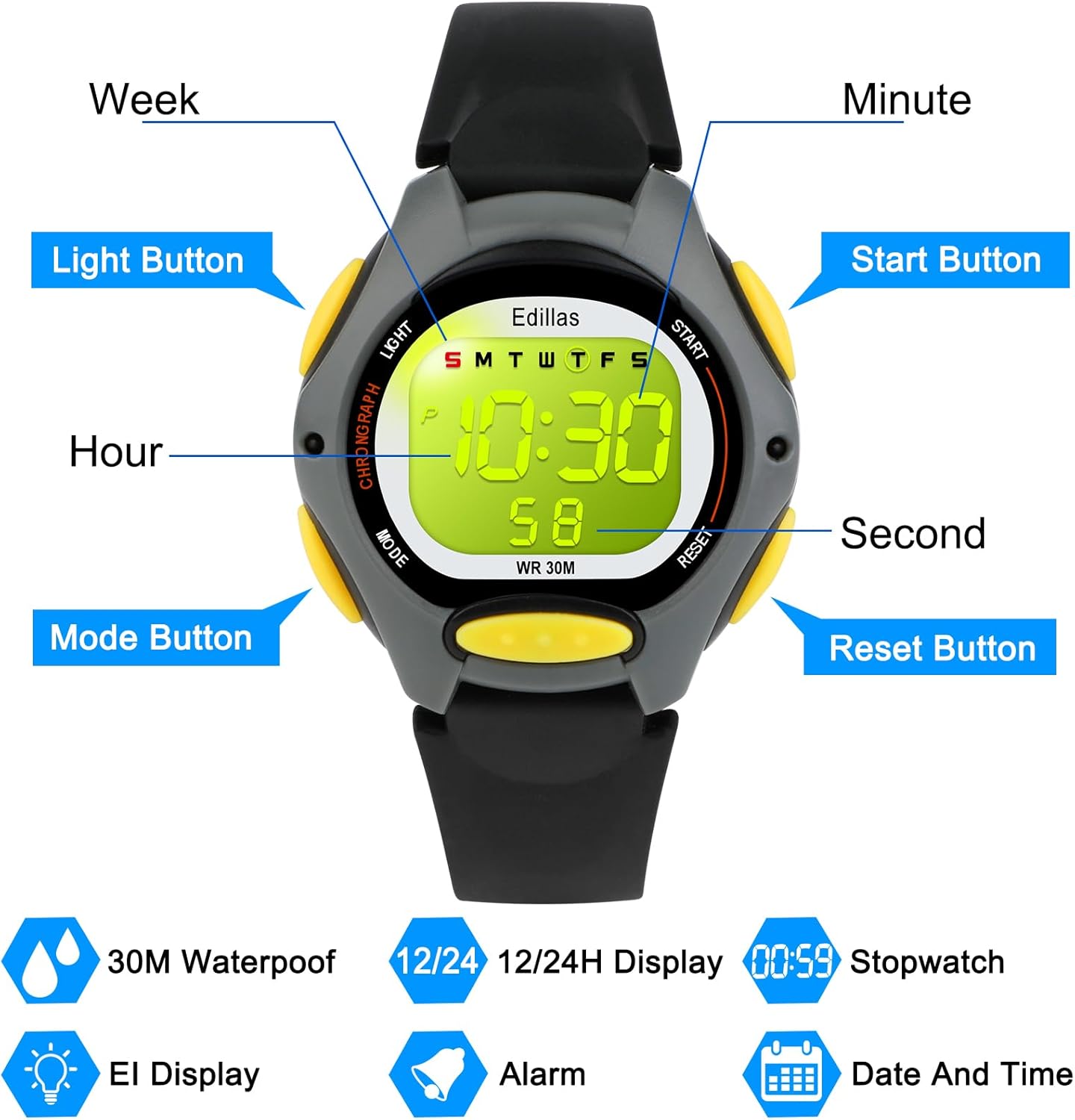
Image: Detailed dimensions of the watch, including dial case thickness (1.2cm/0.47in), product weight (23g), and strap length (22.5cm/8.86in) with minimum wrist (13.5cm/5.31in) and maximum wrist (20.5cm/8.07in) measurements.
7. Warranty and Support
Edillas is committed to product quality and customer satisfaction. If you encounter any issues with your Edillas Kids Digital Watch, particularly concerning the battery or movement, please contact our customer support team. We are available to assist with troubleshooting and provide solutions, including replacement if necessary.
For support, please refer to the contact information provided with your purchase or visit the official Edillas store page.


