
Turtle Beach TBS-2372-01
Turtle Beach Stealth 600 Gen 2 USB Wireless Amplified Gaming Headset User Manual
Model: TBS-2372-01
1. Introduction
Thank you for choosing the Turtle Beach Stealth 600 Gen 2 USB Wireless Amplified Gaming Headset. This headset is officially licensed for Xbox and designed to deliver high-quality audio and clear chat for Xbox Series X, Xbox Series S, Xbox One X, and Xbox One S. This manual provides essential information for setting up, operating, and maintaining your headset to ensure the best possible gaming experience.
2. What's in the Box
- Stealth 600 Gen 2 USB Wireless Amplified Gaming Headset
- Wireless USB Transmitter
- USB-C Charging Cable
- User Manual (this document)
- Turtle Beach Sticker

Figure 2.1: Package Contents
3. Product Overview
Familiarize yourself with the key components and controls of your Stealth 600 Gen 2 USB headset.

Figure 3.1: Headset Front View

Figure 3.2: Earcup Controls
- Flip-to-Mute Mic: The Gen 2 mic improves chat clarity and seamlessly integrates into the headset design when muted by flipping it up.
- Volume Controls: Independently control game and chat audio to find the perfect balance for your gaming preference using the easy-access dials on the headset.
- Ear Cushions: Uniquely shaped ear cushions with soft, breathable material improve comfort for long gameplay sessions and allow for a wider audio soundstage. Features Turtle Beach’s exclusive, patented ProSpecs glasses relief system for comfort with eyewear.
- Headband: Strengthened headband and hinge design ensures added durability and proper functionality over long-term use.
4. Setup
Follow these steps for initial setup of your headset with your Xbox console.
4.1 Connecting to Xbox
- Plug the Wireless USB Transmitter into an available USB port on your Xbox Series X, Xbox Series S, or Xbox One console.
- Power on your Stealth 600 Gen 2 USB headset by pressing and holding the Power button until you hear an audible tone.
- The headset and transmitter will automatically pair, indicated by a solid light on both devices.
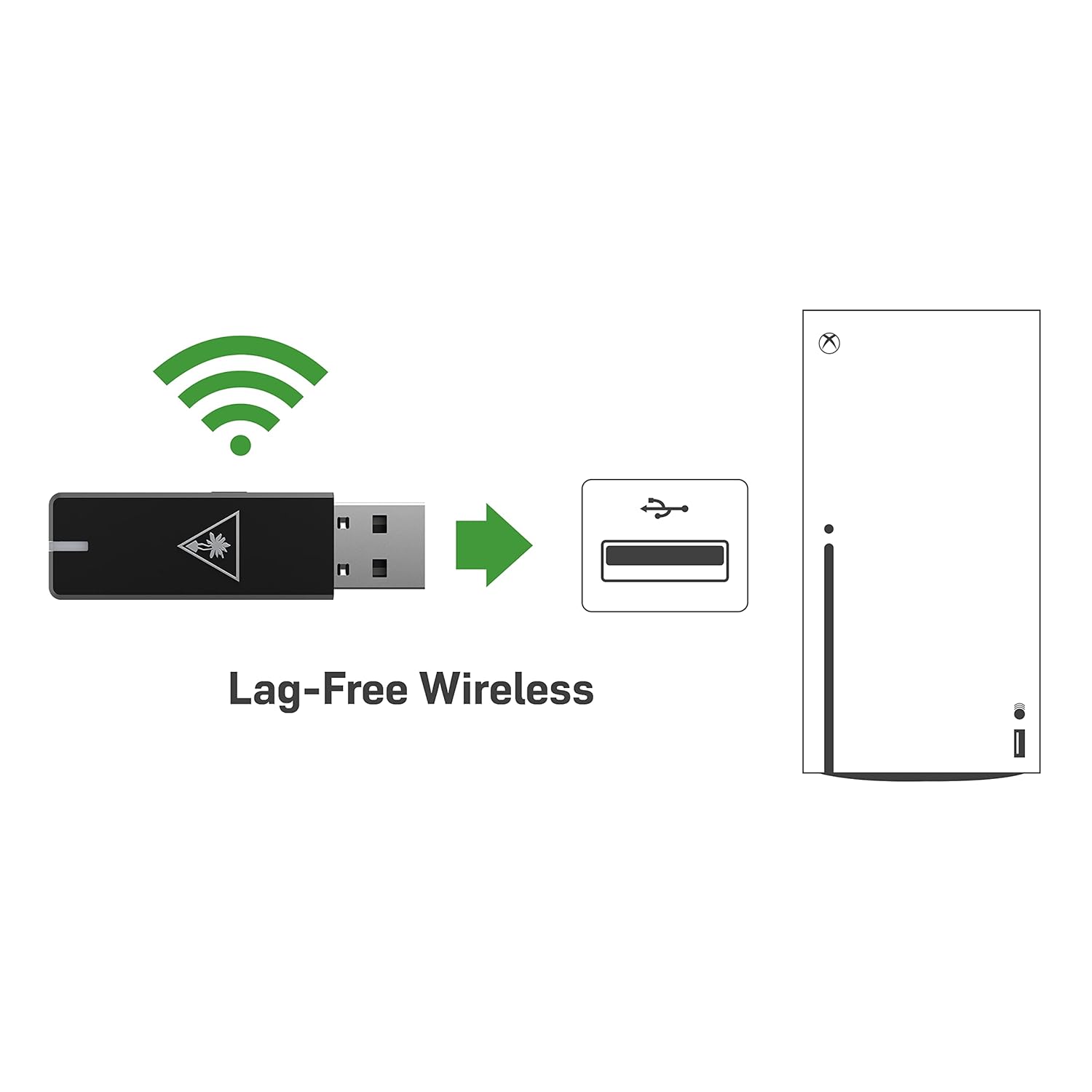
Figure 4.1: Lag-Free Wireless Connection
4.2 Charging the Headset
The headset features an upgraded battery providing 24+ hours of gaming per charge. Use the included USB-C cable for charging.
- Connect the USB-C end of the charging cable to the headset's USB-C port.
- Connect the USB-A end to a powered USB port (e.g., on your console, PC, or a USB wall adapter).
- A quick charge feature allows for 8.5 hours of battery life on just 15 minutes of charge.

Figure 4.2: Extended Battery Life
5. Operating the Headset
Maximize your gaming audio experience with these features.
5.1 Mic Monitoring
Avoid shouting thanks to built-in mic monitoring, which allows you to hear your voice through the headset while you chat. This feature helps you regulate your speaking volume.

Figure 5.1: Mic Monitoring Feature
5.2 Superhuman Hearing Sound Setting
Turtle Beach's exclusive Superhuman Hearing sound setting lets you hear subtle, game-changing sounds so you can live longer and win more. Hear vital game details like enemy footsteps and weapon reloads to elevate your game above the rest.

Figure 5.2: Superhuman Hearing Advantage
5.3 Audio Presets
Enhance your gameplay experience at the touch of a button with four signature Turtle Beach audio presets:
- Bass Boost
- Signature Sound
- Treble Boost
- Vocal Boost
6. Maintenance
To ensure the longevity and optimal performance of your Turtle Beach Stealth 600 Gen 2 USB headset, follow these maintenance guidelines:
- Cleaning: Use a soft, dry cloth to clean the headset. For ear cushions, gently wipe with a damp cloth and mild soap if necessary, then allow to air dry completely before use. Avoid harsh chemicals or abrasive materials.
- Storage: Store the headset in a cool, dry place away from direct sunlight and extreme temperatures. When not in use, it is recommended to store it in a protective case to prevent dust accumulation and physical damage.
- Cable Care: Avoid sharp bends or kinks in the USB-C charging cable. Always grasp the plug, not the cable, when disconnecting.
7. Troubleshooting
If you encounter issues with your headset, try the following solutions:
- No Audio/Mic Issues: Ensure the USB Wireless Transmitter is securely plugged into the console and the headset is powered on and paired. Check the headset's volume dials and your console's audio settings.
- Connectivity Problems: If the headset is not pairing, try re-pairing by following the setup instructions. Ensure there are no major obstructions between the headset and the transmitter.
- Firmware Update: Be sure to update your firmware using the Turtle Beach Audio Hub desktop app for best performance. Visit the official Turtle Beach website for the latest software and instructions.
- Battery Not Charging: Verify the USB-C charging cable is properly connected to both the headset and a working power source. Try a different USB port or charging adapter.
8. Specifications
| Feature | Specification |
|---|---|
| Model Name | Stealth 600 USB |
| Connectivity Technology | USB, 2.4GHz Wireless |
| Headphones Jack | USB |
| Compatible Devices | Mac, PC, Windows, Xbox One, Xbox Series X |
| Battery Life | 24+ Hours |
| Charging Time | 15 minutes for 8.5 hours of play (quick charge) |
| Audio Driver Type | Dynamic Driver |
| Frequency Range | 20 Hz - 20,000 Hz |
| Earpiece Shape | Over Ear |
| Item Weight | 10.6 ounces (0.66 Pounds) |
| Product Dimensions | 7.48 x 3.54 x 7.67 inches |
| Manufacturer | Turtle Beach |
9. Warranty and Support
For detailed warranty information and technical support, please refer to the official Turtle Beach website or the User Manual PDF provided with your product.
You can access the official User Manual PDF here.
For further assistance, contact Turtle Beach Customer Support through their official channels.
Related documentsTBS-2372-01


Ask a question about this manual
Ask about setup, troubleshooting, compatibility, parts, safety, or missing instructions. Manuals+ will review the question and use this page’s manual context to help answer it.