
1. Product Overview
The Total Jigsaw Model DW07455 is a versatile power tool designed for precise cutting of various materials, including wood and metal. It features an 800W motor, variable speed control, and an adjustable base plate for angled cuts. This manual provides essential information for safe and efficient operation.
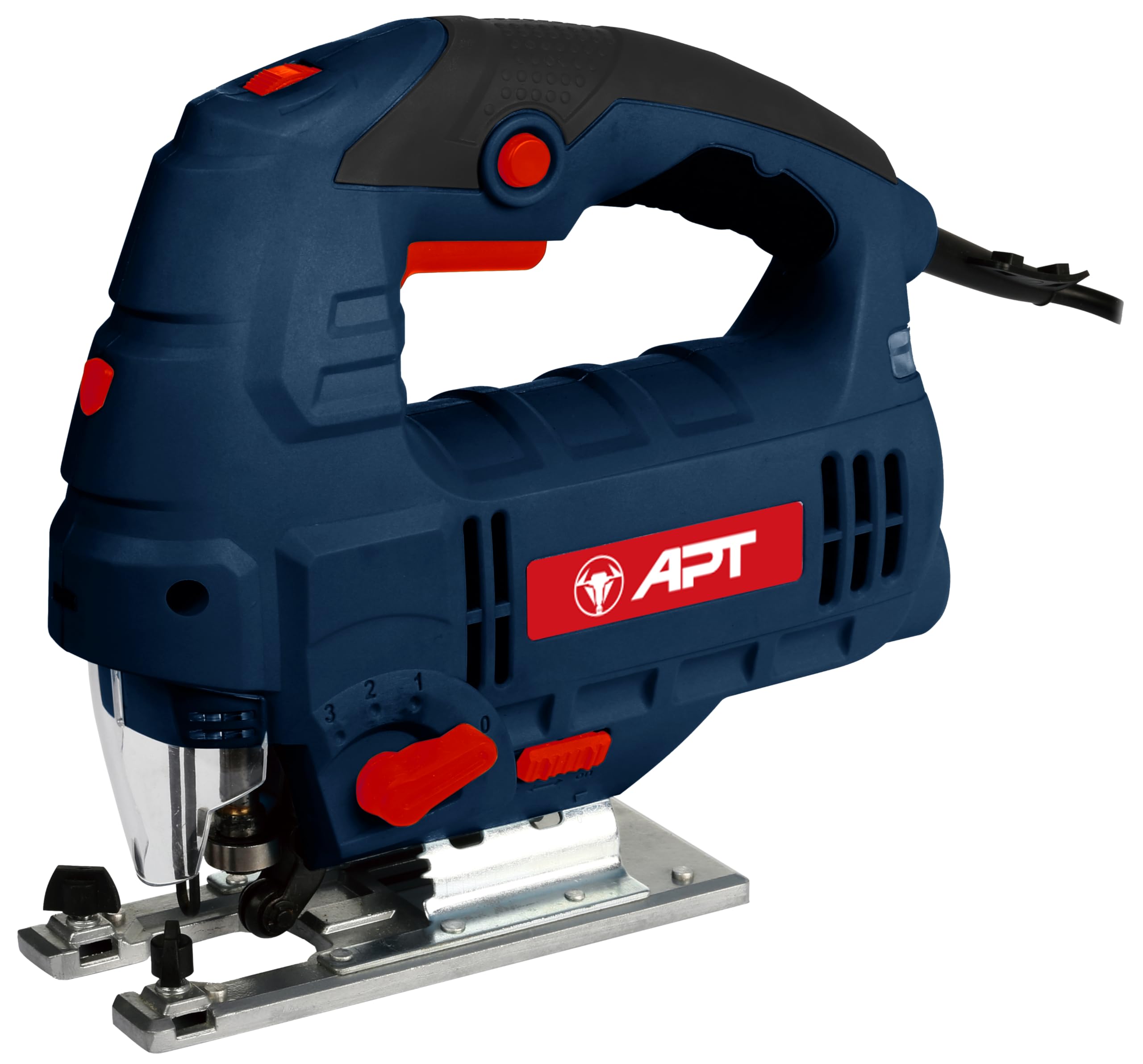
Figure 1: Total 800W Jigsaw Model DW07455. This image displays the main unit, highlighting its 800W power, adjustable base plate for up to 45-degree bevel cuts, and cutting capacities of up to 110mm for wood and 10mm for metal. It also indicates 6 variable speed settings and a B-type blade compatibility.
Key Features:
- 800W Motor: Provides ample power for various cutting tasks.
- 6 Variable Speeds: Allows for optimal cutting speed based on material.
- Adjustable Base Plate: Tilts up to 45 degrees for bevel cuts.
- 3 Pendulum Settings: Enhances cutting efficiency and blade life.
- Cutting Capacity: Maximum 110mm in wood, 10mm in metal.
- Blade Compatibility: Designed for B-type jigsaw blades.
2. Safety Instructions
Always follow basic safety precautions when using electric tools to reduce the risk of fire, electric shock, and personal injury.
- Work Area Safety: Keep your work area clean and well-lit. Cluttered or dark areas invite accidents.
- Electrical Safety: Do not expose power tools to rain or wet conditions. Avoid body contact with earthed or grounded surfaces.
- Personal Safety: Always wear eye protection, hearing protection, and appropriate work gloves. Dress properly; avoid loose clothing or jewelry.
- Tool Use and Care: Do not force the power tool. Use the correct tool for your application. Disconnect the plug from the power source before making any adjustments, changing accessories, or storing power tools.
- Material Safety: Secure the workpiece firmly. Never hold the workpiece by hand.
3. Setup
3.1 Blade Installation
- Ensure the jigsaw is unplugged from the power source.
- Locate the blade clamp mechanism, typically at the front of the tool.
- Open the blade clamp (refer to your tool's specific mechanism, usually a lever or screw).
- Insert the shank of the jigsaw blade into the clamp, ensuring the teeth face forward.
- Close the blade clamp securely. Pull on the blade gently to confirm it is locked in place.
3.2 Base Plate Adjustment for Bevel Cuts
- Unplug the jigsaw.
- Loosen the screws or lever that secure the base plate to the main body of the jigsaw.
- Tilt the base plate to the desired angle (up to 45 degrees). Most jigsaws have angle markings for common settings.
- Tighten the screws or lever firmly to secure the base plate at the chosen angle.
4. Operation
4.1 Powering On/Off
- To turn on the jigsaw, press the power switch. For continuous operation, engage the lock-on button if available.
- To turn off, release the power switch. If the lock-on button is engaged, press the power switch again to release it.
4.2 Variable Speed Control
The jigsaw features 6 variable speed settings. Adjust the speed according to the material being cut:
- Lower Speeds: Recommended for cutting harder materials like metal or for intricate cuts.
- Higher Speeds: Suitable for softer materials like wood or for faster, less precise cuts.
4.3 Pendulum Action Settings
The 3-position pendulum action allows the blade to move in an orbital motion, which can speed up cutting and clear sawdust. Adjust as follows:
- Position 0 (No Pendulum): For fine, precise cuts and cutting hard materials.
- Positions 1-3 (Increasing Pendulum): For faster, rougher cuts in softer materials like wood. Higher settings provide more aggressive cutting.
4.4 Cutting Techniques
- Straight Cuts: Guide the jigsaw along a straight edge or marked line, keeping the base plate flat on the workpiece.
- Curve Cuts: Use a narrower blade and guide the tool slowly along the curve. Avoid twisting the blade.
- Plunge Cuts: For starting cuts in the middle of a workpiece, tilt the jigsaw forward so the front of the base plate rests on the material. Start the saw, then slowly lower the blade into the material until the base plate is flat.
Video 1: Product Demonstration. This video provides a visual guide on the basic handling and operation of a jigsaw, including powering on and off, and demonstrating its use on a workpiece.
5. Maintenance
5.1 Cleaning
- Always unplug the tool before cleaning.
- Use a soft brush or compressed air to clean dust and debris from the ventilation openings and blade area.
- Do not use water or chemical cleaners.
5.2 Blade Care and Replacement
- Regularly inspect blades for sharpness and damage. Dull or damaged blades can cause kickback and poor cut quality.
- Replace blades as needed, following the blade installation instructions in Section 3.1.
5.3 Storage
- Store the jigsaw in a dry, secure place out of reach of children.
- Ensure the power cord is neatly coiled and not kinked.
6. Troubleshooting
| Problem | Possible Cause | Solution |
|---|---|---|
| Jigsaw does not start | No power supply; Faulty switch | Check power connection; Contact customer support |
| Poor cut quality or excessive vibration | Dull or incorrect blade; Loose blade; Incorrect speed/pendulum setting | Replace blade; Ensure blade is secure; Adjust speed/pendulum setting |
| Overheating | Blocked ventilation; Overloading the tool | Clean ventilation slots; Reduce cutting pressure; Use correct speed |
7. Technical Specifications
| Specification | Value |
|---|---|
| Item Model Number | DW07455 |
| Wattage | 800 Watts |
| Speed | 3000 RPM |
| Cutting Angle | 45 Degrees |
| Blade Material | High-Speed Steel |
| Surface Recommendation | Wood |
| Power Source | Corded Electric |
| Special Features | 3 Pendulum Settings |
| Included Components | Attachments |
| Item Weight | 2.5 Kilograms |
| Handle Material | Plastic |
| Compliant Specifications | CE |
| Product Dimensions | 10 x 20 x 37 cm |
| Country of Origin | China |
| First Available Date | March 10, 2022 |
8. Warranty Information
This product carries a manufacturer's warranty for 6 months from the date of purchase. You can contact the manufacturer/agent for service or Amazon for further details regarding warranty claims.
9. Customer Support
For any questions, technical assistance, or service inquiries, please refer to the contact information provided with your purchase documentation or visit the official Total website.


