1. Product Overview
The LEKATO CUBE BABY is a compact multi-effects processor designed for electric guitars, offering a wide range of tones and functionalities in a portable format. It integrates various effects, amplifier models, and cabinet simulations, along with convenient features for practice and recording.
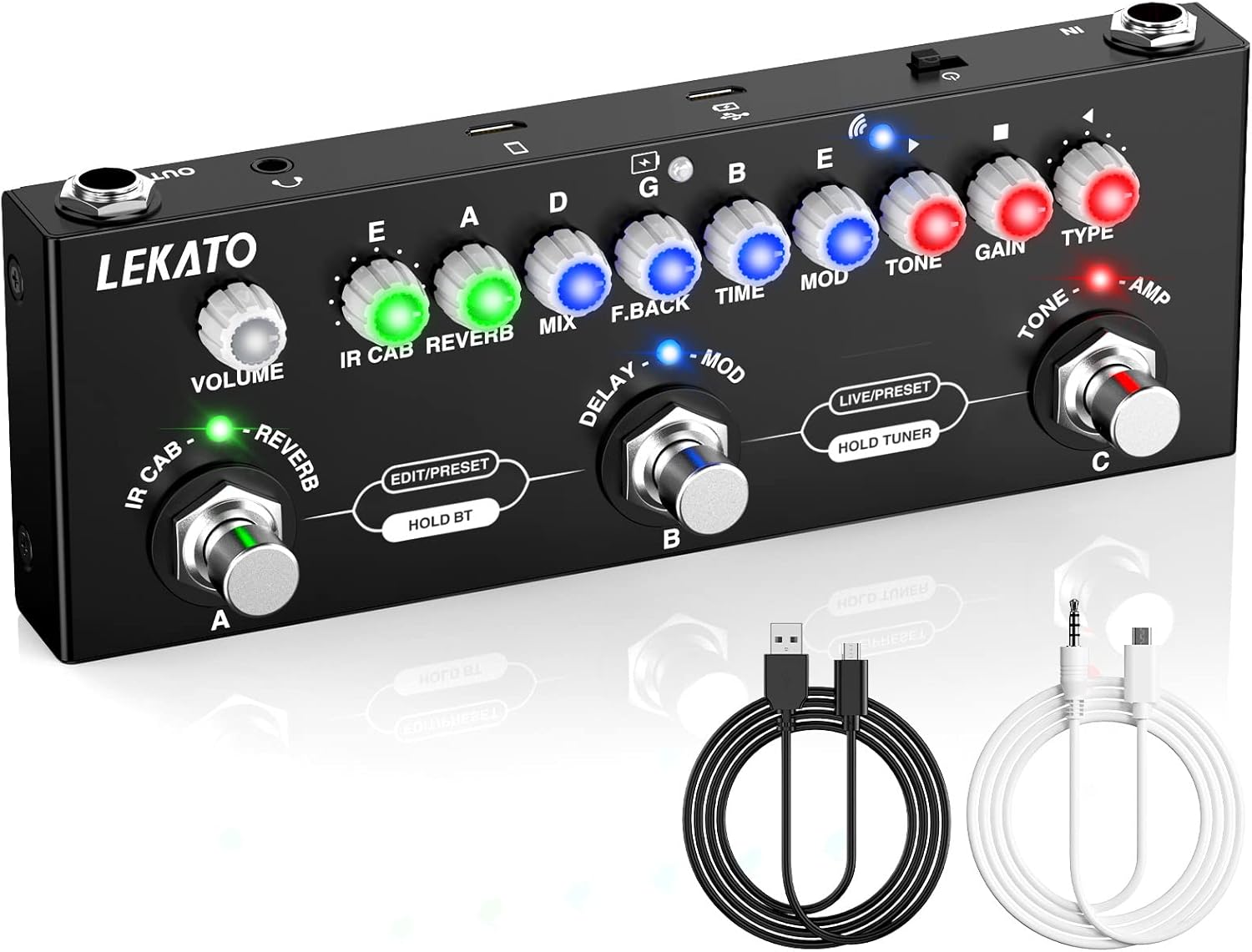
Figure 1: LEKATO CUBE BABY Multi-Effects Guitar Pedal
This image displays the LEKATO CUBE BABY Multi-Effects Guitar Pedal, a compact black unit with multiple control knobs and three footswitches. Input and output jacks are visible on the sides, along with USB ports for charging and recording. The pedal features LED indicators above each knob, signifying active effects or settings.
2. What's in the Box
- LEKATO CUBE BABY Electric Guitar Multi Effect Pedal
- USB Cable (for charging and PC connection)
- Internal Recording Cable (for mobile phone recording)
- User Manual
Figure 2: Pedal with included cables
This image shows the LEKATO CUBE BABY pedal alongside its included accessories: a black USB cable and a white internal recording cable with a 3.5mm jack. These cables facilitate charging, PC connectivity, and mobile recording, highlighting the pedal's versatile connectivity options.
3. Setup
3.1 Initial Charging
Before first use, fully charge the pedal using the provided USB cable. Connect the micro-USB end to the pedal's charging port and the USB-A end to a power bank or mobile phone adapter. A full charge takes approximately 2 hours and provides 6-8 hours of operation. The pedal supports simultaneous charging and playing.
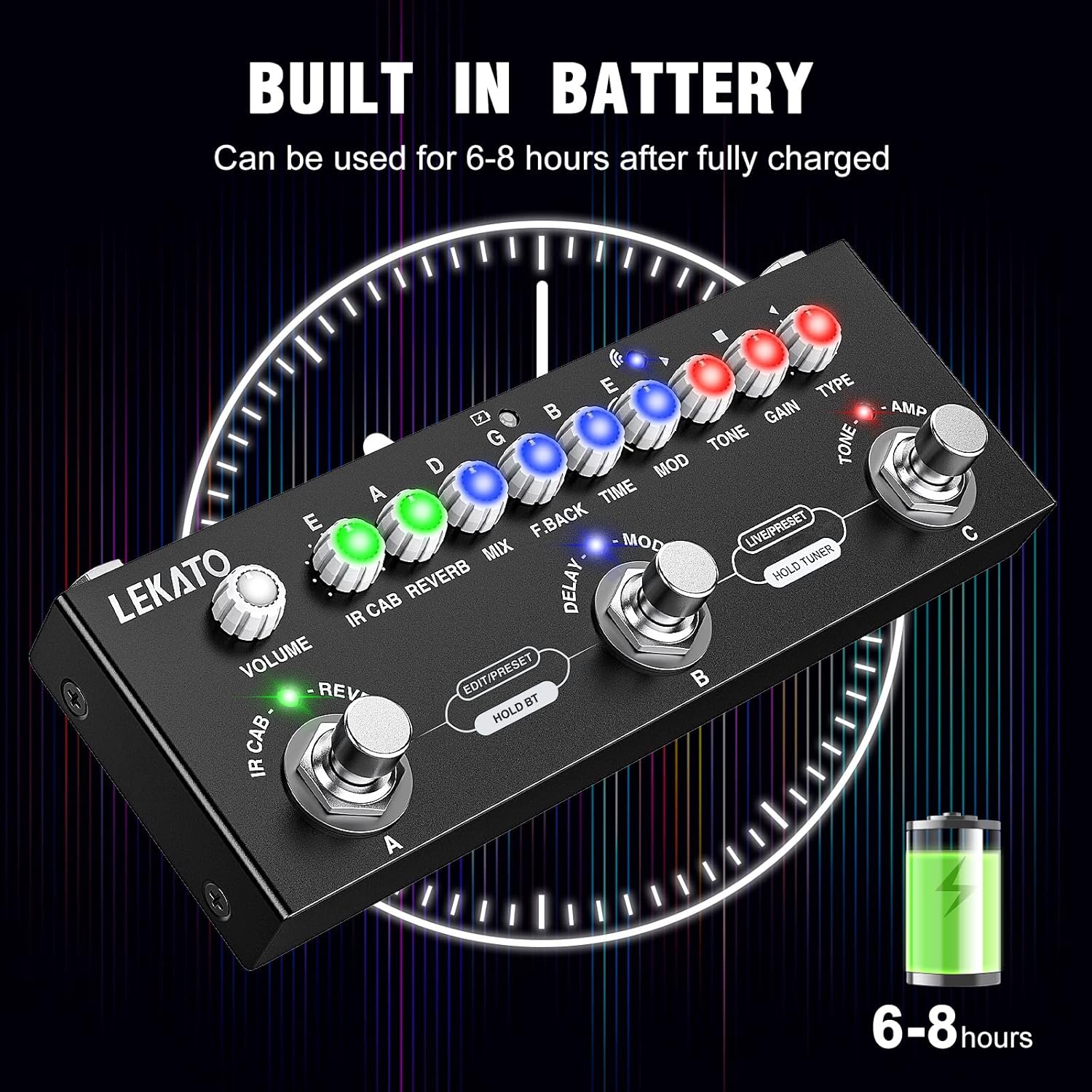
Figure 3: Built-in Battery
This image illustrates the LEKATO CUBE BABY pedal with a visual representation of its built-in battery, indicating a charge time of 2 hours for 6-8 hours of use. The graphic emphasizes the convenience of its portable, rechargeable power source.
3.2 Connections
- Connect your electric guitar to the IN jack (1/4 inch TS).
- Connect the OUT jack (1/4 inch TS) to your amplifier, audio interface, or PA system.
- For silent practice, connect headphones to the 3.5mm headphone output.
- For PC/Phone recording, use the appropriate USB or internal recording cable.
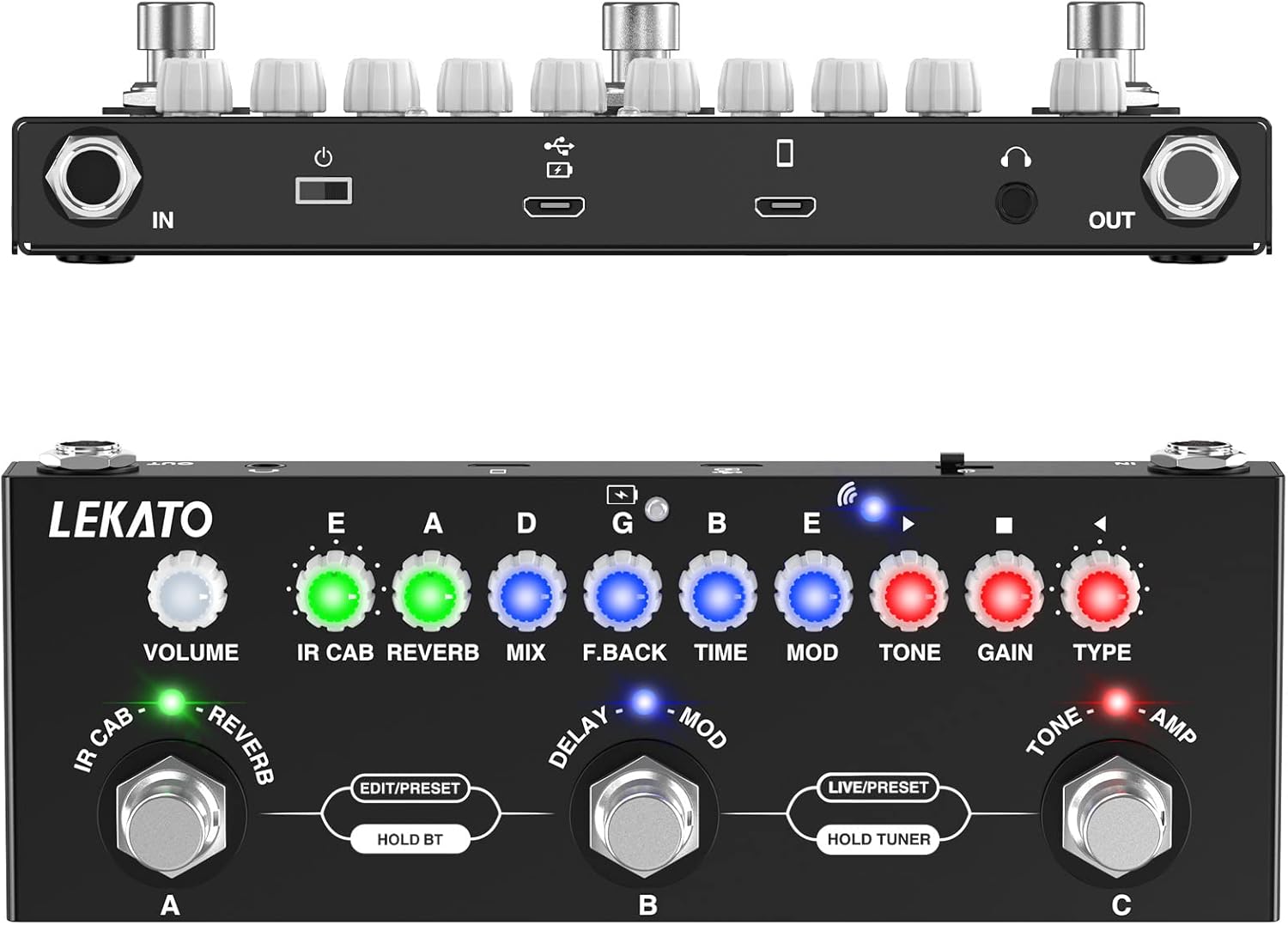
Figure 4: Top and Bottom View with Ports
This image provides a top-down view of the LEKATO CUBE BABY pedal, clearly showing the input and output jacks, micro-USB ports for charging and data, and the 3.5mm headphone jack. This layout highlights the pedal's various connectivity options for integration into different setups.
4. Operating Instructions
4.1 Controls Overview
The pedal features a series of knobs and three footswitches (A, B, C) for controlling various effects and modes.

Figure 5: Controls Diagram
This diagram labels the various controls on the LEKATO CUBE BABY pedal. Key controls include: (1) TYPE (Amp Model selection), (2) GAIN (Distortion gain), (3) TONE (Tone brightness), (4) MOD (Phaser/Chorus effect), (5) TIME (Delay time), (6) F.BACK (Delay feedback), (7) MIX (Delay dry/wet mix), (8) REVERB (Reverb dry/wet mix), (9) IR CAB (IR simulation select), (10) VOLUME (Output volume), (11) Wireless accompaniment light, (12) Charging light, (13) C function footswitch, (14) B function footswitch, (15) A function footswitch, and (16) Module indicator lights.
4.2 AMP Models & IR CAB Simulations
The pedal includes 9 amp preamps and 8 classic IR cabinet body models. These can be used independently or in combination. You can also load third-party IR files using the "Cube-Suite" software (available on the LEKATO official website) via the USB cable.

Figure 6: 9 Preset Preamps
This image highlights the "TYPE" knob on the LEKATO CUBE BABY pedal, indicating its function for selecting between 9 preset preamps. The visual emphasizes the ease of switching between different amplifier tones.

Figure 7: 8 IR CAB Simulations
This image focuses on the "IR CAB" knob of the LEKATO CUBE BABY pedal, illustrating its role in selecting from 8 IR cabinet simulations. The visual suggests intuitive control over cabinet modeling.
Video 1: LEKATO Cube Baby Multi Effects with 8 IR CAB Models. This video demonstrates the various IR cabinet models available on the LEKATO CUBE BABY pedal, showcasing their sonic characteristics.
Video 2: 9 Amp models + 8 IR CAB simulation. This video provides an overview of the 9 amp models and 8 IR cabinet simulations, demonstrating their sound and functionality.
4.3 PRESET/EDIT/LIVE MODE
The pedal offers three operational modes:
- PRESET Mode: Allows switching between three pre-configured tones (Lead, Rhythm, Clean).
- LIVE Mode: Enables real-time editing of the effects chain. Long-press a footswitch to save your custom settings.
- EDIT Mode: Partially edit existing presets and save them.
To switch between PRESET and LIVE modes, short press footswitches B and C simultaneously.
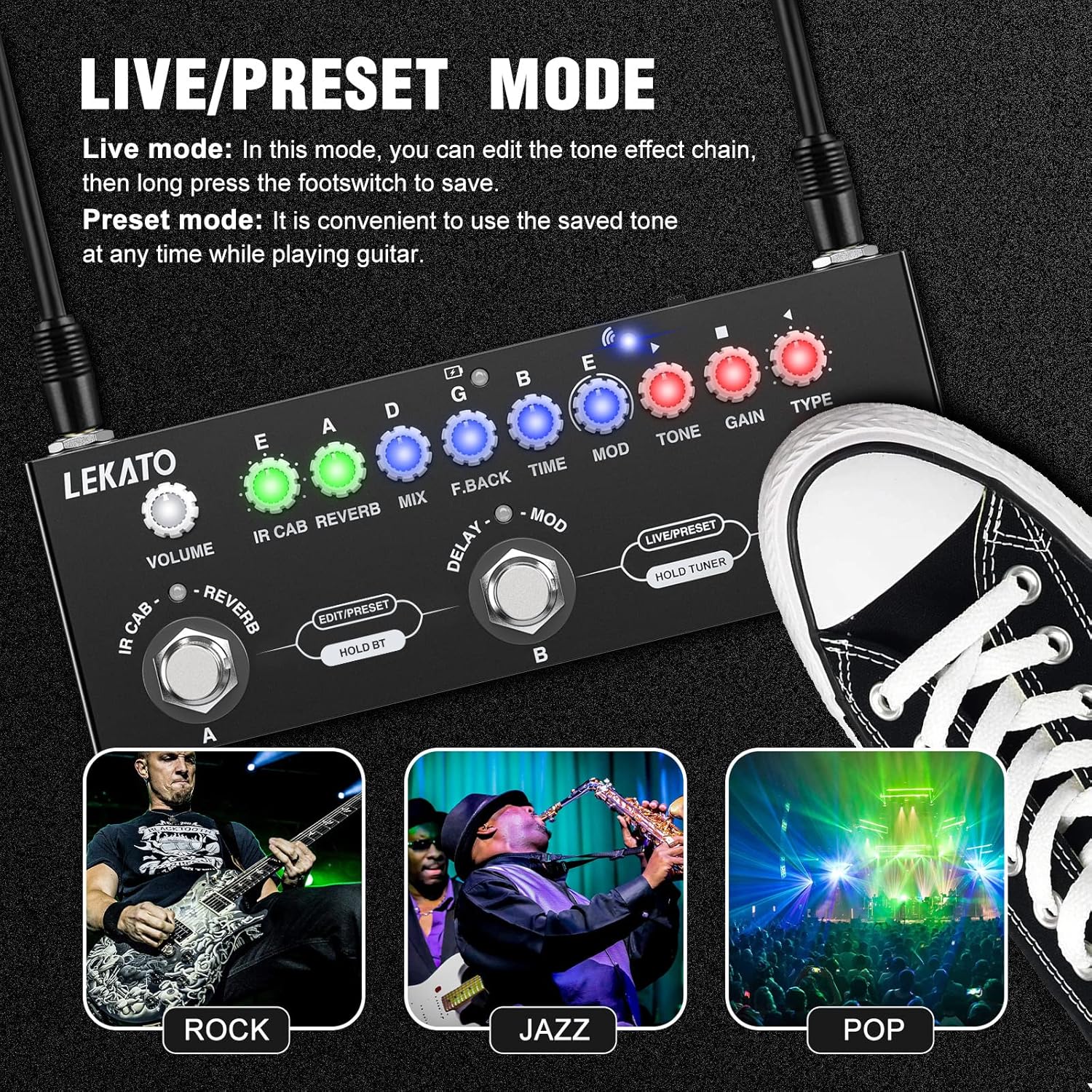
Figure 8: LIVE/PRESET Mode
This image illustrates the LEKATO CUBE BABY pedal with an overlay explaining the LIVE/PRESET mode functionality. It shows how to switch between modes and highlights the ability to edit and save presets, catering to different playing styles like Rock, Jazz, and Pop.

Figure 9: Switching between LIVE and PRESET Mode
This image visually demonstrates how to switch between LIVE and PRESET modes on the LEKATO CUBE BABY pedal by simultaneously short-pressing footswitches B and C. The visual cue of the footswitches being pressed clarifies the mode-switching process.
4.4 Tuner Mode
To activate the tuner, long-press footswitches B and C simultaneously. The LED indicators above the knobs will display the note being played and whether it is flat, in tune, or sharp.

Figure 10: Tuner Mode
This image highlights the tuner mode on the LEKATO CUBE BABY pedal, indicating that it is activated by a long press of footswitches B and C. The visual shows the LED indicators displaying the note 'E' and a tuning needle, signifying its function as a chromatic tuner.
Video 3: Tuner Mode Demonstration. This short video demonstrates how to activate and use the tuner mode on the pedal, showing the LED indicators responding to guitar notes.
4.5 Bluetooth Function
The pedal supports music playback via Bluetooth, allowing you to stream accompaniment tracks from your mobile device. The wireless accompaniment light (11) will flash when ready to pair and remain solid when connected.

Figure 11: Wireless Audio Input
This image shows the LEKATO CUBE BABY pedal connected wirelessly via Bluetooth to a smartphone, illustrating its capability for wireless audio input. The phone screen displays a "Connected" status for "cube baby," emphasizing seamless integration for playing along with music.
4.6 PC/Phone Recording
The CUBE BABY supports high-quality recording to a PC or mobile phone. Use the provided USB cable for PC connection or the internal recording cable for mobile devices. Utilize your preferred recording software on the connected device.

Figure 12: PC/Phone Recording Setup
This image depicts the LEKATO CUBE BABY pedal connected for PC/Phone recording, showing a guitar plugged into the pedal, and the pedal connected to both a computer and a mobile phone via cables. This setup highlights the pedal's versatility for recording and practice across different platforms.

Figure 13: Mobile Phone Recording Feature
This image illustrates the mobile phone recording capability of the LEKATO CUBE BABY pedal. A user is shown playing a guitar connected to the pedal, which is then connected to a smartphone via a recording cable. The phone displays a recording interface, emphasizing the ease of capturing guitar audio directly to a mobile device.
Video 4: CUbesuite V2.3 (IR software). This video demonstrates the "Cube-Suite" software, showing how to import and manage IR files for the pedal, which is essential for customizing cabinet simulations.
5. Maintenance
To ensure optimal performance and longevity of your LEKATO CUBE BABY pedal, follow these general maintenance guidelines:
- Keep the device clean and free from dust and debris. Use a soft, dry cloth for cleaning.
- Avoid exposing the pedal to extreme temperatures, humidity, or direct sunlight.
- Do not attempt to disassemble or repair the unit yourself, as this may void the warranty and cause damage.
- Store the pedal in a safe place when not in use to prevent physical damage.
6. Troubleshooting
If you encounter issues with your LEKATO CUBE BABY pedal, consider the following common troubleshooting steps:
- No Sound: Ensure all cables (guitar, output, power) are securely connected. Check the volume levels on the pedal, your guitar, and your amplifier/audio interface. Verify that the pedal is powered on and charged.
- Poor Sound Quality: Check for damaged cables. Ensure correct input/output connections. If using IRs, verify they are loaded correctly and compatible. Adjust tone, gain, and effect parameters.
- Pedal Not Responding: Try restarting the pedal. Ensure the battery is charged. If connected to PC, check USB connection and software status.
- Bluetooth Connectivity Issues: Ensure the pedal is in pairing mode (flashing light). Check your mobile device's Bluetooth settings and try re-pairing.
- Software Issues (Cube-Suite): Ensure you have downloaded the correct and latest version of the software from the LEKATO official website. Follow software installation instructions carefully.
7. Specifications
| Feature | Specification |
|---|---|
| Item Weight | 12.6 ounces (0.36 Kilograms) |
| Product Dimensions | 6.37 x 2.4 x 0.9 inches |
| Body Material | Plastic |
| Batteries | 1 Lithium Polymer battery (included) |
| Power Source | Battery Powered |
| Voltage | 9 Volts |
| Connector Type | 1/4 inch TS |
| Hardware Interface | Bluetooth |
| Signal Format | Analog |
8. Warranty and Support
For warranty information, technical support, or to download the "Cube-Suite" software, please visit the official LEKATO website. LEKATO is committed to the development and manufacture of professional musical instrument accessories, ensuring product quality and user experience.
For further assistance, refer to the contact information provided on the LEKATO official website or within your product packaging.


