
1. Introduction
Welcome to the Desktronic HOME-ONE Height-Adjustable Desk user manual. This guide provides essential information for the safe assembly, operation, and maintenance of your new electric standing desk. Please read these instructions carefully before use and retain them for future reference.

2. Important Safety Information
To ensure safe operation and prevent damage, please observe the following safety guidelines:
- Ensure all components are securely fastened before operating the desk.
- Do not exceed the maximum weight capacity of 120 kilograms (264 lbs).
- Keep children and pets away from the desk during height adjustment.
- Ensure there are no obstructions in the desk's path during movement to prevent damage or injury.
- Only use the provided power adapter and connect to a grounded outlet.
- Do not open or attempt to repair the motor or control unit. Contact customer support for assistance.
- Avoid spilling liquids on the control panel or electrical components.
3. Package Contents
Verify that all parts are present before beginning assembly. If any parts are missing or damaged, please contact Desktronic customer support.
- Desktop Surface (160 x 80 cm)
- Desk Frame (Legs and Crossbar)
- Control Panel with USB/USB-C Ports
- Power Adapter and Cable
- Assembly Hardware (Screws, Washers, Allen Keys)
- Cable Management Accessories
- User Manual

4. Assembly Instructions
The Desktronic HOME-ONE desk is designed for straightforward assembly. A step-by-step guide and all necessary tools are included. Assembly typically takes approximately 25 minutes.
- Unpack Components: Carefully remove all parts from the packaging and lay them out on a clean, soft surface to prevent scratches.
- Attach Legs to Crossbar: Secure the desk legs to the central crossbar using the provided screws and Allen key. Ensure all connections are firm.
- Mount Desktop: Carefully place the desktop upside down on a soft surface. Align the assembled frame with the pre-drilled holes on the desktop. Secure the frame to the desktop using the appropriate screws.
- Install Control Panel: Attach the control panel to the underside of the desktop in the designated location.
- Connect Cables: Connect the motor cables to the control panel and the power adapter to the control panel. Route cables neatly using the included cable management accessories.
- Position Desk: With assistance, carefully flip the desk upright and place it in its desired location. Ensure the power cable is accessible.


5. Operating Instructions
5.1 Control Panel Overview
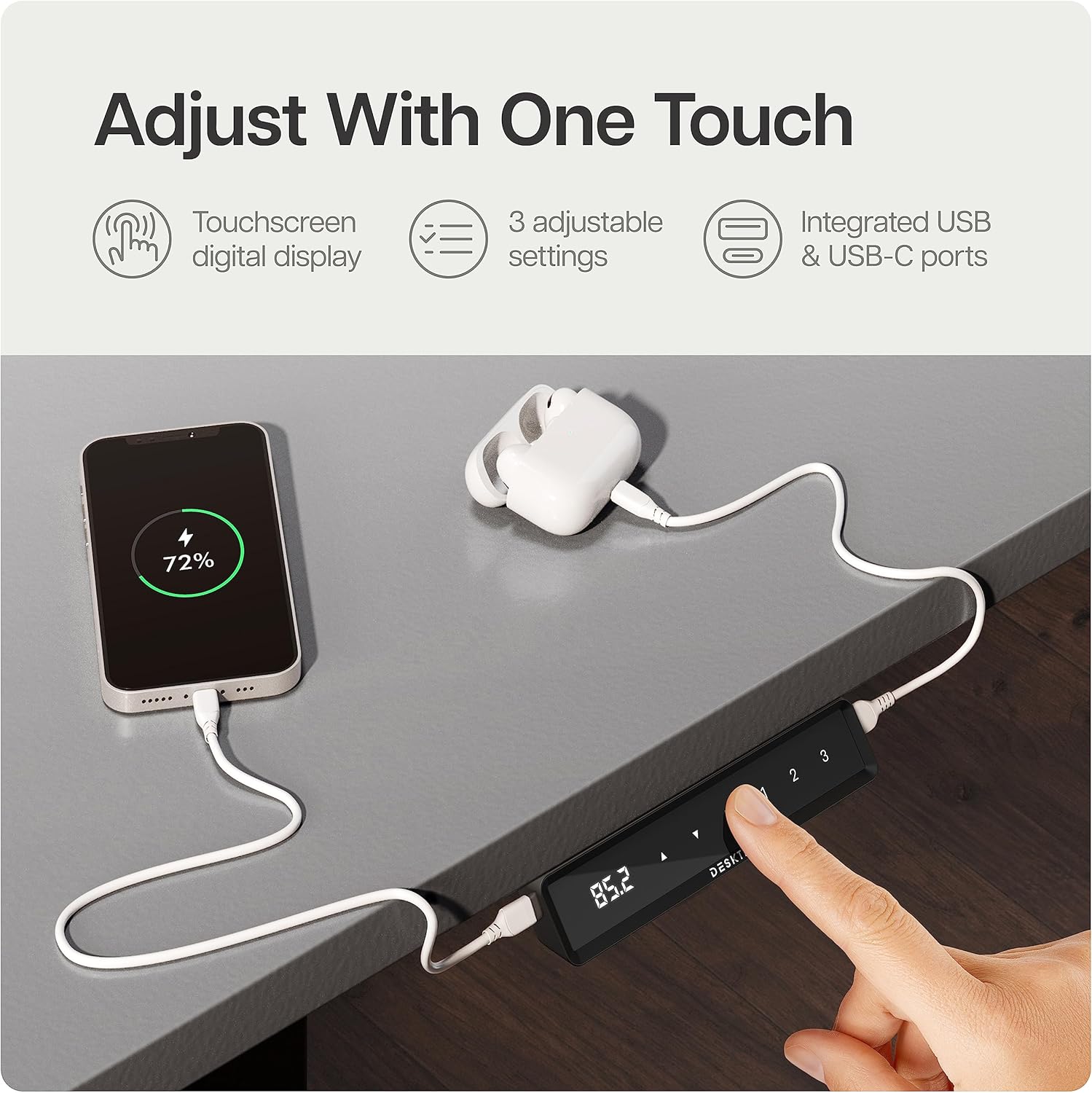
Your Desktronic desk features an intuitive touchscreen control panel with a digital display, height adjustment buttons, and memory presets. It also includes integrated USB-C and USB-A ports for convenient device charging.
5.2 Adjusting Desk Height
- Connect the desk to a power outlet. The digital display will illuminate.
- Press the Up or Down arrow buttons on the control panel to adjust the desk to your desired height. The display will show the current height in centimeters.
- Release the button once the desired height is reached. The desk will stop automatically.
5.3 Memory Presets
The control panel allows you to save up to three preferred height settings for quick adjustment.
- Adjust the desk to your desired height using the Up/Down buttons.
- Press the M button (Memory). The display will flash 'S-'.
- Within 3 seconds, press one of the preset buttons (1, 2, or 3) to save the current height to that position. The display will show 'S-1', 'S-2', or 'S-3' to confirm.
- To use a saved preset, simply press the corresponding preset button (1, 2, or 3). The desk will automatically move to the saved height.
5.4 Child Lock Function
To prevent accidental adjustments, the desk features a child lock.
- Activate: Press and hold the M button for approximately 5 seconds until 'LOC' appears on the display. All buttons will now be locked.
- Deactivate: Press and hold the M button again for approximately 5 seconds until 'LOC' disappears from the display. The desk is now unlocked.
5.5 Anti-Collision System
The desk is equipped with an anti-collision system that detects objects in its path during height adjustment. If an obstruction is detected, the desk will automatically stop and reverse slightly to prevent damage.
6. Key Product Features
The Desktronic HOME-ONE desk incorporates several design and functional elements for enhanced user experience:
- TÜV SÜD Certified Motor: Ensures reliable and smooth height adjustments.
- Robust Steel Frame: Features extra-wide 70 x 70 mm height-adjustable table legs made of reinforced steel for superior stability.
- Integrated USB-C / USB Ports: Conveniently located on the control panel for charging devices.
- Anti-Collision System: Automatically stops and reverses if an obstruction is detected during movement.
- Child Lock: Prevents unintended height adjustments.
- Rounded Corners: Designed for safety and comfort.
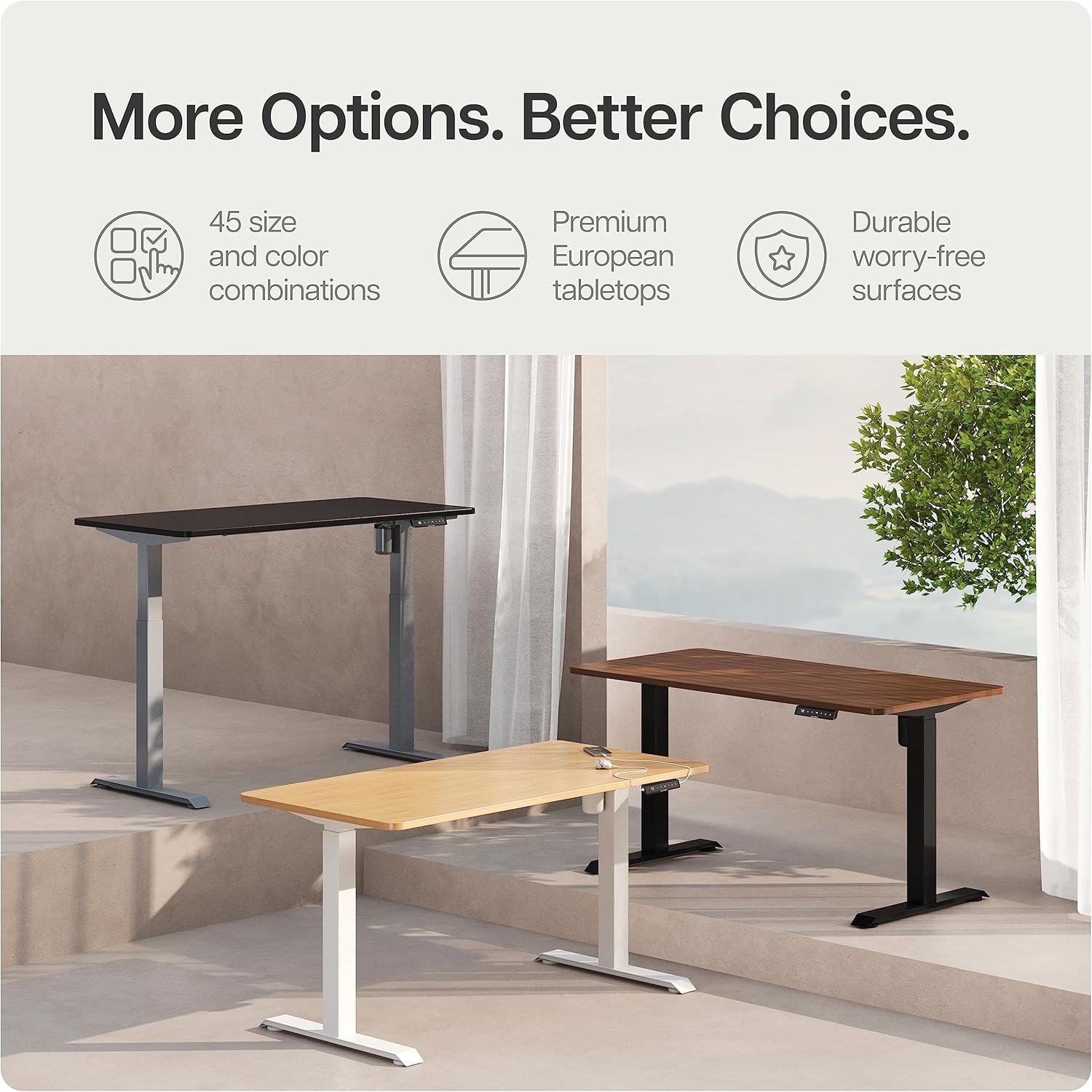
- Durable Desktop: Made from 25 mm FSC melamine resin-coated chipboard and laminate.

7. Care and Maintenance
Proper care will ensure the longevity and optimal performance of your Desktronic desk.
- Cleaning: Wipe the desk surface and frame with a damp cloth. Avoid abrasive cleaners or harsh chemicals that could damage the finish.
- Inspection: Periodically check all screws and connections to ensure they remain tight. Retighten if necessary.
- Cable Management: Ensure cables are not pinched or tangled, which could affect desk operation or cause damage.
- Environmental Conditions: Avoid exposing the desk to extreme temperatures or high humidity.
8. Troubleshooting Guide
If you encounter issues with your desk, refer to the table below for common problems and solutions. If the problem persists, contact customer support.
| Problem | Possible Cause | Solution |
|---|---|---|
| Desk does not move. | No power, child lock active, or motor error. | Check power connection. Deactivate child lock. Unplug and replug power to reset. |
| Desk moves unevenly or makes unusual noise. | Uneven load, loose connections, or obstruction. | Distribute weight evenly. Check all screws. Ensure no obstructions. |
| Error code displayed. | System fault. | Unplug the desk for 10 minutes, then reconnect. If the error persists, contact support. |
| Anti-collision system triggers frequently. | Sensitivity too high or actual obstruction. | Ensure no objects are in the desk's path. Consult manual for sensitivity adjustment (if applicable). |
9. Product Specifications
| Feature | Specification |
|---|---|
| Model Number | HOME-ONE |
| Desktop Size | 160 x 80 cm |
| Minimum Height | 72 cm |
| Maximum Height | 120 cm |
| Item Weight | 40 Kilograms |
| Maximum Weight Recommendation | 120 Kilograms |
| Base Material | Metal (Alloy Steel) |
| Top Material Type | FSC Melamine Resin-Coated Chipboard |
| Lifting Mechanism | Electric |
| Special Features | Electric Height Adjustment, Built-in USB Port, Anti-collision System, Child Lock |
| Manufacturer | Desktronic |
10. Warranty and Customer Support
Desktronic stands behind the quality of its products. The HOME-ONE Height-Adjustable Desk comes with a 5-Year Full Warranty covering both the frame and electronics.
For warranty claims, technical assistance, or any questions regarding your Desktronic desk, please contact our customer support team. Refer to your purchase documentation or the Desktronic official website for contact details.


