
SHARP YC-PS204AE-S
SHARP YC-PS204AE-S Microwave Oven User Manual
Model: YC-PS204AE-S
1. Important Safety Instructions
Read all instructions carefully before using the appliance. Keep this manual for future reference.
General Safety
- Do not attempt to operate this oven with the door open as this can result in harmful exposure to microwave energy.
- Do not place any object between the oven front face and the door or allow soil or cleaner residue to accumulate on sealing surfaces.
- Do not operate the oven if it is damaged. It is particularly important that the oven door closes properly and that there is no damage to the: (1) Door (bent), (2) Hinges and latches (broken or loosened), (3) Door seals and sealing surfaces.
- The oven should not be adjusted or repaired by anyone except properly qualified service personnel.
- This appliance is intended for household use only.
- Do not use corrosive chemicals or vapors in this appliance.
- Do not store this appliance outdoors. Do not use this product near water.
- Do not immerse cord or plug in water.
- Keep the cord away from heated surfaces.
- Do not let cord hang over edge of table or counter.
- To reduce the risk of fire in the oven cavity:
- Do not overcook food.
- Remove wire twist-ties from paper or plastic bags before placing bag in oven.
- If materials inside the oven should ignite, keep oven door closed, turn oven off, and disconnect the power cord, or shut off power at the fuse or circuit breaker panel.
Electrical Safety
- Ensure the power supply matches the voltage specified on the appliance's rating label.
- Always plug the appliance into a grounded outlet.
- Do not use extension cords unless absolutely necessary and ensure they are rated for the appliance's power consumption.
- Unplug the appliance from the outlet when not in use and before cleaning.
2. Product Overview
Familiarize yourself with the components and control panel of your SHARP YC-PS204AE-S microwave oven.
Components
- Oven Cavity: The interior space where food is cooked.
- Turntable: A glass tray that rotates to ensure even cooking.
- Turntable Ring: Supports the turntable.
- Door: Equipped with a safety interlock system.
- Control Panel: Contains the display, buttons, and dial for operation.
- LED Interior Lighting: Illuminates the oven cavity during operation.
Control Panel and Display
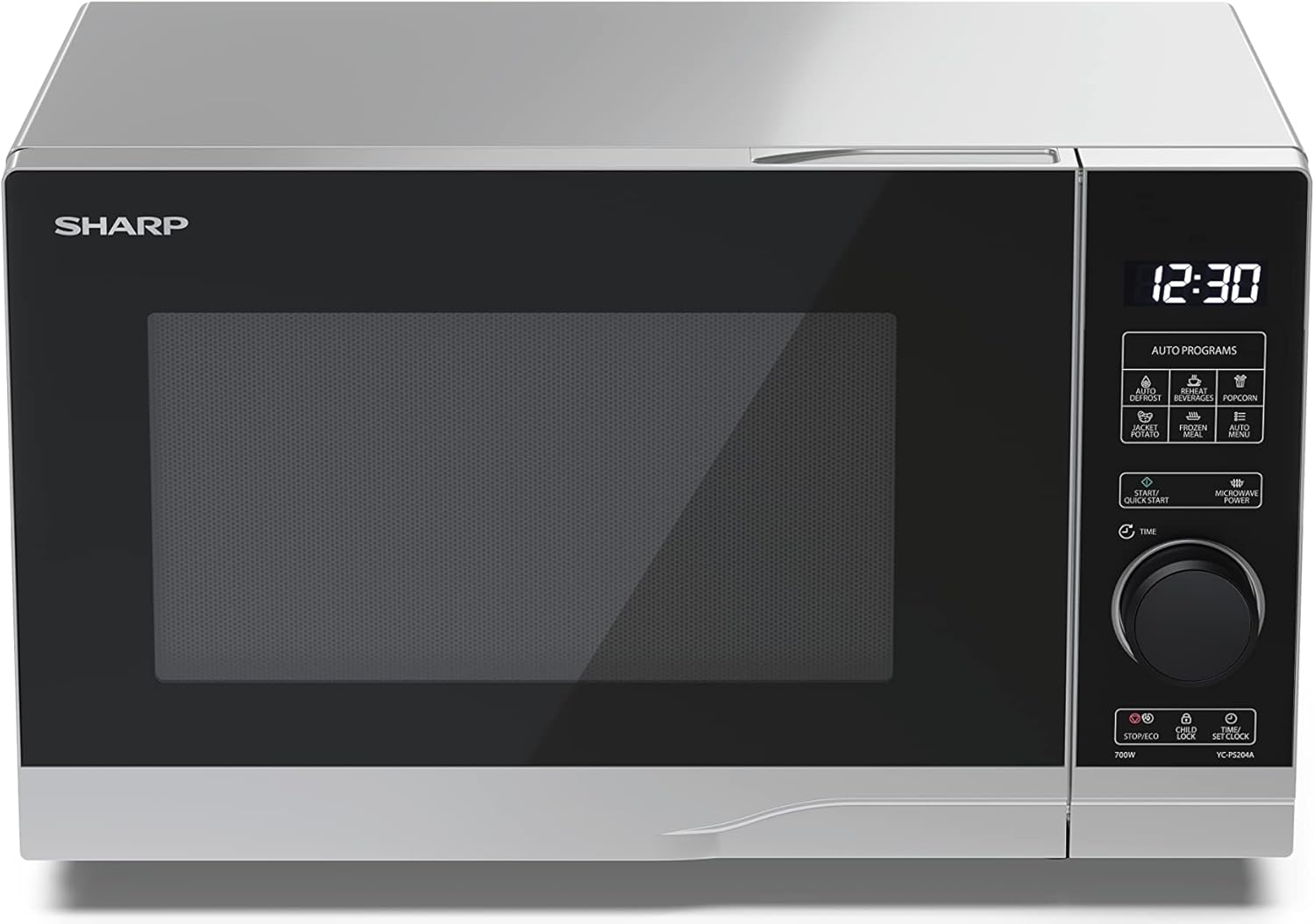
Image: Front view of the Sharp YC-PS204AE-S microwave oven, highlighting the semi-digital control panel on the right side. The display shows "88:88" and various auto program icons are visible above the main dial.
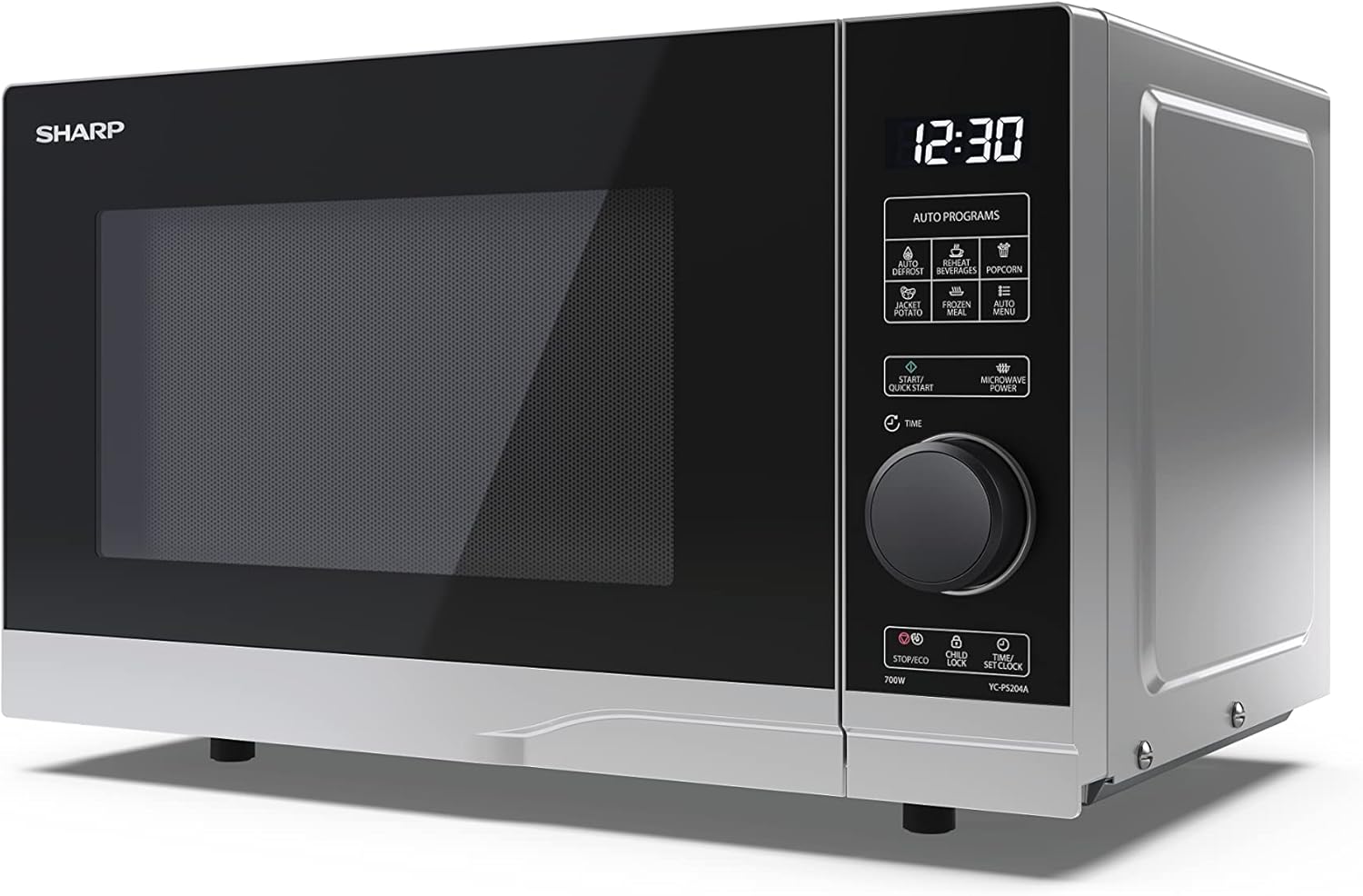
Image: Angled front view of the Sharp YC-PS204AE-S microwave, showing the sleek silver and black design. The control panel is clearly visible with its digital display and rotary knob.
The control panel features a digital display, a rotary dial for setting time and power, and several touch buttons for various functions and automatic programs.
- Display: Shows time, cooking settings, and program indicators.
- Rotary Dial: Used to set cooking time, weight, and adjust clock.
- Auto Programs: Icons for Defrost, Reheat, Popcorn, Jacket Potato, Frozen Meal, Beverages, and Auto Menu.
- Start/Quick Start Button: Initiates cooking or starts quick cooking.
- Microwave Power Button: Selects power levels.
- Stop/Eco Button: Stops cooking or activates ECO mode.
- Child Lock Button: Activates/deactivates child lock.
- Time/Set Clock Button: Sets the clock or adjusts time.
3. Setup
Unpacking
- Carefully remove the microwave oven and all packing materials from the carton.
- Check the oven for any damage, such as dents or a misaligned door. Do not operate the oven if it is damaged.
- Remove any protective film from the cabinet surface.
- Ensure all accessories are present: glass turntable, turntable ring, and instruction manual.

Image: The interior of the Sharp YC-PS204AE-S microwave oven with the door open, showing the glass turntable and the stainless steel interior. This view is useful for understanding how to place food and clean the cavity.
Placement
- Place the oven on a flat, stable surface that can support its weight and the heaviest food item likely to be cooked in it.
- Ensure adequate ventilation: leave a minimum of 20 cm (8 inches) of space above the oven, 10 cm (4 inches) at the rear, and 5 cm (2 inches) on each side.
- Do not block any ventilation openings.
- Do not place the oven near heat sources such as radiators or stoves.
- Keep the oven away from radio and TV sets to avoid interference.

Image: A diagram showing the dimensions of the Sharp YC-PS204AE-S microwave oven, with measurements for height (273 mm), width (455 mm), and depth (334 mm). This helps users ensure proper placement and ventilation space.
Initial Setup
- Plug the power cord into a standard grounded electrical outlet (230V, 50Hz).
- The display will show "0:00" or "12:00".
- Setting the Clock:
- Press the "Time/Set Clock" button once. The hour digits will flash.
- Turn the rotary dial to set the hour (0-23 for 24-hour format).
- Press "Time/Set Clock" again. The minute digits will flash.
- Turn the rotary dial to set the minutes (0-59).
- Press "Time/Set Clock" a third time to confirm. The clock is now set.
4. Operating Instructions
Basic Microwave Cooking
- Place food in a microwave-safe container on the turntable.
- Close the oven door securely.
- Press the "Microwave Power" button repeatedly to select the desired power level (e.g., P100 for 100% power, P80 for 80%, etc. There are 10 levels).
- Turn the rotary dial to set the cooking time (up to 95 minutes).
- Press the "Start/Quick Start" button to begin cooking.
Quick Start Function
- Press the "Start/Quick Start" button repeatedly to cook at 100% power for 30-second intervals. Each press adds 30 seconds.
- The maximum quick start time is 10 minutes.
Defrost Function
This function allows you to defrost food by weight.
- Place the frozen food on the turntable.
- Press the "Defrost" button (usually indicated by a snowflake icon). The display will show "dEF1" or "dEF2" depending on the defrost mode.
- Turn the rotary dial to select the weight of the food (e.g., 100g to 2000g).
- Press "Start/Quick Start" to begin defrosting.
Automatic Programs (Auto Menu)
The microwave has 8 pre-set automatic programs for common food items.
- Press the "Auto Menu" button (often labeled with "Auto Programs" or specific icons).
- Turn the rotary dial to select the desired program (e.g., Popcorn, Potato, Pizza, Beverage, etc.). The display will show the program number (e.g., A-1, A-2).
- Press "Auto Menu" again to confirm the program.
- Turn the rotary dial to select the weight or quantity (if applicable for the program).
- Press "Start/Quick Start" to begin.
Child Lock Function
To prevent unintended operation, especially by children.
- To activate: Press and hold the "Child Lock" button (often combined with "Stop/Eco") for 3 seconds. A lock icon will appear on the display.
- To deactivate: Press and hold the "Child Lock" button for 3 seconds again. The lock icon will disappear.
ECO Mode
To save energy, the display can be turned off when the oven is not in use.
- To activate: In standby mode, press the "Stop/Eco" button once. The display will turn off.
- To deactivate: Press any button or open the door to reactivate the display.
5. Maintenance and Cleaning
Regular cleaning and maintenance will ensure the longevity and optimal performance of your microwave oven.
Cleaning the Oven Interior
- Always unplug the oven before cleaning.
- Wipe the interior cavity after each use with a damp cloth and mild detergent.
- For stubborn stains, place a bowl of water with lemon juice inside and heat for 2-3 minutes. The steam will loosen the residue.
- Do not use abrasive cleaners or metal brushes, as they can damage the interior surface.
Cleaning the Turntable and Ring
- The glass turntable and turntable ring can be removed for cleaning.
- Wash them in warm, soapy water or in the dishwasher.
- Ensure they are completely dry before placing them back in the oven.
Cleaning the Exterior
- Wipe the exterior surfaces with a soft, damp cloth.
- Avoid getting water into the ventilation openings.
- Clean the door and door seals regularly to ensure proper closure and prevent microwave leakage.
6. Troubleshooting
If you encounter issues with your microwave oven, refer to the following common problems and solutions.
| Problem | Possible Cause | Solution |
|---|---|---|
| Oven does not start. | Power cord not plugged in; Fuse blown or circuit breaker tripped; Door not closed properly. | Plug into outlet; Replace fuse or reset circuit breaker; Close door securely. |
| Food not cooking evenly. | Food not stirred or turned; Turntable not rotating. | Stir or turn food halfway through cooking; Ensure turntable and ring are correctly placed and clean. |
| Sparking inside the oven. | Metal or foil in the oven; Dish not microwave-safe; Food residue. | Remove any metal; Use microwave-safe dishes; Clean oven cavity thoroughly. |
| Display shows error code. | Internal malfunction. | Unplug the oven for a few minutes, then plug it back in. If the error persists, contact customer service. |
| Oven light not working. | Bulb needs replacement. | Contact qualified service personnel for bulb replacement. |
If the problem persists after trying these solutions, please contact SHARP customer support.
7. Specifications
Technical specifications for the SHARP YC-PS204AE-S Microwave Oven.
| Feature | Detail |
|---|---|
| Model Number | YC-PS204AE-S |
| Capacity | 20 Liters |
| Microwave Power Output | 700 Watts |
| Power Levels | 10 |
| Control Type | Semi-digital |
| Product Dimensions (W x H x D) | 45.5 cm x 27.4 cm x 33.4 cm |
| Weight | 10.5 Kilograms |
| Color | Silver |
| Interior Material | Stainless Steel |
| Turntable Diameter | 245 mm |
| Special Features | Child Lock, ECO Function, Defrost System, LED Interior Lighting, 8 Auto Programs |
| Power Supply | 230 Volts |
| Included Components | 1x Microwave SHARP YC-PS204AE-S, Glass Turntable, Multilingual Operating Instructions, Warranty Card |
8. Warranty and Support
SHARP provides a warranty for this product. Please refer to the warranty card included in the packaging for specific terms and conditions.
Customer Support
For technical assistance, troubleshooting beyond this manual, or warranty claims, please contact SHARP customer service.
- Visit the official SHARP website for support contact information in your region.
- Have your model number (YC-PS204AE-S) and purchase date ready when contacting support.
Ask a question about this manual
Ask about setup, troubleshooting, compatibility, parts, safety, or missing instructions. Manuals+ will review the question and use this page’s manual context to help answer it.