
Introduction
Thank you for choosing the FDW Drafting Chair. This manual provides essential information for the safe assembly, operation, and maintenance of your new chair. Please read these instructions carefully before use and retain them for future reference.
Safety Information
For safe use of this FDW Drafting Chair, please follow all assembly instructions. This chair has a maximum weight capacity of 250 lbs (113 kg) and is recommended for adult use only. Exercise caution when adjusting the seat height and foot ring height. Use the 360-degree swivel and smooth rolling wheels carefully to prevent injury. If you encounter any issues with the chair, contact the manufacturer for assistance.
Package Contents
Before beginning assembly, ensure all parts are present and undamaged. The package should contain:
- 1 x FDW Office Drafting Chair (components for backrest, seat, armrests, base, casters, gas lift, foot ring)
- 1 x Installation Tool (usually an Allen wrench)
- 1 x Instruction Manual (this document)
If any parts are missing or damaged, please contact customer service immediately.
Assembly Instructions
Assembly of the FDW Drafting Chair is designed to be straightforward and typically takes 15-20 minutes. Follow the steps below carefully.
- Attach Casters to Base: Insert the five casters into the holes at the end of each leg of the chair base. Push firmly until they click into place.
- Insert Gas Lift: Place the gas lift cylinder into the center hole of the chair base.
- Assemble Foot Ring: Slide the foot ring over the gas lift cylinder and secure it at the desired height using the adjustment knob.
- Attach Armrests to Seat: Secure the armrests to the underside of the seat cushion using the provided screws and installation tool. Ensure they are firmly attached.
- Attach Backrest to Seat: Connect the backrest to the seat assembly. Align the mounting holes and secure with screws.
- Connect Seat Assembly to Gas Lift: Carefully place the assembled seat and backrest onto the gas lift cylinder, ensuring it is centered and fully seated.
After assembly, test all adjustments and ensure the chair is stable before use.

Figure 1: Visual representation of the chair's easy assembly process, indicating an approximate 15-minute setup time.
Operating Instructions
Your FDW Drafting Chair offers several adjustable features for personalized comfort.
- Seat Height Adjustment: To raise the seat, lift the lever located under the right side of the seat while standing. To lower the seat, sit on the chair and lift the same lever. Adjust to your preferred height (21.3 - 30.5 inches).
- Foot Ring Height Adjustment: Loosen the knob on the foot ring, slide it up or down the gas lift to your desired height, and then tighten the knob securely.
- Flip-Up Armrests: The armrests can be flipped up 90-180 degrees. This allows you to push the chair closer to your desk or save space when not in use. Simply lift the armrests upwards until they lock into position.
- 360° Swivel: The chair seat and base are designed to swivel 360 degrees, providing freedom of movement and easy access to your workspace.
- Lumbar Support: The chair features built-in lumbar support designed to conform to the natural curve of your spine, providing support and helping to alleviate back pain during prolonged sitting.

Figure 2: Demonstrates the chair's adjustable features including height, foot ring, and 360-degree swivel.
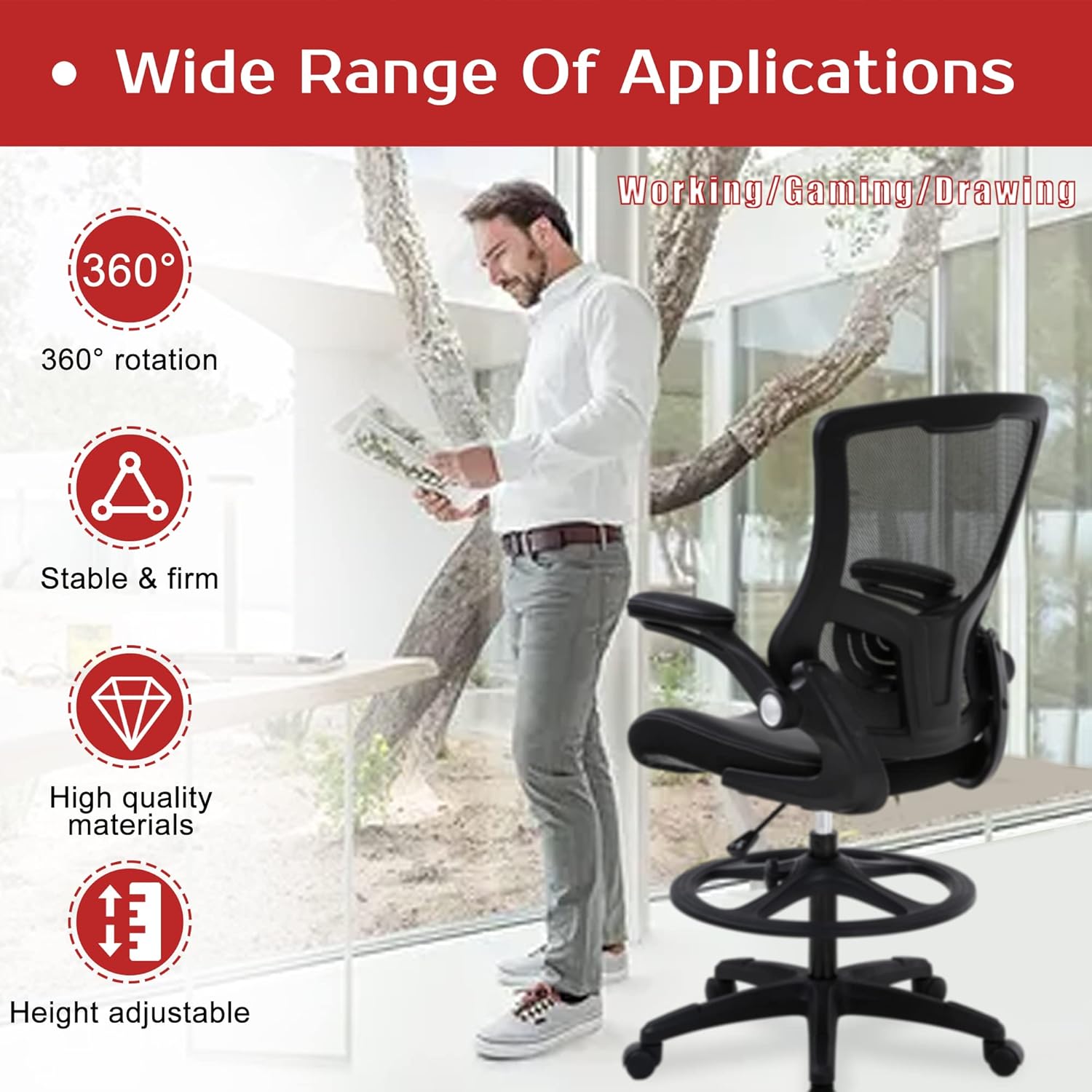
Figure 3: Illustrates the flip-up armrest feature, allowing for space-saving and closer desk access.

Figure 4: Details the ergonomic S-shaped backrest and lumbar support for spinal comfort.
Maintenance
To ensure the longevity and appearance of your FDW Drafting Chair, follow these simple maintenance guidelines:
- Cleaning: Wipe clean with a damp cloth. Avoid harsh chemicals or abrasive cleaners, which can damage the mesh fabric or seat material.
- Inspection: Periodically check all screws and bolts to ensure they are tight. Re-tighten if necessary to maintain stability and safety.
- Caster Care: Keep the casters free of hair and debris to ensure smooth rolling.
Troubleshooting
If you encounter any issues with your FDW Drafting Chair, refer to the following common problems and solutions:
- Chair Sinks or Does Not Hold Height: This usually indicates an issue with the gas lift cylinder. Ensure the gas lift is correctly inserted into the base and seat mechanism. If the problem persists, the gas lift may need replacement.
- Chair is Wobbly: Check all assembly screws and bolts. Tighten any loose fasteners. Ensure the casters are fully inserted into the base.
- Casters Not Rolling Smoothly: Inspect casters for trapped debris (hair, lint, etc.). Clean them thoroughly. Ensure the chair is used on an appropriate surface.
- Squeaking Noises: Apply a small amount of silicone lubricant to moving parts or joints where squeaking occurs. Check for loose connections and tighten them.
If these solutions do not resolve the issue, please contact FDW customer support.
Specifications
| Brand | FDW |
| Model Name | Mid-Back Mesh Tall Office Chair |
| Color | Black |
| Material | Mesh Fabric, Sponge |
| Product Dimensions | 19"D x 25"W x 52"H (approximate) |
| Adjustable Seat Height | 21.3 - 30.5 inches |
| Maximum Weight Capacity | 250 lbs (113 kg) |
| Item Weight | 27 pounds (12.2 kg) |
| Special Features | Ergonomic Lumbar Support, Flip-Up Arms, Adjustable Foot Ring, 360° Swivel |
| Care Instructions | Wipe Clean |

Figure 5: Detailed product dimensions for the FDW Drafting Chair.
Warranty and Support
FDW stands behind the quality of its products. For specific warranty information, please refer to the documentation included with your purchase or contact FDW customer support directly. If you have any questions, require assistance with assembly, or need to report a missing/damaged part, please reach out to our customer service team.
Contact Information: Please refer to the FDW official website or your purchase receipt for the most current customer support contact details.


