
1. Introduction
The EPEVER IPower-Plus series represents an advanced generation of pure sine wave inverters designed for various applications, including photovoltaic installations, vehicle systems, RV systems, and off-grid setups. This inverter features an input surge current suppression system to protect lithium battery cells and their Battery Management System (BMS) from damage. Its dual voltage and current regulation loop ensures faster adaptation and improved resistance to load variations. An optional communication interface allows for real-time monitoring and remote control.

Figure 1: EPEVER IPower-Plus Series IP3000-42 Plus Pure Sine Wave Inverter
2. Safety Instructions
Please read all safety instructions carefully before installation and operation. Failure to follow these instructions may result in electric shock, fire, or serious injury.
- Ensure electrical isolation between the input and output terminals.
- Verify correct polarity when connecting the battery to prevent reverse polarity damage.
- The inverter includes protection against overvoltage, low supply voltage, output overloads, short-circuits, and overheating. However, proper installation is crucial.
- Do not expose the inverter to water, rain, snow, or liquids.
- Ensure adequate ventilation around the inverter to prevent overheating.
- This product is approved according to IEC62109, EN61000, and RoHS standards.
3. Product Overview
3.1 Key Features
- 180-degree rotatable LCD screen for easy viewing.
- Input surge current suppression for lithium battery protection.
- Output power factor up to 1.
- Low no-load or standby power consumption.
- Robust resistance to load variations.
- Optional RS485 communication interface for remote monitoring and control via PC software or smartphone applications.
3.2 Component Identification
DC Input Side
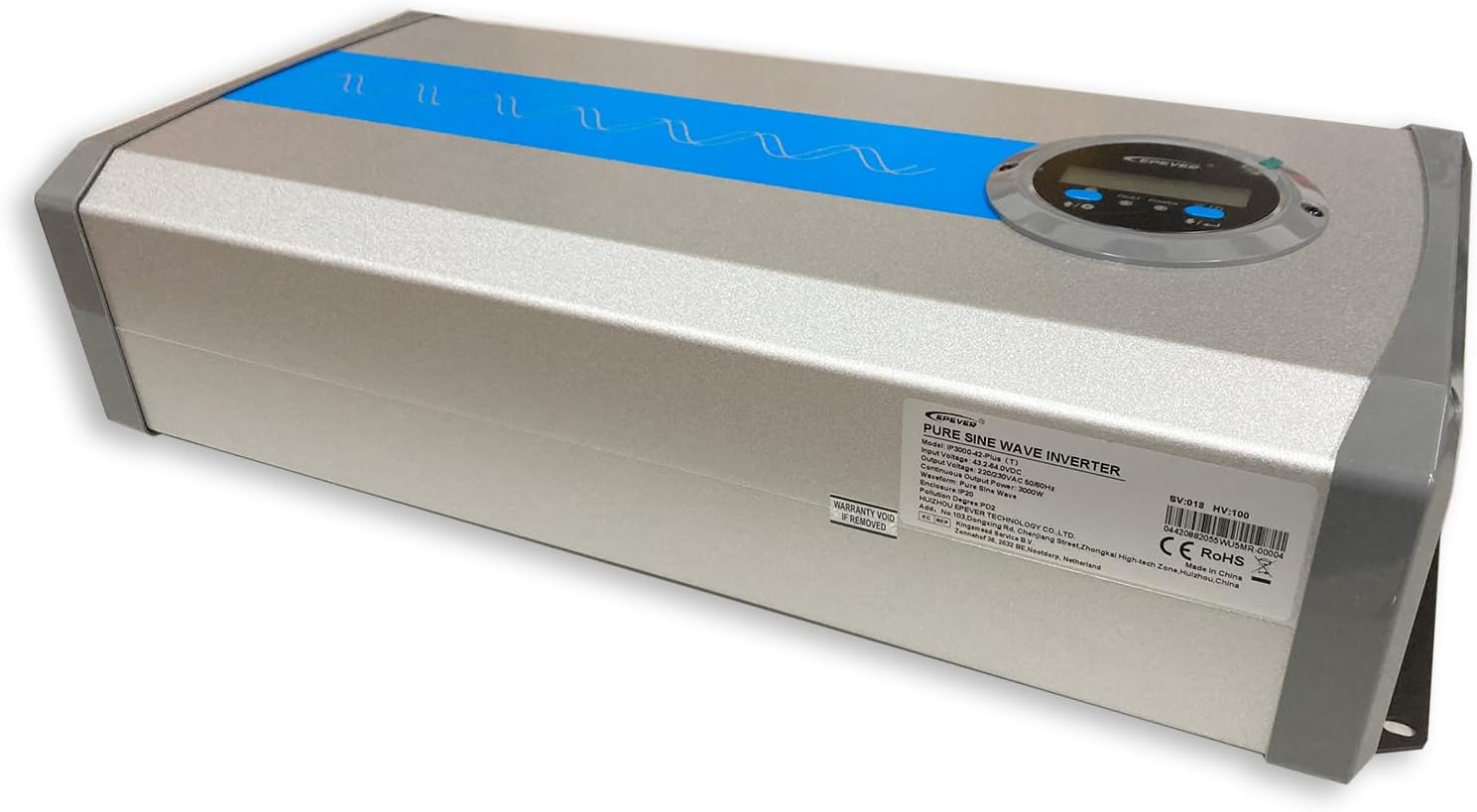
Figure 2: DC Input terminals (red for positive, black for negative) and cooling fans.
- DC Input Terminals: Connect to battery bank (48V DC).
- Cooling Fans: Automatically activate to dissipate heat.
AC Output and Control Side

Figure 3: AC Output terminals, ON/OFF switch, RS-485, and USB port.
- ON/OFF Switch: Controls the inverter's power.
- RS-485 Port: For optional communication modules (e.g., Bluetooth, WiFi) for remote monitoring.
- USB Port (5V Max. 1A): For charging small devices or connecting communication accessories.
- AC Output Terminals: Connect to AC loads (230V AC).
4. Setup and Installation
Proper installation is critical for the safe and efficient operation of your EPEVER IPower-Plus inverter. It is recommended that installation be performed by a qualified professional.
- Mounting: Choose a dry, well-ventilated location away from direct sunlight, heat sources, and flammable materials. Ensure sufficient clearance around the inverter for airflow.
- DC Input Connection:
- Ensure the battery bank voltage matches the inverter's rated DC input (48V DC).
- Connect the positive (+) terminal of the battery to the red (+) terminal of the inverter.
- Connect the negative (-) terminal of the battery to the black (-) terminal of the inverter.
- Use appropriate gauge cables and ensure all connections are tight to prevent voltage drop and overheating.
- Install a DC fuse or circuit breaker between the battery and the inverter for protection.
- AC Output Connection:
- Connect your AC loads to the AC output terminals (N, L, Ground).
- Ensure the total power consumption of your AC loads does not exceed the inverter's continuous output power.
- Grounding: Connect the inverter's chassis to a reliable earth ground.
- Optional Communication: If using, connect the RS485 cable to the communication port and to your monitoring device (PC or communication module).
For detailed wiring diagrams and specific installation requirements, please refer to the official PDF user manual available for download.
5. Operating Instructions
- Powering On: After ensuring all connections are secure, switch the ON/OFF button to the 'ON' position. The LCD display will illuminate, showing system status.
- LCD Display: The 180-degree rotatable LCD screen provides real-time information such as input voltage, output voltage, output frequency, power consumption, and error codes. Refer to the detailed manual for specific display indicators.
- Connecting Loads: Once the inverter is operational, you can connect your AC appliances. Ensure the total load does not exceed the inverter's capacity.
- Powering Off: To shut down the inverter, first disconnect all AC loads, then switch the ON/OFF button to the 'OFF' position.
- Remote Monitoring (Optional): If an RS485 communication module is connected, you can monitor and configure the inverter using the dedicated PC software or smartphone application.
6. Maintenance
Regular maintenance ensures the longevity and optimal performance of your inverter.
- Cleaning: Periodically clean the inverter's exterior with a dry cloth. Ensure ventilation openings and cooling fans are free from dust and debris. Do not use liquid cleaners.
- Connection Checks: Regularly inspect all electrical connections (DC input, AC output, grounding) for tightness and corrosion. Tighten any loose connections.
- Environment: Ensure the operating environment remains within the specified temperature and humidity ranges.
- Battery Health: Monitor the health of your battery bank, as a degraded battery can affect inverter performance.
7. Troubleshooting
This section addresses common issues you might encounter. For more complex problems, consult the full user manual or contact technical support.
| Problem | Possible Cause | Solution |
|---|---|---|
| No AC Output / Inverter not turning on | Low battery voltage, loose DC connections, inverter switch OFF, internal fault. | Check battery voltage and charge if necessary. Verify all DC connections are secure. Ensure the ON/OFF switch is in the 'ON' position. If problem persists, contact support. |
| Inverter is loud (fan noise) | Normal operation under load, high ambient temperature, dust accumulation in fans. | Fan noise is normal when the inverter is under load or operating in high temperatures. Ensure adequate ventilation. Clean fans if dusty. If noise is excessive without load, contact support. |
| Fan runs intermittently without load | Temperature sensor activation, internal component heat. | This can be normal behavior as the inverter manages internal temperatures. If it's constant or accompanied by other issues, contact support. |
| Battery damage after inverter use | Incorrect battery type, improper wiring, faulty BMS, inverter malfunction. | Ensure battery type (e.g., lithium) is compatible and its BMS is functioning correctly. Double-check all wiring. If battery damage occurs, immediately disconnect the inverter and consult a professional. |
| Overload Protection activated | Connected load exceeds inverter's capacity. | Reduce the total AC load connected to the inverter. Disconnect some appliances and restart the inverter. |
8. Specifications
| Feature | Specification |
|---|---|
| Brand | EPEVER |
| Model Name | IP3000-42-PLUS |
| System Battery Voltage | 48V DC |
| Continuous Power | 3000 W |
| Surge Power (5s) | 6000 W |
| Output Voltage | 220VAC (±3%); 230VAC (-7% ~ +3%) |
| Output Frequency | 50 / 60Hz ±0.2% |
| Maximum Efficiency | >94.5% (30% load) |
| No-load Current | <0.5A |
| RS485 Interface | 5VDC / 200mA |
| Protection Class | IP20 |
| Dimensions (L x W x H) | 49.1 x 23.2 x 12.3 cm |
| Net Weight | 7 kg |
| Output Waveform | Pure Sine Wave |
| Certifications | CE, RoHS |
9. Warranty and Support
The EPEVER IPower-Plus Series IP3000-42 Plus inverter comes with a 2-year manufacturer's warranty.
For technical support, troubleshooting assistance beyond this manual, or warranty claims, please contact EPEVER customer service or your authorized dealer. Ensure you have your product model number (IP3000-42-PLUS) and purchase information available when seeking support.
Additional resources, including the full PDF user manual and software for remote monitoring, may be available on the official EPEVER website or through the provided documentation link:


