
Introduction
Welcome to the JOYOR Y6-S Electric Scooter user manual. This guide provides essential information for the safe assembly, operation, maintenance, and troubleshooting of your new electric scooter. Please read this manual thoroughly before first use to ensure optimal performance and safety.
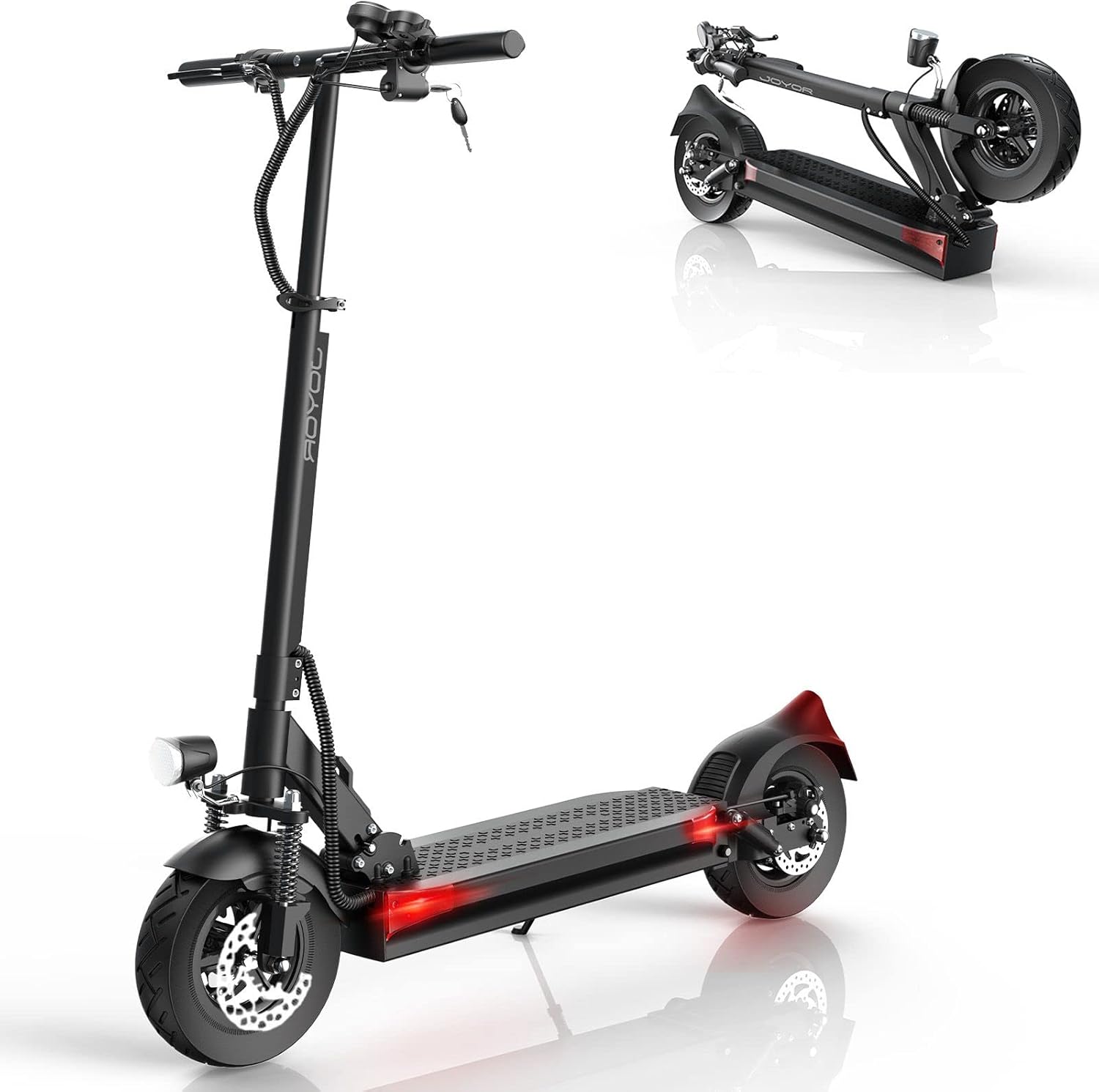
The JOYOR Y6-S Electric Scooter features a sleek black design, 10-inch pneumatic tires, and a robust aluminum frame. The image shows the scooter both in its upright riding position and folded for compact storage, highlighting its portability.
Safety Guidelines
Your safety is paramount. Always adhere to the following guidelines:
- Always wear a helmet and appropriate protective gear (knee pads, elbow pads) when riding.
- Do not ride in heavy rain, snow, or on icy surfaces.
- Ensure all bolts and quick releases are securely fastened before each ride.
- Observe local traffic laws and regulations. This product may not be street legal in all regions.
- The maximum recommended load is 120 kg (265 lbs).
- Not suitable for users under 16 years of age.
- Maintain a safe distance from other vehicles and pedestrians.
- Avoid sudden braking, especially at high speeds.
- Do not attempt to modify the scooter.
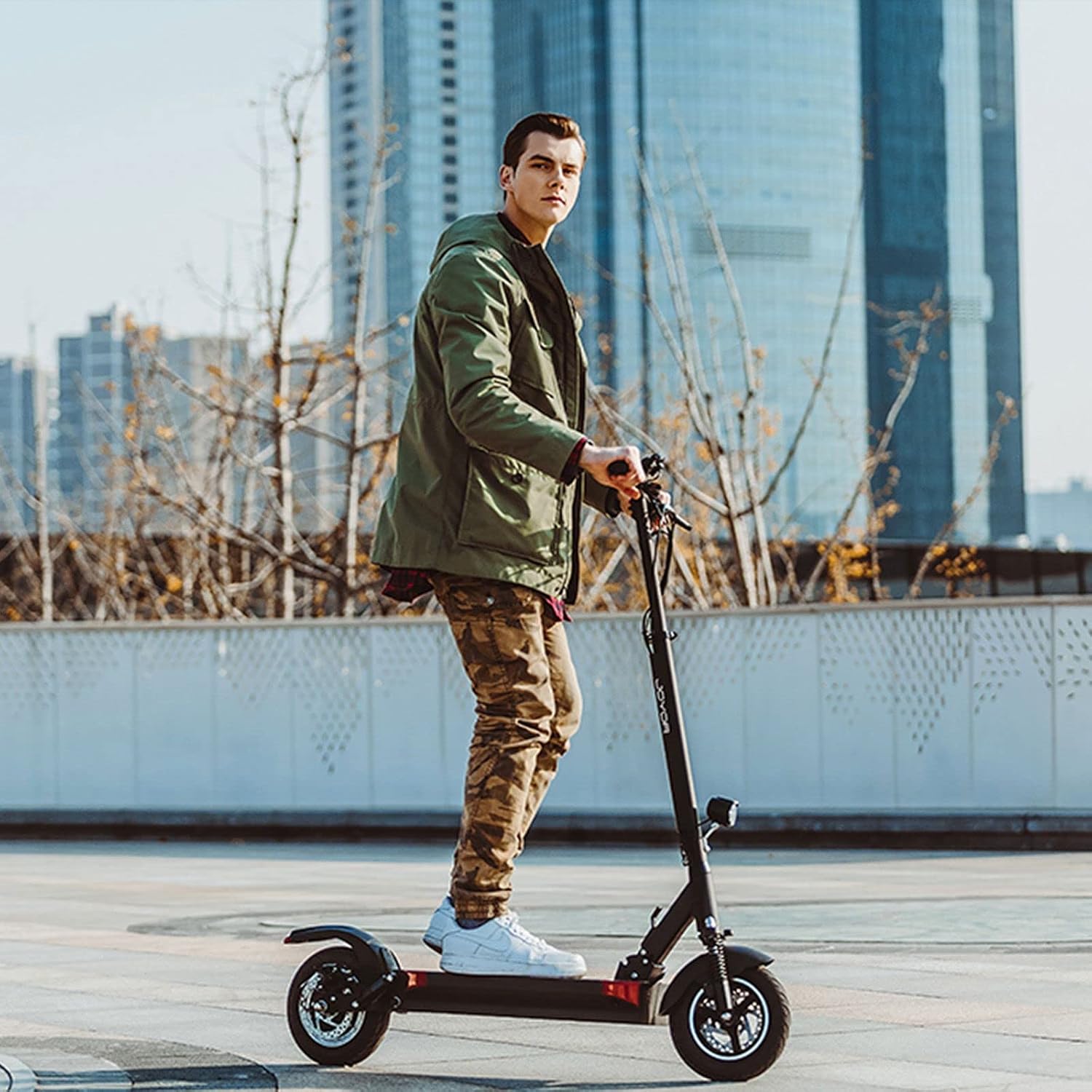
A man is shown riding the JOYOR Y6-S Electric Scooter outdoors, demonstrating typical usage. The scooter's design allows for comfortable urban commuting.
Package Contents
Upon opening the package, verify that all the following components are included:
- JOYOR Y6-S Electric Scooter
- Charger
- User Manual (this document)
- Installation Tool Kit
Assembly Instructions
The JOYOR Y6-S Electric Scooter comes partially assembled. Follow these steps to complete the setup:
- Unfolding the Scooter: Carefully lift the handlebar stem until it locks into place. Ensure the folding mechanism is securely latched.
- Handlebar Installation: Attach the handlebars to the stem, ensuring all cables are properly routed and not pinched. Tighten any screws as indicated in the quick start guide (refer to included installation tool kit).
- Tire Inflation: Check the tire pressure of the 10-inch pneumatic tires. Inflate to the recommended PSI if necessary.
- Initial Charge: Before first use, fully charge the scooter's battery using the provided charger. The charging port is typically located on the side of the deck.

This image illustrates the portable folding design of the JOYOR Y6-S Electric Scooter, allowing for easy storage and transport. The scooter can be quickly folded down to a compact size.
Operating Your Scooter
Powering On/Off
To power on the scooter, insert the key into the ignition and turn it. Press and hold the power button on the display panel. To power off, reverse the process.
Riding Modes
The scooter features multiple riding modes, selectable via the display panel. Refer to the LCD Digital Display section for more details.
Acceleration
Gently press the throttle lever to accelerate. Start slowly to get accustomed to the scooter's power.
Braking
The JOYOR Y6-S is equipped with dual front and rear disc brakes for effective stopping power. Apply both brake levers simultaneously for balanced braking.
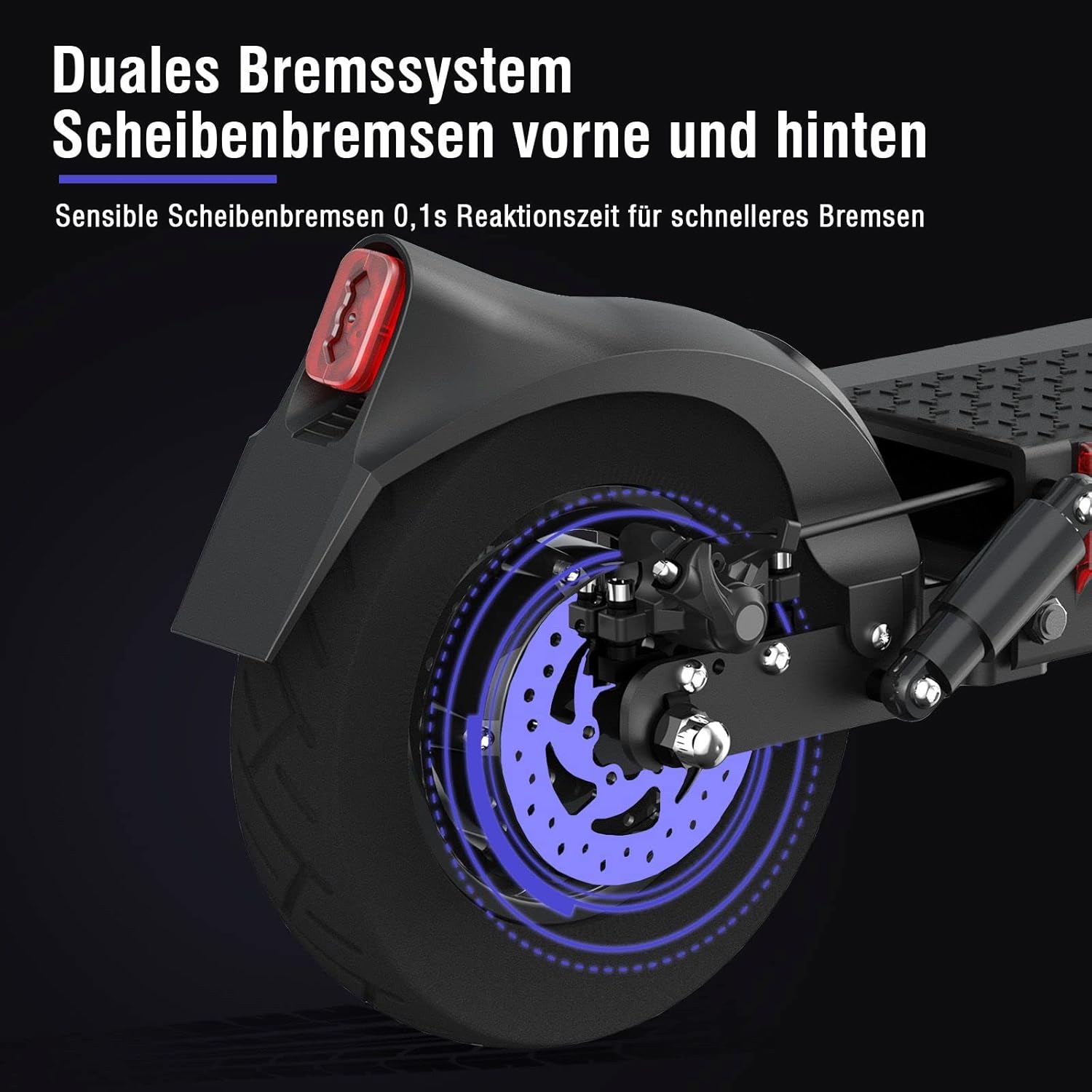
A detailed view of the rear wheel and its disc brake, highlighting the dual braking system (front and rear disc brakes) for enhanced safety and responsive stopping.
Lighting System
The scooter includes an advanced lighting system for visibility and safety, featuring headlights, taillights, turn signals, and outline lights.

This image showcases the scooter's comprehensive lighting system, including a bright headlight, red taillight, and integrated turn signals, designed for improved visibility during commuting.
LCD Digital Display
The LCD display provides real-time information about your ride status.
- Meter Button: Cycles through various display metrics.
- Speed Display: Shows current speed.
- Model Button: Selects riding modes.
- Volt Display: Shows battery voltage.
- Headlight Switch: Activates/deactivates the headlight.
- Horn Switch: Activates the horn.

A close-up of the scooter's handlebars, showing the LCD digital display which provides real-time ride status, speed, and battery information. Also visible are the headlight and horn switches.
Maintenance
Regular maintenance ensures the longevity and safe operation of your JOYOR Y6-S Electric Scooter.
- Cleaning: Wipe the scooter with a damp cloth. Do not use high-pressure water or immerse the scooter in water.
- Tire Care: Regularly check tire pressure and inspect for wear or damage. The 10-inch pneumatic tires require proper inflation for optimal performance and safety.
- Brake Inspection: Periodically check the brake pads and discs for wear. Adjust or replace as needed.
- Battery Care:
- Charge the battery fully after each use.
- Do not overcharge or completely drain the battery.
- Store the scooter in a cool, dry place if not used for extended periods, with the battery charged to approximately 50-70%.
- Fastener Check: Ensure all screws and bolts are tight before each ride.
- Suspension: The scooter features full suspension (double front and single rear). Inspect the suspension components for any signs of damage or wear.

This image highlights the scooter's full suspension system, showing the double shock absorbers at the front and a single shock absorber at the rear, designed to provide a comfortable ride over varied terrain.
Troubleshooting Common Issues
| Problem | Possible Cause | Solution |
|---|---|---|
| Scooter does not power on | Low battery, power button not pressed correctly, key not inserted/turned | Charge battery, ensure power button is held, check key ignition |
| Reduced range | Low tire pressure, cold weather, heavy load, uphill riding, aggressive acceleration | Inflate tires to correct pressure, ride in moderate temperatures, reduce load, ride smoothly |
| Brakes feel weak | Worn brake pads, loose brake cable | Inspect and replace brake pads, adjust brake cable tension |
| Unusual noises | Loose components, debris in wheels/brakes | Check all fasteners, inspect wheels and brakes for obstructions |
Technical Specifications
| Feature | Specification |
|---|---|
| Model | Y6-S |
| Brand | JOYOR |
| Motor Power | 500W Brushless Motor |
| Battery Capacity | 48V 18Ah (864Wh) |
| Max Range | Up to 75 km (46.6 miles) |
| Max Load | 120 kg (265 lbs) |
| Tire Size | 10-inch Pneumatic Tires |
| Brake Type | Dual Front and Rear Disc Brakes |
| Suspension | Full Suspension (Double Front, Single Rear) |
| Frame Material | Aluminum |
| Product Dimensions | 120 x 57 x 119 cm (47.2 x 22.4 x 46.8 inches) |
| Charging Time | 8-10 hours (approx.) |
| Special Features | Key Start, Advanced Lighting System (Turn Signals, Headlights, Taillights), LCD Digital Display |
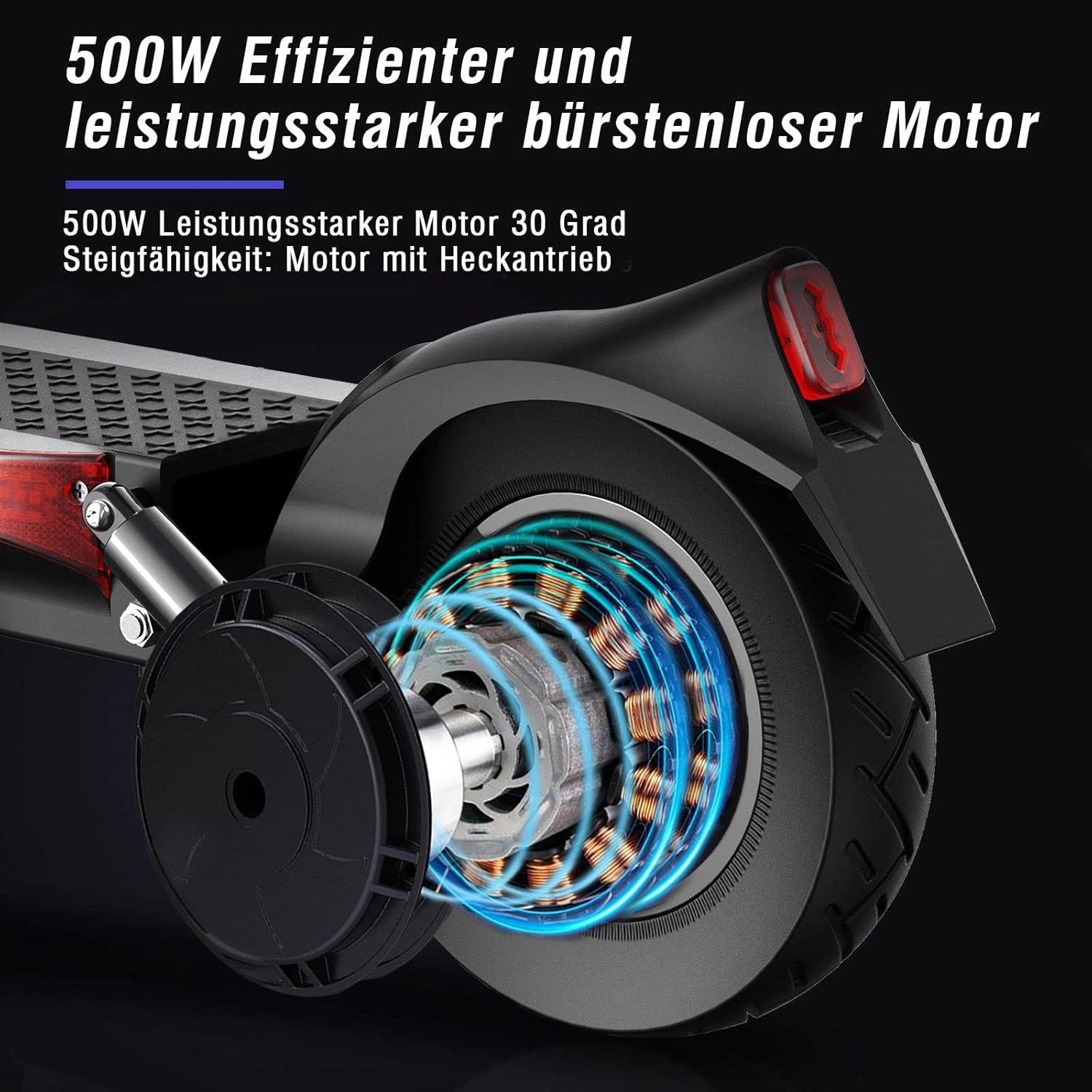
This image provides a cutaway view of the scooter's rear wheel, illustrating the powerful 500W brushless motor. This motor enables efficient propulsion and a climbing ability of up to 30 degrees.
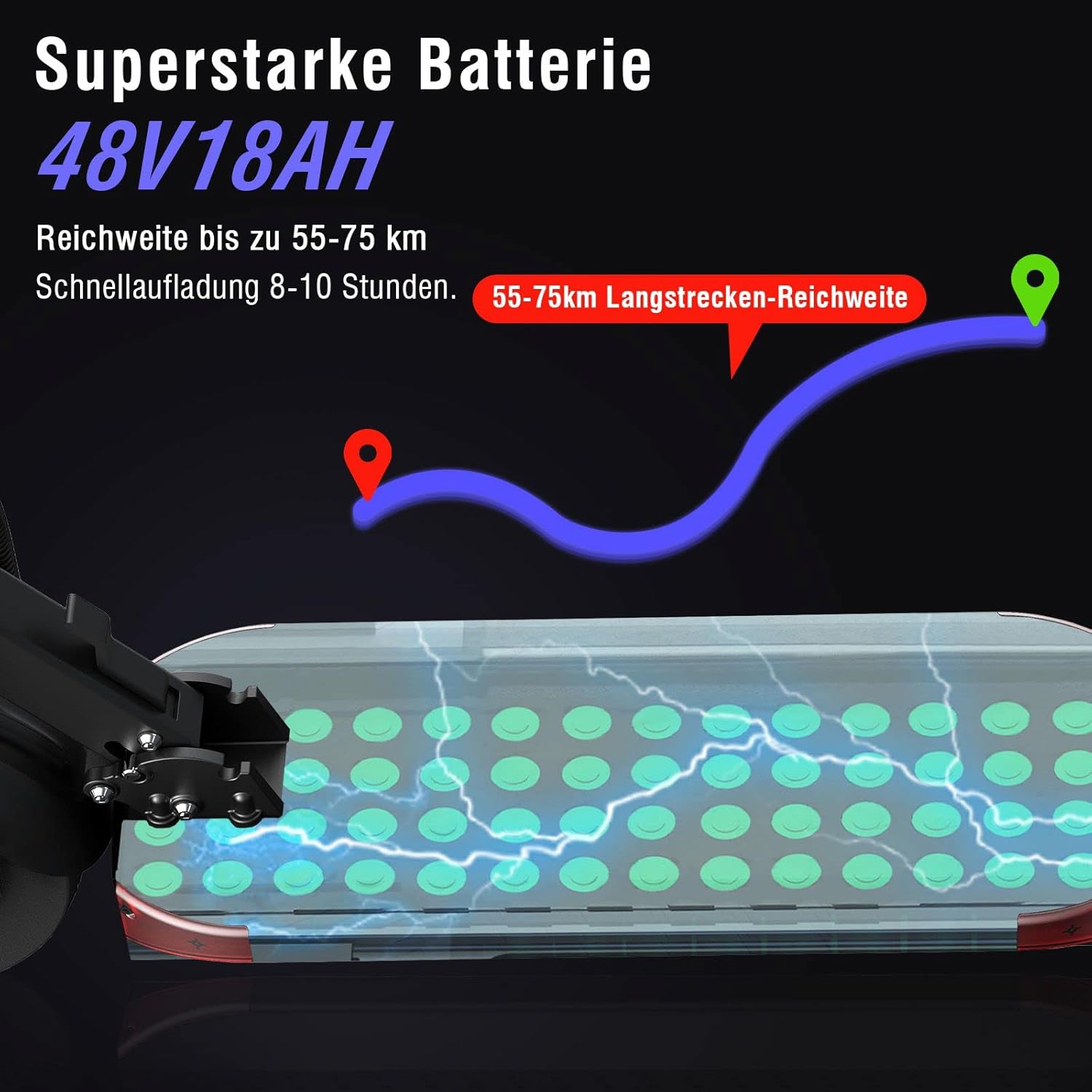
A visual representation of the scooter's 48V 18Ah battery, indicating a long-distance range of 55-75 km and a fast charging time of 8-10 hours.

This image highlights the robust aluminum frame of the scooter, emphasizing its high strength and resistance to deformation, capable of supporting a weight capacity of 120 kg.

A close-up view of the scooter's 10-inch pneumatic tires, designed for anti-slip performance. The image also shows the kickstand and the broad anti-slip pad on the deck.
Warranty and Customer Support
For warranty information, please refer to the warranty card included with your purchase or visit the official JOYOR website.
If you encounter any issues not covered in this manual or require further assistance, please contact JOYOR customer support through their official channels.
Manufacturer: JINHUA JOYOR VEHICLE CO.,LTD
First Available on Amazon.de: February 16, 2022


