
1. Introduction
The SMALLRIG Half Cage 3656 is a specialized camera accessory designed to provide enhanced protection and expand accessory mounting options for Canon R5, R5 C, and R6 mirrorless cameras. This half cage design ensures that the camera's handgrip remains fully accessible, preserving the camera's ergonomic feel while offering robust support for various setups.
2. Key Features
- Compatibility: Specifically designed for Canon R5, Canon R5 C, and Canon R6 cameras.
- Integrated Half Cage Design: Maintains full access to the camera's handgrip and controls.
- Cable Protection: Includes a hand-tight cable clamp for HDMI and USB-C cables to prevent accidental disconnection and ensure stable signal transmission.
- Secure Mounting: Locks onto the camera via a 1/4"-20 screw and a locating pin at the bottom, with an additional attachment point through the shoulder strap hole on the left side to prevent twisting.
- Camera Protection: Built-in silicone pads safeguard the camera body from scratches.
- Multiple Accessory Mounts: Features various mounting interfaces including 1/4"-20 threaded holes, 3/8"-16 ARRI locating holes, and cold shoe mounts for attaching accessories like handles, microphones, and LED lights.
- Quick Release Functionality: An integrated Arca-Swiss compatible plate on the bottom allows for quick transitions between tripods and DJI RS 2 / RSC 2 / RS 3 / RS 3 Pro gimbals.
3. Package Contents
Verify that all components are present in the package:
- 1 x SMALLRIG Half Cage 3656
- 1 x HDMI and USB-C Cable Clamp
4. Setup and Installation
Follow these steps to properly install the SMALLRIG Half Cage 3656 onto your Canon R5, R5 C, or R6 camera.
4.1 Attaching the Half Cage
- Ensure your camera is powered off and any attached lenses or accessories are removed.
- Align the bottom of the half cage with the camera's tripod socket. The cage is designed for precise fitment, ensuring all camera controls and ports remain accessible.
- Secure the cage to the camera using the integrated 1/4"-20 screw at the bottom. Tighten firmly but do not overtighten.
- Engage the locating pin at the bottom and the attachment point through the camera's shoulder strap hole on the left side to prevent any twisting or rotation of the camera within the cage.

Figure 1: The SMALLRIG Half Cage 3656 precisely designed for Canon EOS R5 and R6, ensuring full access to all controls and adjustments.
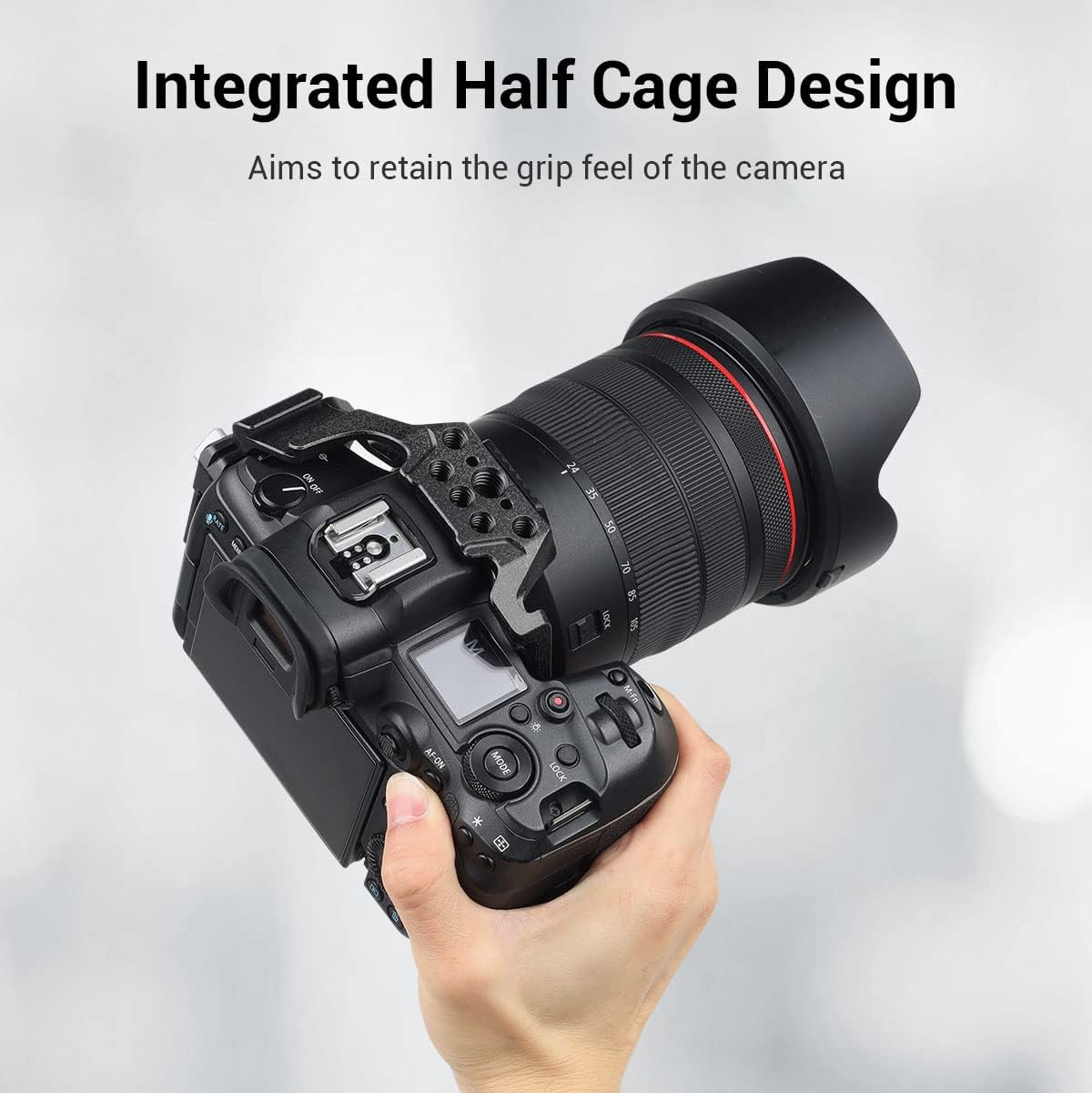
Figure 2: The integrated half cage design aims to retain the natural grip feel of the camera.
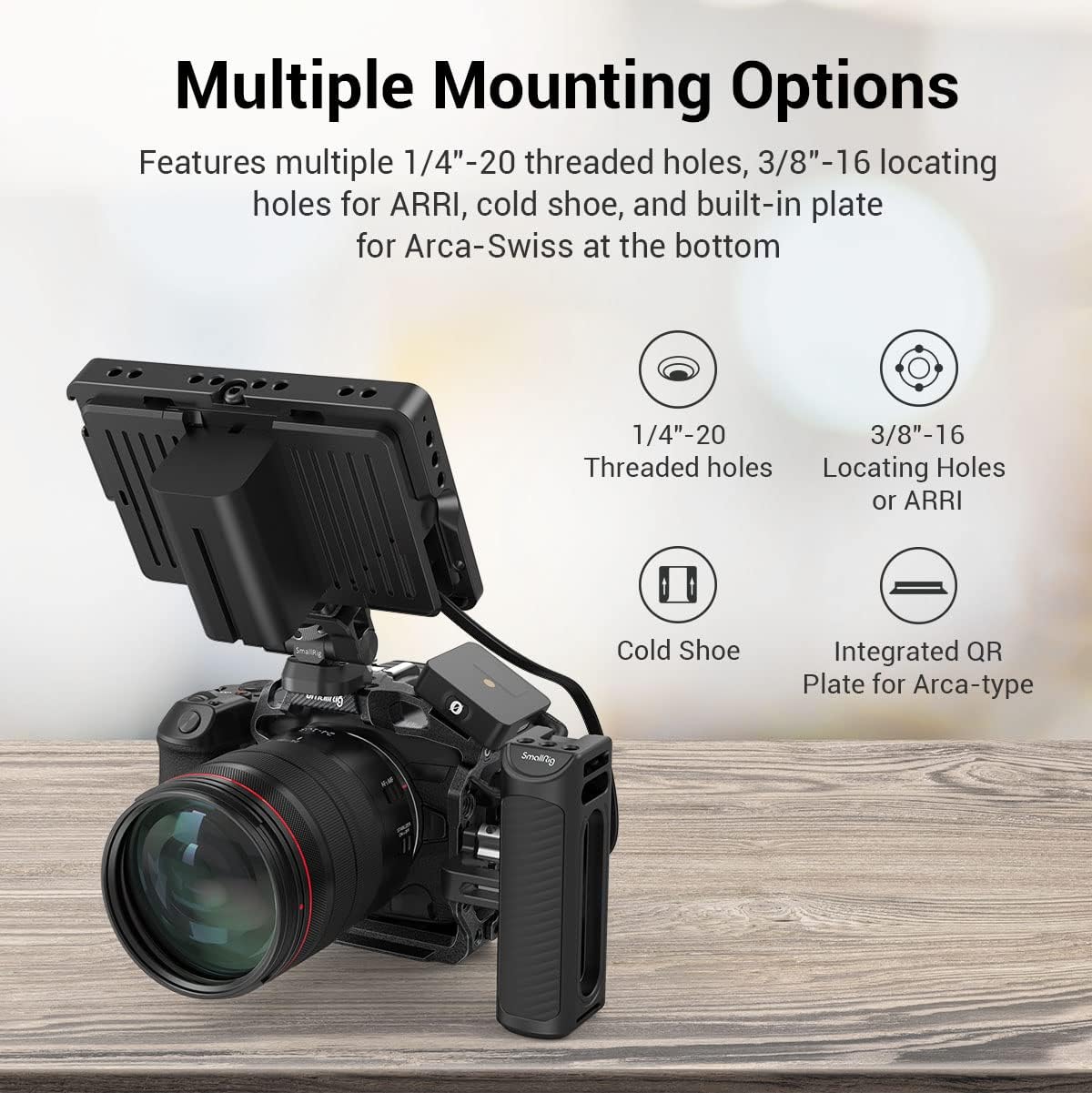
Figure 3: Anti-twist design showing the locking points: a 1/4"-20 screw, a locating screw, and a shoulder strap hole on the left side.
4.2 Installing the Cable Clamp
- Locate the HDMI and USB-C cable clamp.
- Attach the cable clamp to the designated mounting points on the side of the half cage.
- Route your HDMI and USB-C cables through the clamp.
- Tighten the hand-tight screws on the clamp to secure the cables, preventing accidental disconnections during operation. Ensure the clamp does not obstruct microphone or headphone ports.

Figure 4: The HDMI & USB-C Cable Protector prevents cables from loosening without blocking microphone or headphone ports, ensuring stable signal transmission.
5. Operating and Usage
The SMALLRIG Half Cage 3656 enhances your camera setup by providing versatile mounting options and quick transitions.
5.1 Utilizing Accessory Mounts
The cage features multiple mounting points for various accessories:
- 1/4"-20 Threaded Holes: Standard mounting points for a wide range of accessories.
- 3/8"-16 ARRI Locating Holes: Designed for accessories with anti-twist pins, providing a more secure attachment.
- Cold Shoe Mounts: Ideal for attaching microphones, LED lights, or other cold shoe compatible devices.
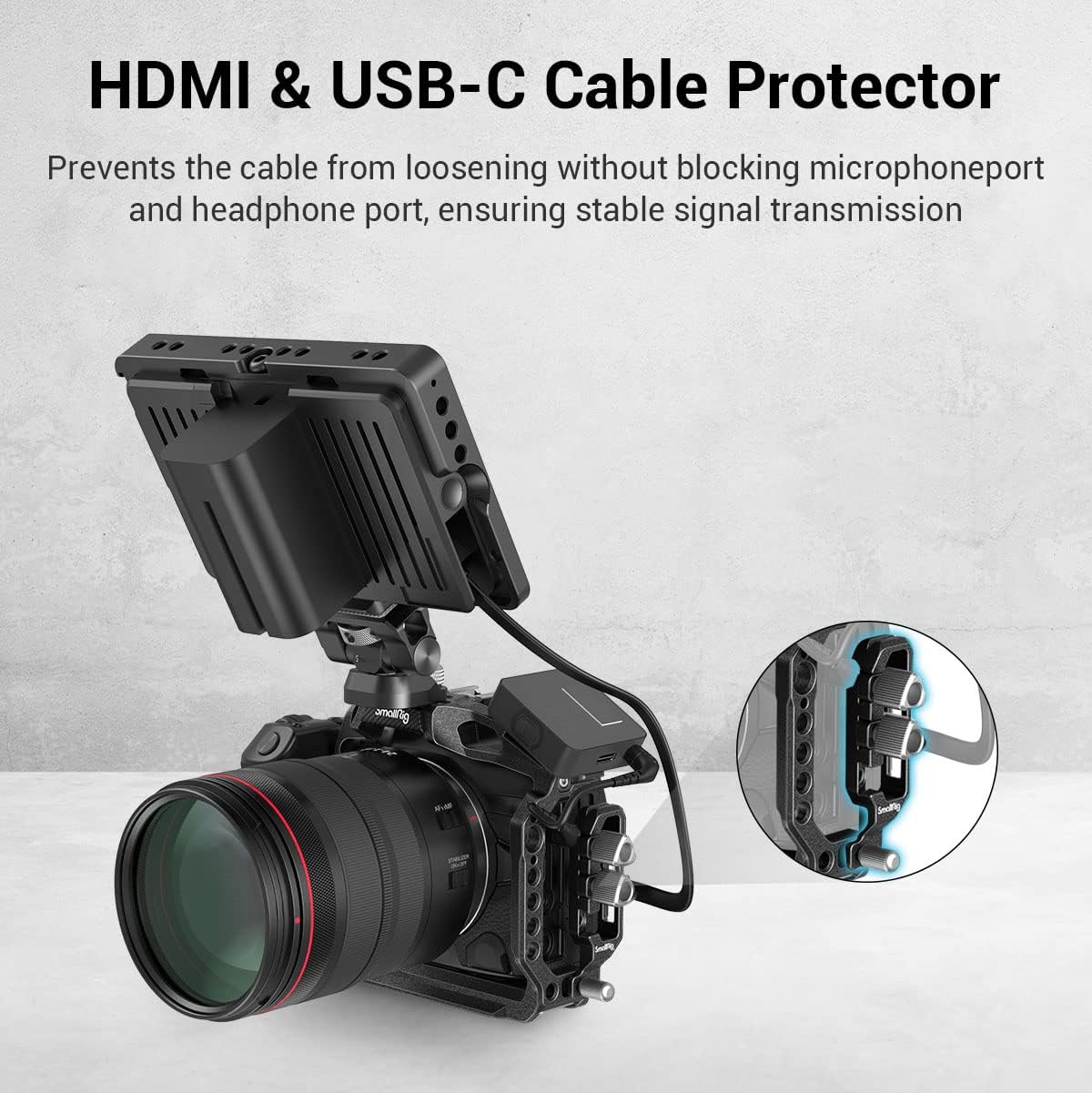
Figure 5: Multiple mounting options available on the half cage, including 1/4"-20 threaded holes, 3/8"-16 locating holes for ARRI, cold shoe, and a built-in Arca-Swiss plate.
5.2 Quick Release Plate for Arca-Type Systems
The integrated Arca-Swiss plate on the bottom of the cage allows for rapid attachment and detachment from compatible tripods and gimbals.
- Simply slide the cage onto an Arca-Swiss compatible clamp on your tripod or DJI RS 2 / RSC 2 / RS 3 / RS 3 Pro gimbal.
- Ensure the clamp is securely tightened to prevent movement.

Figure 6: The built-in QR plate for Arca allows direct mounting with stabilizers like DJI RS 2 / RSC 2 and Arca-type tripods.
6. Maintenance
To ensure the longevity and optimal performance of your SMALLRIG Half Cage 3656, follow these maintenance guidelines:
- Cleaning: Wipe the cage with a soft, dry cloth to remove dust and debris. For stubborn dirt, a slightly damp cloth can be used, followed by immediate drying. Avoid harsh chemicals or abrasive materials.
- Inspection: Periodically check all screws and mounting points for tightness. Ensure the silicone pads are intact and providing adequate protection.
- Storage: Store the cage in a clean, dry environment when not in use.
7. Troubleshooting
If you encounter any issues with your SMALLRIG Half Cage 3656, consider the following:
- Cage does not fit: Verify that your camera model is a Canon R5, R5 C, or R6. Ensure the cage is oriented correctly and all alignment points are engaged before tightening screws.
- Cables are loose in clamp: Ensure the hand-tight screws on the cable clamp are sufficiently tightened.
- Accessories are loose on mounting points: Confirm that the accessory's screw or attachment mechanism is fully engaged and tightened into the cage's mounting hole. For ARRI locating holes, ensure the accessory has compatible anti-twist pins.
8. Specifications
| Parameter | Value |
|---|---|
| Model ID | 3656 |
| Product Dimensions | 124.5 x 53.8 x 113.5 mm (4.9"D x 2.12"W x 4.47"H) |
| Product Weight | 140 g |
| Material | Aluminum Alloy |
| Package Weight | 255 ± 5 g |
| Color | Black |
9. Warranty and Support
Information regarding product warranty and customer support is not included in this manual. For details on warranty coverage, technical assistance, or service, please refer to the official SMALLRIG website or contact SMALLRIG customer service directly.


