
Introduction
The Kasa Smart Outdoor Security Wi-Fi Camera (KC420WS) is designed to provide comprehensive outdoor surveillance with advanced features for your family's safety and convenience. This manual will guide you through the setup, operation, and maintenance of your new security camera.
What's in the Box
- Camera Body
- Power Adapter
- Mounting Template
- Quick Start Guide
- Mounting Screw

All components included in the Kasa Cam Outdoor KC420WS package.
Setup Guide
1. Power On Your Camera
Plug in your Kasa Cam Outdoor camera using the provided power adapter. Ensure it is placed indoors for initial setup.

Connect the camera to power and prepare for app setup.
2. Download the Kasa Smart App
Download the Kasa Smart app from your mobile device's app store (available on iOS and Android). Follow the in-app instructions to create an account or log in.
3. Connect to Wi-Fi & Initial Configuration
Follow the on-screen prompts in the Kasa Smart app to connect your camera to your home Wi-Fi network. You will be guided through naming your device, setting night vision modes, and enabling notifications.
4. Integrate with Tapo (Optional)
You can integrate your Kasa devices into the Tapo app for centralized control. Ensure both Kasa and Tapo apps are logged in with the same TP-Link ID.
Official guide on how to integrate your Kasa Smart devices with the Tapo app for unified smart home management.
5. Physical Installation
Once configured, you can install your camera outdoors. Use the mounting template and screws provided to securely attach the camera to your desired location. Ensure the power adapter is connected to a weatherproof outlet.
Operating Your Camera
Live View & Two-Way Audio
Watch live video from anywhere using the Kasa Smart app. The camera features a high-quality microphone and speaker for clear two-way communication. Tap the microphone icon in the app to speak.
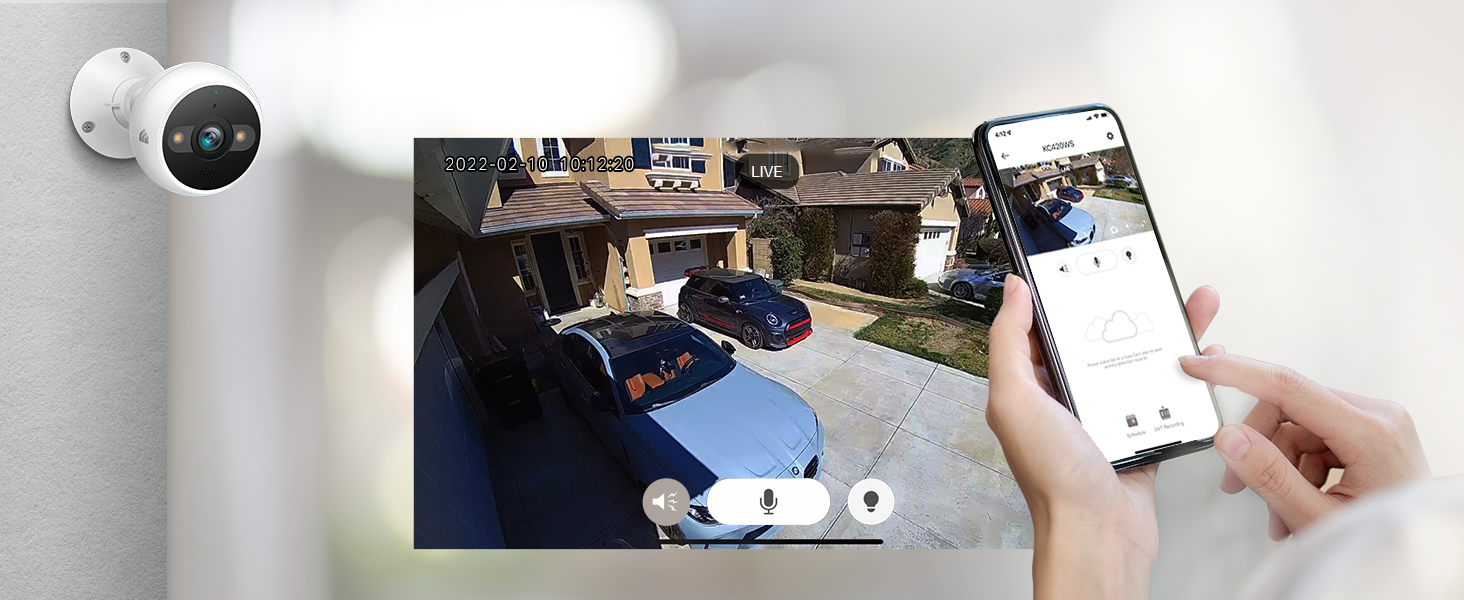
Monitor your property in real-time and communicate with visitors through the app.
Motion & Person Detection
Receive instant notifications when motion or a person is detected in the camera's field of view. You can customize activity zones to focus on specific areas and reduce unnecessary alerts.

The camera intelligently detects people and sends instant alerts to your phone.
Night Vision
The Kasa Cam Outdoor features a Starlight Sensor for crisp, high-resolution images in low-light conditions. Dual-integrated spotlights provide full-color night vision up to 98 ft.
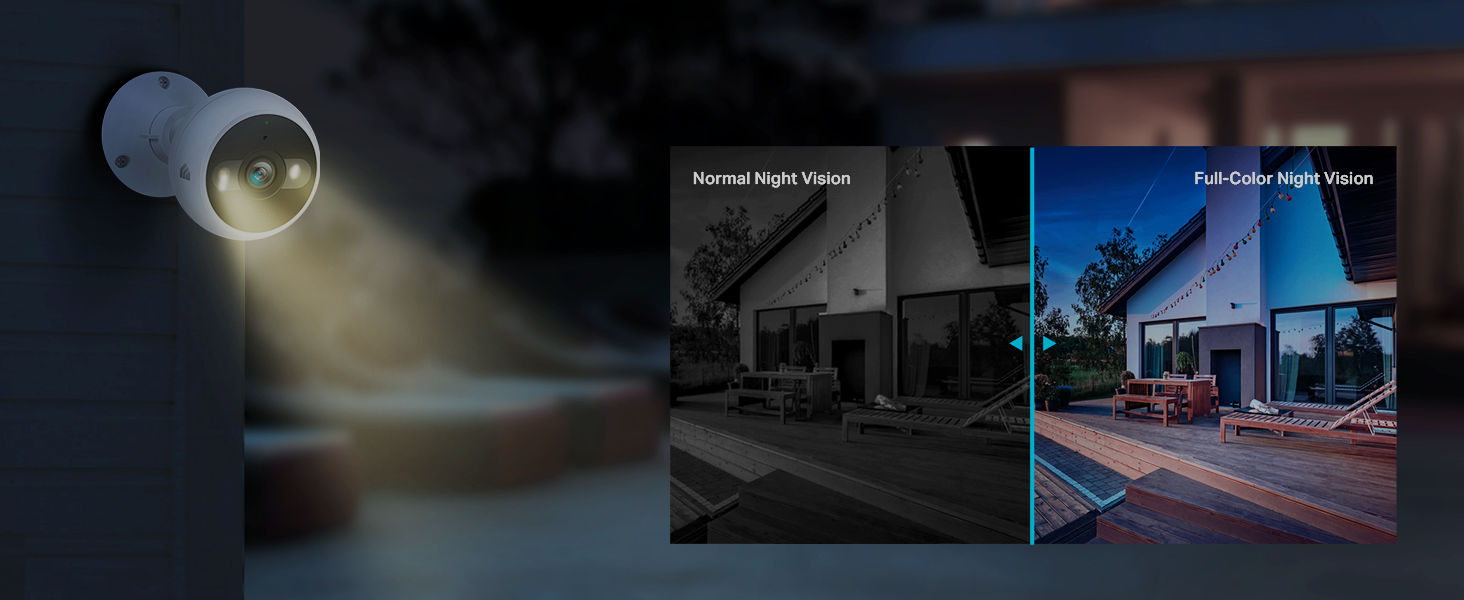
Experience enhanced visibility at night with both traditional and full-color night vision options.
Siren Function
Deter unwanted visitors with the built-in siren. You can trigger the siren manually through the Kasa app when motion is detected.
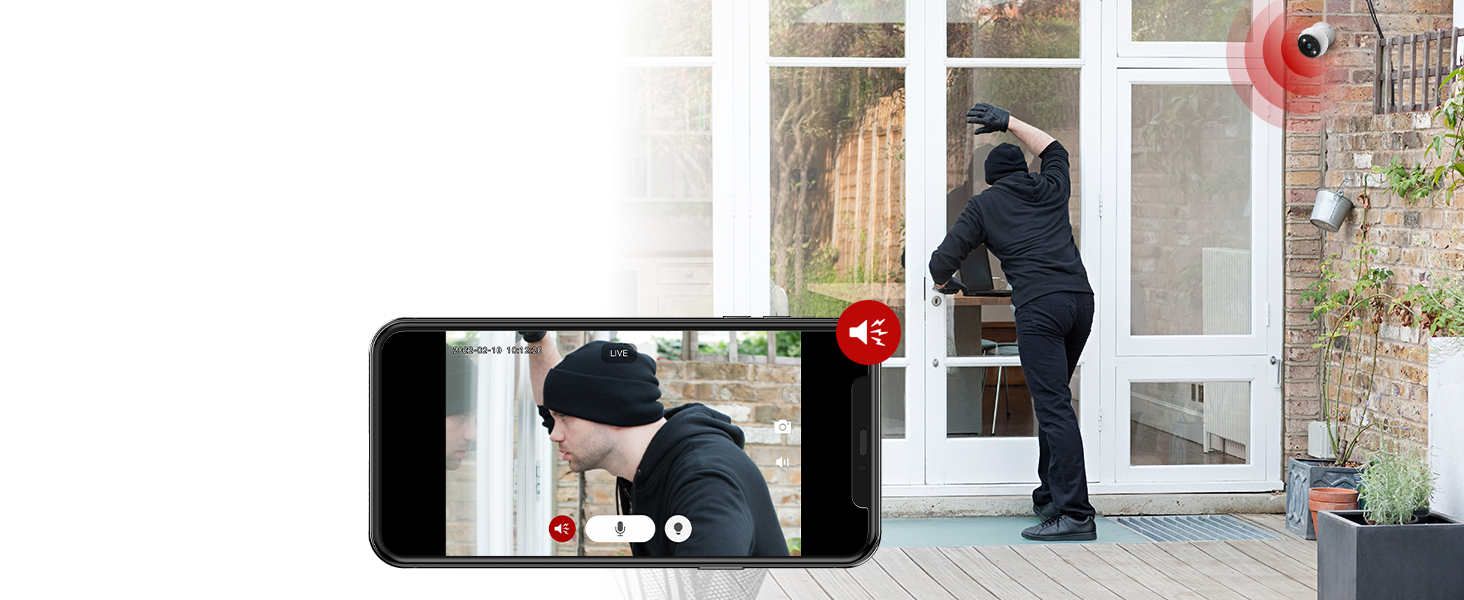
Activate the siren from your app to deter intruders.
Video Quality & Storage
The camera records in pristine 4MP 2K HD resolution. You can choose between 2K QHD, 1080P, or 720P video quality settings in the app. Footage can be stored 24/7 on a microSD card (up to 256GB, not included) or via a Kasa Care cloud subscription.

Flexible storage options allow you to save and access your video recordings conveniently.
Maintenance
Weatherproofing
The Kasa Cam Outdoor is IP65 certified weatherproof, ensuring protection against dust and water splashes. This allows for reliable operation in various outdoor conditions.

The camera's robust design ensures durability against harsh weather conditions.
General Care
Regularly clean the camera lens with a soft, dry cloth to ensure clear image quality. Avoid using harsh chemicals or abrasive materials.
Troubleshooting
Connectivity Issues
- Ensure your Wi-Fi network is stable and within range of the camera.
- Restart your Wi-Fi router and the camera.
- Verify that the camera's status light is blinking orange and green during setup.
Recording Problems
- Check if a compatible microSD card (Class 10 or better, up to 256GB) is properly inserted and formatted.
- Ensure 24/7 recording is enabled in the app settings.
- If using cloud storage, verify your Kasa Care subscription is active.
Product Specifications
| Feature | Specification |
|---|---|
| Model Name | KC420WS |
| Video Capture Resolution | 4MP, 1440P, 1080P (2K QHD) |
| Night Vision Range | 98 Feet |
| International Protection Rating | IP65 |
| Connectivity Technology | Wired, Wi-Fi |
| Power Source | Corded Electric |
| Compatible Devices | Laptop, Desktop, Tablet, Smartphone |
| Control Method | Voice (Google Assistant, Amazon Alexa) |
| Item Weight | 14 ounces |
| Item Dimensions L x W x H | 4.97 x 2.77 x 2.77 inches |
Warranty and Support
The Kasa Smart Outdoor Security Camera comes with a 2-year warranty from the manufacturer, TP-Link. For detailed instructions, advanced troubleshooting, or warranty claims, please refer to the official User Guide PDF.
You can download the full User Guide here: User Guide (PDF)


