
Keurig K-Supreme Plus SMART
Keurig® K-Supreme Plus SMART Single Serve K-Cup Pod Coffee Maker & My K-Cup Universal Reusable Filter User Manual
Model: K-Supreme Plus SMART
Brand: Keurig
Introduction
This manual provides comprehensive instructions for the safe and efficient operation, maintenance, and troubleshooting of your Keurig® K-Supreme Plus SMART Single Serve K-Cup Pod Coffee Maker and the accompanying My K-Cup Universal Reusable Filter. Please read this manual thoroughly before first use and retain it for future reference.
The Keurig K-Supreme Plus SMART Coffee Maker is designed to deliver a customized coffee experience with features like BrewID™ technology, MultiStream Technology™, and smart connectivity. The My K-Cup Universal Reusable Filter allows you to brew your favorite ground coffee.
Product Overview
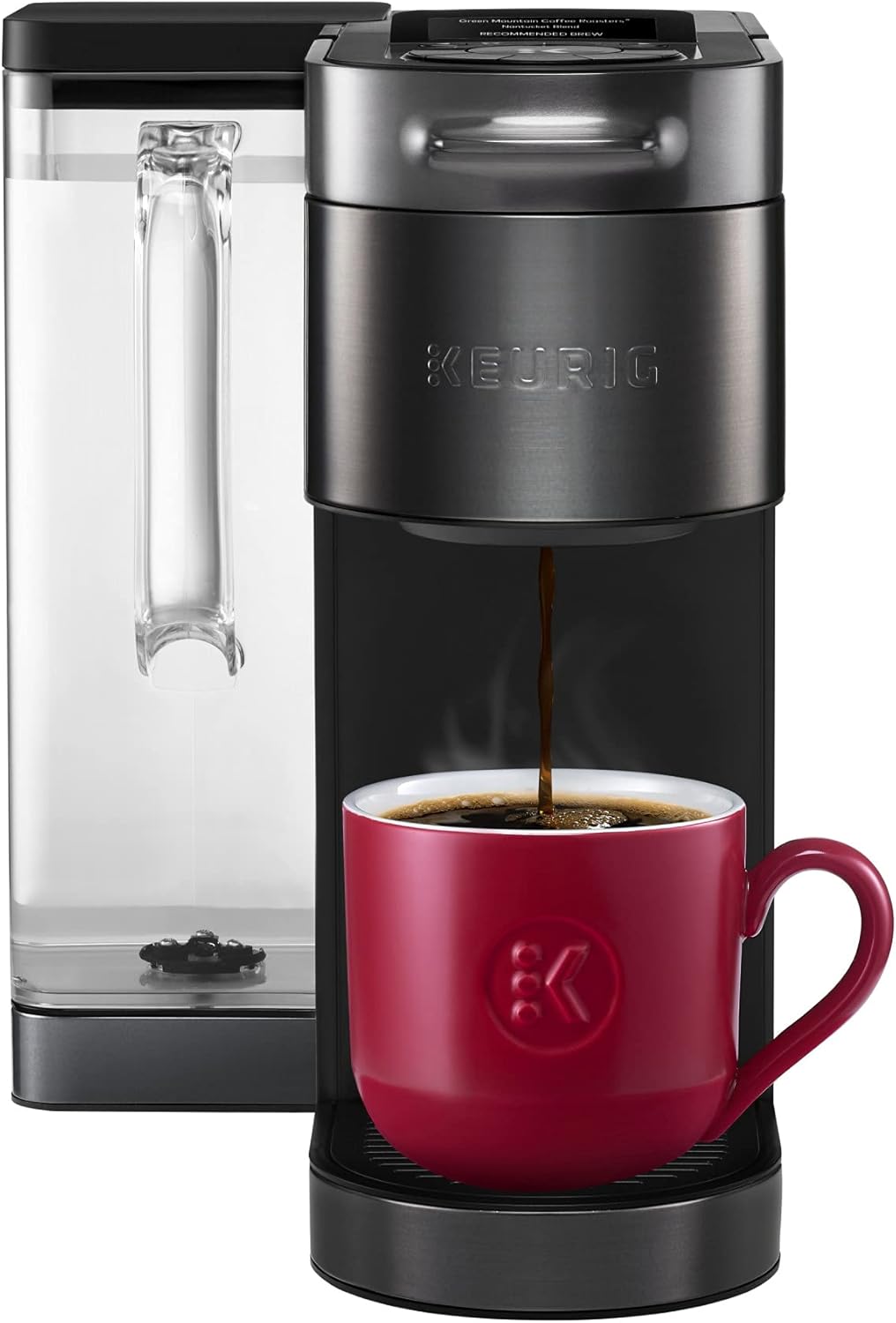
Image: Keurig K-Supreme Plus SMART Coffee Maker in black, shown with a red coffee mug filled with brewed coffee. The water reservoir is visible on the left.

Image: The Keurig My K-Cup Universal Reusable Filter, a gray and black component designed for brewing ground coffee in Keurig brewers.
Key Features:
- BrewID™ Technology: Recognizes your K-Cup® pod and customizes brew settings for optimal flavor.
- MultiStream Technology™: Saturates coffee grounds evenly for full flavor and aroma extraction.
- Customization Options: 5 strength settings, 6 temperature settings, and 5 cup size options (4 to 12 oz).
- Connected Convenience: Manage favorites, schedule brews, and brew from anywhere via smartphone.
- Large Water Reservoir: 78 oz removable reservoir, allowing up to 9 cups before refilling.
- My K-Cup Universal Reusable Filter: Compatible with all Keurig home brewers, designed for ground coffee, dishwasher-safe, and BPA-free.
Setup
Initial Setup of Coffee Maker:
- Unpack: Remove all packaging materials from the coffee maker and place it on a stable, level surface.
- Rinse Water Reservoir: Remove the 78 oz water reservoir and rinse it thoroughly with fresh water.
- Fill Water Reservoir: Fill the reservoir with fresh, filtered water up to the MAX fill line. Place it back onto the coffee maker.
- Plug In: Plug the coffee maker into a grounded outlet. The power button will illuminate.
- First Brew (Cleansing Brew):
- Place a large mug on the drip tray.
- Do not insert a K-Cup® pod.
- Press the brew button. The coffee maker will dispense hot water.
- Discard the hot water. This process cleans the internal components.
- Connect to Wi-Fi (Optional): Follow the on-screen prompts or refer to the Keurig app for instructions on connecting your coffee maker to your home Wi-Fi network to enable smart features.
Assembling My K-Cup Universal Reusable Filter:

Image: An exploded diagram showing the components of the Keurig My K-Cup Universal Reusable Filter, including the lid, red line plug, filter basket, filter holder, and Plus Series Brewer Adapter.
The My K-Cup Universal Reusable Filter typically comes pre-assembled. If disassembly is required for cleaning or if you need to use the Plus Series Brewer Adapter, refer to the diagram above. Ensure all components are securely fitted before use.
Operating Instructions
Brewing with K-Cup® Pods:
- Fill Water Reservoir: Ensure the water reservoir has sufficient water. Refill if necessary.
- Place Mug: Place a mug on the drip tray.
- Insert K-Cup® Pod: Lift the handle and insert a K-Cup® pod into the K-Cup® pod holder. Close the handle firmly. The coffee maker will automatically recognize the pod via BrewID™.
- Select Settings: Use the controls on the coffee maker or the Keurig app to select your desired brew strength, temperature, and cup size.
- Brew: Press the illuminated brew button. The coffee maker will begin brewing.
- Enjoy: Once brewing is complete, remove and enjoy your coffee.
Brewing with My K-Cup Universal Reusable Filter:
- Prepare Filter: Open the lid of the My K-Cup Universal Reusable Filter.
- Add Ground Coffee: Fill the filter basket with your desired amount of ground coffee, up to the MAX fill line. Do not overfill.
- Close Lid: Close the lid securely.
- Insert Filter: Lift the handle of the coffee maker. Remove the K-Cup® pod holder assembly if it is in place. Insert the My K-Cup Universal Reusable Filter into the K-Cup® pod holder chamber. Close the handle firmly.
- Select Settings: Choose your desired brew settings (strength, temperature, cup size).
- Brew: Press the brew button.
- Clean After Use: After brewing, carefully remove the hot reusable filter and discard the used grounds. Rinse the filter thoroughly.
Maintenance
Daily Cleaning:
- Drip Tray: Remove and empty the drip tray. Wipe it clean with a damp cloth.
- Water Reservoir: Rinse the water reservoir with fresh water daily.
- My K-Cup Filter: After each use, rinse the My K-Cup Universal Reusable Filter. It is dishwasher safe (top rack only).
Regular Cleaning (Weekly/Bi-Weekly):
- Exterior: Wipe the exterior of the coffee maker with a damp, non-abrasive cloth.
- K-Cup® Pod Holder: Remove the K-Cup® pod holder and rinse it under running water. Check the exit needle for any coffee grounds and clear with a straightened paper clip if necessary.
Descaling (Every 3-6 Months or as Indicated):
Mineral deposits can build up in your coffee maker over time, affecting performance. Descale your brewer every 3-6 months, or when the descaling indicator light illuminates.
- Prepare: Turn off and unplug the brewer. Empty the water reservoir.
- Descaling Solution: Pour an entire bottle of Keurig Descaling Solution into the water reservoir.
- Fill with Water: Fill the empty descaling solution bottle with water and pour it into the reservoir. Do not insert a K-Cup® pod.
- First Descale Brew: Place a large mug on the drip tray. Plug in and turn on the brewer. Press the brew button. Discard the hot liquid.
- Repeat: Repeat the brew process without a K-Cup® pod until the "Add Water" light illuminates.
- Rinse Cycle: Rinse the water reservoir thoroughly. Fill it with fresh water. Perform at least 12 cleansing brews (without a K-Cup® pod) to remove any residual descaling solution.
Note: Failure to descale regularly may void your warranty.
Troubleshooting
| Problem | Possible Cause | Solution |
|---|---|---|
| Brewer not turning on | Not plugged in; power outage; circuit breaker tripped. | Ensure brewer is securely plugged into a working outlet. Check household circuit breaker. |
| No water dispensing / "Add Water" light on | Water reservoir empty or not seated correctly. | Fill reservoir with fresh water and ensure it is firmly seated. |
| Coffee tastes weak or watery | K-Cup® pod not punctured correctly; brewer needs descaling; incorrect grind size for My K-Cup. | Ensure K-Cup® pod is properly inserted. Descale brewer. For My K-Cup, use medium-fine grind. |
| Brewing stops mid-cycle | Low water in reservoir; air bubble in water line. | Refill water reservoir. Perform a cleansing brew without a K-Cup® pod to clear air. |
| Grounds in coffee | My K-Cup filter overfilled; filter not seated correctly; K-Cup® pod punctured incorrectly. | Do not overfill My K-Cup filter. Ensure filter is properly assembled and seated. Check K-Cup® pod for damage. |
For further assistance, please contact Keurig Customer Service.
Specifications
- Product Name: Keurig® K-Supreme Plus SMART Single Serve K-Cup Pod Coffee Maker
- Model: K-Supreme Plus SMART
- Brand: Keurig
- Water Reservoir Capacity: 78 oz (approx. 9 cups)
- Brew Sizes: 4, 6, 8, 10, 12 oz
- Strength Settings: 5 levels
- Temperature Settings: 6 levels
- Connectivity: Wi-Fi enabled (for smart features)
- Material: Stainless Steel (components), BPA-free plastics
- Compatibility: K-Cup® pods, Keurig My K-Cup Universal Reusable Coffee Filter
Warranty and Support
Keurig products typically come with a limited one-year warranty from the date of purchase. This warranty covers defects in materials or workmanship under normal home use. For specific warranty terms and conditions, please refer to the warranty card included with your product or visit the official Keurig website.
Customer Support:
For technical assistance, troubleshooting, or warranty claims, please contact Keurig Customer Service:
- Website: www.keurig.com/support
- Phone: Refer to the Keurig website for regional contact numbers.
When contacting support, please have your product model number (K-Supreme Plus SMART) and proof of purchase readily available.
Related documentsK-Supreme Plus SMART


Ask a question about this manual
Ask about setup, troubleshooting, compatibility, parts, safety, or missing instructions. Manuals+ will review the question and use this page’s manual context to help answer it.