
1. Introduction
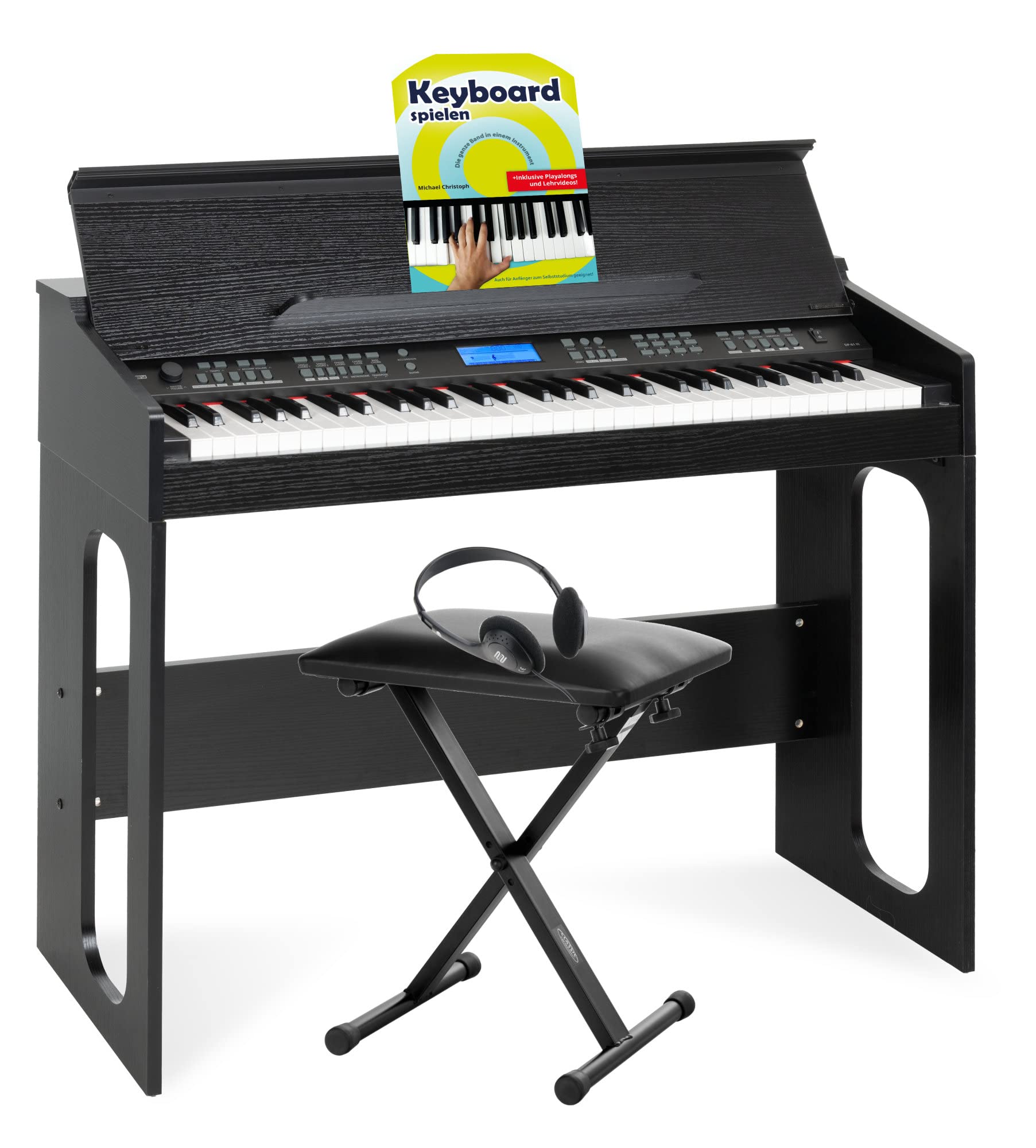
The FunKey DP-61 III is a powerful digital piano keyboard designed for beginners. It combines the functionality of a modern keyboard with the aesthetic of a full-fledged digital piano. Featuring 61 piano-style keys, 300 different sounds, 300 accompaniment rhythms, 80 demo songs, and a learning function, it offers a comprehensive musical experience for all ages. This set includes a keyboard bench, headphones, and a keyboard school book to help you get started.
2. Setup
2.1 Unpacking and Checking Contents
Carefully unpack all components from the box. Ensure all items listed below are present:
- FunKey DP-61 III Digital Piano Keyboard
- Keyboard Stand (X-frame style)
- Keyboard Bench
- Headphones
- Sustain Pedal
- Power Adapter
- Keyboard School Book
- Allen Wrench and Hex Screws for stand assembly

2.2 Keyboard Stand Assembly
The keyboard stand is an X-frame design, adjustable for height. Follow these steps for assembly:
- Position the X-frame upright and upside down initially, ensuring the pull knob is below the silver hinge bolt.
- Attach the two bottom support bars to the bottom of the X-frame legs using two hex screws and the provided Allen wrench.
- Flip the stand upright. Move the legs apart until the pull knob locks into place in the disc clutch, securing the desired width/height.
- Attach the two top support bars to the top of the X-frame using the remaining two hex screws and the Allen wrench.
2.3 Keyboard Bench Assembly
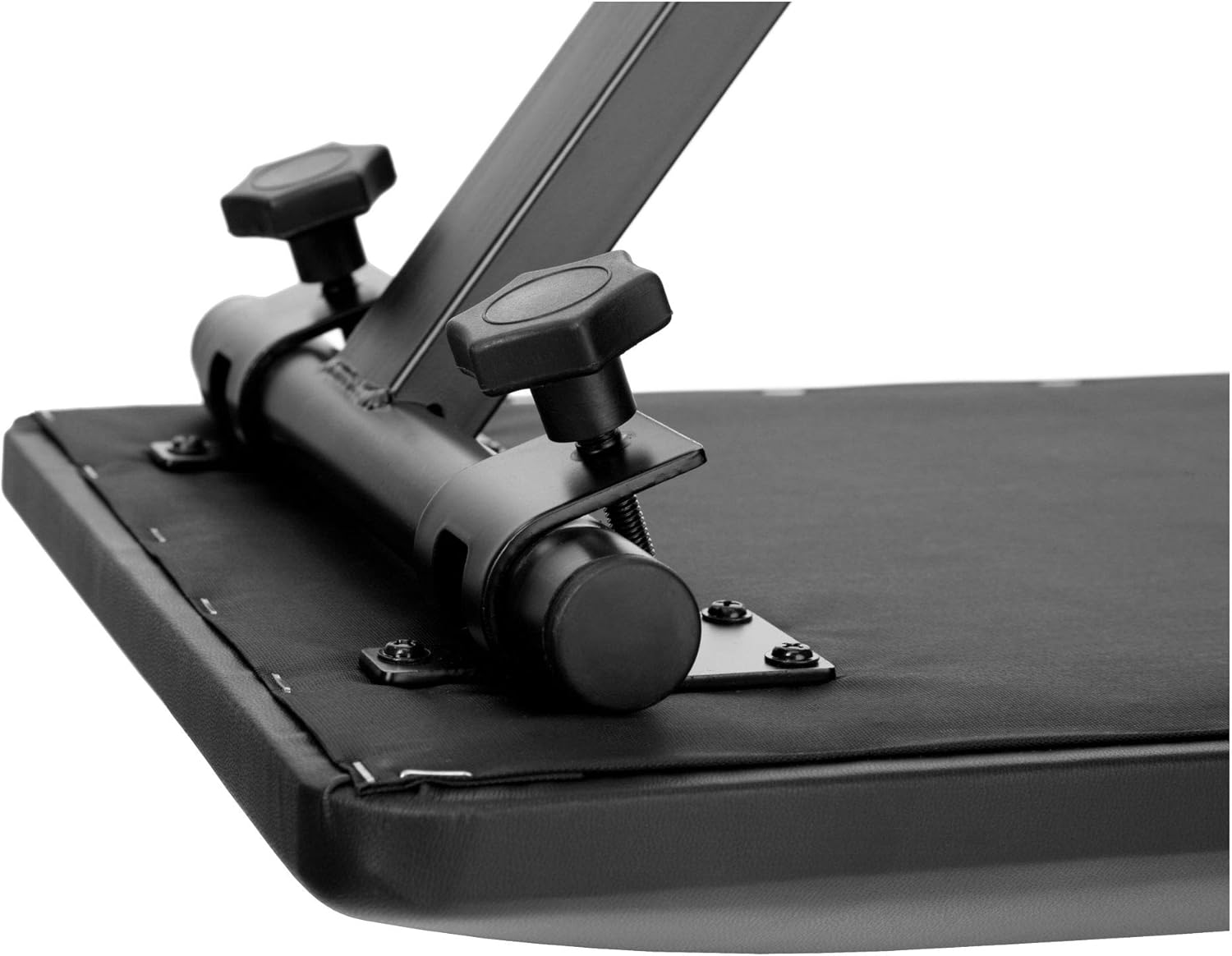
The keyboard bench is also an X-frame design and is height-adjustable. Adjust the height by loosening the screw on the X-frame, setting it to one of the three available heights (41 cm, 45 cm, 47.5 cm), and then tightening the screw securely.

2.4 Keyboard Placement and Connections
Place the FunKey DP-61 III keyboard securely on the assembled stand. Connect the power adapter to the DC 9V input on the back of the keyboard and plug it into a power outlet. If using headphones for private practice, connect them to the 3.5mm PHONES jack. The sustain pedal connects to the SUB PEDAL input.

3. Operating Instructions
3.1 Basic Functions
- Power: Press the POWER button to turn the keyboard on or off.
- Volume: Adjust the master volume using the MASTER VOL knob.
- Display: The illuminated display shows current settings such as sound number, rhythm, and tempo.
3.2 Sounds and Rhythms
The FunKey DP-61 III offers 300 different sounds (tones) and 300 accompaniment rhythms (styles).
- Selecting Sounds: Use the dedicated buttons or number pad to select from the 300 available sounds.
- Selecting Rhythms: Choose from 300 accompaniment rhythms to play along with.
- Auto-Accompaniment: Engage the accompaniment feature for automatic backing tracks. Options include single-finger or fingered chord accompaniment.
3.3 Learning Functions
Enhance your musical skills with the integrated learning features:
- Lesson Mode: The keyboard features a 3-lesson learning mode. Depending on the selected song, you can train your left and right hand in three different difficulty levels. Notes to be played are displayed directly on the screen.
- Demo Songs: Practice with 80 inspiring demo songs, ranging from Turkish March to Oh Susanna and Mozart.
- Keyboard School Book: The included 32-page Keyboard School book by Michael Christoph explains basic keyboard functions, note values, time signatures, scales, and chords, suitable for self-study.
3.4 Advanced Features
- Record & Playback: Record your performances and play them back.
- Split & Dual Function: Divide the keyboard into two sections for different sounds (Split) or layer two sounds together (Dual).
- Adjustable Touch Sensitivity: Customize the keyboard's response to your playing style.
- Transpose Function: Change the key of the music without altering your finger positions.
- Metronome: Use the built-in metronome for timing practice.
- USB MIDI: Connect the keyboard to a computer for MIDI functionality, allowing interaction with music software.
4. Maintenance
To ensure the longevity and optimal performance of your FunKey DP-61 III keyboard, follow these maintenance guidelines:
- Cleaning: Use a soft, dry cloth to wipe the surface of the keyboard. For stubborn dirt, slightly dampen the cloth with water and a mild soap solution, then wipe dry immediately. Avoid abrasive cleaners or solvents.
- Storage: Store the keyboard in a cool, dry place away from direct sunlight, extreme temperatures, and high humidity.
- Handling: Avoid dropping the keyboard or subjecting it to strong impacts. Do not place heavy objects on top of it.
- Power: Disconnect the power adapter when the keyboard is not in use for extended periods.
5. Troubleshooting
If you encounter any issues with your FunKey DP-61 III, refer to the following common troubleshooting steps:
| Problem | Possible Cause | Solution |
|---|---|---|
| No sound from speakers/headphones | Volume too low; headphones not fully plugged in; incorrect sound selected. | Increase MASTER VOL. Ensure headphones are fully inserted. Select a different sound. |
| Keyboard does not power on | Power adapter not connected; power outlet not working. | Check power adapter connection. Try a different power outlet. |
| Keys not responding | Keyboard frozen; specific function active. | Turn the keyboard off and on again. Check if a specific mode (e.g., learning mode) is preventing normal play. |
| Accompaniment not starting | Rhythm not selected; tempo too low; accompaniment mode not active. | Select a rhythm. Adjust tempo. Ensure auto-accompaniment is enabled. |
6. Specifications
| Feature | Detail |
|---|---|
| Model Name | DP-61 III |
| Brand | FunKey |
| Number of Keys | 61 |
| Sounds (Tones) | 300 |
| Rhythms (Styles) | 300 |
| Polyphony | 32-fold |
| Demo Songs | 80 |
| Learning Function | 3 lessons |
| Special Features | Record & Playback, Split & Dual Function, Adjustable Touch Sensitivity, Transpose, Metronome |
| Connectivity | USB Type A (USB MIDI), 3.5mm Audio Out, 3.5mm Mic, 3.5mm Phones, SUB PEDAL |
| Power Source | Electric with cord (DC 9V) |
| Product Dimensions (LxWxH) | 95 x 36 x 79.5 cm (37.4 x 14.2 x 31.3 inches) |
| Item Weight | 18.2 kg (40.1 lbs) |
| Included Components | Keyboard Bench, Headphones, Keyboard School Book, Sustain Pedal |
| Skill Level | Beginner |
7. Warranty and Support
For warranty information, technical support, or service inquiries, please refer to the documentation provided with your purchase or contact your retailer. Keep your proof of purchase for warranty claims.


