
Introduction
This manual provides detailed instructions for the safe and effective use of your Brrnoo USB Rechargeable Waterproof Hair Clipper. This versatile grooming tool is designed for trimming hair, beards, and facial hair, featuring a durable lithium battery, fine-tuning adjustment, and a waterproof design for easy cleaning.

Image: The Brrnoo USB Rechargeable Waterproof Hair Clipper, showcasing its sleek design.
What's in the Box
Please check the package contents upon unboxing to ensure all items are present:
- 1 x Brrnoo Hair Clipper
- 1 x USB Charging Cable
- 1 x Cleaning Brush
- 1 x Hair Comb
- 8 x Guide Combs (1mm, 2mm, 3mm, 6mm, 9mm, 12mm, Right Ear, Left Ear)
- 1 x User Manual (this document)

Image: USB charging cable and cleaning brush included with the hair clipper.

Image: The set of 8 guide combs, including various lengths (1mm, 2mm, 3mm, 6mm, 9mm, 12mm) and specialized combs for left and right ear areas.
Setup
- Initial Charge: Before first use, fully charge the hair clipper. Connect the USB charging cable to the clipper and a compatible USB power source (e.g., portable charger, power adapter, vehicle USB interface). The LCD display will indicate charging status. A full charge takes approximately 2.5 hours and provides about 3 hours of use.
- Attach Guide Comb: Select the desired guide comb (1mm, 2mm, 3mm, 6mm, 9mm, 12mm, Right Ear, Left Ear) based on your preferred hair length. Align the comb with the clipper blade and push it firmly until it clicks into place.
- Adjust Fine-Tuning Wheel: For precise length adjustments between 0.8mm and 2.0mm, use the fine-tuning pitch wheel located on the clipper body. Rotate the wheel to select the desired setting.

Image: The hair clipper being charged via USB, highlighting its portable charging capability and battery specifications (2200mAh, 2.5-hour charge for 3 hours of use).
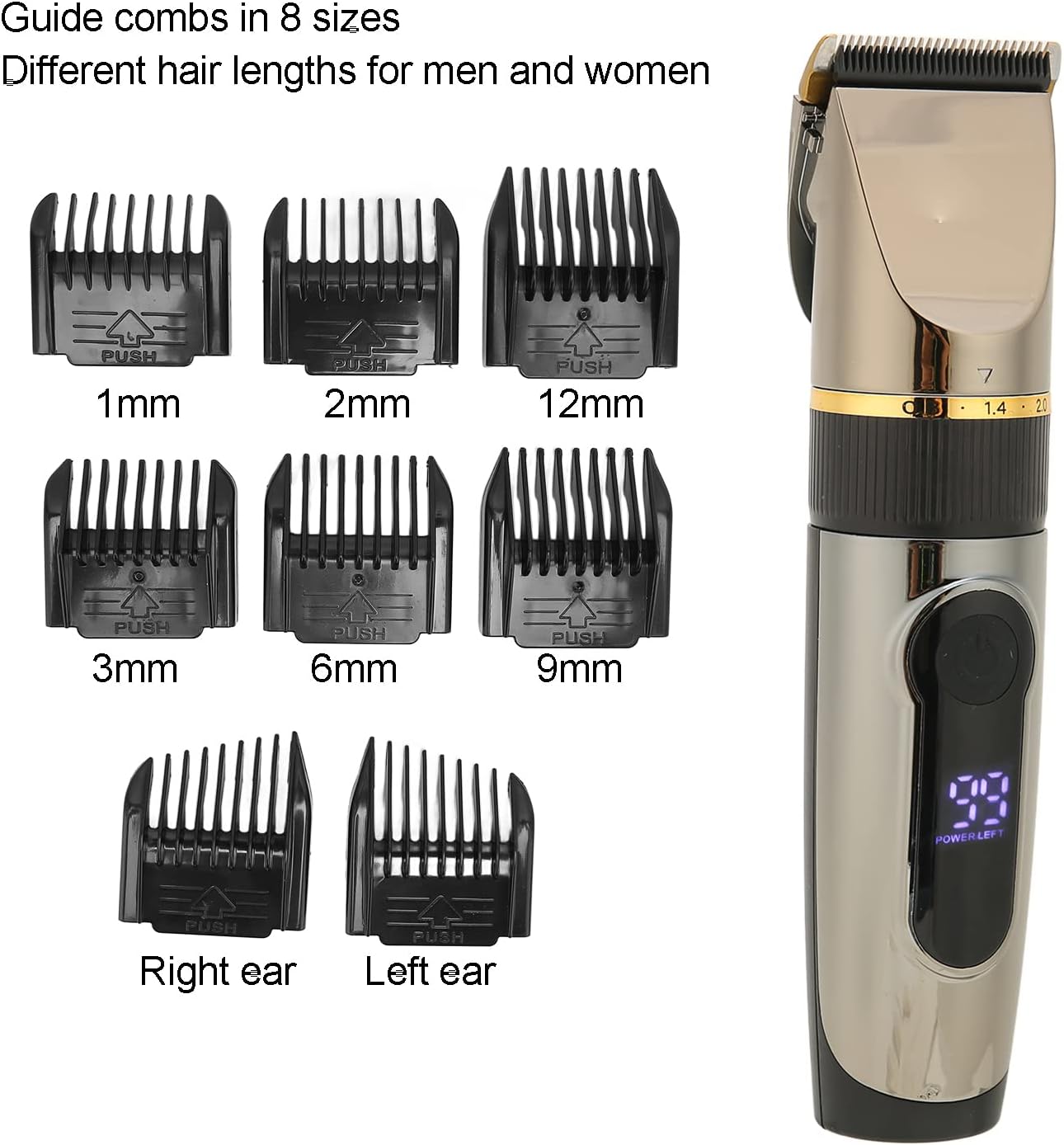
Image: Close-up of the hair clipper showing the fine-tuning pitch wheel, which allows adjustment of cutting length from 0.8mm to 2.0mm.
Operating Instructions
- Power On/Off: Press the power button to turn the clipper on or off. The intelligent LCD display will show the remaining battery percentage and charging status.
- Trimming Hair:
- Ensure hair is clean and dry.
- Hold the clipper with the blade facing downwards.
- Start trimming from the bottom of the head, moving upwards against the direction of hair growth.
- Use smooth, even strokes.
- For different hair lengths, use the appropriate guide comb and/or adjust the fine-tuning wheel.
- Safety Features: The clipper features an R-angle safety design on its blade to prevent skin irritation and cuts during use.

Image: The hair clipper's intelligent liquid crystal display showing battery percentage, charging status reminder, and a turbo function indicator.

Image: Close-up view of the hair clipper's ceramic-coated metal blade and R-angle safety design.
Maintenance
- Cleaning: The Brrnoo hair clipper is IPX6 waterproof, allowing for easy cleaning under running water. After each use, remove the guide comb and rinse the blade head and clipper body thoroughly.
- Drying: After rinsing, shake off excess water and allow the clipper to air dry completely before storing or recharging.
- Blade Care: The blades are designed for automatic grinding, maintaining sharpness over time. No oiling is required.
- Storage: Store the clipper in a dry, cool place, away from direct sunlight and out of reach of children.

Image: The hair clipper submerged in water, demonstrating its IPX6 waterproof rating for easy cleaning.
Troubleshooting
| Problem | Possible Cause | Solution |
|---|---|---|
| Clipper does not turn on. | Battery is depleted. | Charge the clipper fully using the provided USB cable. |
| Poor cutting performance. | Blades are clogged with hair or dull. | Clean the blades thoroughly. Ensure the guide comb is correctly attached. |
| Clipper makes unusual noise. | Hair or debris caught in the motor/blade mechanism. | Turn off and clean the clipper. If the noise persists, discontinue use and contact support. |
Specifications
- Model: Brrnoo5oryn37gg41252
- Material: ABS + Stainless Steel + Alloy + Ceramic
- Dimensions: Approximately 17.5 x 4.5 cm (6.9 x 1.8 inches)
- Battery Type: Built-in Lithium Battery
- Battery Capacity: 2200 mAh
- Charging Time: Approximately 2.5 hours
- Operating Time: Approximately 3 hours
- Waterproof Rating: IPX6 (Whole body waterproof)
- Fine-Tuning Adjustment Range: 0.8mm - 2.0mm
- Guide Combs: 1mm, 2mm, 3mm, 6mm, 9mm, 12mm, Right Ear, Left Ear
- Power Source: Battery Powered (USB Charge)
Warranty and Support
For warranty information or technical support, please refer to the retailer's policy or contact the seller directly. Keep your purchase receipt as proof of purchase.


