
ANJANK CT008
ANJANK Gym Timer User Manual
Model: CT008
15" Large LED Display Wall Clock
1. Introduction
Thank you for choosing the ANJANK Gym Timer. This digital timer is designed to enhance your fitness and training routines with its versatile functions and clear display. It is suitable for various activities including boxing, Tabata, HIIT, CrossFit, and general fitness training. This manual provides detailed instructions for setup, operation, maintenance, and troubleshooting to ensure optimal performance and longevity of your device.
2. Safety Information
- Read all instructions carefully before using the timer.
- Keep the device away from water and excessive moisture.
- Do not expose the timer to extreme temperatures or direct sunlight for prolonged periods.
- Use only the provided power adapter.
- Do not attempt to disassemble or repair the device yourself. Contact customer support for assistance.
- The internal batteries are for memory retention of settings only and do not power the device during operation.
3. Package Contents
Please check the package to ensure all items are present:
- ANJANK Gym Timer (CT008)
- Remote Control
- Power Adapter
- User Manual (this document)
- Mounting Hardware (screws and wall anchors)
4. Product Overview
The ANJANK Gym Timer features a large LED display for clear visibility and an intuitive remote control for easy operation.

Image 1: The ANJANK Gym Timer with its large LED display showing 'UP 08:30' in blue and red digits, accompanied by its black remote control. The timer measures 15 inches in length and 4 inches in height, with 2.6-inch jumbo digits for excellent readability.
4.1. Timer Features
- Large LED Display: 15-inch length x 4-inch height with bright 2.6-inch jumbo digits.
- Adjustable Brightness: 5 levels of display brightness.
- Adjustable Buzzer Volume: 12 levels of volume settings (70-102db).
- Multiple Modes: Clock (12/24hr), Countdown, Count-up, Stopwatch, Tabata, FGB, EMOM, and 9 custom interval modes (P1-P9).
- 10-second Preparation Time: Included in interval modes.

Image 2: A visual representation of the ANJANK Gym Timer's dimensions (15 inches long, 4 inches high, 2.6-inch digits) and its 5-level dimmer function, showing the display brightness from dim to bright.
4.2. Remote Control
The upgraded remote control allows for easy adjustment of settings from up to 40-50 feet away.
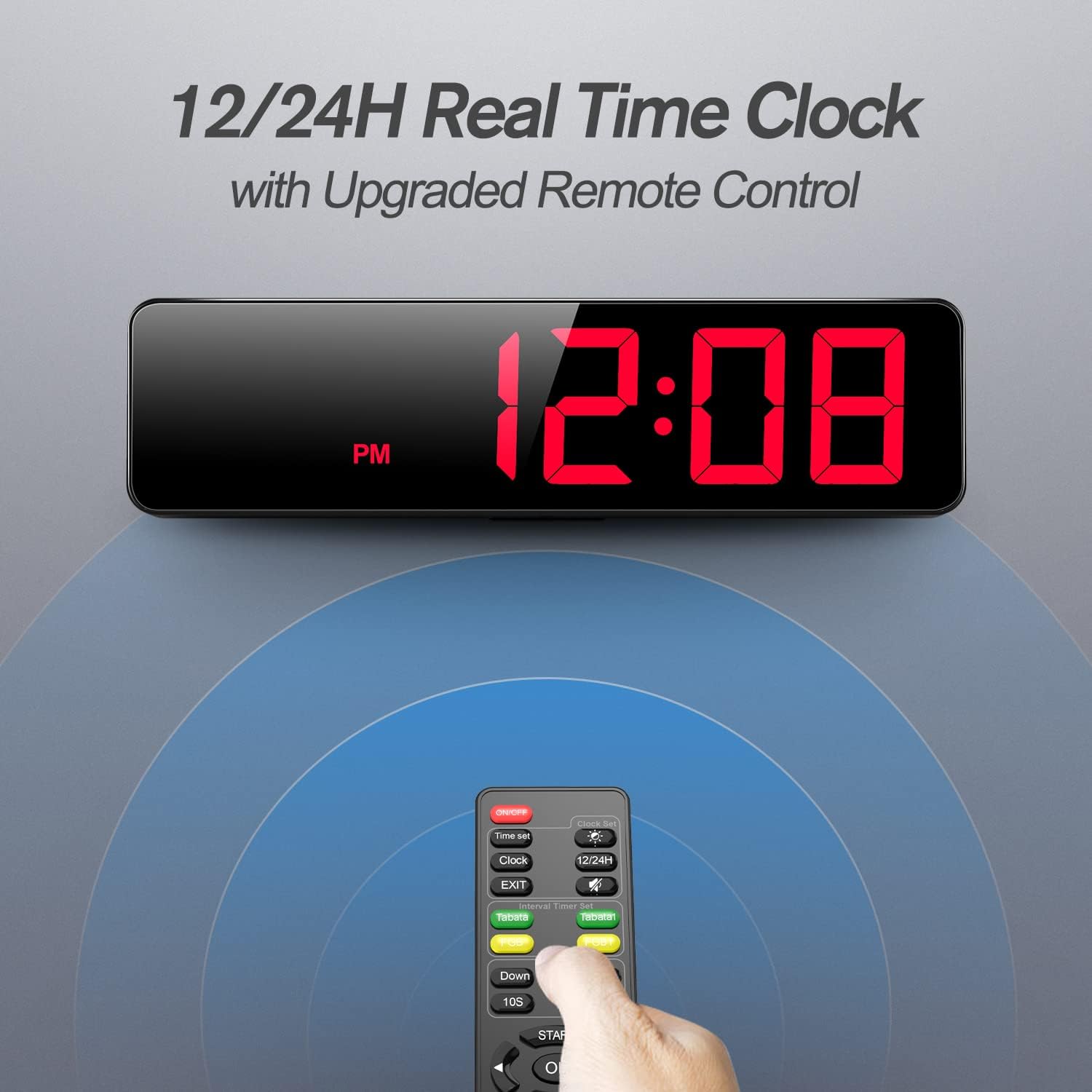
Image 3: The ANJANK Gym Timer displaying '12:08 PM' in red, indicating its real-time clock function. Below it, the remote control is shown with a blue aura emanating, symbolizing its wireless control capability.
5. Setup
5.1. Power Connection
The timer can be powered by the included DC adapter or a USB-C power bank (USB-C cable not included).
- Connect the power adapter to the DC 5V input port on the back of the timer.
- Plug the power adapter into a standard electrical outlet.
- Alternatively, connect a USB-C power bank to the USB-C port for portable use.

Image 4: The ANJANK Gym Timer displaying 'F 100:00' and connected via a USB-C cable to a power bank, illustrating its support for both DC and USB-C power sources. A 'USB POWERED' icon and 'NOT BATTERY OPERATED' icon are also shown.
5.2. Placement Options
The timer offers multiple placement options to suit your environment:
- Wall Mounting: Use the 3 keyholes on the back of the timer with the provided screws and wall anchors.
- Tabletop Use: Utilize the foldable stand on the back for stable placement on a flat surface.
- Tripod Attachment: A screw hole at the bottom allows attachment to a standard tripod (tripod not included).
- Tethering: Cable-tie holes are available for securing the timer, useful in outdoor settings like softball fields.

Image 5: Three illustrations demonstrating the versatile placement options for the ANJANK Gym Timer: wall mounting with screws, tripod support (timer displaying 'F 100:10'), and tethering with cable ties to a metal grid (timer displaying 'F 100:00').
6. Operating Instructions
The remote control is your primary interface for operating the gym timer. Ensure the remote has working batteries (not included) before use.
6.1. Basic Functions
- ON/OFF: Press the 'ON/OFF' button on the remote to power the timer on or off.
- Clock Mode: Press 'Clock' to display the current time. Use '12/24H' to switch between 12-hour and 24-hour formats. Use 'Time Set' to adjust the time.
- Brightness Adjustment: Press the 'Dimmer' button repeatedly to cycle through 5 levels of brightness.
- Buzzer Volume: Use 'VOL+' and 'VOL-' buttons to adjust the buzzer volume across 12 levels. Press '0/M' to mute/unmute the buzzer.

Image 6: An illustration highlighting the 12-level volume adjustment feature of the ANJANK Gym Timer, showing sound waves emanating from the timer and icons for a 70-102db buzzer and the ability to turn sound on/off.
6.2. Timer Modes
The timer supports various workout modes:
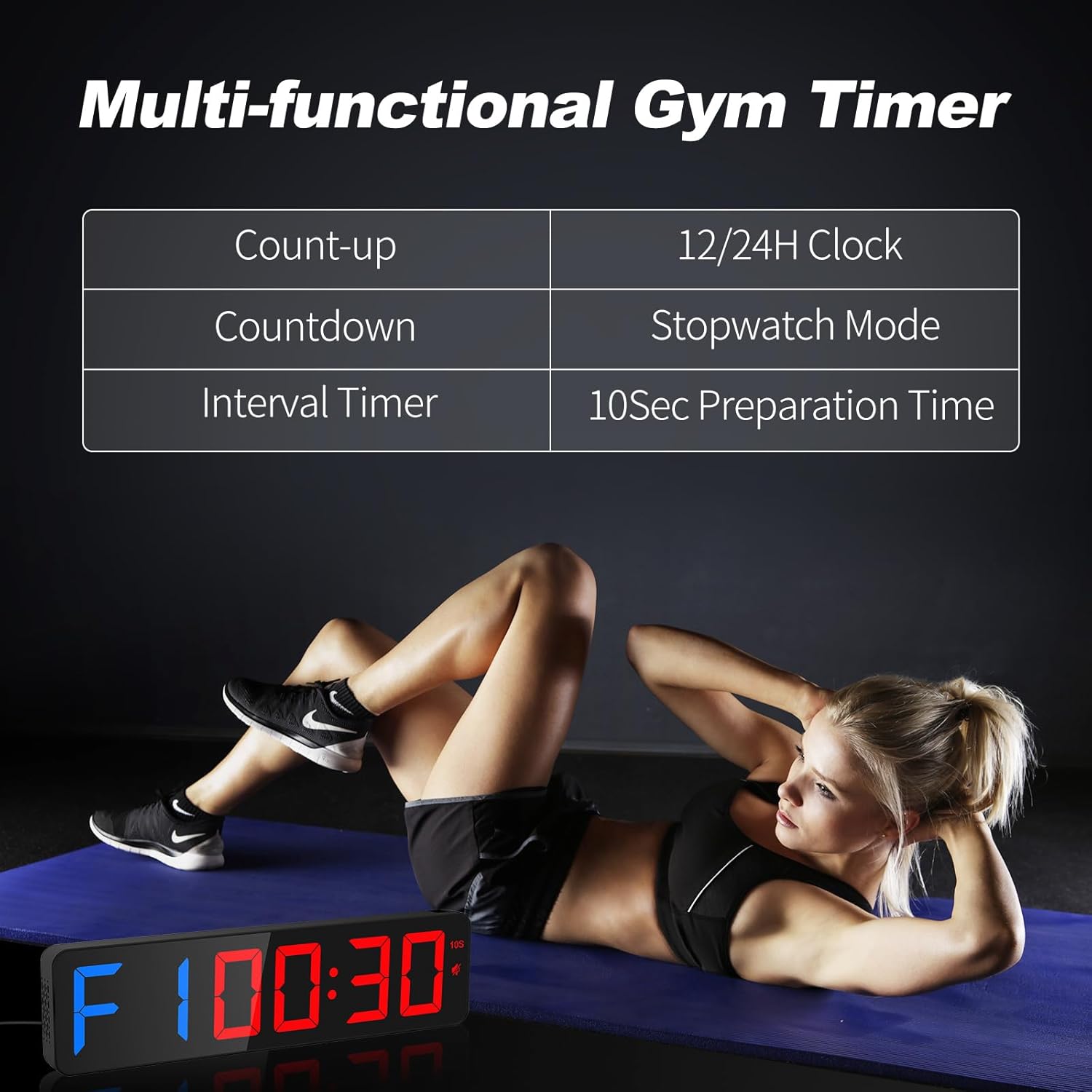
Image 7: A graphic illustrating the multi-functional capabilities of the ANJANK Gym Timer, listing Count-up, Countdown, Interval Timer, 12/24H Clock, Stopwatch Mode, and 10Sec Preparation Time, with a person exercising in the background.
- Countdown/Count-up:
Countdown: Press 'Down', enter desired time (MM:SS), then 'SET'. Press 'START' to begin. The display will show 'dn' followed by the time.
Count-up: Press 'Up', enter desired time (MM:SS) to start from, then 'SET'. Press 'START' to begin. The display will show 'UP' followed by the time. - Stopwatch: Press 'Stopwatch'. The display will show '00:00:00'. Press 'START' to begin, 'STOP' to pause, and 'CLEAR' to reset.
- Tabata: Press 'Tabata'. This mode is preset to 8 rounds of 20 seconds work and 10 seconds rest. Press 'START' to begin.
- FGB (Fight Gone Bad): Press 'FGB'. This mode is preset to 3 rounds of 5 minutes work and 1 minute rest. Press 'START' to begin.
- EMOM (Every Minute On the Minute): Press 'EMOM'. This mode is a loop countdown. Press 'START' to begin. The timer will beep at the end of each minute.
- Custom Interval Modes (P1-P9):
Setting Custom Modes: Press 'Time Set', then select P1-P9. Enter the work time (MM:SS) and rest time (MM:SS) for each interval. You can set up to 9 work/rest cycles and repeat them up to 99 times. Press 'SET' to save.
Using Custom Modes: Press the corresponding P1-P9 button on the remote, then 'START' to begin. - 10-second Preparation Time: For interval modes, press '10S' to enable a 10-second countdown before the workout begins.
7. Maintenance
- Cleaning: Wipe the timer and remote with a soft, dry cloth. Do not use abrasive cleaners or solvents.
- Storage: Store the timer in a cool, dry place when not in use.
- Remote Batteries: Replace remote batteries as needed to ensure optimal performance.
8. Troubleshooting
| Problem | Possible Cause | Solution |
|---|---|---|
| Timer does not power on. | No power, loose connection, faulty adapter. | Ensure power adapter is securely connected and plugged into a working outlet. Try a different outlet. |
| Remote control not working. | Dead batteries, obstruction, out of range. | Replace remote batteries. Ensure no obstructions between remote and timer. Operate within 40-50 feet range. |
| Buzzer sound is too low or off. | Volume set too low, muted. | Use 'VOL+' to increase volume. Press '0/M' to unmute. |
| Display is too dim or too bright. | Brightness level needs adjustment. | Press the 'Dimmer' button to cycle through brightness levels. |
| Timer settings are lost after power off. | Internal memory batteries are low or absent. | The internal batteries are for memory retention only. Ensure the timer is powered on to retain settings. (Note: Batteries for memory are not included with the product). |
9. Specifications
| Feature | Detail |
|---|---|
| Model Number | CT008 |
| Dimensions (L x H x D) | 15" x 4" x 1.3" |
| Display Digit Height | 2.6 inches |
| Material | Plastic |
| Power Supply | DC 5V (via power adapter) / USB-C (via power bank) |
| Buzzer Volume | 12 levels (70-102db) |
| Brightness Levels | 5 |
| Remote Control Range | 40-50 feet |
| Item Weight | 1.14 Pounds |
10. Warranty and Support
ANJANK provides customer support for its products. If you encounter any issues or have questions regarding your Gym Timer, please contact ANJANK customer service. Refer to the contact information provided with your purchase or visit the official ANJANK store on Amazon for support details.
For any inquiries, please allow up to 24 hours for a response.
Related documentsCT008


Ask a question about this manual
Ask about setup, troubleshooting, compatibility, parts, safety, or missing instructions. Manuals+ will review the question and use this page’s manual context to help answer it.