
Cadac 407473
Front Runner Safari Chef 30 Compact/Portable Gas Barbecue User Manual
Model: 407473
Introduction
The Cadac Safari Chef 30 is a versatile and compact gas barbecue designed for outdoor cooking. It offers multiple cooking options, making it ideal for camping, picnics, and other outdoor adventures. This manual provides essential information for the safe and efficient use, setup, and maintenance of your Safari Chef 30.
This portable gas cooker weighs less than 9 pounds and includes a burner with a pot stand, a BBQ grid, a flat grill plate, and a lid/dome that also functions as a pot. Its design allows for a wide range of cooking applications, from grilling meats and vegetables to preparing stews and griddle cakes.
Product Components
The Safari Chef 30 comes with several interchangeable cooking surfaces and essential components for diverse cooking needs:
- Gas burner with piezo ignition
- Pot stand
- BBQ grid (GreenGrill ceramic coated non-stick)
- Flat grill plate (GreenGrill ceramic coated non-stick)
- Pot/lid (doubles as a pot)
- Carry bag
- Foldable legs for support

Image: All components of the Safari Chef 30, disassembled to show each part.
Setup
Setting up your Cadac Safari Chef 30 is designed to be quick and easy:
- Unpack all components from the carry bag.
- Extend the foldable legs of the main burner unit to ensure a stable base.
- Insert a propane bayonet gas cartridge directly into the designated compartment on the unit. Ensure it is securely screwed in.
- Place the desired cooking surface (pot stand, BBQ grid, or flat grill plate) onto the main burner unit.
- Ensure all connections are secure before ignition.

Image: Proper insertion of the gas cartridge into the unit.

Image: The Safari Chef 30 with the pot stand attached.
Operating Instructions
The Safari Chef 30 is designed for efficient and versatile outdoor cooking:
- After setup, turn the control knob to the ignition position. The automatic push-button piezo ignition will light the burner.
- Adjust the flame intensity using the control knob to achieve the desired cooking temperature.
- Utilize the various cooking surfaces:
- Pot Stand: For boiling water, cooking with pots, or using the lid as a pot.
- BBQ Grid: Ideal for grilling meats, fish, and vegetables. The GreenGrill ceramic coating ensures healthier cooking and easy release.
- Flat Grill Plate: Perfect for pancakes, eggs, bacon, or other griddle-style cooking.
- Lid/Dome: Can be used as a pot for cooking or as a dome to create an oven effect for roasting or baking.
- Always monitor your cooking and adjust heat as needed.
- When finished, turn the control knob to the "OFF" position and allow the unit to cool completely before handling or disassembling.
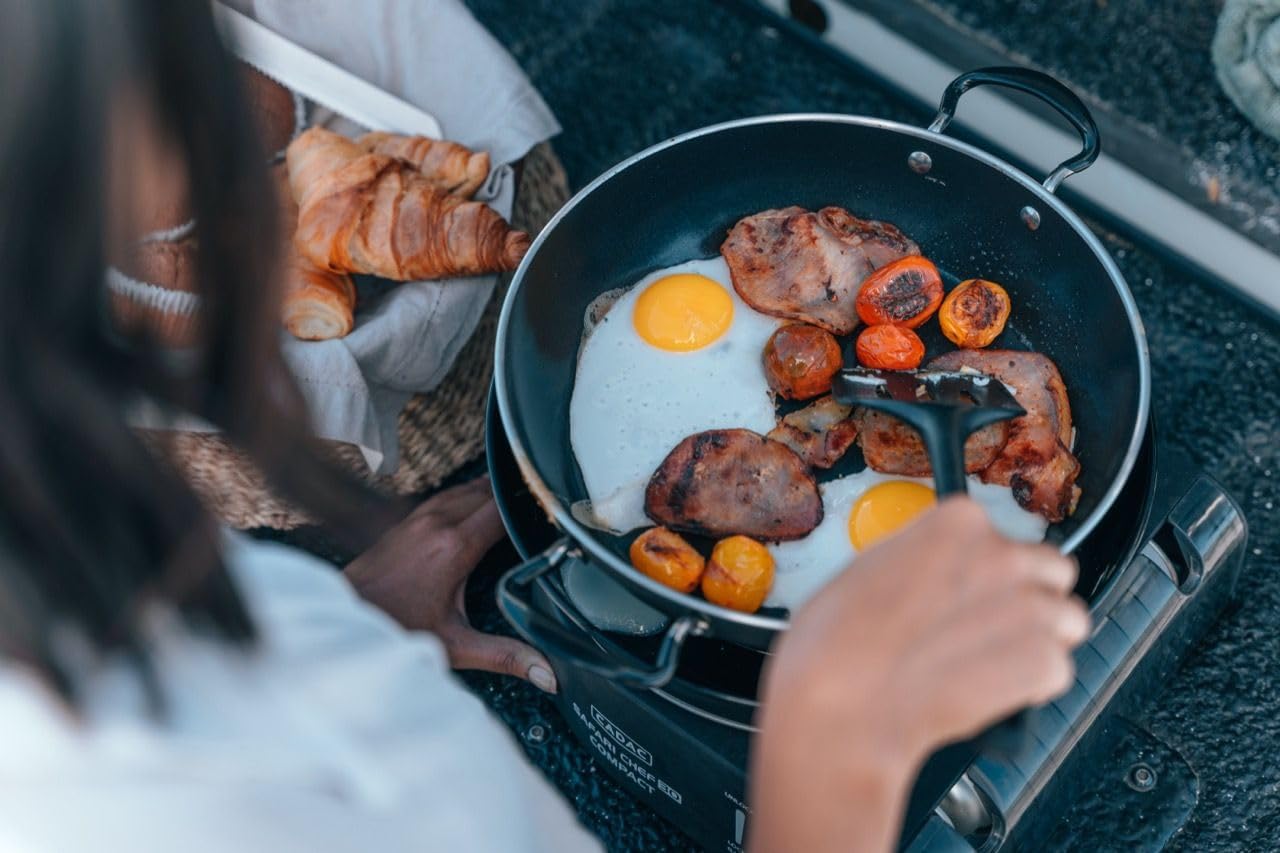
Image: Cooking breakfast on the Safari Chef 30 using a pan on the pot stand.
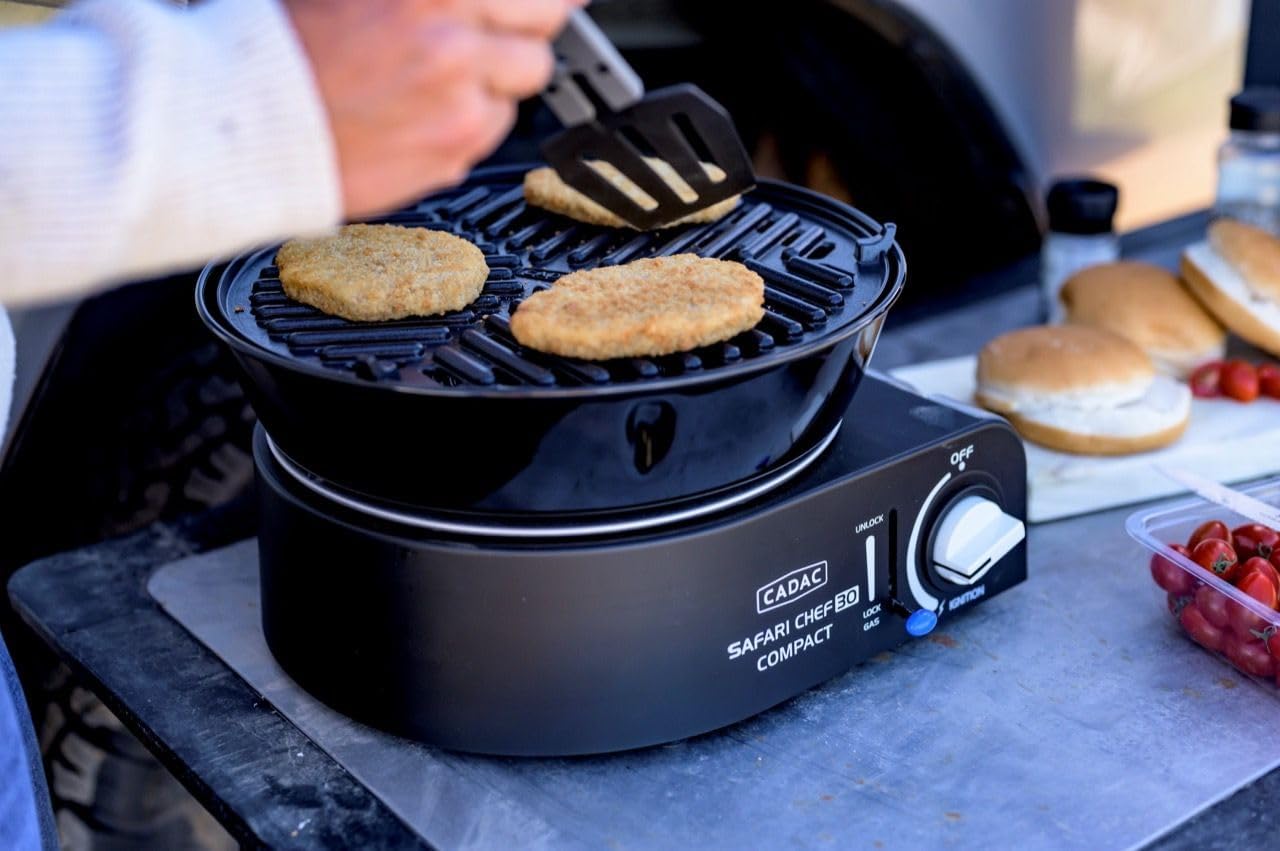
Image: Grilling food on the BBQ grid.
Maintenance and Cleaning
Regular cleaning and maintenance will prolong the life of your Safari Chef 30 and ensure optimal performance:
- Cool Down: Always allow the unit and all cooking surfaces to cool completely before cleaning.
- Cooking Surfaces: The GreenGrill ceramic coated non-stick surfaces are easy to clean. Use warm soapy water and a soft sponge or cloth. Avoid abrasive cleaners or scourers that could damage the coating.
- Main Unit: Wipe down the main burner unit with a damp cloth. Do not immerse the unit in water.
- Storage: Once clean and dry, pack all components back into the provided carry bag for convenient and safe storage.

Image: The Safari Chef 30 stored in its carry bag.
Troubleshooting
If you encounter issues with your Safari Chef 30, consider the following common solutions:
- Ignition Failure:
- Ensure the gas cartridge is correctly inserted and securely screwed in.
- Check if the gas cartridge is empty and replace if necessary.
- Verify that the control knob is turned fully to the ignition position.
- If the piezo igniter is not sparking, you may need to use a long match or lighter to manually ignite the burner.
- Low Flame/No Gas Flow:
- Confirm the gas cartridge has sufficient fuel.
- Check for any kinks or obstructions in the gas line (if applicable, though this model uses direct cartridge).
- Ensure the control knob is fully open.
- Unstable Unit:
- Ensure the foldable legs are fully extended and locked into place on a flat, stable surface.
For persistent issues not covered here, please contact customer support.
Specifications
| Feature | Detail |
|---|---|
| Brand | Cadac |
| Model Name | Safari Chef |
| Model Number | 407473 |
| Product Dimensions (D x W x H) | 9.06"D x 11.81"W x 13.78"H (23 x 30 x 35 cm) |
| Item Weight | 8.36 pounds (3.8 Kilograms) |
| Fuel Type | Gas (Propane bayonet gas cartridge) |
| Heating Power | 1.8 Kilowatts (1800 watts) |
| Cooking Surface Area | 700 cm² (110 in²) |
| Included Components | Gas burner with piezo ignition, Pot stand, BBQ grid, Flat pan, Pot/lid, Carry bag, Foldable legs |
| Special Feature | Durable, GreenGrill ceramic coating |
| Assembly Required | No |

Image: Product dimensions diagram.
Warranty and Support
The Cadac Safari Chef 30 comes with a 2-year product warranty provided by Front Runner. This warranty covers manufacturing defects and ensures the quality of your product.
For warranty claims, technical support, or any inquiries regarding your product, please contact Front Runner Outfitters directly. You can find more information and contact details on their official store page:
This appliance complies with EN 17476 and SANS 1539 standards.
Related documents407473


Ask a question about this manual
Ask about setup, troubleshooting, compatibility, parts, safety, or missing instructions. Manuals+ will review the question and use this page’s manual context to help answer it.