
Fszdorj 2-F092
Fszdorj 20'' Ceiling Fan with Light User Manual
Model: F092 Black
1. Product Overview
The Fszdorj F092 Black Ceiling Fan with Light is a modern, low-profile fixture designed to provide both efficient air circulation and versatile lighting for various indoor spaces. Its sleek design integrates seamlessly into contemporary home decor, offering advanced features for enhanced comfort and convenience.
This unit combines a quiet DC motor with a dimmable LED light, offering 6 fan speeds and adjustable light color temperatures. Control is made easy through both a remote control and a dedicated mobile application, providing a smart and user-friendly experience.

Figure 1.1: Fszdorj 20'' Ceiling Fan with Light in a bedroom setting, highlighting its design and control options.
2. Safety Information
Please read all instructions carefully before installation and use. Failure to follow these instructions may result in electric shock, fire, or personal injury.
- Ensure the power is turned off at the circuit breaker before installation or maintenance.
- All wiring must be in accordance with national and local electrical codes. If you are unsure, consult a qualified electrician.
- Mount the fan to a structurally sound ceiling joist or outlet box rated for fan support.
- Do not bend the fan blades when installing or cleaning.
- Keep hands, hair, and clothing away from moving fan blades.
- This appliance is for indoor use only.
- Do not use the fan in damp or wet locations.
3. Package Contents
Verify that all components are present and undamaged before beginning installation.
- Ceiling Fan with Integrated LED Light (Model F092 Black)
- Remote Control
- Remote Control Holder
- Mounting Hardware (bolts, drywall anchors, screws, wire nuts)
- User Manual
4. Specifications
| Feature | Specification |
|---|---|
| Brand | Fszdorj |
| Model Name | 2-F092 |
| Color | Black (with Transparent Acrylic Lampshade) |
| Material | Iron, Acrylic |
| Product Dimensions | 20"L x 20"W x 5"H (50cm x 50cm x 14.5cm) |
| Light Source Type | LED |
| Color Temperature | 3000K-6500K (Dimmable) |
| Fan Speeds | 6 Speeds |
| Motor Type | DC Motor |
| Noise Level | <30dB |
| Control Method | Remote Control, App Control |
| Power Source | 110V DC |
| Wattage | 80 watts (main lamp), 4 watts (night light) |
| Installation Type | Flush Mount |
| Recommended Use Area | 107 - 269 sq ft |

Figure 4.1: Product dimensions and ease of cleaning.

Figure 4.2: Key specifications at a glance.
5. Setup and Installation
The Fszdorj ceiling fan is designed for straightforward installation with pre-assembled components. Follow these steps for a secure setup:
- Preparation: Before starting, ensure the power supply to the installation area is turned off at the main circuit breaker.
- Mounting Bracket Installation: Secure the mounting bracket to a ceiling joist or an electrical outlet box rated for fan support. Use the provided screws and drywall anchors if necessary.
- Wiring: Connect the fan's electrical wires to the household wiring according to the wiring diagram in the included owner's manual. Ensure all connections are secure with wire nuts.
- Attach Fan to Bracket: Carefully lift the fan unit and attach it to the installed mounting bracket. Ensure it is securely fastened.
- Final Check: Double-check all connections and ensure the fan is firmly mounted. Restore power at the circuit breaker.
The fan comes largely pre-assembled, simplifying the installation process significantly.
6. Operating Instructions
Your Fszdorj ceiling fan can be controlled using the included remote control or the dedicated mobile application.
6.1 Remote Control Functions
The remote control provides comprehensive control over the fan and light features:
- Power On/Off: Turn the fan and light on or off.
- Fan Speed Adjustment: Select from 6 adjustable wind speeds to suit your comfort needs.
- Light Brightness Adjustment: Dimmable from 0% to 100%.
- Color Temperature Adjustment: Change the light color from warm (3000K) to neutral (4500K) to bright white (6000K).
- Night Light Function: Activate a separate, low-wattage night light.
- Reversible Motor: Switch between forward air flow (summer mode for cooling) and reverse air flow (winter mode for circulating warm air).
- Timer Function: Set the fan to turn off automatically after 1, 2, 4, or 8 hours.
- Memory Function: The fan remembers your last light and fan settings.

Figure 6.1: Dimmable LED light with adjustable color temperature.

Figure 6.2: Reversible motor for year-round comfort.
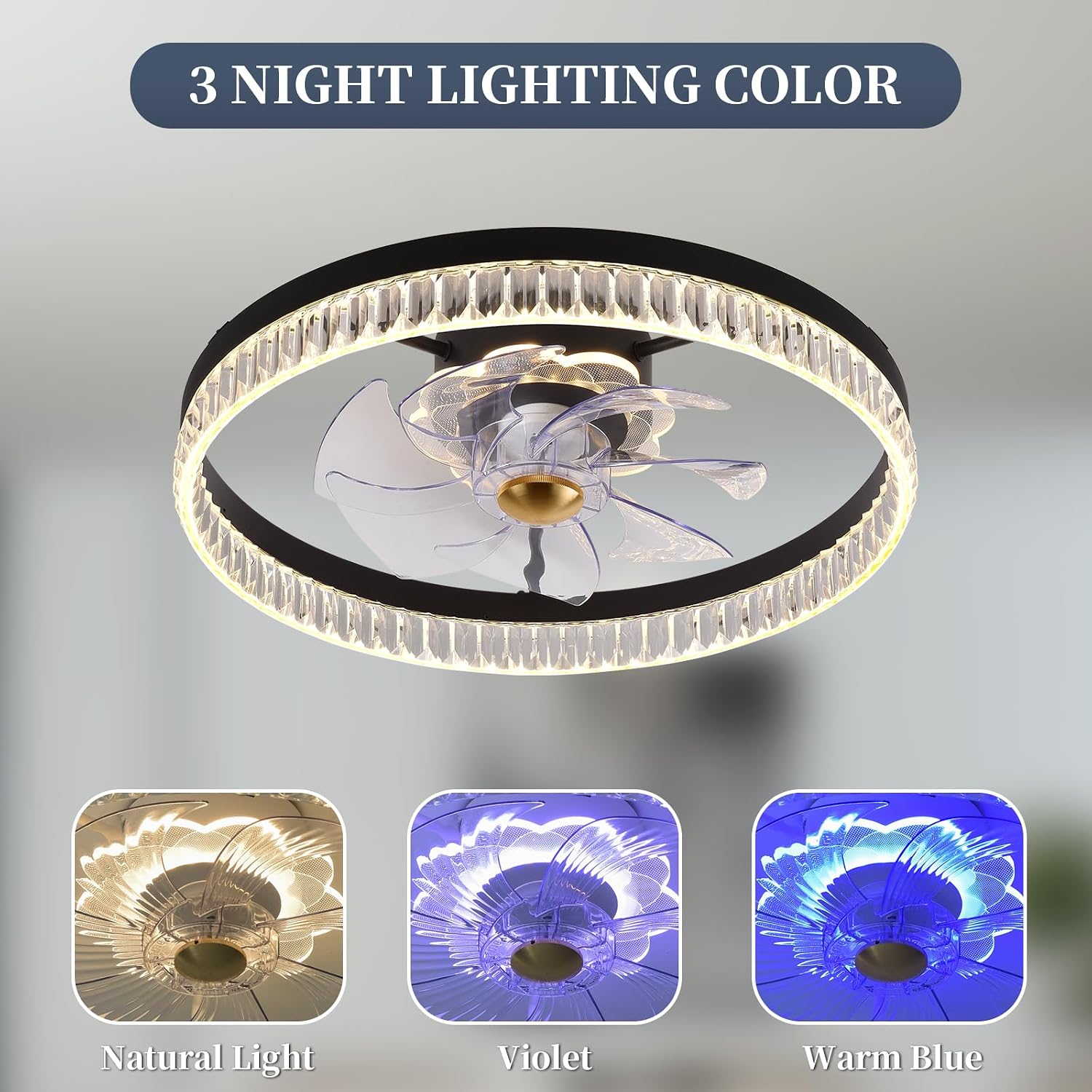
Figure 6.3: Three night lighting color options.

Figure 6.4: Remote control layout and functions.
6.2 Mobile App Control
For extended control and smart features, download the companion mobile application. Scan the QR code on the remote control image (Figure 6.4) or visit http://www.jasonghost.com/smartdevicecontrol/index-en.html to download the 'ArgraceLight' app.
The app allows for:
- Remote control of all fan and light functions.
- Advanced settings not available on the remote.
- Device pairing and management.
7. Maintenance
Regular maintenance ensures optimal performance and longevity of your ceiling fan.
- Cleaning: The enclosed design makes the fan easy to clean. Use a soft, damp cloth to wipe down the exterior. Do not use abrasive cleaners or solvents.
- Blade Cleaning: The fan blades are designed to be cleaned without disassembly.
- Light Source: The LED light source is integrated and not user-replaceable.
8. Troubleshooting
If you encounter issues with your Fszdorj ceiling fan, refer to the following common problems and solutions:
| Problem | Possible Cause | Solution |
|---|---|---|
| Fan does not operate | No power supply | Check circuit breaker and wall switch. |
| Light does not turn on | Loose wiring or power issue | Ensure power is off, check wiring connections. |
| Remote control not working | Dead batteries or pairing issue | Replace batteries. Re-pair remote if necessary (refer to manual). |
| Fan wobbles | Loose mounting or unbalanced blades | Ensure mounting screws are tight. The anti-wobble mechanism should prevent this. |
| Fan is noisy | Loose screws or motor issue | Check all screws are tight. The DC motor is designed for quiet operation (<30dB). |
For issues not listed here, or if troubleshooting does not resolve the problem, please contact customer support.
9. Warranty and Support
Fszdorj offers a 2-year promise for this product. If you encounter any problems, please contact the professional online after-sales team. They are available 24/7 to assist you.
For support, please reach out via Amazon message or visit the official Fszdorj Storefront on Amazon: Fszdorj Store.

Figure 9.1: Product features and 2-year promise.
Ask a question about this manual
Ask about setup, troubleshooting, compatibility, parts, safety, or missing instructions. Manuals+ will review the question and use this page’s manual context to help answer it.