
1. Introduction
The ZEBRONICS PIXAPLAY 16 is a Smart LED Projector designed for home cinema and office use. It features Full HD 1080p native resolution, 4K support, and a maximum screen size of 508cm (200 inches). Equipped with Android 9.0 OS, dual-band Wi-Fi, and Bluetooth v5.1, it offers versatile connectivity and smart functionalities like app support, Miracast, and Airplay. This manual provides essential information for the proper setup, operation, and maintenance of your projector.

Image 1.1: ZEBRONICS PIXAPLAY 16 Smart LED Projector. This image displays the projector from a front-side angle, highlighting its lens and sleek design, along with icons indicating 11000 Lumens brightness and Dolby Audio support.
2. Package Contents
Verify that all items listed below are included in your package:
- ZEBRONICS PIXAPLAY 16 Projector (1 unit)
- Remote Control
- Power Cord
- AV Cable
- HDMI Cable
- Support Base
- User Manual
3. Product Overview
Familiarize yourself with the projector's controls and connection ports.

Image 3.1: Projector Controls and Ports. This image illustrates the top panel controls (Up, Down, Right, Left, OK/Enter, Back) and the rear panel ports (Audio out, AV in, Dual USB, Power cord port, Dual HDMI), along with the power button/keystone adjustment knob.
3.1 Top Panel Controls
- Up/Down/Right/Left: Navigation buttons for menu selection.
- OK/Enter: Confirms selection.
- Back: Returns to the previous menu.
3.2 Rear Panel Ports and Adjustments
- Power Button / Manual Keystone Adjustment Knob: Press to power on/off. Rotate to adjust vertical keystone correction.
- Audio Out: 3.5mm jack for connecting external speakers or headphones.
- AV In: For connecting devices using the provided AV cable.
- Dual USB: For connecting USB storage devices.
- Power Cord Port: Connects the power cable.
- Dual HDMI: For connecting HDMI-enabled devices.
4. Setup
4.1 Placement
Position the projector on a stable, flat surface or mount it to the ceiling. Ensure the projection path is clear of obstructions. The optimal projection distance ranges from 1.5 meters to 5.6 meters, yielding a screen size of 111cm to 508cm (max 200 inches).
4.2 Power Connection
- Connect the power cord to the projector's power port.
- Plug the other end of the power cord into a suitable electrical outlet (240 Volts).
4.3 Initial Power-On and Focus Adjustment
- Press the power button on the projector or remote control to turn it on.
- Adjust the focus ring near the lens until the projected image is clear and sharp.
4.4 Keystone Adjustment
If the projected image appears trapezoidal, use the manual keystone adjustment knob on the rear panel to correct the image shape. Further digital keystone adjustments may be available in the projector's settings menu.
5. Operating Instructions
5.1 Connectivity
The projector supports various connectivity options:
- Wi-Fi: Dual-band (2.4GHz & 5GHz) for internet access and online streaming.
- Bluetooth v5.1: For connecting wireless audio devices.
- HDMI: Connect up to two HDMI devices (e.g., laptops, gaming consoles).
- USB: Connect USB storage devices for media playback.
- AV In: Connect older devices using the AV cable.
- AUX Out: Connect external speakers or sound systems.
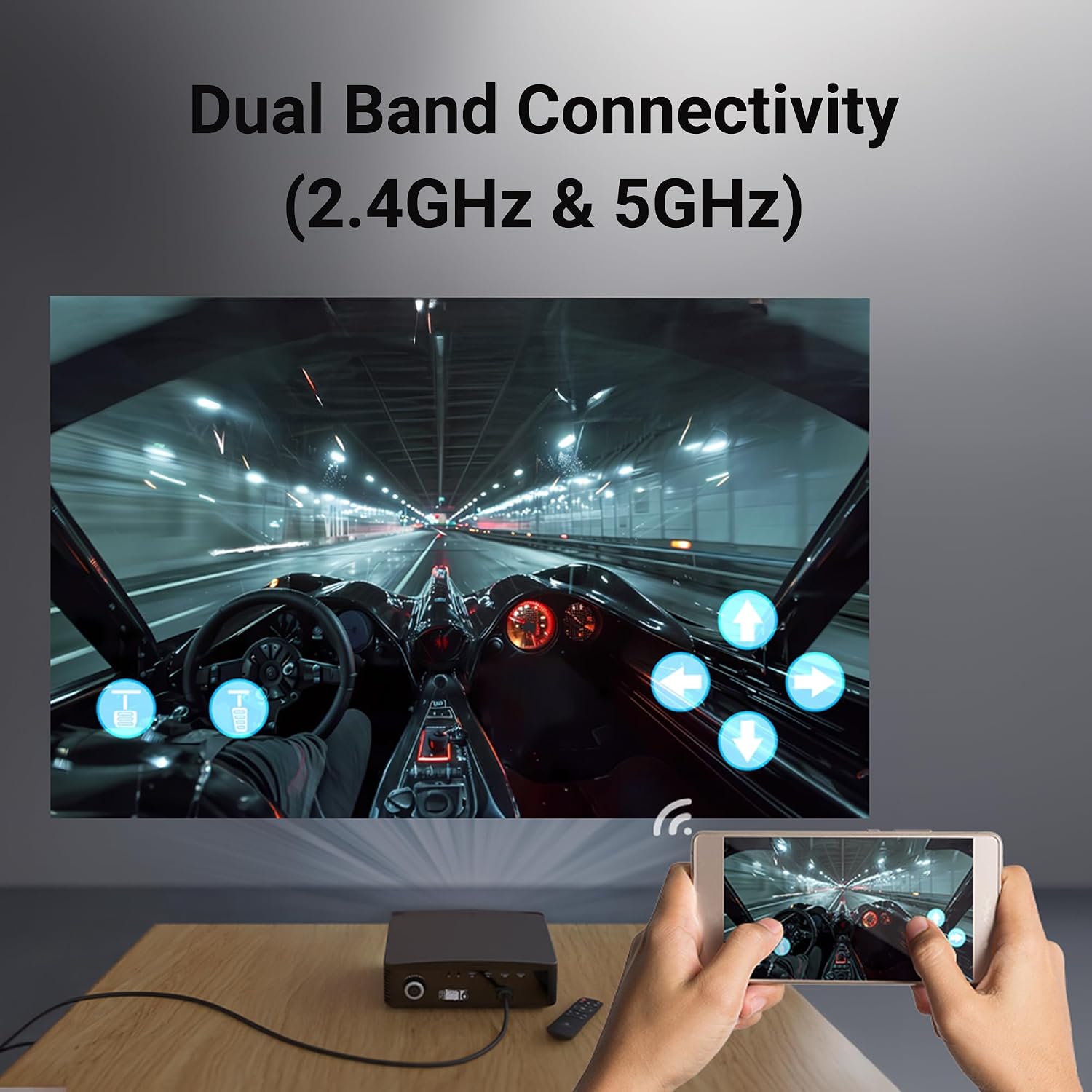
Image 5.1: Dual Band Connectivity. This image shows the projector connected wirelessly, with a smartphone mirroring its screen, illustrating the dual-band Wi-Fi capability.
5.2 Smart Features
The projector runs on Android 9.0 OS, enabling smart functionalities:
- App Support: Download and install applications directly onto the projector.
- Miracast / Airplay / DLNA: Wirelessly stream content from compatible smartphones, tablets, and laptops.

Image 5.2: Smart Features Overview. This image highlights key features such as ceiling mountability, built-in speaker, app support, and wireless casting technologies like Bluetooth v5.1, Airplay, DLNA, and Miracast.
5.3 Remote Control
Use the included remote control to navigate menus, adjust settings, and control media playback. Ensure batteries are correctly inserted and replace them if the remote becomes unresponsive.
6. Maintenance
6.1 Cleaning the Lens
Gently wipe the projector lens with a soft, lint-free cloth specifically designed for optical surfaces. Avoid using abrasive cleaners or excessive force.
6.2 LED Lamp Lifespan
The projector features an LED lamp with an operating life of approximately 30,000 hours. Regular cleaning and proper ventilation can help maximize its lifespan.
6.3 General Care
- Keep the projector in a clean, dust-free environment.
- Avoid exposing the projector to extreme temperatures or humidity.
- Ensure adequate ventilation around the projector to prevent overheating.
7. Troubleshooting
If you encounter issues with your projector, refer to the following common problems and solutions:
| Problem | Possible Cause | Solution |
|---|---|---|
| No power | Power cord disconnected; Power outlet issue | Ensure power cord is securely connected. Test the outlet with another device. |
| No image | Incorrect input source; Device not connected properly | Select the correct input source (HDMI, AV, USB). Check cable connections. |
| Image is blurry | Focus not adjusted; Keystone not adjusted | Adjust the focus ring. Use the manual keystone knob and digital keystone settings. |
| No sound | Volume too low; External speakers not connected; Audio settings incorrect | Increase volume. Connect external speakers to AUX out if desired. Check audio output settings. |
| Remote control not working | Batteries depleted or incorrectly inserted; Obstruction between remote and projector | Replace batteries. Ensure clear line of sight to the projector's IR receiver. |
8. Specifications
Detailed technical specifications for the ZEBRONICS PIXAPLAY 16 Projector:
| Feature | Specification |
|---|---|
| Brand | ZEBRONICS |
| Model Name | ZEB-PIXAPLAY 16 |
| Native Resolution | 1920 x 1080 Pixels (Full HD) |
| Maximum Display Resolution | 1920 x 1080 Pixels (4K Support) |
| Projector Maximum White Brightness | 4000 ANSI Lumens (11000 Lumens stated in product title) |
| Contrast Ratio | 1000:1 |
| Light Source Operating Life | 30000 Hours (LED) |
| Maximum Image Size | 150 Inches (508cm / 200 inches stated in product title) |
| Minimum Image Size | 111 Centimeters |
| Maximum Throw Distance | 5.6 Metres |
| Minimum Throw Distance | 1.5 Metres |
| Operating System | Android 9.0 |
| Connectivity Technology | 3.5mm Jack, Bluetooth (v5.1), IR, USB, Wi-Fi (2.4GHz & 5GHz) |
| Hardware Connectivity | AV Port, HDMI (x2), USB (x2) |
| Special Features | Smart Android, App download for OTT, Wireless cast, Screen mirroring, Built-In Wi-Fi, Built-In Speaker, Dolby Audio |
| Control Method | Remote, Button Control |
| Mounting Type | Tabletop Mount, Ceiling |
| Item Dimensions (L x W x H) | 24L x 32.5W x 10H Centimeters |
| Item Weight | 2500 Grams |
| Voltage | 240 Volts |
9. Warranty and Support
9.1 Warranty Information
The ZEBRONICS PIXAPLAY 16 Projector comes with a 1-year warranty. For warranty claims, please carry the product to an authorized service center.
9.2 Manufacturer Contact Information
For further assistance or support, you may contact the manufacturer:
Zebronics India Private Limited13, 7, Smith Road, Royapettah
CHENNAI-600002


